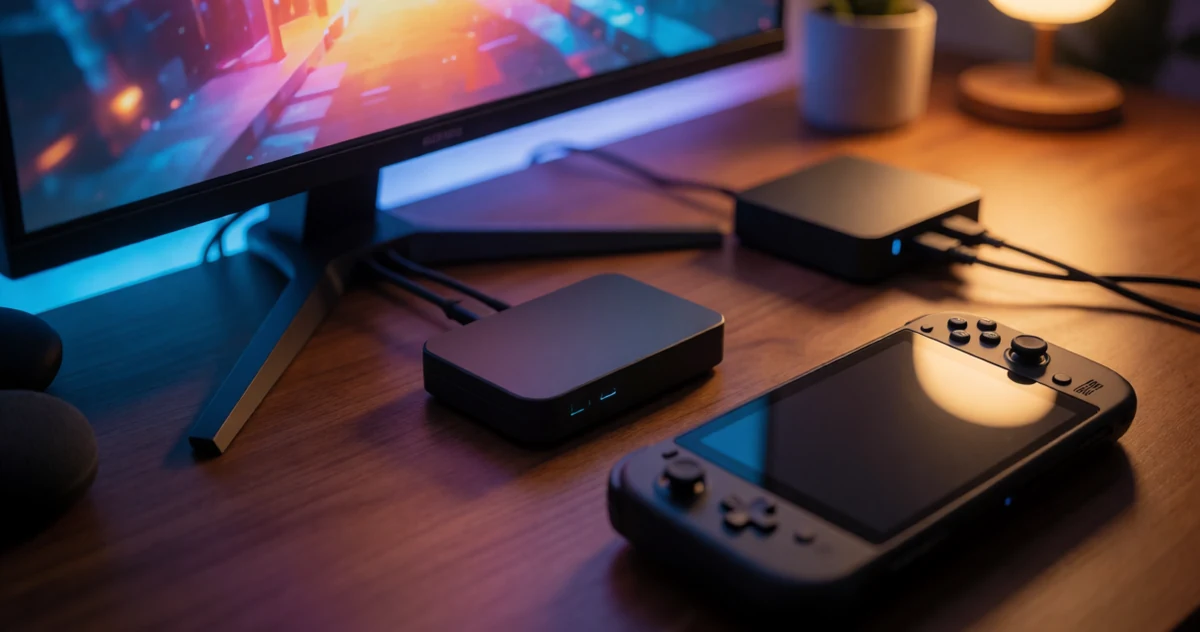
Whether you’re streaming your Steam Deck sessions, capturing footage from a Switch 2, or broadcasting console gameplay to Twitch or YouTube, a good capture card makes the whole process so much smoother. The right one can turn a casual gaming setup into something that actually looks and sounds great on screen, without requiring a ton of technical know-how to get started. In 2026, capture cards have gotten more capable, more compact, and honestly more accessible than ever before. Some work straight out of the box with zero drivers, others unlock studio-quality bitrates for serious creators, and a few pull off surprisingly clever tricks that make them way more useful than you’d expect. In this guide, we’re covering a solid range of options across different budgets and use cases, from simple plug-and-play devices for beginners to more feature-packed picks for streamers who want full control. If you’ve been thinking about leveling up your streaming setup, this is a great place to start figuring out what actually fits your needs.
Disclosure: As an Amazon Associate we earn from qualifying purchases. Prices and availability shown are accurate as of the date of publication and may change.
Quick comparison
How to choose
Input Connection Type
Some capture cards use HDMI input only, while others use USB-C video input only. The Steam Deck and Switch 2 can output via USB-C directly, but older consoles like PS5 and Xbox require HDMI, so matching your source device to the card’s input type is essential before buying.
Pass-Through Resolution
If you want to play on a TV or monitor at full quality while simultaneously recording, check whether the card offers HDMI pass-through and at what resolution. A card that passes through at 4K 60Hz gives a noticeably better play experience than one limited to 4K 30Hz, especially for fast-paced games.
Capture Output Resolution and Frame Rate
Most cards in this category capture at 1080p 60FPS or 2K 30Hz, and the right choice depends on your streaming platform and PC bandwidth. If your setup or target platform tops out at 1080p 60FPS, paying for a higher-output card adds no practical benefit, so match the spec to your actual workflow.
Power Delivery and Charging
Extended handheld sessions on a Steam Deck or Switch can drain the battery quickly, so a card that includes USB-C Power Delivery (look for 100W PD ratings in the specs) lets you capture and charge at the same time. Cards without PD passthrough require a separate charger, which adds cable clutter to a portable setup.
Audio Input Options
If you plan to add live commentary, check whether the card includes a 3.5mm microphone input. Cards that do save you from needing a separate audio interface, but note that some only accept TRS microphone plugs and may not work with TRRS headset cables, so confirm the connector type matches what you already own.
The picks
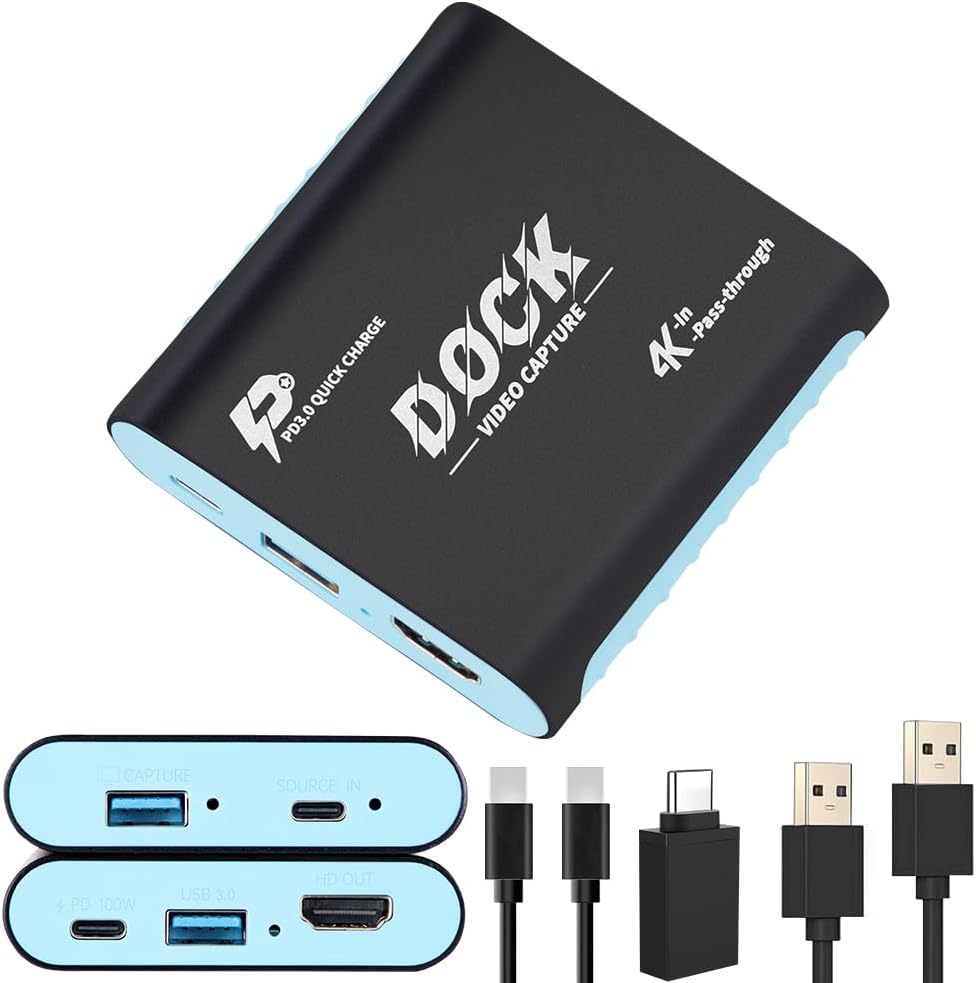
2-in-1 Switch 2 Dock & Capture Card with USB-C Video Input for Streaming
Nintendo Switch 2 or Steam Deck owners who want a single portable device that docks, charges at 100W, captures gameplay, and expands USB connectivity while traveling.
Combines a functional dock, 1080p 60fps capture card, 4K 30Hz HDMI passthrough, 100W USB-C PD charging, and a USB-A hub port into one compact aluminum housing, eliminating the need for multiple accessories.
This is the most expensive product in this set, and it uses USB-C video input only, meaning traditional HDMI-only consoles like PS5 or Xbox cannot connect without an adapter.
Premium
- Dock plus capture card in one unit
- 100W PD charging while streaming
- 4K 30Hz HDMI passthrough for local display
- Priciest pick in this set
- No HDMI input, USB-C video only
The only true 2-in-1 dock and capture card here, ideal for portable Switch 2 or Steam Deck setups where consolidating gear matters most.
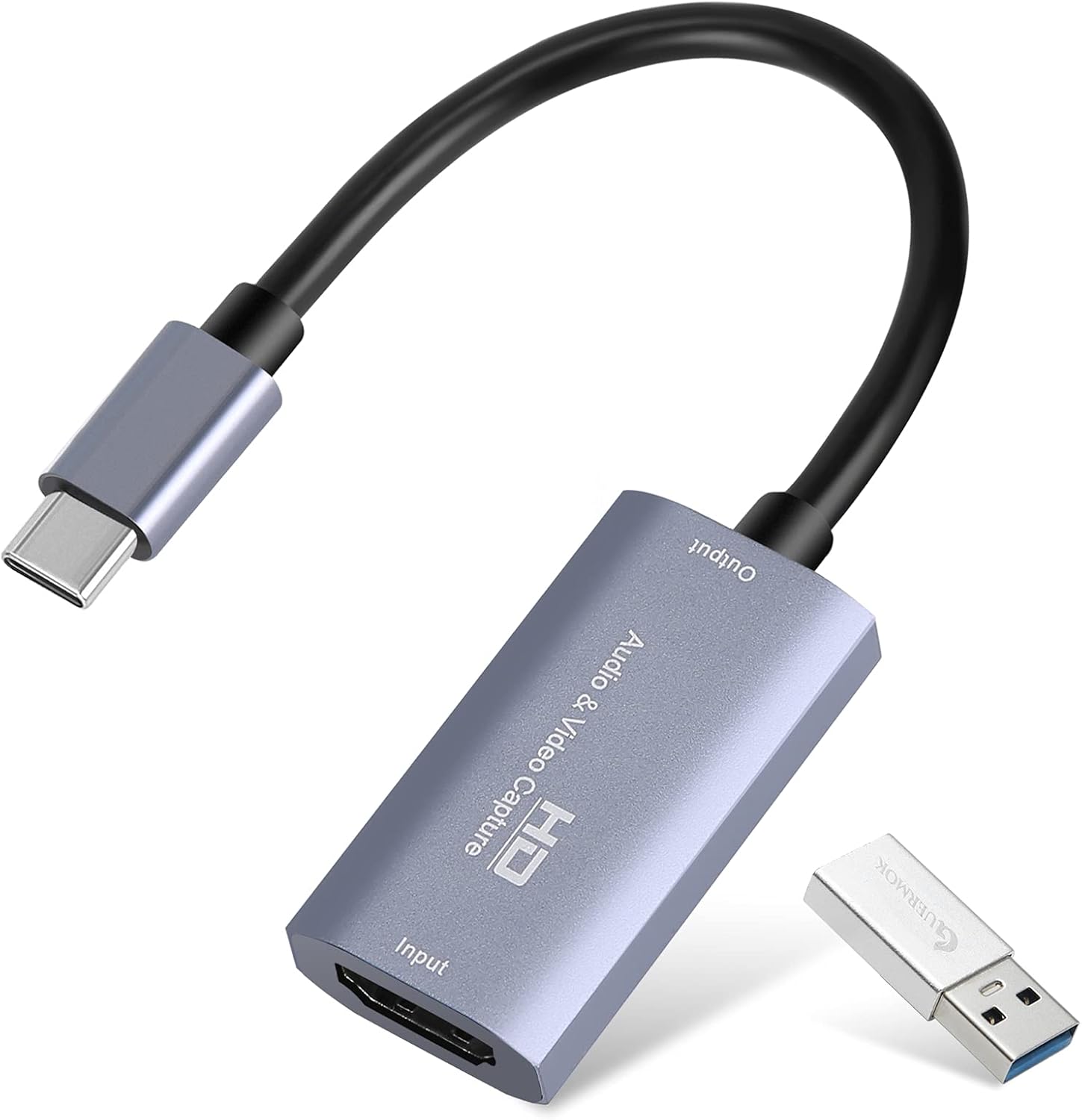
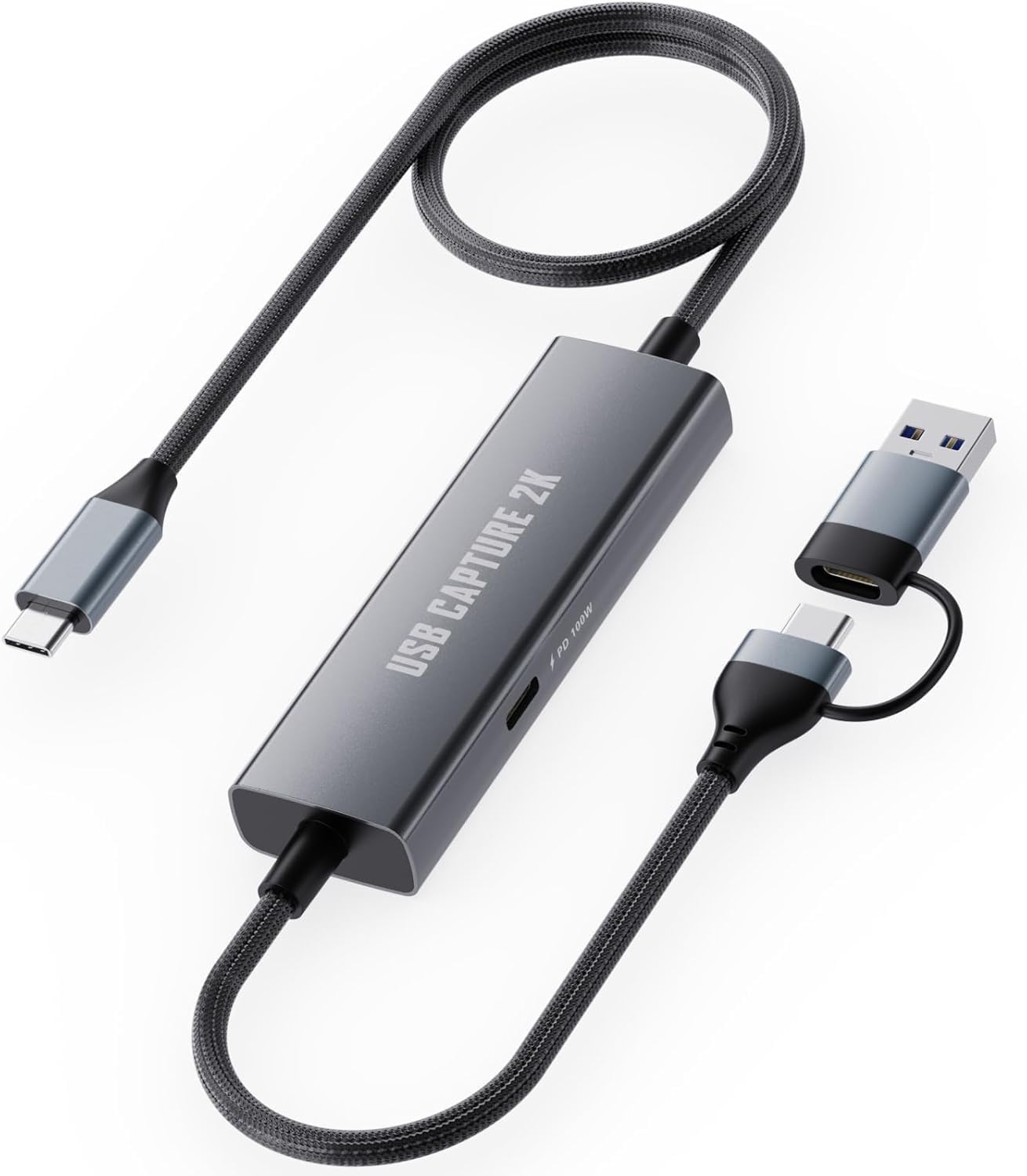
Buy on Amazon1080P 60FPS 2K@30Hz Capture Card, Type C to USB-A/C Video Capture Card USB 3.0 with 100W Power Delivery Ultra-Low Latency for Streaming, Recording, Gaming Compatible with Switch, iPad, Steam
Switch, Steam Deck, and iPad users on a tight budget who also want simultaneous 100W charging while capturing gameplay through a USB-C connection.
100W PD 3.0 pass-through charging built into the cable-style form factor means the Switch or Steam Deck stays powered throughout long streaming sessions without a separate charger.
HDMI devices such as PS5 and Xbox are explicitly not supported, limiting it to USB-C video output sources only.
Budget
- 100W PD charging while capturing
- Braided 3.3ft cable for flexible placement
- No drivers needed, broad OS support
- No HDMI input, incompatible with PS5 or Xbox
- 2K output capped at 30fps
The most affordable pick here and a smart choice for USB-C handheld gamers who need charging and capture in one cable.
Buy on AmazonGuermok Video Capture Card, 4K USB3.0 HDMI to USB C, 1080P 60FPS & 2K 30FPS
Budget-conscious streamers who need a simple plug-and-play HDMI capture card for casual gaming sessions.
Aluminum alloy housing aids heat dissipation, and the dual USB-A and USB-C output means it connects to a wide range of host devices without adapters.
Requires third-party capture software to function and cannot be used for direct screen casting to a monitor or TV, which adds a setup hurdle for beginners.
Budget
- Dual USB-A and USB-C output
- Aluminum alloy heat dissipation shell
- No drivers or external power needed
- Requires separate capture software
- No passthrough output for real-time monitor display
A no-frills HDMI capture card that covers the basics at a very accessible price point.
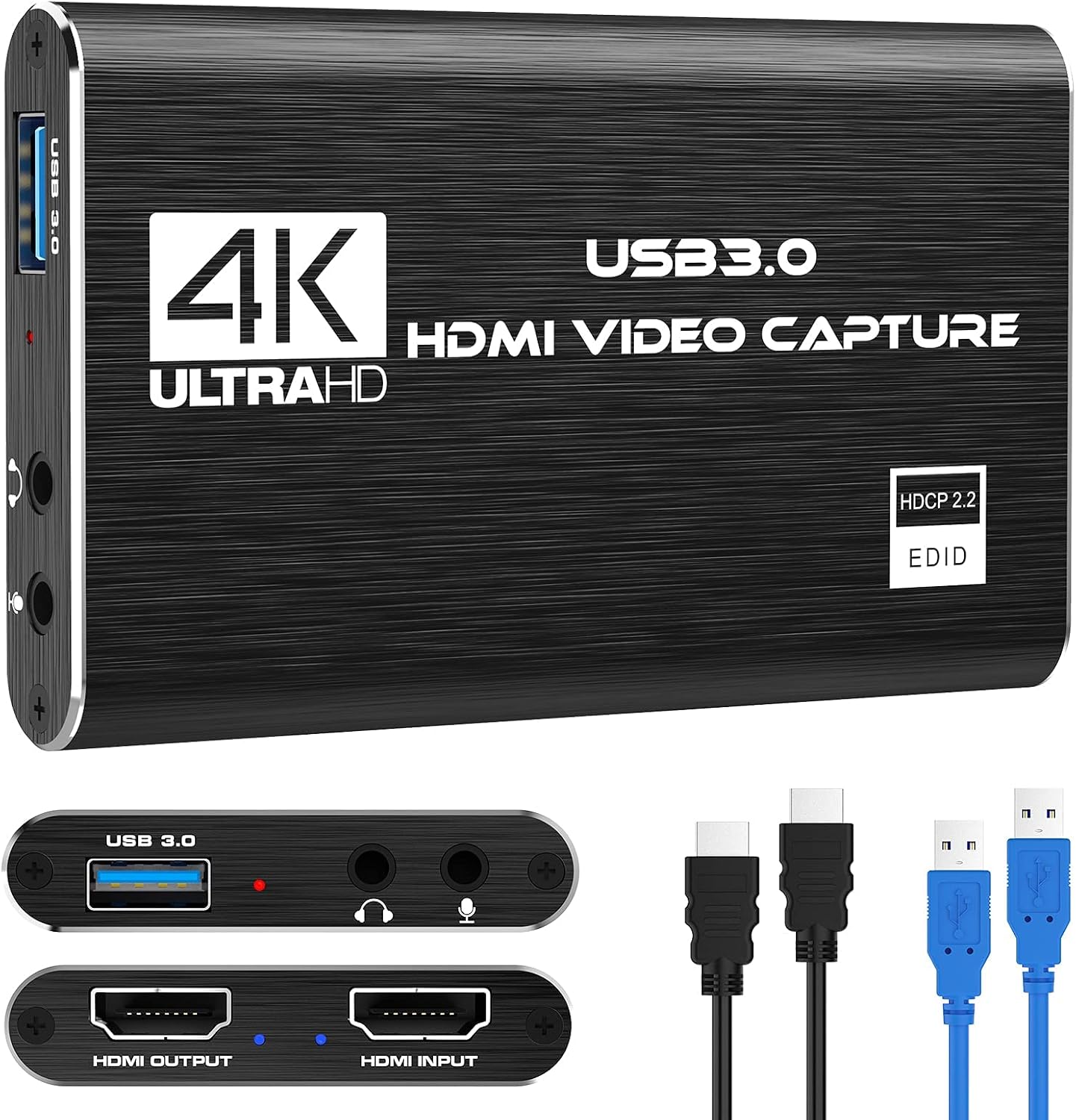
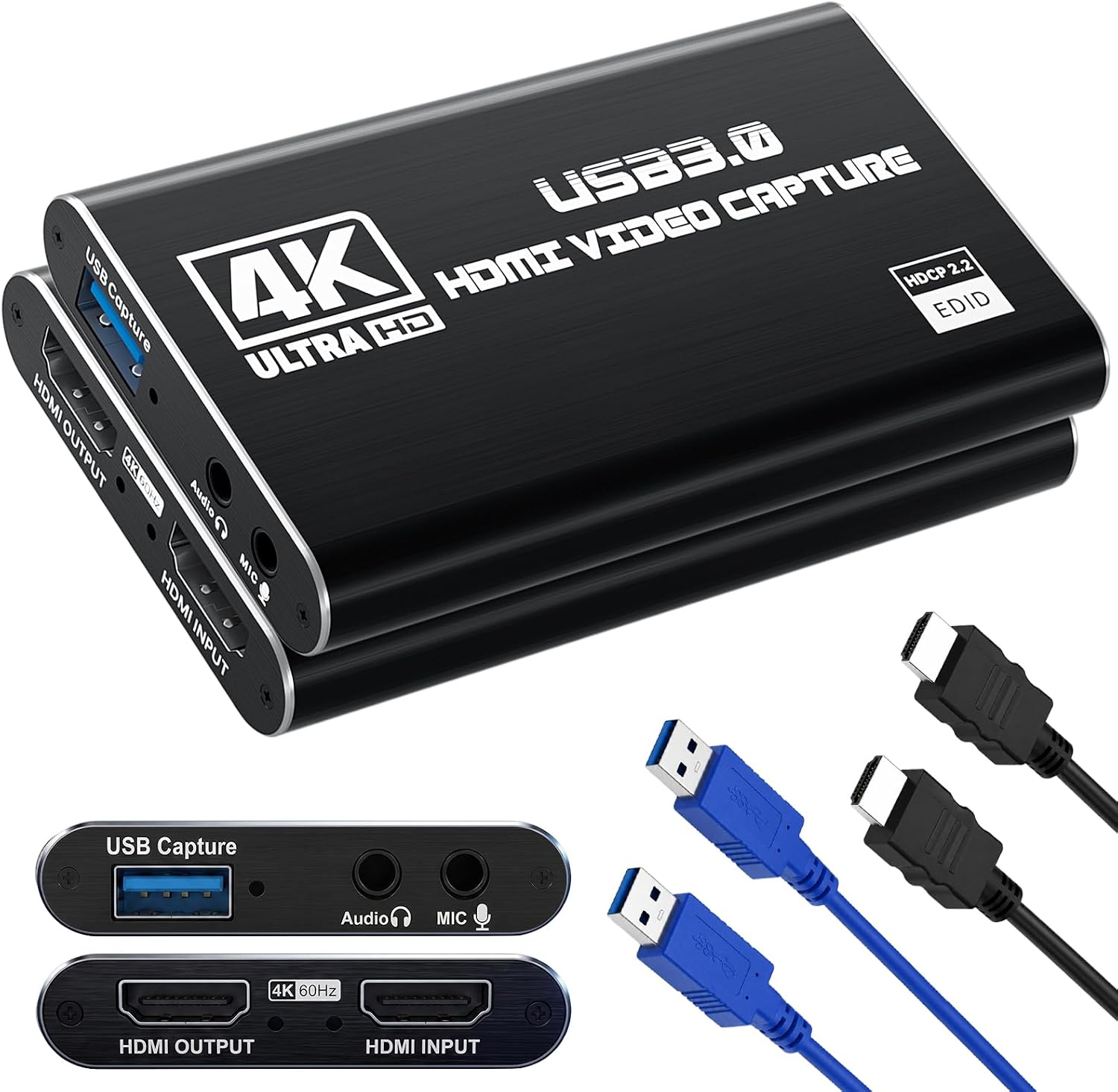
Buy on AmazonCapture Card, 4K HDMI Video Capture Card, Game Capture Card, 1080P 60FPS Video Capture Device, HDMI to USB 3.0 Capture Card for Streaming, Work with Camera/Xbox/PS4/PS5/PC/OBS
Streamers who also want to add live commentary without extra gear, connecting consoles like PS4, PS5, or Xbox via HDMI.
Built-in 3.5mm TRS microphone input lets creators add live commentary directly to the capture stream without a separate audio interface.
Microphone input only accepts standard 3.5mm TRS plugs, so TRRS headsets commonly bundled with smartphones and gaming headsets will not work.
Budget
- Built-in 3.5mm mic input for live commentary
- HDMI loop-out for zero-delay local display
- Broad console and camera compatibility
- No TRRS headset support on mic input
- No USB-C host output option
A practical step up for anyone who wants integrated mic support alongside solid 1080p 60fps capture.
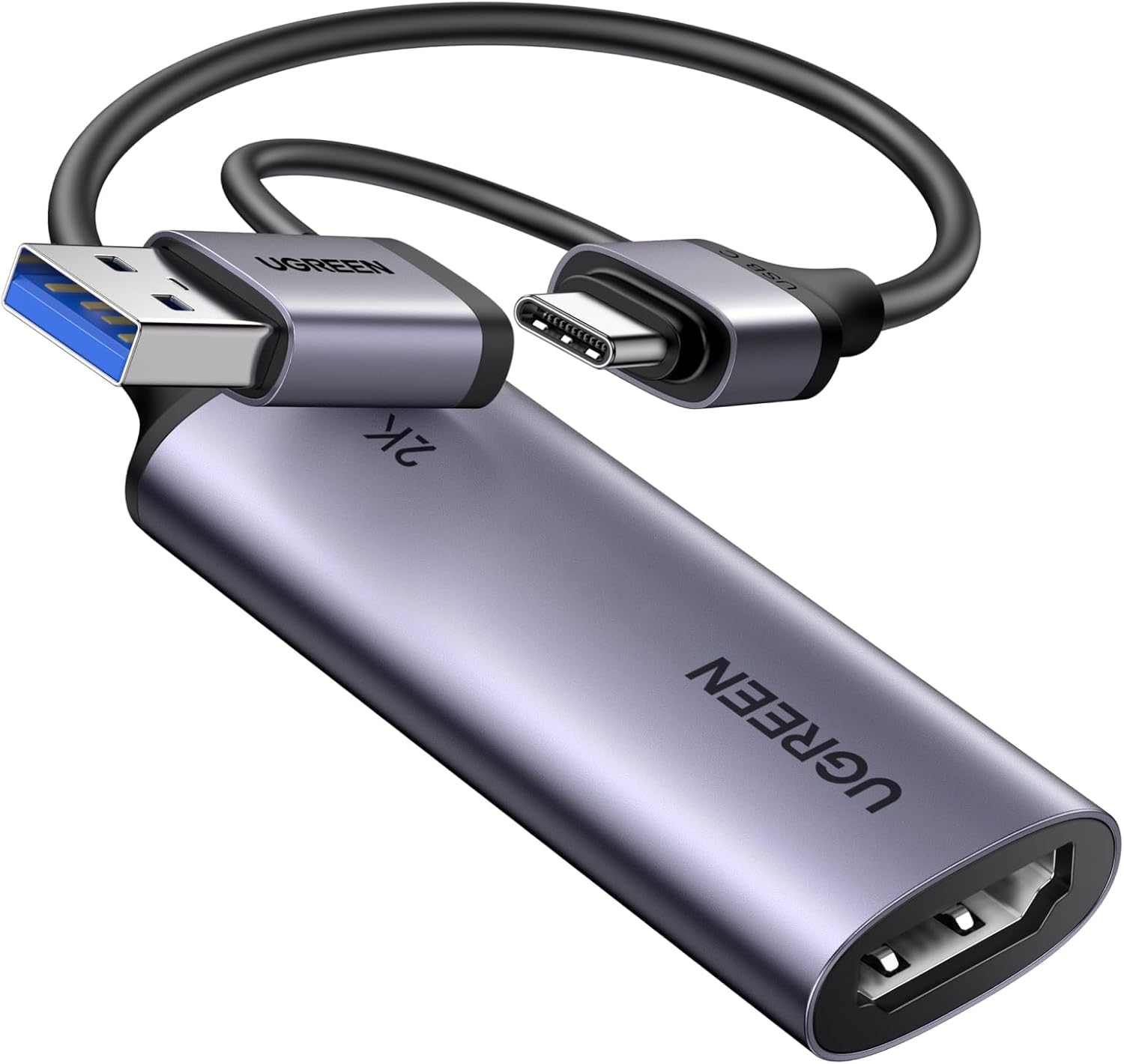
Buy on AmazonUGREEN 2K@30Hz 1080P 60FPS Video Capture Card 4K Input HDMI to USB 3.0
Switch 2 and Steam Deck owners who want a reliable dual-output capture card from a recognizable brand with both USB-A and USB-C host connections.
Explicitly supports Switch 2 and Steam Deck alongside HDMI sources, and offers both USB-A and USB-C host interfaces including Quest 3 compatibility for a versatile multi-device workflow.
Output tops out at 2K 30Hz or 1080p 60fps, so users hoping for higher frame rates at 2K resolution will hit a ceiling.
Mid-range
- Both USB-A and USB-C host outputs
- Explicitly supports Switch 2 and Steam Deck
- 5 Gbps USB 3.0 low latency transfer
- 2K output capped at 30fps
- HDMI input sources only, no USB-C video input
A well-rounded HDMI capture card with broad device support and dual host connections at a competitive price.
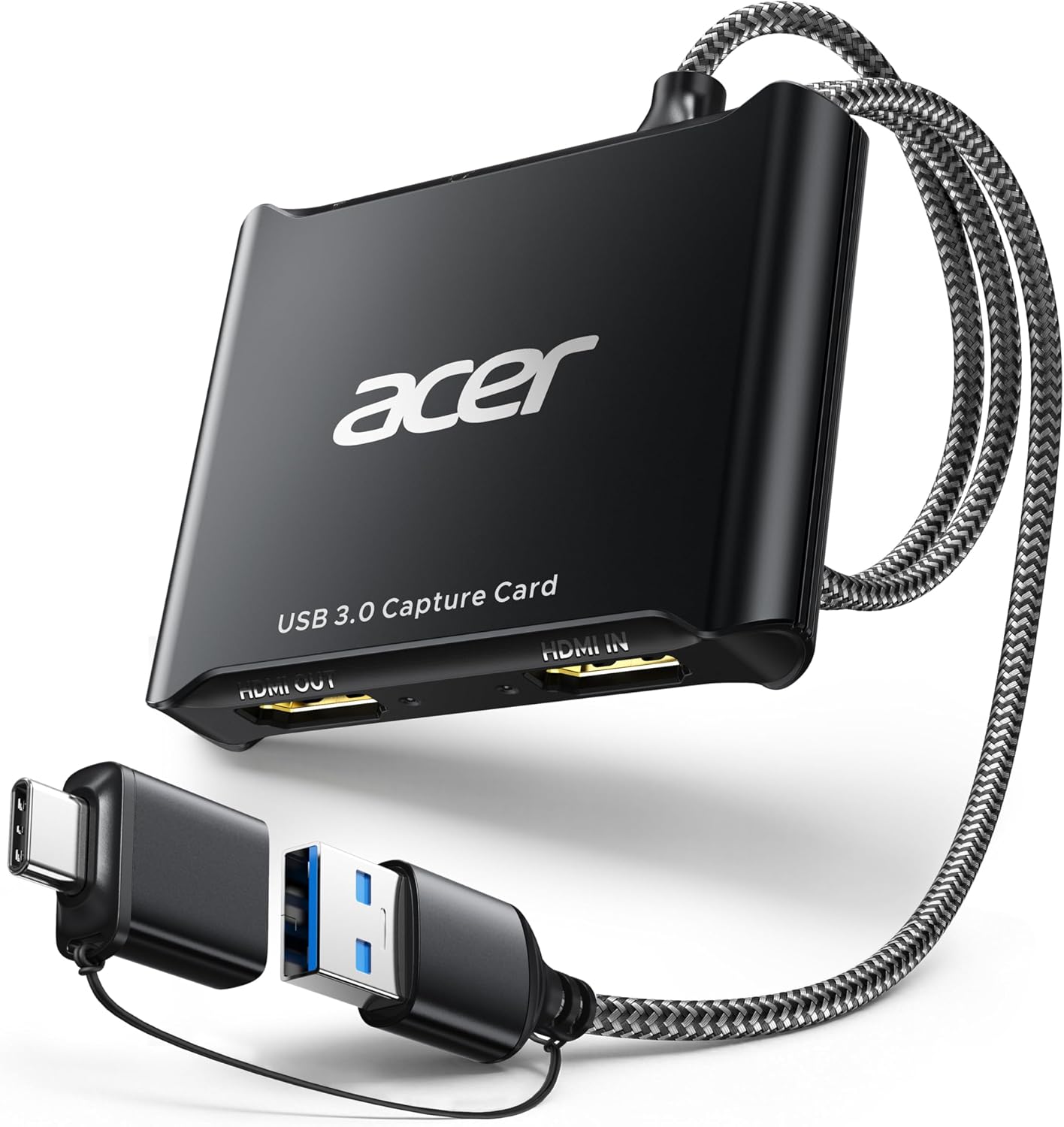
Buy on Amazonacer USB 3.0 HDMI Capture Card, 4K HDMI Loop-Out, 1080P 60Hz for Streaming
Content creators and educators who prioritize richer color output and built-in mic support for commentary alongside their HDMI console or camera capture.
YUY2 color encoding delivers richer color reproduction than MJPEG compression, which benefits creators who want more accurate colors in live streams and recordings without post-processing.
No USB-C host output option means it will not connect directly to modern laptops or tablets that lack a full-size USB-A port without a separate adapter.
Mid-range
- YUY2 color encoding for richer colors
- Built-in 3.5mm mic input
- Compact and portable form factor
- USB-A host output only, no USB-C option
- No passthrough output detailed in listing
A solid HDMI capture card that stands out for color quality and mic support, suited to creators who care about on-screen accuracy.
Buy on AmazonGuermok USB 3.0 HDMI Capture Card, 1080P 60FPS & 2K30 Video Capture Device
Semi-professional streamers and live producers who need flexible audio routing with multiple mic, headphone, and speaker connections alongside high-quality HDMI capture.
Equipped with Mic In, Audio In, headphone monitoring, and speaker output ports, it offers the most comprehensive audio connectivity in this set for complex streaming and commentary setups.
4K 60Hz passthrough operates only under YUV420 mode and drops to 4K 30Hz under RGB or YUV444, so users expecting full-bandwidth 4K passthrough at 60Hz in full color will be disappointed.
Budget
- Mic in, audio in, headphone monitor, and speaker output
- 4K 60Hz HDMI input and passthrough support
- 1080p 120Hz high-frame-rate input
- 4K 60Hz passthrough limited to YUV420 color space
- No USB-C host output
The most audio-capable capture card in this group, worth considering for anyone building a proper streaming station with microphones and monitoring headphones.
Buy on AmazonFinding the right capture card really comes down to how and where you plan to stream. Whether you’re recording Steam Deck sessions on the go, capturing Switch 2 gameplay for YouTube, or setting up a full console streaming rig, there’s something on this list that should fit your setup nicely. Take a look at the options that caught your eye, compare a few specs, and don’t overthink it too much. The best capture card is simply the one that works well for your situation. We hope this guide helped point you in the right direction. Thanks for reading!
Frequently asked questions
Which capture cards in this roundup work with the Steam Deck and Switch 2, and what connection do they need?
The Steam Deck and Switch 2 both output video over USB-C, so you need a capture card that accepts USB-C video input rather than a standard HDMI input. The 2-in-1 Switch 2 Dock and Capture Card (B0H32KNSKK) and the Type-C to USB-A/C model (B0H713RMWC) are specifically built for this use case and list both devices by name. The UGREEN card (B0DT9DY312) also lists Switch and Switch 2 support over USB-C. The HDMI-only cards in this roundup would require a separate USB-C to HDMI adapter, which adds a step and may affect compatibility, so confirm adapter support with the manufacturer before buying.
What is the practical difference between a capture card with HDMI pass-through and one without?
A capture card with HDMI pass-through sends the game signal to your TV or monitor simultaneously while the card captures it for your PC, so you can play on a big screen without any capture-introduced lag. Cards without pass-through route video only to the capture software, meaning you either play on a small preview window or need a separate display connection. The Guermok USB 3.0 model (B0FLPXL21H) lists 4K 60Hz pass-through under YUV420 mode, while the Acer card (B0FZKNK414) also advertises a 4K loop-out. The 2-in-1 dock card (B0H32KNSKK) lists 4K 30Hz HDMI pass-through specifically. If you stream console games from a couch setup, pass-through is the more comfortable long-term experience.
Can these capture cards handle a PS5 or Xbox Series X, or are they limited to certain consoles?
Most of the HDMI-input cards in this roundup list PS4, PS5, and Xbox compatibility in their descriptions, including the Rybozen (B097DKNS1M) and Acer (B0FZKNK414) models. However, none of them support 4K 120Hz capture, which is a key output mode for PS5 and Xbox Series X in demanding titles, so you would be capturing at 1080p 60fps or 2K 30fps regardless of what the console can output. The Type-C focused card (B0H713RMWC) explicitly notes that HDMI devices like PS5 and Xbox are not supported at all, so that one is not suitable for traditional consoles. Match your primary console to the correct input type before purchasing.
How difficult is the setup process, and do these cards require installing drivers?
Every card in this roundup lists plug-and-play operation with no driver installation required, which means connecting the card should prompt your PC or Mac to recognize it as a capture device automatically. You still need separate capture software such as OBS, Streamlabs, or QuickTime to actually record or stream footage, and several listings note that the card will not function as a standalone screen-casting device. The UGREEN card adds a note that iPadOS devices need to be on version 17 or higher, so tablet users should verify their OS version beforehand. If you are setting up on Linux or Android, check the specific product page since not all cards in this group list those operating systems as confirmed.
Are there any cards here that also charge your device while capturing, and how much power do they deliver?
Two cards in this roundup include 100W USB-C Power Delivery passthrough. The 2-in-1 Switch 2 Dock and Capture Card (B0H32KNSKK) lists 100W PD charging alongside built-in electrical and overheating protection according to the seller. The Type-C to USB-A/C card (B0H713RMWC) also lists 100W PD3.0 charging, which the listing describes as enough to cover the Switch and Steam Deck simultaneously while streaming. The pure HDMI cards do not supply power to the source console. If long streaming sessions without a separate charger matter to you, the USB-C cards with PD are the more practical picks, though you should confirm that your specific device accepts 100W input before relying on it.