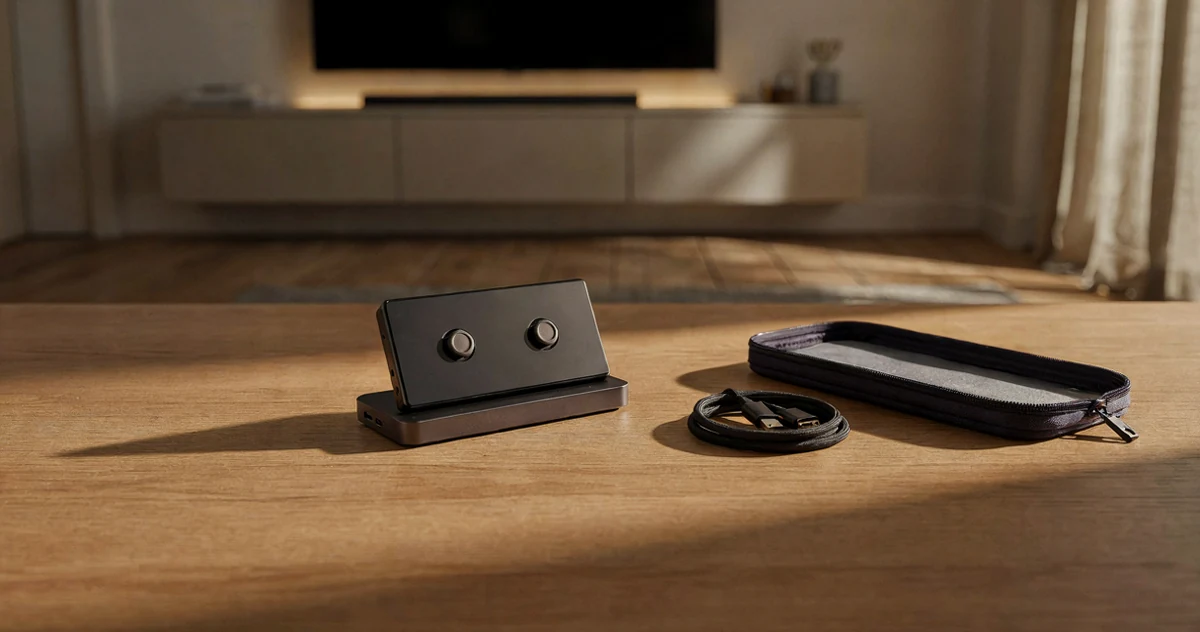
Handheld gaming has never been more exciting, and if you own a Nintendo Switch 2, a Steam Deck, or an ROG Ally, you already know how much these devices can do. The real question is how to get the most out of them, whether you’re gaming on your TV at home, squeezing in sessions during a commute, or packing up for a weekend trip. The right dock can transform your handheld into a full living room setup in seconds, while a well-designed case keeps your gear protected without adding unnecessary bulk to your bag. In this guide, we’re rounding up some of the most practical, well-built, and genuinely useful docks and cases available for all three platforms. You’ll find options for every kind of player, from minimalist travelers who want slim and lightweight protection to home gamers who need reliable 4K output and multiple ports. Some picks are straightforward essentials, and a few might genuinely surprise you with how much they bring to the table.
Disclosure: As an Amazon Associate we earn from qualifying purchases. Prices and availability shown are accurate as of the date of publication and may change.
Quick comparison
How to choose
Display Output Standard
Docks in this category range from HDMI 2.0 supporting 4K at 60Hz up to HDMI 2.1 supporting 4K at 120Hz with VRR, FreeSync, and G-Sync. Match the dock to your TV or monitor’s actual capabilities, since paying for 4K at 120Hz only matters if your display can accept that signal. Also confirm your handheld’s USB-C port supports DisplayPort Alternate Mode, as some docks will produce no video output without it.
Port Count and Type
Some docks offer a minimal two or three port setup ideal for travel, while others pack in 12 ports including Gigabit Ethernet, multiple USB-A speeds, and a USB-C data port for desk use. Think through which peripherals you plan to connect simultaneously, such as a wired controller, external storage, and a keyboard, and pick a port count that covers that scenario without leaving you juggling adapters. Gigabit Ethernet is worth prioritizing if you plan online multiplayer through a TV.
Pass-Through Charging Wattage
Docks in this group offer between roughly 85W and 100W of pass-through power to the handheld while also running the dock itself. High-draw gaming modes on devices like the ROG Ally X can consume power faster than a low-wattage charger replenishes it, so check that the dock’s stated pass-through wattage meets or exceeds what your specific handheld needs under load. Note that some docks ship without a power adapter, meaning you supply your own charger.
Case Shell and Carry Style
Hard-shell EVA cases offer rigid impact resistance suited to bags that get tossed around, while soft sling or shoulder-bag designs trade some rigidity for a slimmer profile and easier daily carry. Consider whether you need space only for the console or also for a dock, charger, and cables, since interior capacity varies considerably across the options here. Velcro straps and compartment dividers help keep accessories from shifting and scratching the screen in transit.
Device Fit and Compatibility
Some cases and docks are sized around a specific handheld family, while others use adjustable slots or a cable-based connection to accommodate multiple devices up to a stated thickness. If you own or plan to own more than one handheld, look for a solution that explicitly lists all your devices rather than assuming a close-enough fit. For docks with a cradle slot, verify the slot depth accommodates your console with any protective case still attached.
The picks
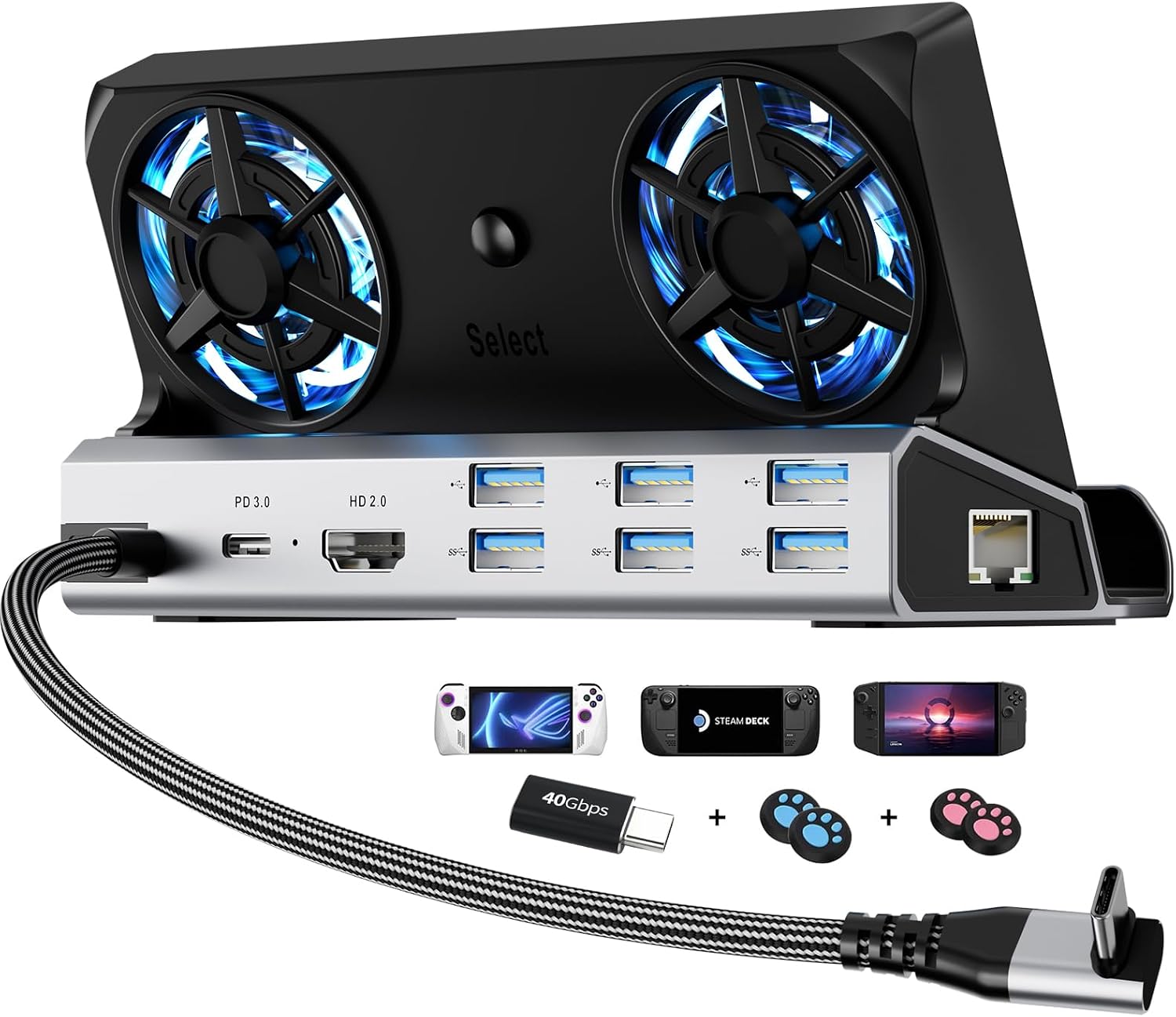
12-in-1 Steam Deck Dock for ROG Ally X, Legion Go & Switch
Desktop setup gamers who want an all-in-one dock with active cooling, maximum ports, and RGB flair for their Steam Deck, ROG Ally, or Switch 2.
Dual 5cm active cooling fans prevent thermal throttling during extended TV sessions, and 12 ports including Gigabit Ethernet, three USB 3.0, three USB 2.0, and 100W PD cover virtually every connectivity need from one unit.
The cradle slot is sized for devices up to 27mm thick, so unusually thick third-party cases may not fit without removal.
Mid-range
- Dual active cooling fans prevent throttling
- 12 ports including Gigabit Ethernet and 100W PD
- Dedicated cradle slot fits multiple handhelds
- Cradle slot width limits compatibility with thick cases
- Bulkier than travel-friendly dock options
The most feature-loaded dock in this set, ideal for a permanent desktop gaming station where cooling and port count matter most.
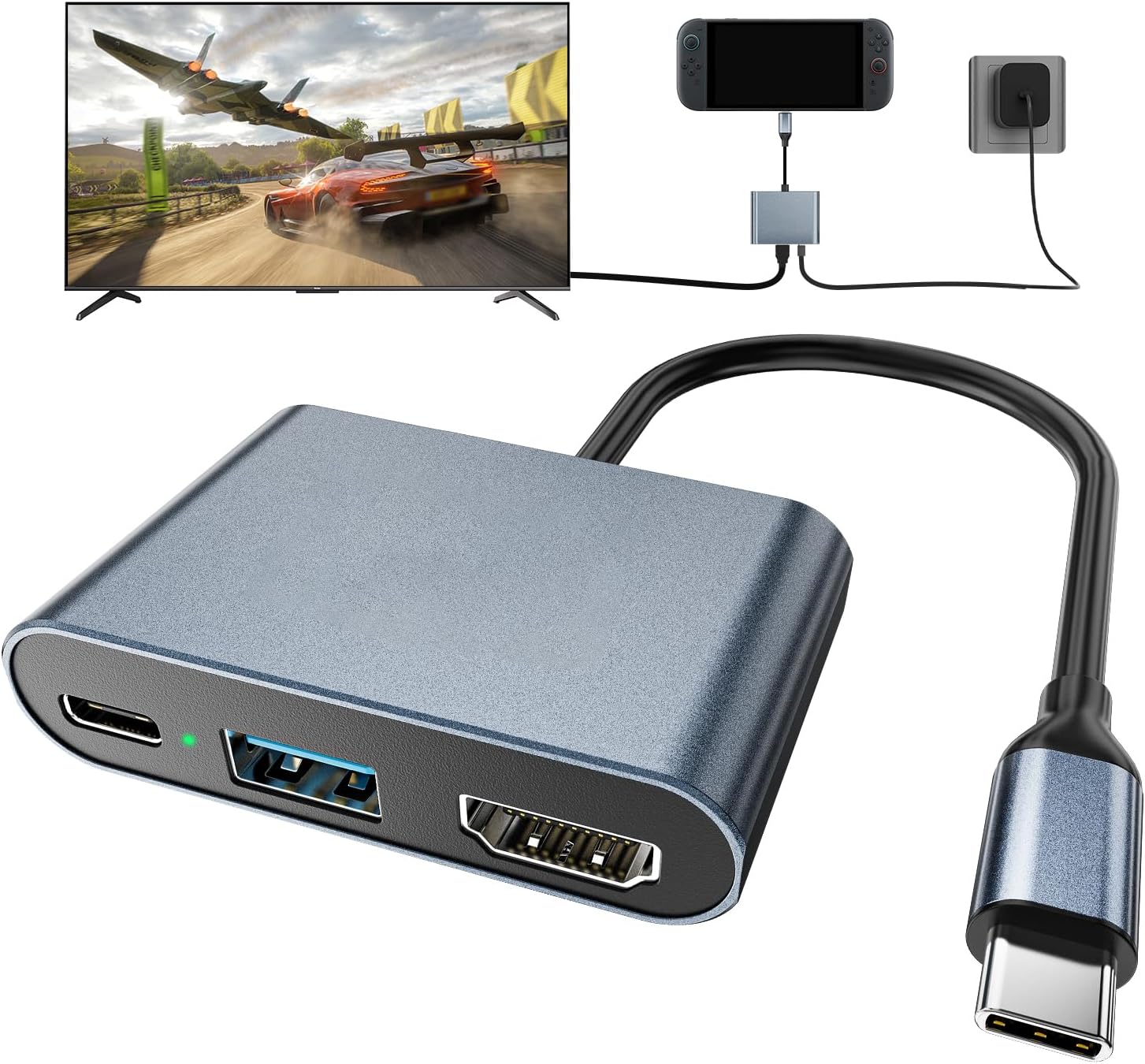
Buy on AmazonSwitch 2 Dock,Portable USB C Docking Station with 4K@60Hz~120Hz HDR/PD Max100W/USB Port,Aluminum Alloy Travel TV Dock for Switch/Steam Deck/ROG Xbox Ally X/Legion Go 1/2/S
Budget-conscious Switch 2 or Steam Deck owners who want a lightweight aluminum travel dock for quick TV hookups on the go.
Aluminum alloy construction improves heat dissipation over plastic alternatives, and HDMI 2.1 output covers 4K at up to 120Hz HDR in a compact form that fits any backpack.
The most affordable pick in this set, which comes with a minimal port selection: one HDMI, one USB data port, and one USB-C charging input with no Ethernet or extra USB-A ports.
Budget
- Aluminum alloy body for durability and heat dissipation
- HDMI 2.1 with 4K at 120Hz HDR output
- Ultra compact for backpack travel
- Very limited port selection, no Ethernet
- Single USB data port restricts peripheral connections
The lightest and least expensive travel dock here, great for simple TV hookups but limited on port variety.
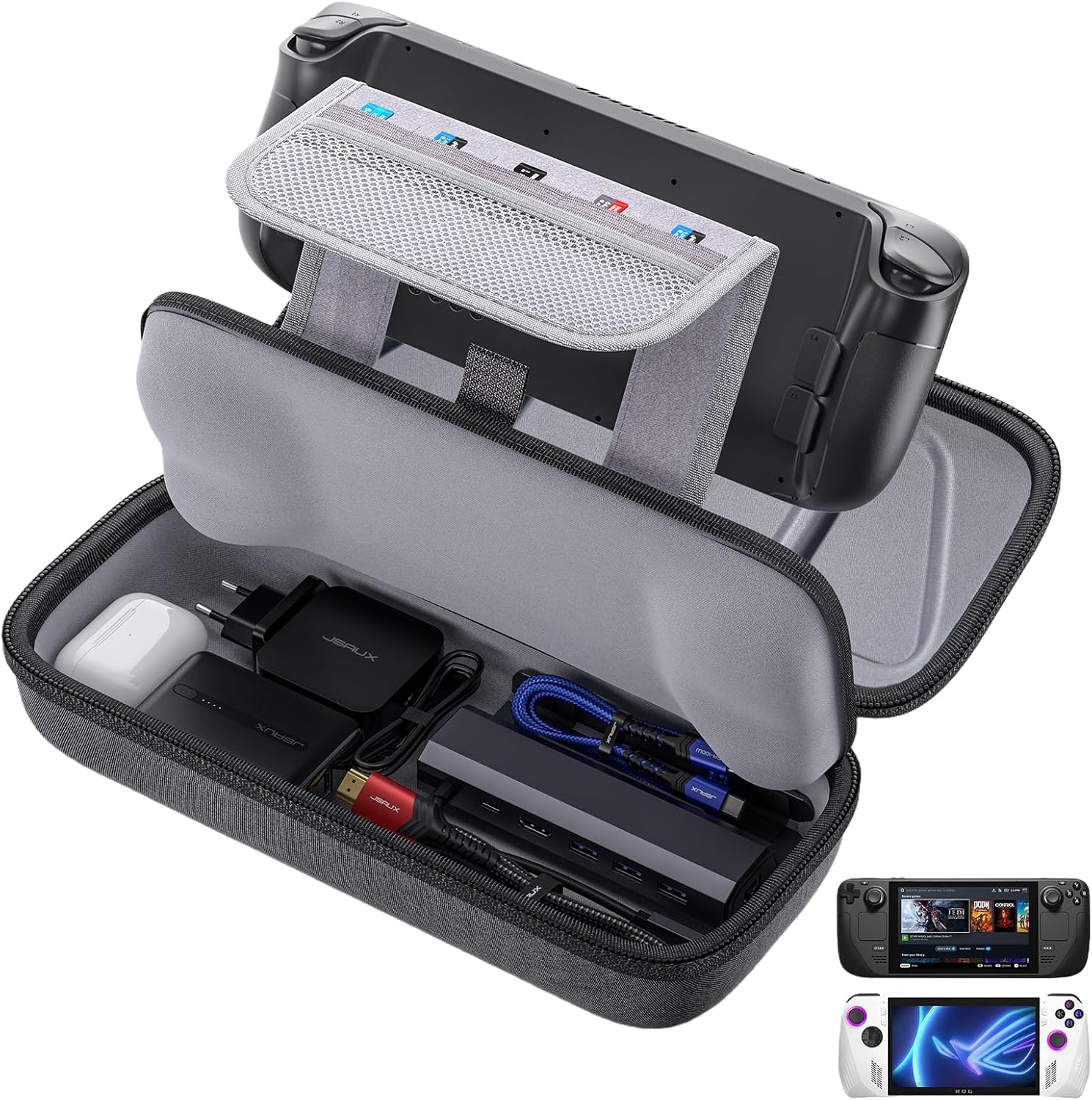
Buy on AmazonJSAUX Carrying Case for Steam Deck/ROG Ally, Hard Shell Travel Case
Steam Deck and ROG Ally owners who want a rugged everyday carry case with room for accessories.
Thickened EVA hard shell with groove design protects grips and handles without pressing on them, and the expanded interior fits a charger, small dock, headphones, and power bank simultaneously.
No shoulder strap mentioned, only a reinforced carry handle, which limits longer commute comfort.
Budget
- Thickened EVA shell resists impacts
- Expanded interior fits charger and dock
- Fleece lining protects screen from scratches
- Carry handle only, no shoulder strap
A no-frills hard shell workhorse that protects your handheld and keeps all accessories organized in one place.
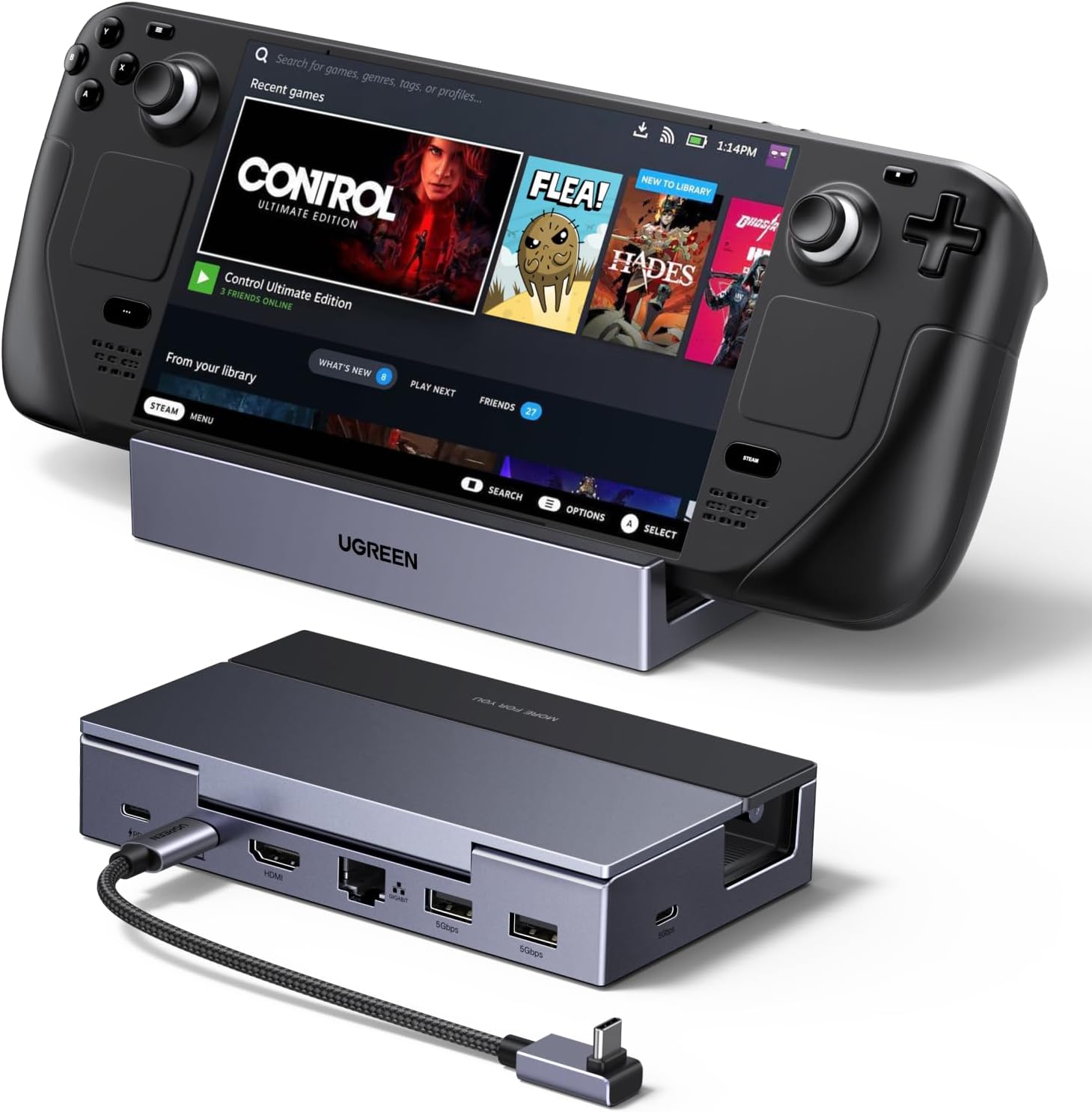
Buy on AmazonUGREEN Steam Deck Dock 6-in-1 4K@120Hz HDMI 2.1, 100W PD
Gamers who want the smoothest possible TV output from a Steam Deck or ROG Ally and need wired internet for online play.
HDMI 2.1 output supports up to 4K at 120Hz with VRR, FreeSync, and G-Sync, making it the highest refresh rate dock option in this set for compatible displays.
Competitively priced but offers fewer USB ports than the 12-in-1 option, with only two USB-A and one USB-C data port.
Budget
- 4K at 120Hz with VRR and G-Sync support
- Gigabit Ethernet for stable online gaming
- 100W PD 3.0 with built-in surge protection
- Fewer ports than the 12-in-1 dock in this set
The dock to pick when high-refresh-rate TV gaming and a stable wired connection are the top priorities.
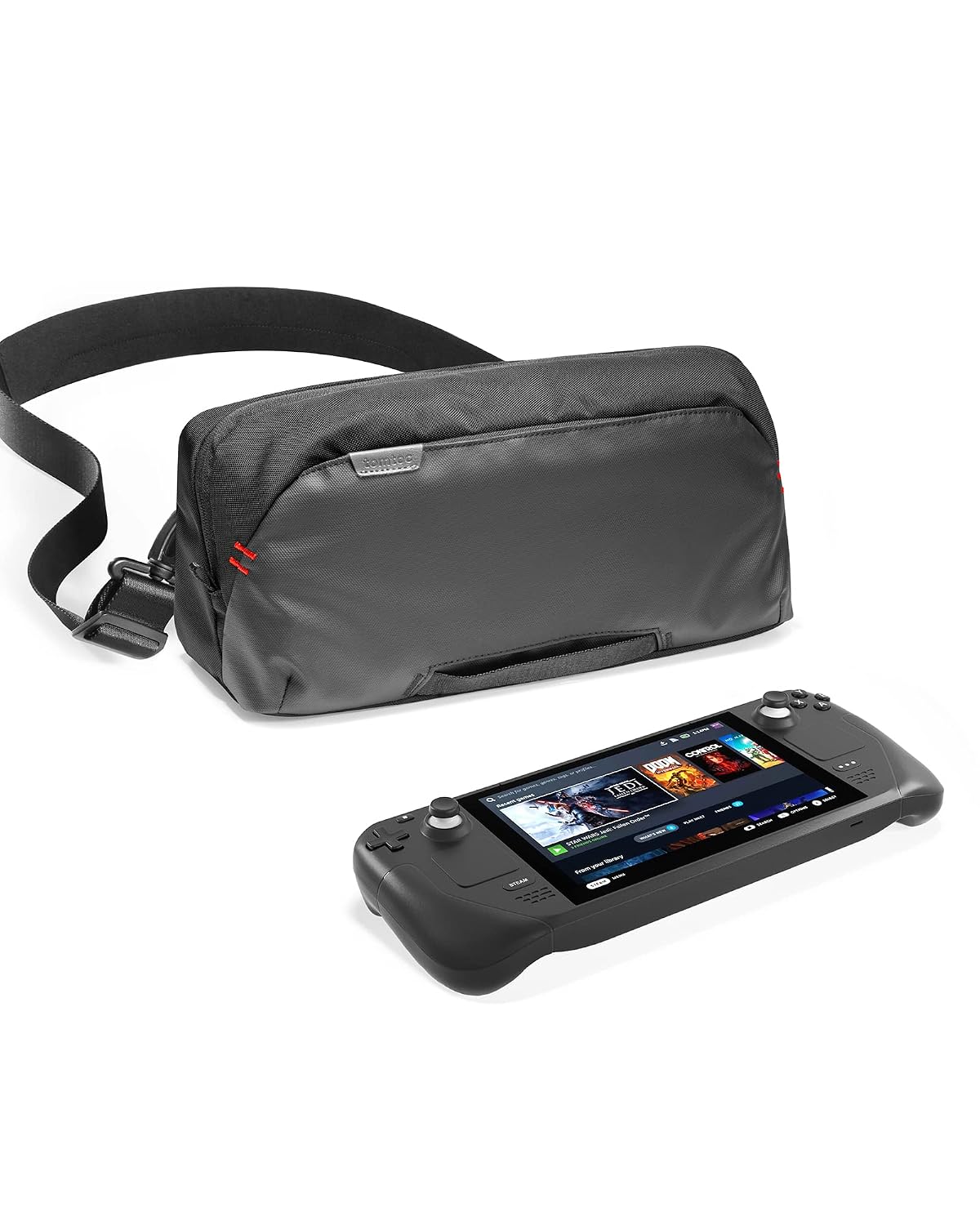
Buy on Amazontomtoc Carrying Case for Steam Deck/OLED/Nintendo Switch 2/Rog Xbox Ally X
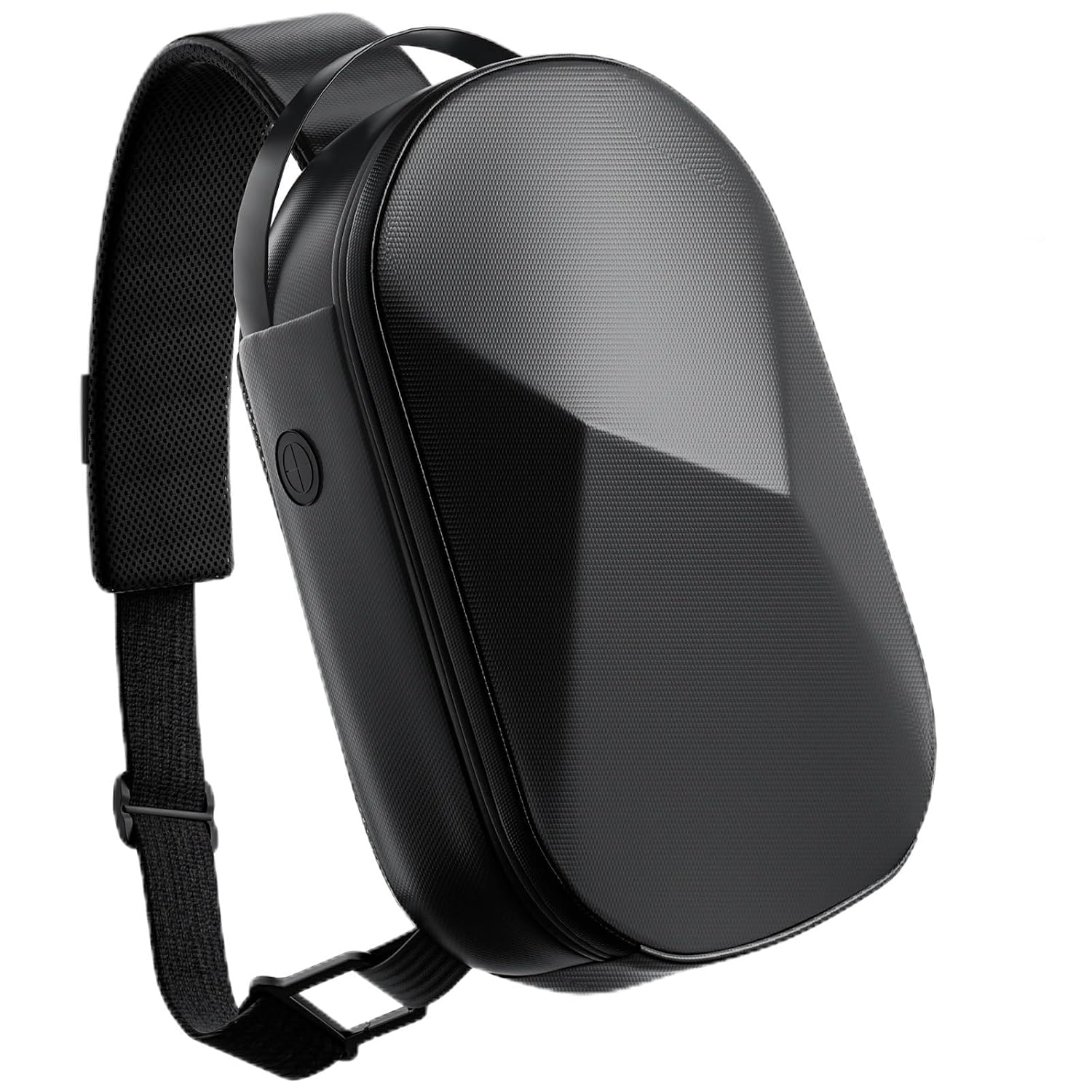
Frequent travelers who carry a Steam Deck or ROG Ally Ally X along with a full accessory kit and want a stylish, organized sling bag.
Removable EVA W-shaped internal structure protects the console and joysticks without a rigid outer shell, while finely divided interior pockets keep a dock, HDMI cable, and charger all sorted.
The priciest pick in this set, sitting noticeably above every other carrying case and dock here.
Premium
- Soft sling design with structured internal EVA support
- Finely organized pockets for dock and cables
- Fits Switch 2, Steam Deck, and ROG Ally X
- Most expensive option in this set
The most polished travel bag for power users who carry a full kit and want organized, scratch-free protection on the road.
Buy on Amazonannapro Carrying Case for Switch 2 (2025)/Switch/ROG Xbox Ally X/Steam Deck OLED/Playstation Portal, Protective Hard Shell Travel Case for AC Adapter, Docking Station, Console and Game Accessories
Multi-platform owners who switch between a Nintendo Switch 2, Steam Deck, or PlayStation Portal and want one case that fits them all.
Diamond-cut 3D geometric hard shell absorbs shock and distributes pressure, backed by a removable shoulder strap and built-in headphone jack passthrough for charging while packed.
The boxy hard shell design may be bulkier to carry compared to the soft sling style of the tomtoc option.
Mid-range
- Fits Switch 2, Steam Deck, and tablets up to 11 inches
- Removable adjustable shoulder strap
- Headphone jack passthrough for charging access
- Hard shell bulk is less compact than soft sling alternatives
A versatile multi-platform hard shell case with comfort-focused carry options and a handy charging passthrough port.
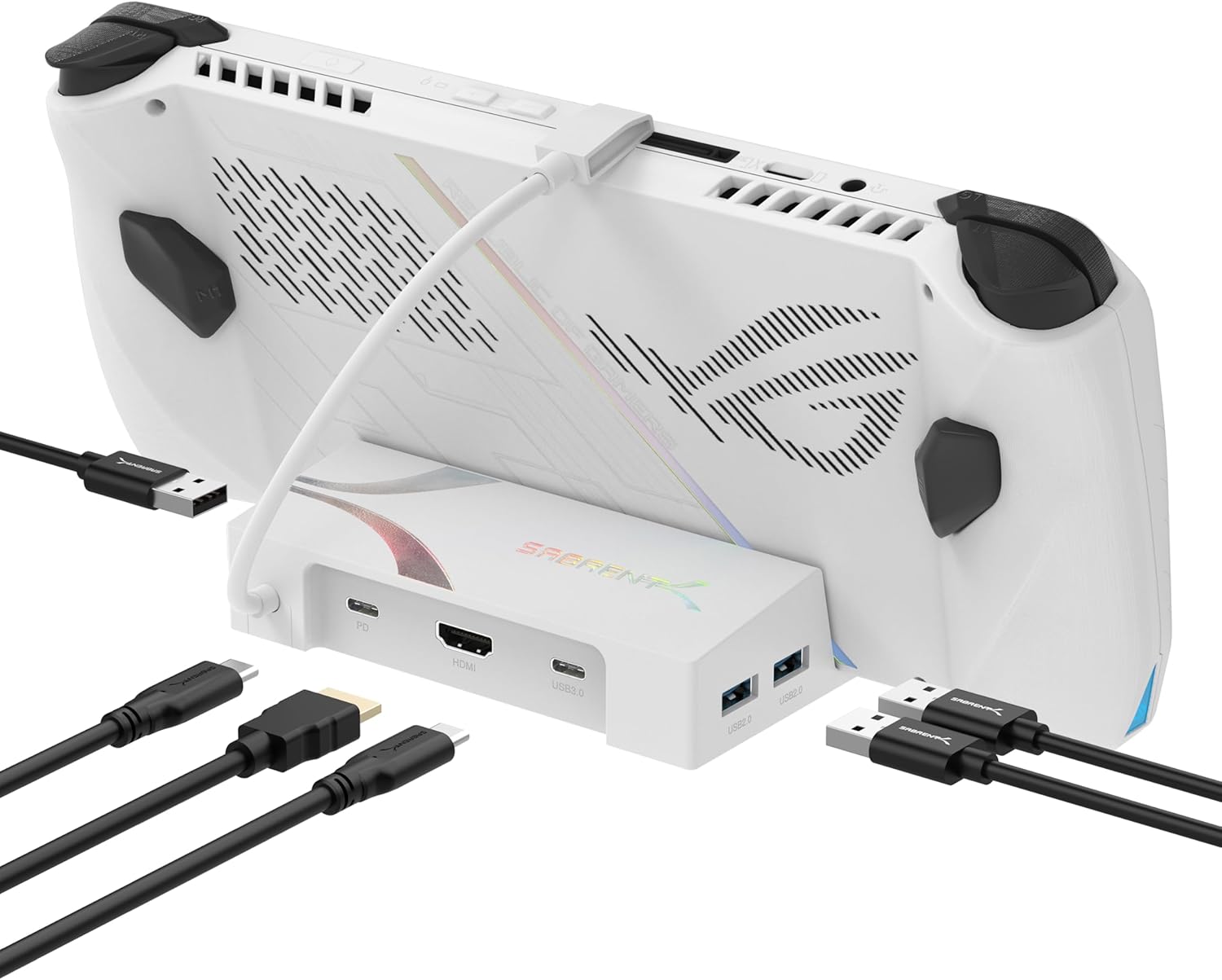
Buy on AmazonSABRENT 6-Port USB-C Dock for ROG Ally X, Steam Deck, 4K HDMI (DS-RA6P)
ROG Ally or Steam Deck owners who need a straightforward plug-and-play dock to toss in a bag without extra setup.
Three USB 3.2 Gen 1 Type-A ports plus a USB-C downstream port at 5Gbps give solid peripheral connectivity, and 95W pass-through charging supports Turbo Mode operation.
Ships without a power adapter, and the listing explicitly warns that a lower-wattage charger may not sustain performance under load.
Budget
- Three USB-A plus one USB-C data port
- 95W pass-through for Turbo Mode play
- Compact form factor fits any bag
- No power adapter included
- Requires DisplayPort Alt Mode support on host device
A compact, bag-friendly hub with solid port spread but requires you to supply your own compatible high-wattage charger.
Buy on AmazonWhether you’re gaming on the go, setting up a cozy TV session, or just trying to keep your gear protected during daily carry, there’s something on this list worth considering. The right dock or case can genuinely change how you enjoy your handheld setup, and it doesn’t have to cost a fortune to work well. Take a look at the links above, see what fits your style and budget, and pick the one that makes the most sense for how you actually play. We hope this helped narrow things down a little. Thanks for reading!
Frequently asked questions
Which of these docks actually supports 4K at 120Hz, and does my TV need to be compatible too?
Only the UGREEN 6-in-1 dock lists HDMI 2.1 with 4K at 120Hz output, along with VRR, FreeSync, and G-Sync support according to the seller. The portable aluminum alloy Switch 2 dock also claims 4K at 120Hz via HDMI 2.1. The SABRENT DS-RA6P and the 12-in-1 dock with cooling fans both top out at 4K at 60Hz over HDMI 2.0. Your TV or monitor must also support HDMI 2.1 and 4K at 120Hz input for those higher refresh rates to appear, so confirm your display specs before choosing a dock based on that feature.
How much pass-through charging wattage do these docks deliver, and does it matter for handheld gaming?
Wattage matters because running a demanding game while charging can drain faster than a low wattage adapter can replenish. The UGREEN dock lists up to 85W delivered to the host device from its 100W PD 3.0 input, while the SABRENT dock passes up to 95W but ships without a power adapter and warns that a lower wattage charger may not keep up under load. The 12 in 1 dock and the portable aluminum alloy dock both list 100W PD input. For devices like the ROG Ally X that draw heavy power under load, using a charger below the dock’s maximum input will reduce the effective pass through, so pair any of these docks with a sufficiently rated USB C PD charger.
Do these carrying cases fit the Nintendo Switch 2 and ROG Ally in the same bag, or is each case sized for one device only?
Several cases on this list are explicitly sized to cover multiple handhelds. The tomtoc sling bag lists compatibility with the Nintendo Switch 2, Steam Deck, ROG Ally, and several other devices by name. The annapro hard shell case also lists Switch 2, Steam Deck, and Legion Go among its supported devices, and the seller states it fits tablets up to 11 inches. The JSAUX hard shell case targets Steam Deck and ROG Ally specifically and does not list Nintendo Switch 2 in its compatibility details, so if Switch 2 support matters to you, confirm the interior dimensions with the seller before purchasing.
What is the difference between a hard shell and a soft shell carrying case for daily commuting?
Hard shell cases, like those from JSAUX and annapro, use rigid EVA or geometric plastic exteriors to resist crushing and absorb impact, which makes them well suited for bags that get stacked or squeezed in overhead compartments or crowded commutes. The tomtoc option takes a soft-shell sling bag approach, trading some crush resistance for a slimmer profile and lighter weight that the seller describes as space-saving for commuting or long-distance travel. It uses a removable internal EVA structure to protect the screen and joysticks without the rigid outer shell. For daily carry where the bag may see rough handling, a hard shell offers more structural protection, while the soft sling fits better into tight spaces and may feel less bulky on a shoulder.
Does the SABRENT dock work with the Nintendo Switch 2, and are there any data limitations to know about?
The SABRENT DS-RA6P listing does not name the Nintendo Switch 2 in its compatibility list, so you should confirm with Sabrent directly before purchasing for that console. A related point worth knowing comes from the 12-in-1 dock listing, which states that USB data transfer is limited by Nintendo on Switch devices regardless of which dock is used, meaning video and charging may work through third-party docks but USB peripheral data speeds may be restricted by the console itself. If you plan to use a dock primarily for USB accessories alongside a Switch 2, verify what Nintendo permits before expecting full USB 3.0 throughput.