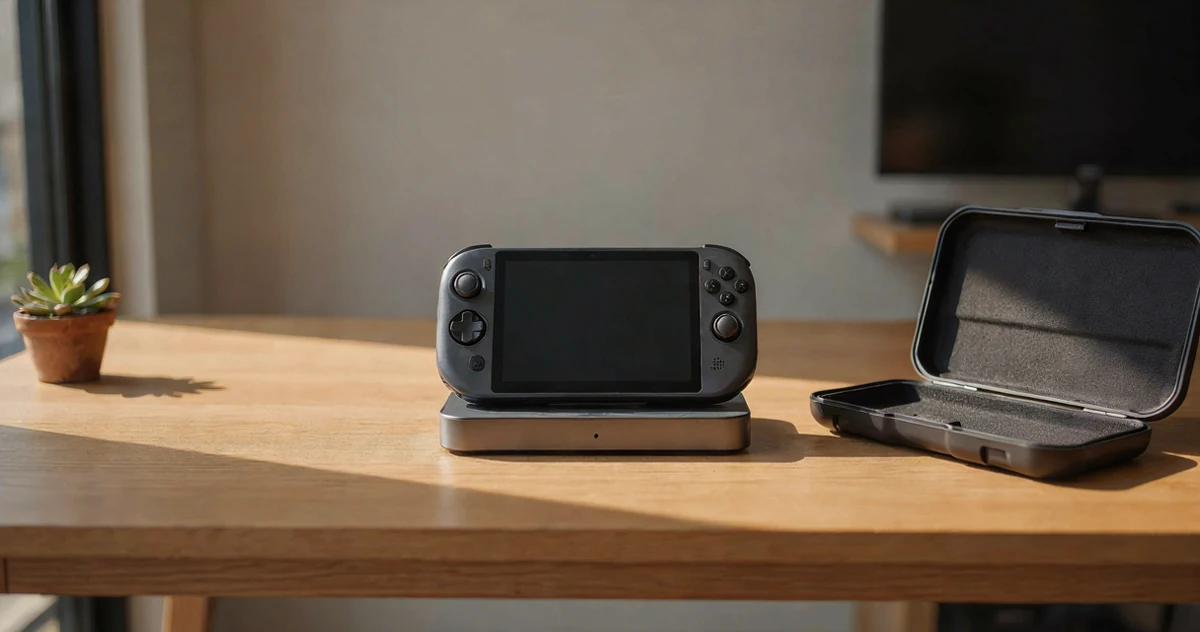
Handheld gaming has come a long way, and devices like the ROG Ally and Steam Deck have completely changed how people play at home and on the go. Whether you’re docking your device to a big screen for a living room session or tossing it in a bag for a commute, having the right accessories makes a real difference. The good news is that the market for docks, cases, and carrying solutions has grown right alongside these handhelds, giving players some genuinely impressive options to work with. In this guide, we’re covering a mix of practical, clever, and surprisingly versatile picks that pair perfectly with the ROG Ally, Steam Deck, and even the growing wave of Xbox handheld style gaming setups. From compact travel cases that keep your device protected to full-featured docks that turn your handheld into a mini console, there’s something here for every type of player. If you’ve been looking for ways to level up your handheld gaming setup, you’re in the right place.
Disclosure: As an Amazon Associate we earn from qualifying purchases. Prices and availability shown are accurate as of the date of publication and may change.
Quick comparison
How to choose
Display Output Quality
Check the maximum resolution and refresh rate the dock can push over HDMI, since options range from 4K at 60Hz up to 4K at 144Hz with variable refresh rate support. If your TV or monitor supports high refresh rates and technologies like VRR, FreeSync, or G-Sync, a dock that matches those specs will give noticeably smoother gameplay than one that does not.
Charging Power Delivery
Handheld gaming devices can consume significant power under load, so a dock’s PD wattage matters. Some docks share the incoming power between the dock’s own circuits and the connected device, which can slow charging if your charger is underpowered, so check whether a 100W charger is recommended for the dock you are considering.
Port Selection and USB Speed
Count how many peripherals you plan to connect, such as controllers, storage drives, keyboards, and an Ethernet cable, and match that to the dock’s port count and USB generation. USB 3.0 ports at 5Gbps make a real difference if you are running games from an external SSD, while USB 2.0 ports are fine for input devices but slow for large file transfers.
Device Compatibility
The handheld market has expanded quickly and not every dock explicitly supports every device, including newer Xbox branded ROG Ally variants. Cross-check the dock’s compatibility list against the exact model you own before purchasing, since some docks note specific firmware or BIOS version requirements for full feature support.
Case Protection and Carry Style
Hard shell EVA cases offer rigid crush resistance suited to checked luggage or bags thrown into overhead bins, while softer sling style cases save space and weight for daily commuting. Also consider interior layout: a case with dedicated compartments for the dock, cables, and charger keeps your kit organized, whereas a single open cavity can let accessories shift and press against the screen during transit.
The picks
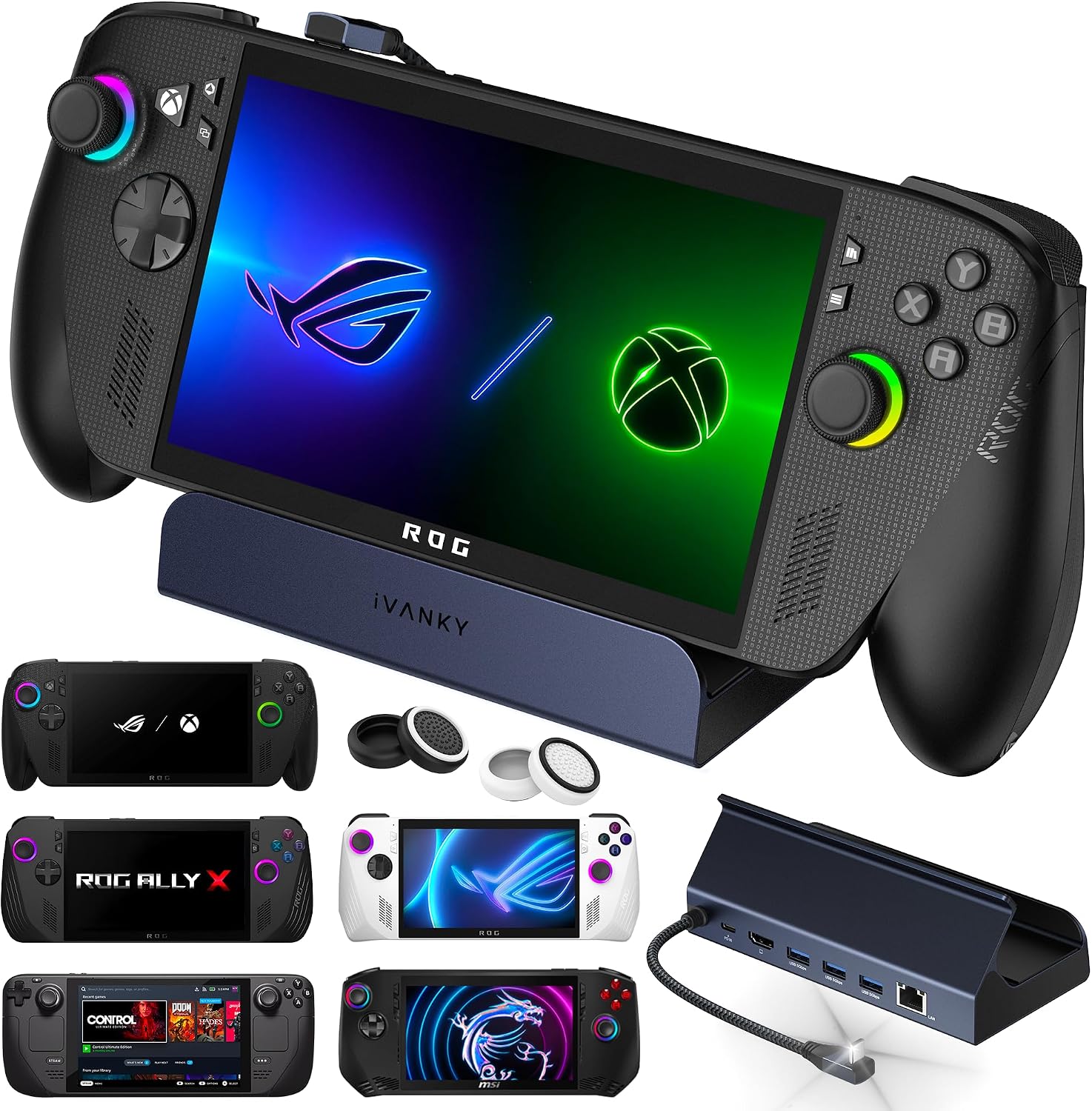
iVANKY 4K@144Hz Docking Station for ROG Xbox Ally X(2025)/ROG Ally Dock
ROG Xbox Ally X owners who want the highest display refresh rate available and need multiple USB 3.0 ports for peripherals.
Delivers 4K@144Hz via HDMI, the highest display refresh rate in this dock set, paired with three USB A 3.0 ports at 5Gbps each for fast peripheral connections.
Requires a BIOS update to version 323 for full 30W Turbo Mode support, adding a setup step that less technical users may find frustrating.
Budget
- 4K@144Hz HDMI output
- Three USB A 3.0 ports at 5Gbps
- Broad handheld compatibility including ROG Xbox Ally X 2025
- Requires BIOS update for Turbo Mode
- Firmware update needed to avoid HDMI mirroring issues
The dock to pick for maximum display smoothness and USB bandwidth, provided you are comfortable updating firmware first.
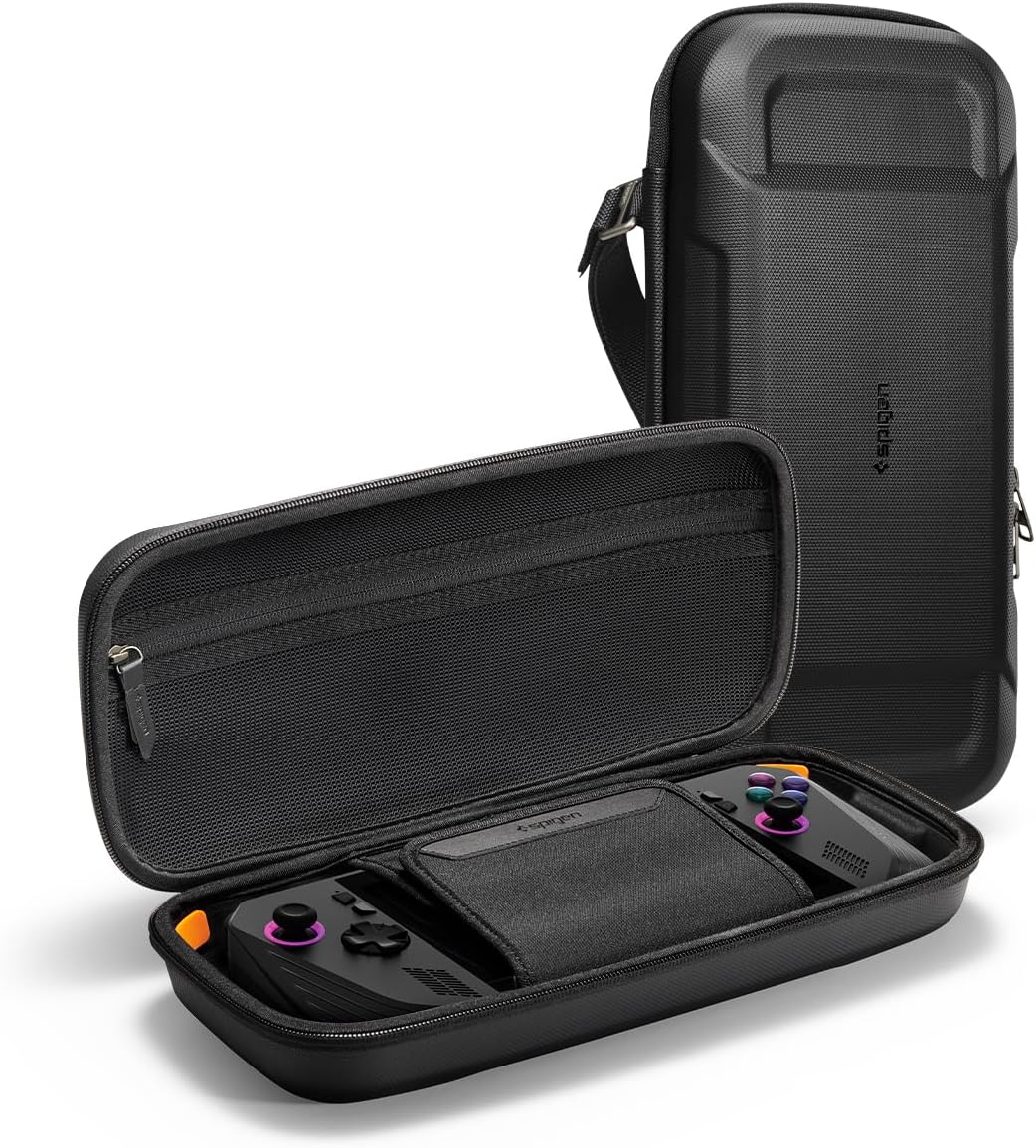
Buy on AmazonSpigen Rugged Armor Pro Hard Shell Carrying Case
ROG Xbox Ally and MSI Claw owners who want a rugged, feature-packed case with hands-free carrying options at the most affordable price on this list.
Includes a carabiner ring, carrying strap, orange foam corner padding, and a hidden AirTag pouch, packing more carry and protection features than any other case here.
The multi-layer shell materials (PU, EVA, foam, and nylon) add bulk compared to softer carry alternatives.
Budget
- Built-in carabiner ring and carrying strap
- Hidden AirTag tracking pouch
- Corner foam padding for drop protection
- Multi-layer construction adds bulk
The most affordable case on this list and yet loaded with carry accessories, making it outstanding value for active users.
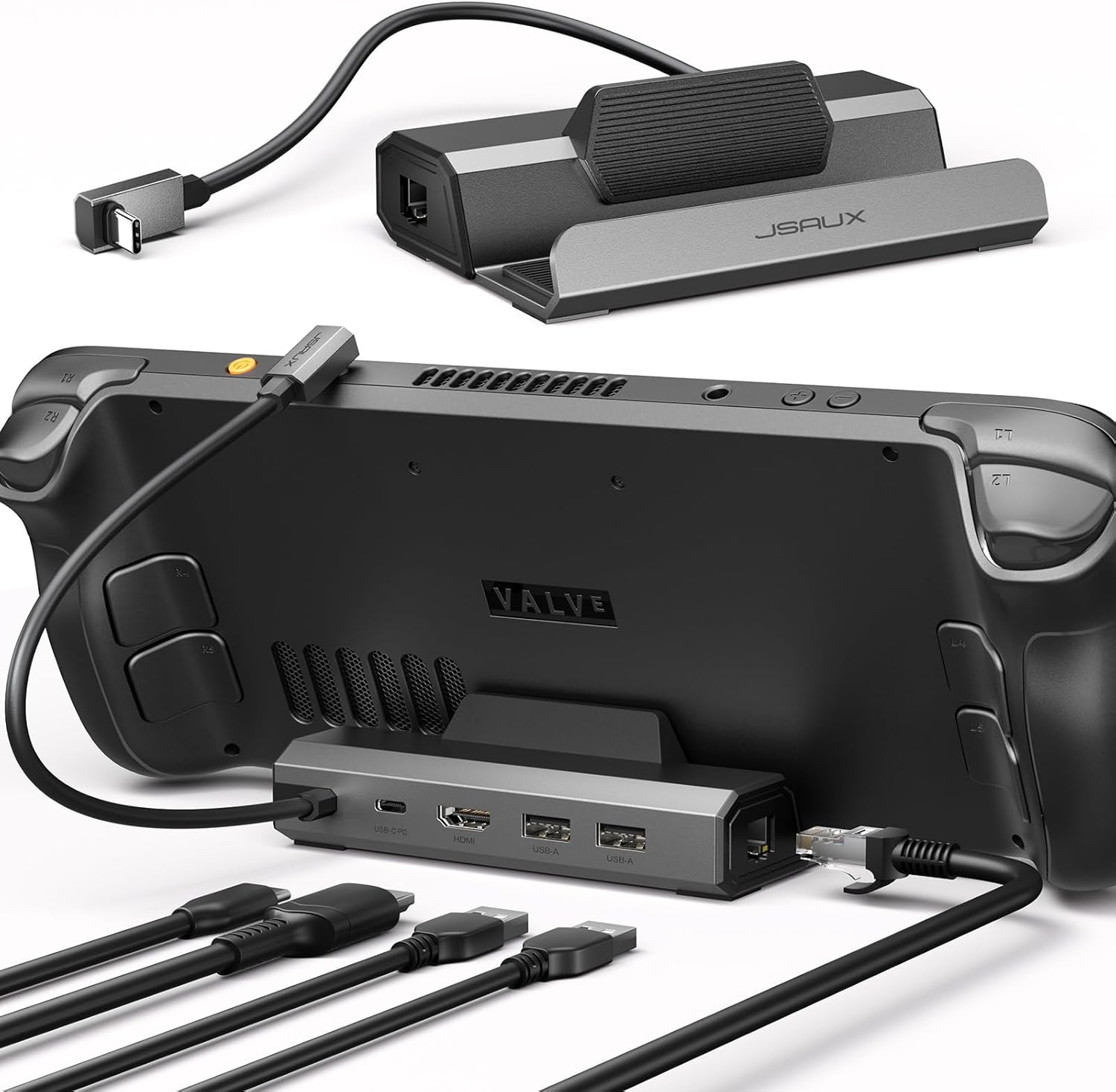
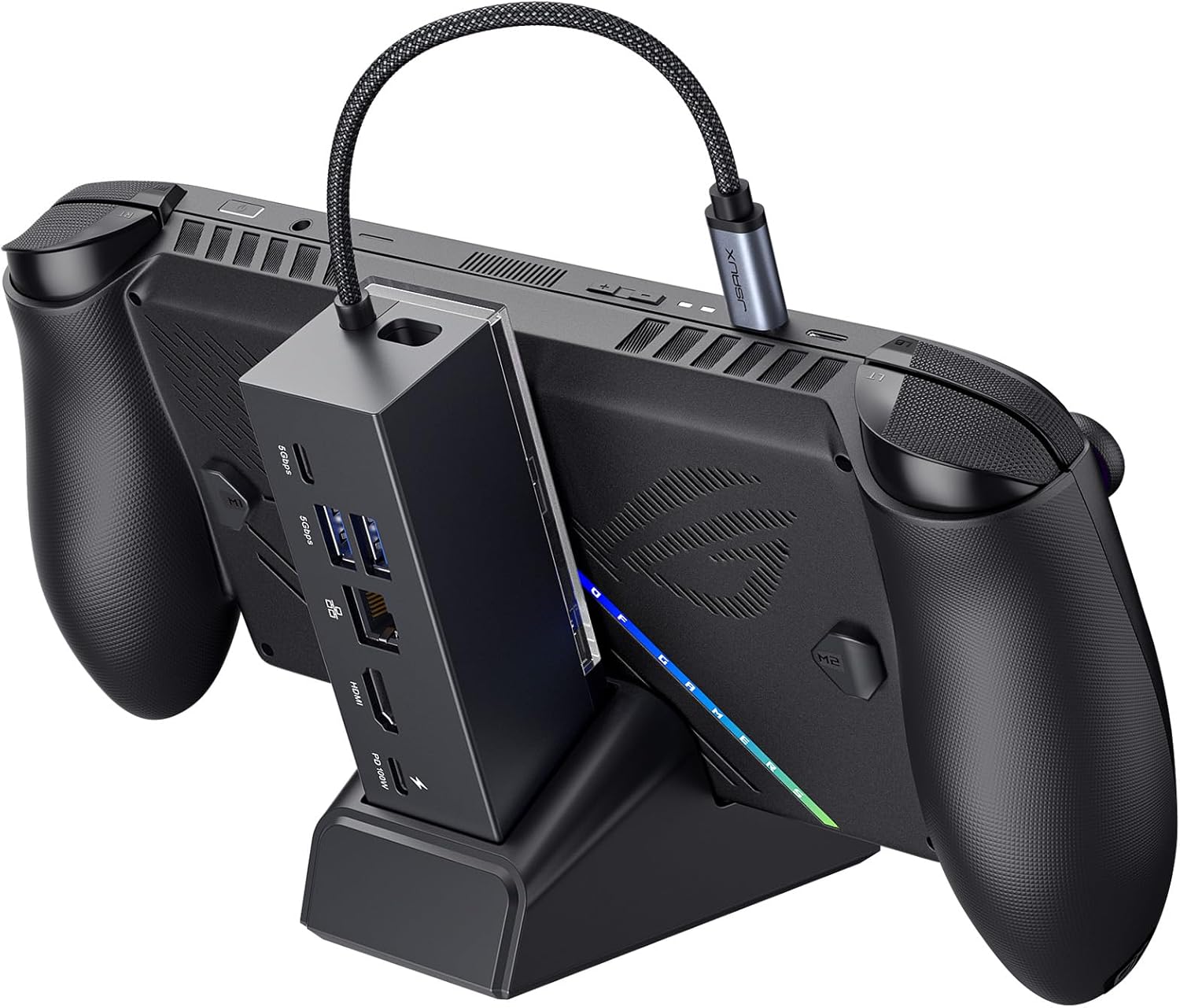
Buy on AmazonJSAUX 5-in-1 Docking Station for Steam Deck/ROG Ally X/Legion Go S-HB0602
Steam Deck and ROG Ally owners who want a compact, affordable dock for big-screen gaming with wired internet.
HDMI 2.1 output at 4K@120Hz doubles the refresh rate of older dock versions, delivering noticeably smoother gameplay on compatible displays.
Only two USB A ports and both are USB 2.0 speed, which limits high-speed peripheral transfers compared to USB 3.0 equipped rivals in this set.
Budget
- 4K@120Hz HDMI 2.1 output
- 100W PD charging support
- Built-in Gigabit Ethernet
- USB A ports are 2.0 speed only
- Not compatible with ROG Xbox Ally models
A capable 5-in-1 dock at a low price, but USB 2.0 ports hold it back against faster competitors.
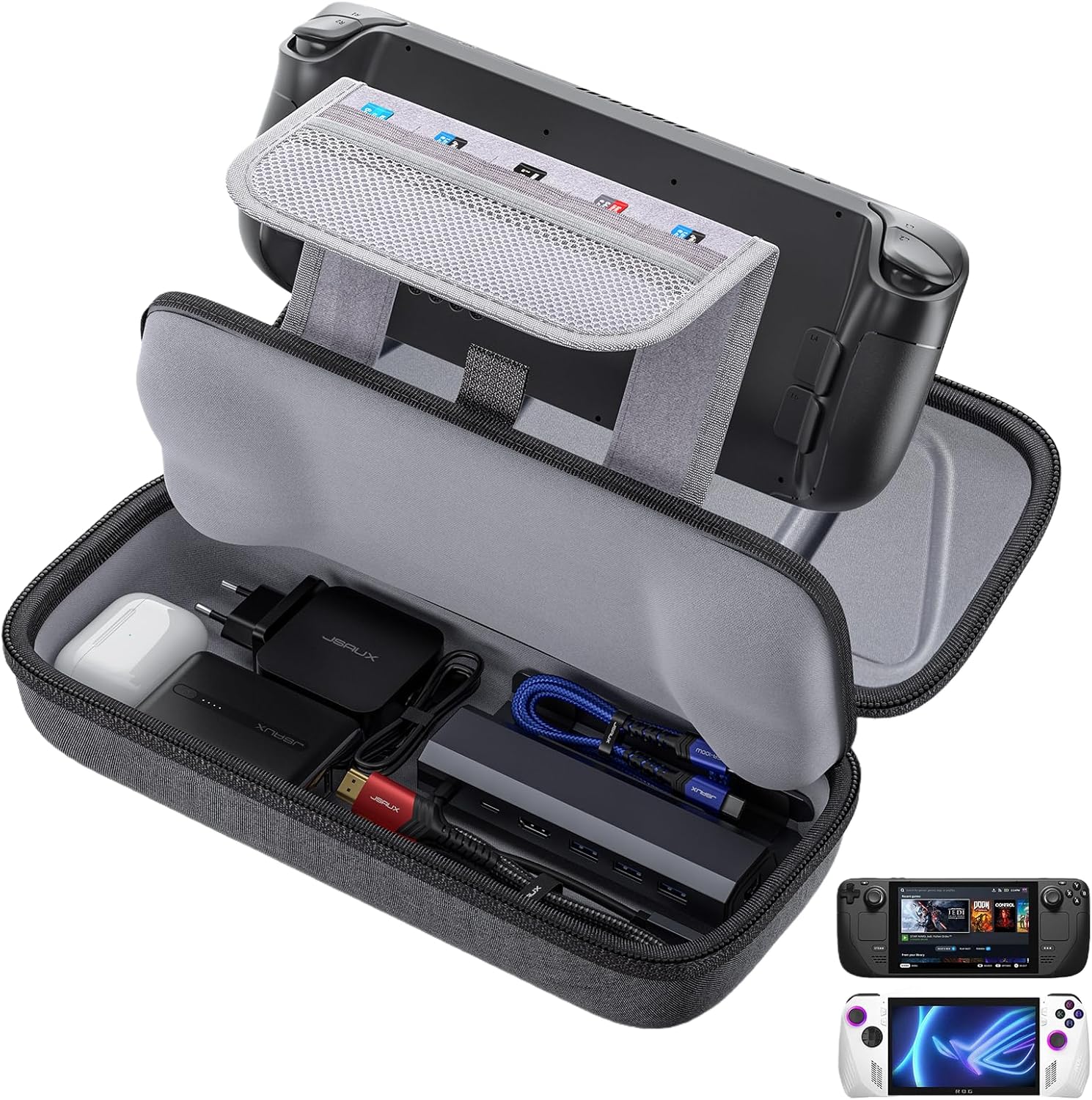
Buy on AmazonJSAUX Carrying Case for Steam Deck/ROG Ally, Hard Shell Travel Case
Steam Deck and ROG Ally owners who need an everyday carrying case with room for a dock and charger alongside the device.
Thickened EVA shell with a groove design avoids pressure on the handles, and the interior fleece compartment protects the screen from scratches during travel.
No dedicated shoulder strap or carabiner is listed, making hands-free carrying less convenient compared to other cases in this set.
Budget
- Large capacity fits dock and charger
- Thickened EVA shell resists impacts
- Groove design protects handles
- No shoulder strap or carabiner listed
- Accessories not included
A sturdy, roomy hard shell case for daily use, though portability options are more limited than premium alternatives.
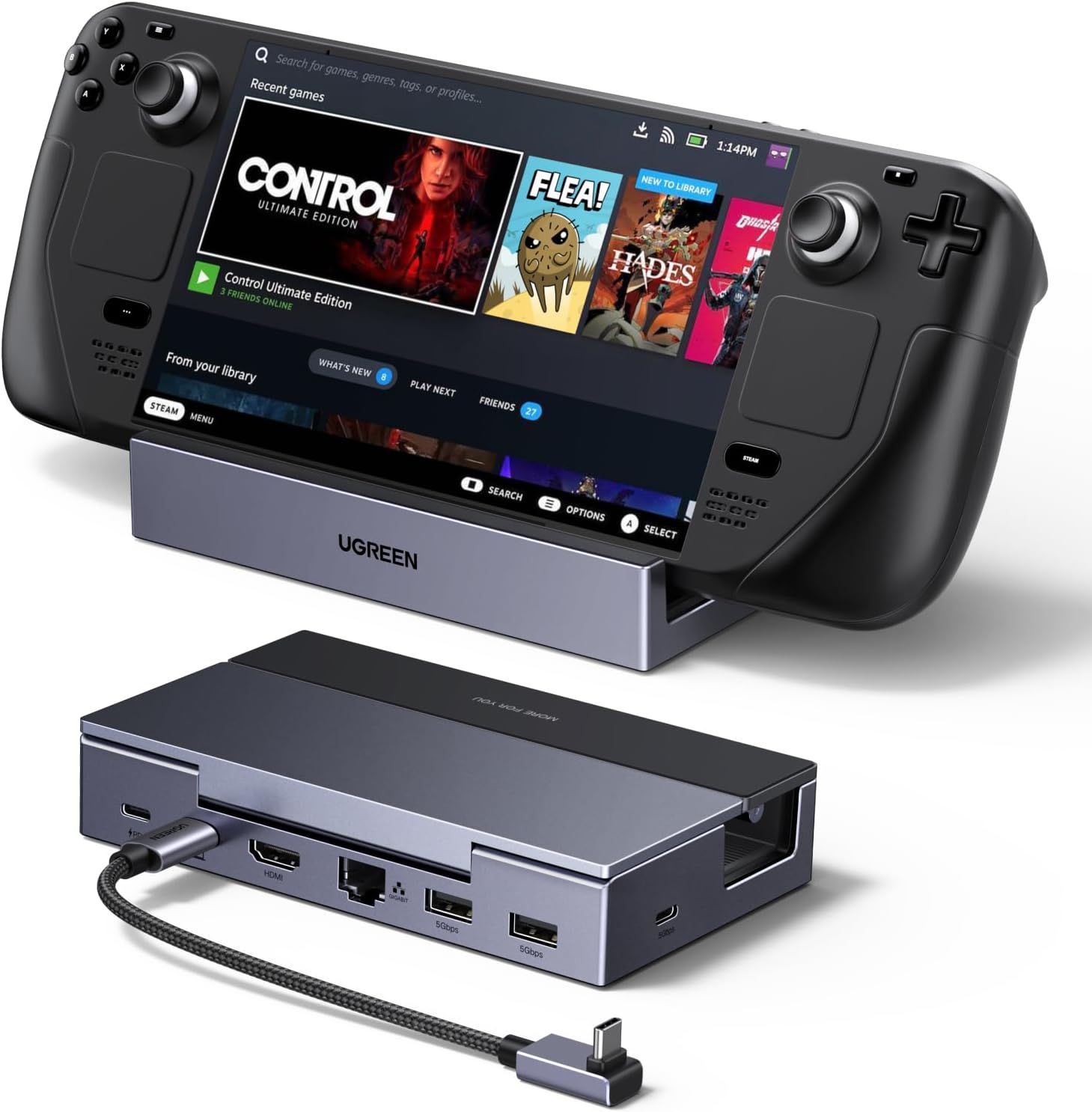
Buy on AmazonUGREEN Steam Deck Dock 6-in-1 4K@120Hz HDMI 2.1, 100W PD
Gamers who want a dock compatible with both handhelds and laptops or Macs, with built-in circuit protection for safer charging.
Built-in TVS, ESD, and over-current protection provides an extra layer of safety for expensive handheld hardware during charging sessions.
Priced slightly above the budget docks in this set, with one fewer USB A port than the 8-in-1 iVANKY option.
Mid-range
- Comprehensive circuit protection for safe charging
- 4K@120Hz HDMI 2.1 with VRR, FreeSync, and G-Sync
- USB C 3.0 data port plus Gigabit Ethernet
- Costs more than budget docks here
- Fewer USB A ports than the iVANKY 8-in-1
A well-rounded 6-in-1 dock with safety-focused charging and broad compatibility across handhelds and laptops.
Buy on AmazonJSAUX Docking Station for ROG Xbox Ally X20 (2026)/ROG Xbox Ally X (2025)/Steam Deck/Legion Go/Legion Go S, 6-in-1 Dock with HDMI 4K@120Hz, Gigabit Ethernet, USB A & USB C 3.0, 100W Charging - HB0609
ROG Xbox Ally X 2025 and 2026 owners who want a dock that doubles as a desktop stand with modular flexibility.
Modular design lets users detach the base and use the dock as a standalone stand, offering a two-in-one setup that no other dock in this set provides.
The description explicitly warns that a 65W or lower charger may trigger low-power messages, requiring users to purchase a 100W charger separately for optimal performance.
Mid-range
- Modular dock that doubles as a stand
- 4K@120Hz and 1080p@240Hz display options
- USB C 3.2 and dual USB A 3.2 Gen 1 ports
- Requires 100W charger for best performance
- Pricier than most docks in this set
The most flexible dock here thanks to its modular stand design, but it demands a 100W charger to avoid charging warnings.
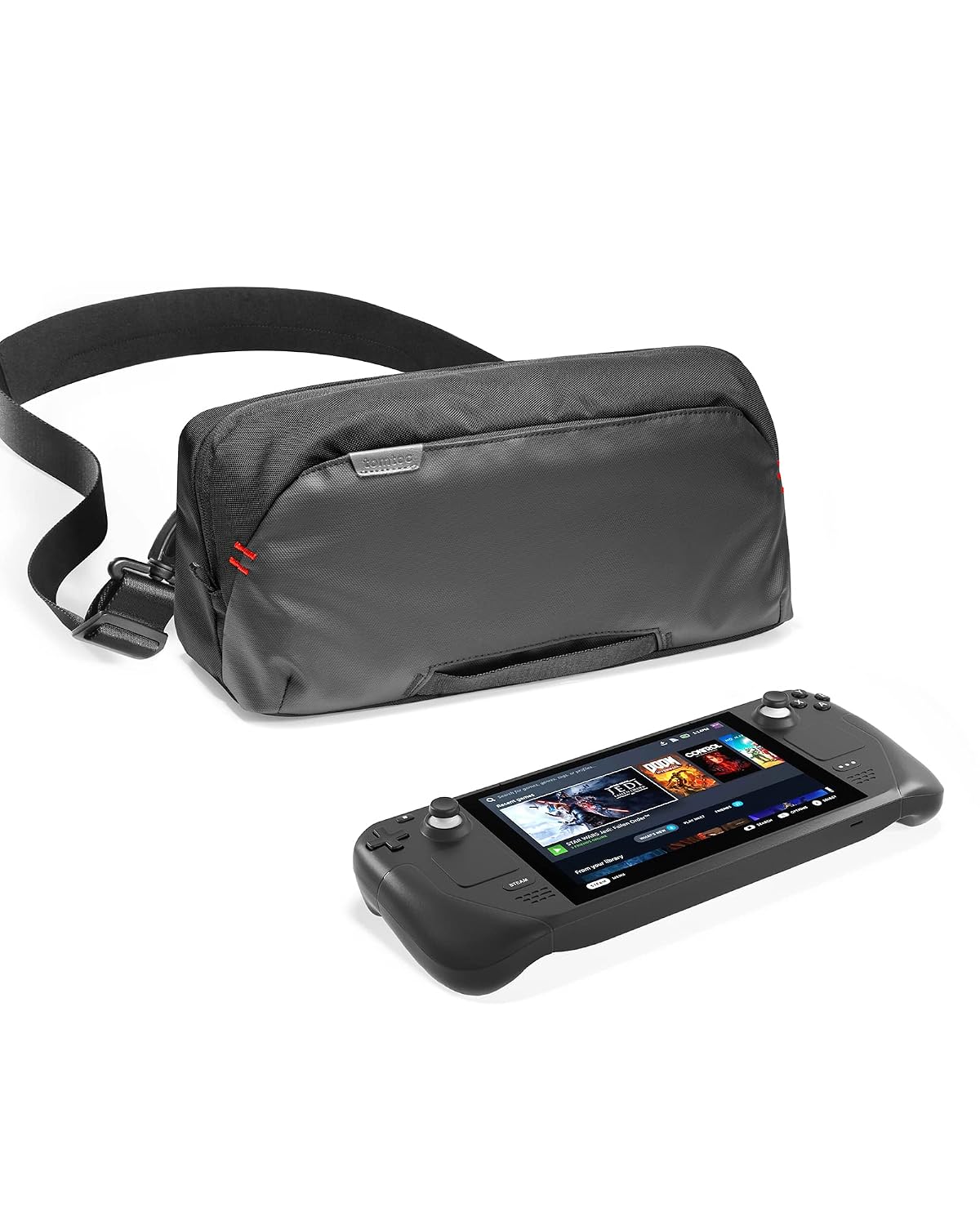
Buy on Amazontomtoc Carrying Case for Steam Deck/OLED/Nintendo Switch 2/Rog Xbox Ally X
Frequent travelers who want a stylish sling bag that fits a Steam Deck or ROG Xbox Ally X alongside a full set of accessories in an organized layout.
The removable EVA W-shaped internal structure protects the device screen and joysticks simultaneously while dedicated pockets keep cables, a dock, and small accessories neatly separated.
The most expensive product on this list, and its soft shell design offers less rigid impact protection than the hard EVA cases also in this set.
Premium
- Organized interior with dedicated pockets and plug-ins
- Removable W-shaped EVA insert protects screen and joysticks
- Slim sling design saves space versus bulky hard cases
- Most expensive on this list
- Soft shell offers less rigid impact resistance than EVA hard cases
The priciest pick here, but the organized sling bag format and W-shaped EVA insert make it the best travel companion for accessory-heavy setups.
Buy on AmazonWhether you’re gaming on a ROG Ally, a Steam Deck, or just dreaming of a cleaner handheld setup, there are some genuinely solid options on this list to consider. From compact docks that expand your connectivity to cases that keep your device protected on the go, each pick offers something a little different depending on your needs. Take a look at the links, see what fits your style and budget, and don’t hesitate to mix and match. A good dock and a reliable case can make a real difference in your daily gaming routine. Thanks for reading, and happy gaming!
Frequently asked questions
Which docks in this lineup actually support the newer ROG Xbox Ally X (2025) models, not just the original ROG Ally?
Compatibility varies and you need to check carefully before buying. The iVANKY 8-in-1 dock explicitly lists the ROG Xbox Ally X (2025) and even the ROG Xbox Ally X20 (2026) in its compatibility notes, and the JSAUX HB0609 and UGREEN 6-in-1 also name the ROG Xbox Ally X among supported devices. By contrast, the JSAUX HB0602 5-in-1 carries a note stating it is NOT for the ROG Xbox Ally or Xbox Ally X specifically, so double-check that listing before purchasing it for those newer models. When in doubt, confirm with the seller directly because firmware and BIOS version requirements can also affect whether a dock works correctly with a specific device.
What HDMI output spec should I look for if I want to connect a 144Hz monitor to one of these docks?
You need a dock that advertises at least 4K at 144Hz over HDMI to get full use of a 144Hz display. Among the products here, the iVANKY dock is the only one that lists 4K at 144Hz output. The JSAUX HB0602, JSAUX HB0609, and UGREEN dock all top out at 4K at 120Hz via HDMI 2.1, which is still a meaningful upgrade over older 60Hz docks. If your monitor is 120Hz or lower, any of the HDMI 2.1 options will cover you, but for a true 144Hz feed the iVANKY listing is currently the one to focus on.
How much charging wattage do these docks actually deliver to the handheld, and does it matter for Turbo Mode?
Several docks here accept 100W PD input but the power delivered to the handheld is lower because the dock itself consumes some of that power. The JSAUX HB0609 listing notes that using a 65W or lower charger may trigger a low-power warning on the ROG Xbox Ally, and recommends a 100W PD charger for best results. The UGREEN dock lists up to 85W delivery to the host device when a 100W source is connected. The iVANKY and JSAUX HB0602 both mention supporting the ROG Ally 30W Turbo Mode specifically. The practical takeaway is to pair any of these docks with a 100W PD wall adapter rather than relying on a lower-wattage charger you may already own.
What is the difference between the hard shell cases and the soft sling bag style, and which situation suits each?
Hard shell cases like the JSAUX EVA case and the Spigen Rugged Armor Pro prioritize crush and drop resistance, with rigid outer walls and foam or fleece-lined interiors to absorb impact. They are well suited for bag throws, crowded commutes, or any scenario where the handheld might get squeezed against other items. The tomtoc sling bag takes a soft shell approach and focuses on organized daily carry, with a removable internal EVA frame that protects the screen and joysticks without the bulk of a fully rigid case. If you travel by plane or ship the device, a hard shell offers more reliable protection; if you want something lighter for daily commutes where quick access matters, the sling bag format is easier to work with.
What should I confirm with the seller before buying a dock if I plan to use it in desktop mode on a TV?
Before purchasing, confirm that the dock supports extended display mode rather than mirror-only output at the resolution your TV uses, because some docks require a firmware update to enable extended mode properly. The iVANKY listing specifically recommends updating dock firmware to avoid HDMI mirroring issues, and the same dock notes a BIOS update to version 323 for full Turbo Mode compatibility. You should also verify that the dock includes a wired Ethernet port if you want stable online play from the couch, since all four docks here do include Gigabit or 1Gbps Ethernet but not every third-party dock on the market does. Finally, check whether the dock sits your specific handheld model at a comfortable angle, as the JSAUX HB0609 mentions a modular base with an adjustable silicone pad for stability.