
Whether you’re lining up a perfect landing in Microsoft Flight Simulator or pulling off intense dogfights in a combat title, having the right flight stick can completely change how you experience the game. A good joystick puts you in direct control in a way that a standard gamepad just can’t match, giving you smoother inputs, better precision, and a whole lot more immersion. The good news is that there are some genuinely great options available right now for both Xbox Series X and PC players, ranging from budget-friendly starters to feature-packed setups that feel like the real thing. In this guide, we’re walking through some of the best flight sticks you can get your hands on today. You’ll find options that are practical for everyday use, surprisingly capable for the price, and even a few that might make you rethink your whole cockpit setup. No matter your experience level or budget, there’s something here worth knowing about.
Disclosure: As an Amazon Associate we earn from qualifying purchases. Prices and availability shown are accurate as of the date of publication and may change.
Quick comparison
How to choose
Platform Compatibility
Some sticks in this category are certified for both Xbox Series X/S and PC, while others list PC only or have mode switches you must toggle between platforms. Confirm the stick you choose is explicitly listed for your console or operating system, since an incompatible controller will not be recognized no matter how good the hardware is.
Control Layout and Axes
Entry sticks offer around four or five axes covering pitch, roll, yaw, and throttle, while more advanced options add extra axes for trim, flaps, and secondary surfaces. More axes mean fewer compromises when flying complex aircraft such as airliners, but casual sim players may find a simpler layout easier to learn. Count the axes and programmable buttons against the controls your favorite aircraft or game actually demands.
Stick Type and Form Factor
Traditional joystick HOTAS setups suit fighter jet and space combat play, while yoke systems are better matched to civil aviation and airliner simulation. Some bundles include separate rudder pedals or a trim wheel in the box, which saves money compared to buying accessories later. Think about the genres you fly most before committing to one form factor, since switching later means replacing most of your hardware.
Sensor and Build Quality
Contactless hall effect sensors in the stick shaft are often noted for longer-lasting precision because they avoid the mechanical wear that can cause drift over time. Adjustable joystick resistance is another useful feature, letting you tune the stick feel to match light sport planes or heavy jets. ABS plastic construction may feel lighter and less rigid than units with metal components, so consider how much desk time you log each week.
Expandability and Ecosystem
Some manufacturers offer rudder pedals or additional throttle units that integrate directly with their own sticks, letting you build up your setup over time without compatibility guesswork. Others are standalone units with no official expansion path. If you expect to upgrade gradually, choose a stick that is documented to work with peripherals from the same brand or ecosystem to keep your options open.
The picks
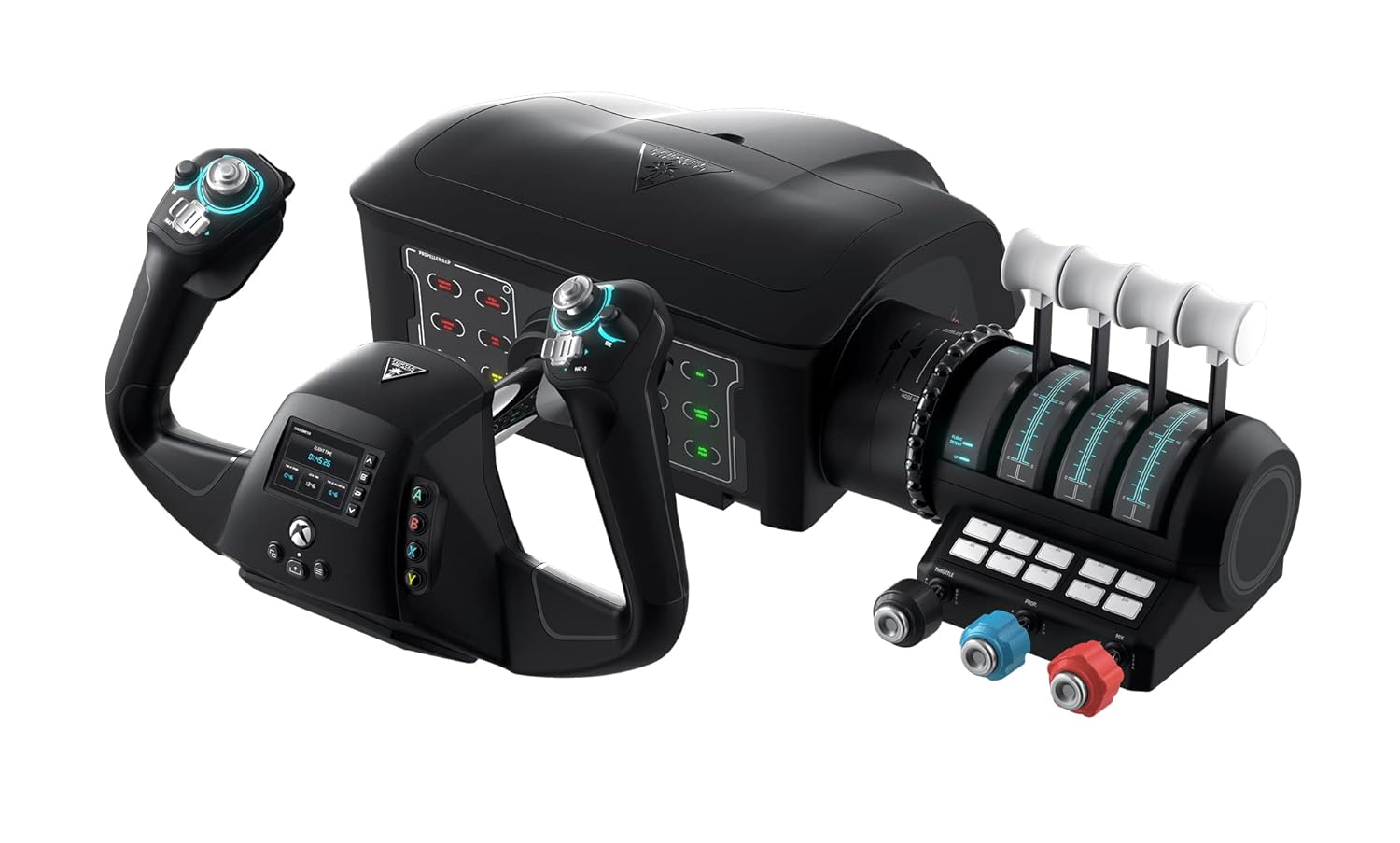
Turtle Beach VelocityOne Flight Universal Control System - Xbox Series X & Xbox Series S, Xbox One & Windows 10 & 11 PCs with Yoke Handle, Throttle Quadrant, Trim Wheel & Rudder Controls
Dedicated sim pilots who want a realistic, airline-style cockpit experience with a yoke rather than a traditional stick.
180-degree yoke rotation with a non-contact hall effect sensor, a dedicated trim wheel, swappable throttle tops, and a full-color flight management display make this the most fully featured system in the set.
The priciest pick on this list by a significant margin, placing it out of reach for casual or occasional players.
Premium
- Realistic 180-degree yoke with hall effect sensor
- Full-color flight management display
- Modular throttle with swappable tops and trim wheel
- Most expensive on this list
- Yoke design is not suited for fighter or space sim styles
The most complete and realistic home cockpit system here, built for committed sim enthusiasts who want a yoke-based setup.
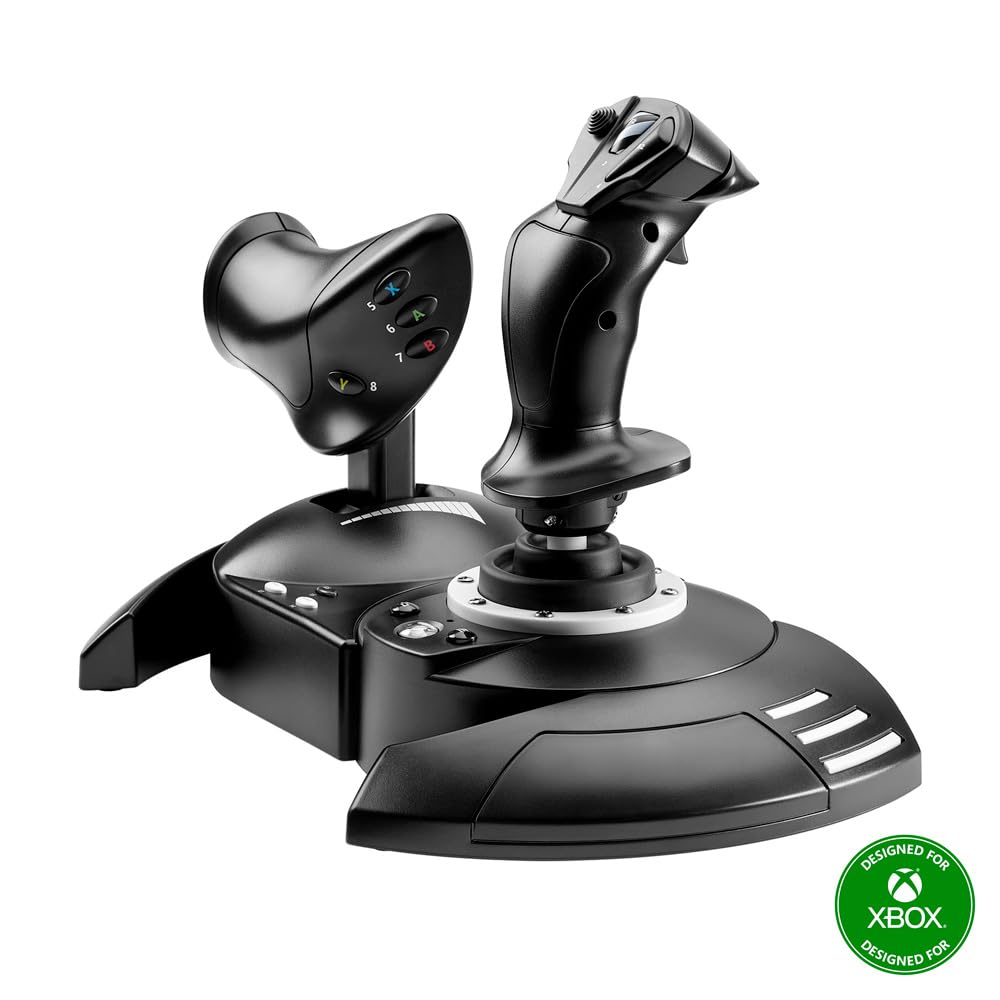
Buy on AmazonThrustmaster T-Flight Hotas One Flight Stick & Throttle - XBOX & PC
Budget-conscious newcomers to flight simulation who want a functional HOTAS setup without a large investment.
Detachable throttle with integrated dual rudder control and adjustable joystick resistance gives genuine HOTAS versatility at the most affordable price on this list.
The most affordable option here, which comes with more basic construction materials and fewer axes than pricier competitors.
Budget
- Detachable throttle for flexible setups
- Integrated dual rudder system
- Adjustable joystick resistance
- Fewer axes than higher-priced competitors
- Basic build quality implied by price tier
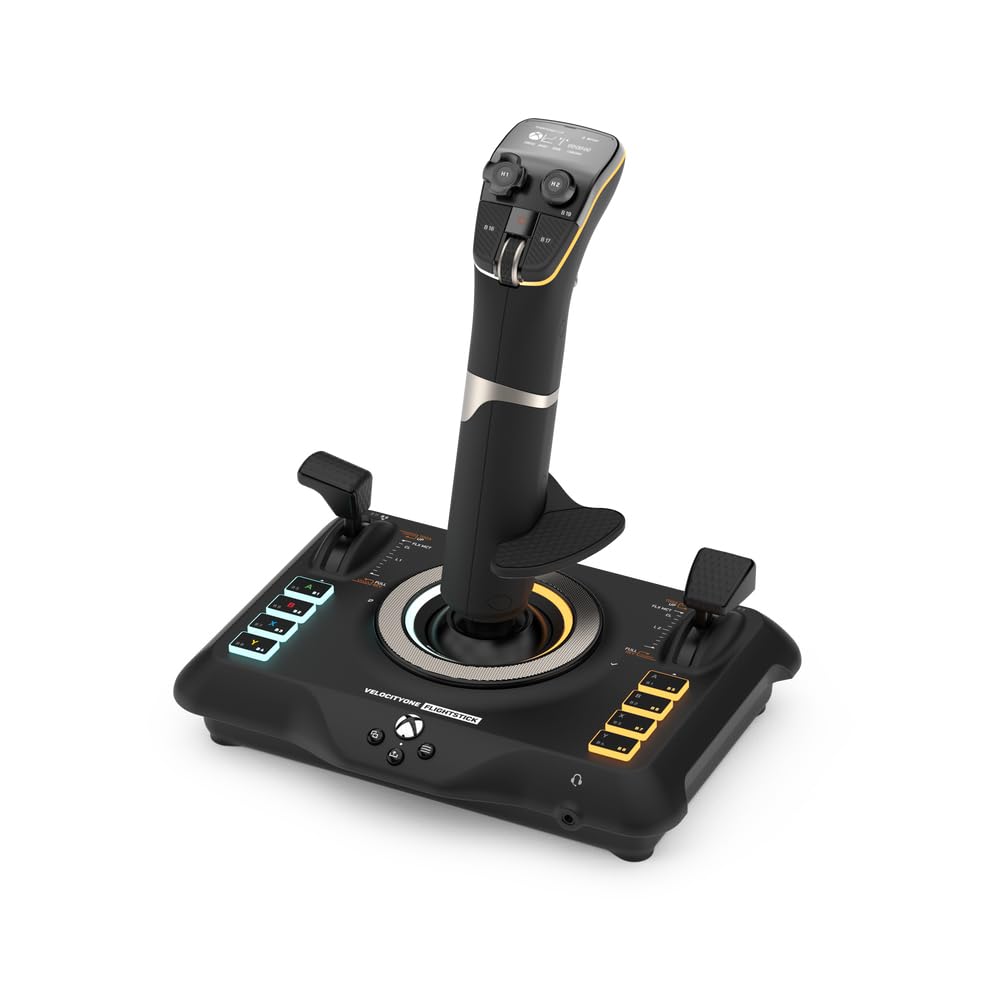
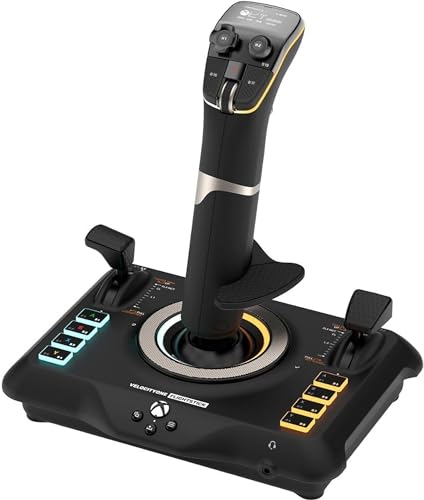
Turtle Beach VelocityOne Flightstick Universal Sim Controller, Xbox, PC
Xbox and PC players who want a high-precision joystick with broad compatibility across both air and space combat sims.
Eight high-precision axes powered by contactless sensors, 27 programmable buttons, and swappable throttle tops make it exceptionally versatile across flight and space sim genres.
Rudder pedal compatibility on Xbox requires contacting customer support for a separate pass-through cable, adding friction to the setup process.
Mid-range
- 8 high-precision contactless axes
- 27 programmable buttons
- Swappable throttle tops for fighter or airliner style
- Xbox rudder pedal use requires a separate support request
- No yoke or trim wheel included
A feature-packed joystick for players who want high axis count and broad sim compatibility on both Xbox and PC.
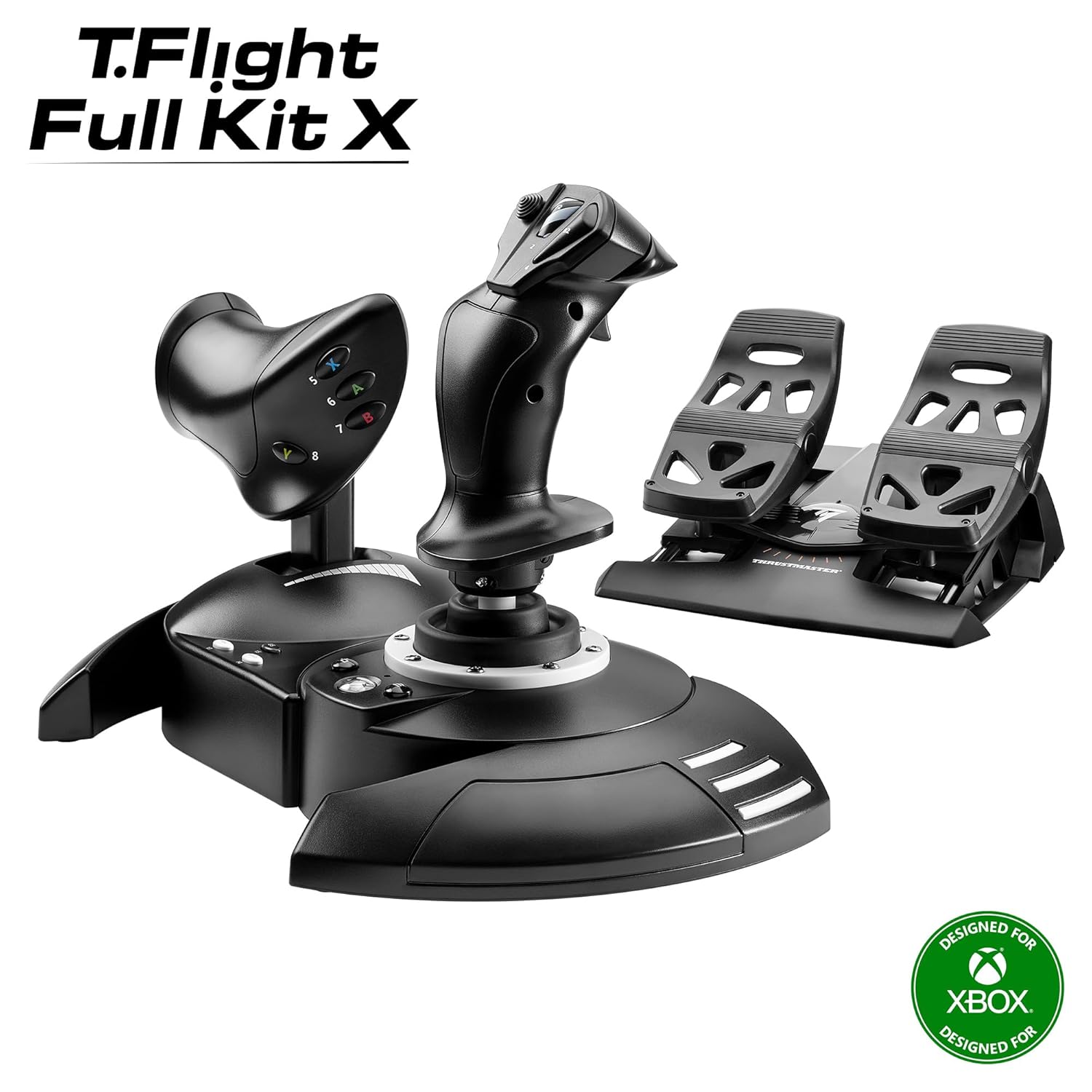
Buy on AmazonThrustmaster T-Flight Full Kit HOTAS with Rudder Pedals - XBOX & PC
Sim pilots who want a complete all-in-one bundle including rudder pedals without sourcing components separately.
Includes flight rudder pedals with Thrustmaster's S.M.A.R.T slide rail system and removable heel rests, delivering smooth yaw control and reduced fatigue during long sessions as part of a full kit.
The bundle price sits noticeably higher than the base stick options, and the included pedals may be redundant for players who already own rudder hardware.
Mid-range
- Includes rudder pedals with S.M.A.R.T rail system
- Removable heel rests for long-session comfort
- Official Xbox console buttons built in
- Higher cost than stick-only options
- Redundant for those who already own pedals
The best choice for players who want a single-purchase complete HOTAS plus pedals solution for Xbox and PC.
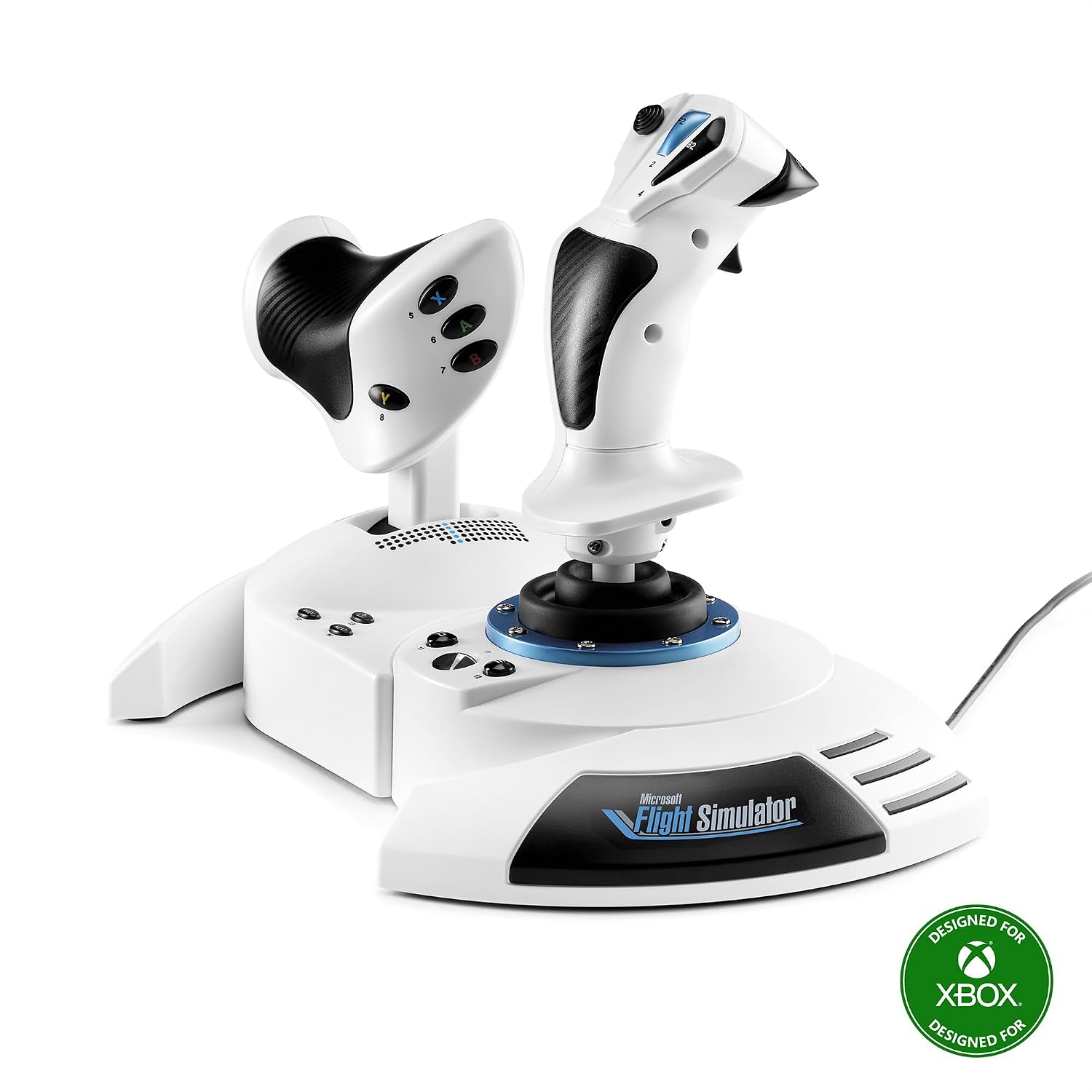
Buy on AmazonThrustmaster T-Flight Hotas One MSFS 2024 Collector Edition - XBOX & PC
Microsoft Flight Simulator 2024 fans on Xbox or PC who want immediate plug-and-play compatibility and an officially licensed experience.
Officially licensed for Microsoft Flight Simulator 2024 with true plug-and-play recognition on both Xbox and PC, meaning no manual configuration is needed to get airborne.
Five independent axes is a lower count than the Turtle Beach Flightstick's eight axes, limiting precision for complex aircraft control.
Budget
- Officially licensed for MSFS 2024
- True plug-and-play on Xbox and PC
- Adjustable joystick resistance for long sessions
- Only five axes versus more advanced competitors
- 10-bit precision is modest compared to higher-end options
The ideal pick for MSFS 2024 players who want instant, officially licensed compatibility out of the box.
Buy on AmazonTurtle Beach VelocityOne Flightstick Universal Simulation Controller Joystick for Air & Space Combat Simulation - Xbox Series X, Xbox Series S, Xbox One, Windows 10, and Windows 11 PCs (Renewed)
Buyers who want the VelocityOne Flightstick's feature set at a somewhat lower price and are comfortable purchasing a renewed unit.
Offers the same multiplatform Xbox and PC compatibility and high-precision axis design as the standard Flightstick at a lower price point, making the feature set more accessible.
The product description provides almost no technical detail beyond the return process, making it difficult to verify the condition or completeness of the renewed unit before purchase.
Mid-range
- Multiplatform Xbox and PC compatibility
- Access to VelocityOne feature set at lower outlay
- Standard free return shipping offered
- Listing provides almost no condition or spec detail
- Renewed unit condition is unverified from listing alone
A potentially cost-effective way to get into the VelocityOne Flightstick ecosystem, though the sparse listing detail warrants caution.
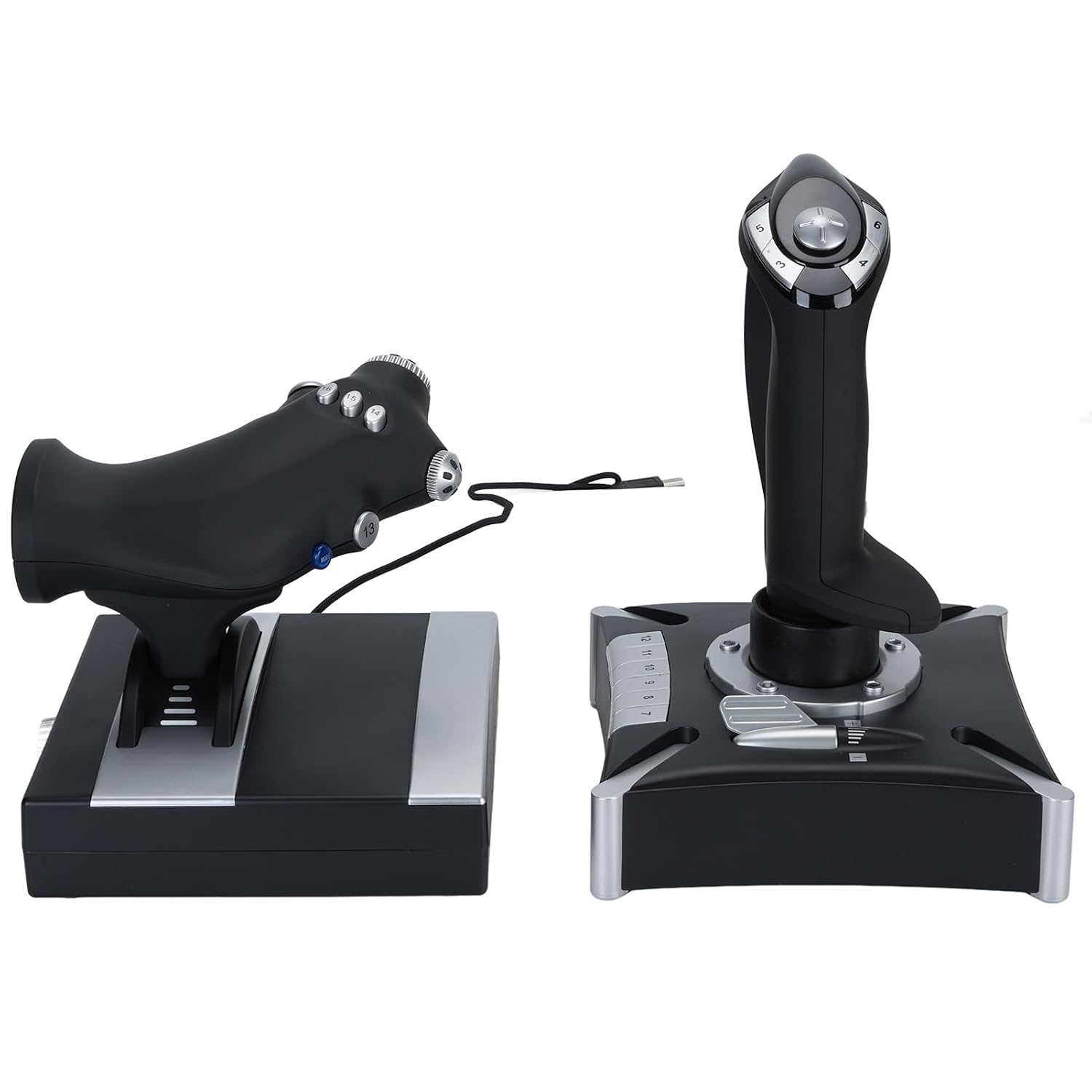
Buy on AmazonVikye USB Wired Flight Control System, Plug and Play Throttle and Joystick Flight Simulator Game Controller, with Vibration and Throttle
Casual players on a tight budget who want a basic dual-stick throttle setup with vibration feedback and simple plug-and-play installation.
Suction cup base design keeps the unit stable on a desk during active gameplay, and vibration feedback adds a tactile layer that similarly priced sticks in this set do not mention.
Only four axes and an ABS plastic build represent meaningful compromises in precision and durability compared to the dedicated sim hardware elsewhere in this set.
Budget
- Suction cup base for stable desk use
- Vibration feedback for added immersion
- True plug-and-play with no driver install required
- Only 4 axes limits precision for complex aircraft
- ABS plastic build throughout
A basic entry-level option with vibration feedback, best suited to very casual players rather than serious sim enthusiasts.
Buy on AmazonFinding the right flight stick can genuinely transform your time in the cockpit, whether you’re navigating stormy skies in Microsoft Flight Simulator or pulling off tight maneuvers in a combat title. Each option featured here brings something a little different to the table, so the best pick really comes down to your setup, your budget, and how deep you want to go with your controls. Take a look at the links above and see which one feels like the right fit for you. Happy flying, and thanks for reading!
Frequently asked questions
Which of these flight sticks actually work on Xbox Series X and S without extra adapters?
The Thrustmaster T-Flight Hotas One, the Thrustmaster T-Flight Full Kit, the Thrustmaster T-Flight MSFS 2024 Collector Edition, the Turtle Beach VelocityOne Flight yoke system, and the Turtle Beach VelocityOne Flightstick all list Xbox Series X and S compatibility in their product descriptions. The Vikye USB stick lists ‘Series X S’ compatibility as well, though it is a lesser-known brand and you should confirm official Xbox licensing with the seller before purchasing. None of the Xbox-compatible sticks in this lineup require a separate adapter according to their listings, but it is worth double-checking that your specific sim title supports the stick natively on console, since game-level support varies.
What is the difference between a HOTAS joystick setup and a yoke setup, and which fits most flight sim players?
A HOTAS (Hands On Throttle And Stick) setup pairs a traditional center-mounted joystick with a separate throttle unit, which suits fighter jet, military, and space combat sims naturally. A yoke setup uses a pull-and-push column with a rotating wheel to replicate commercial and general aviation controls, and the Turtle Beach VelocityOne Flight is the only yoke-style option in this lineup. If you primarily fly airliners or small prop planes in something like Microsoft Flight Simulator, a yoke often feels more true to life. For players who split time between combat and civil aviation, a HOTAS stick is the more versatile starting point.
How important are rudder controls for a realistic flight sim experience, and do any of these sticks include them?
Rudder input controls yaw, which is essential for coordinated turns, crosswind landings, and taxiing, so having some form of rudder control noticeably improves realism. The Thrustmaster T-Flight Hotas One and the MSFS 2024 Collector Edition both include an integrated dual rudder system built into the joystick base. The Thrustmaster T-Flight Full Kit goes further by bundling dedicated rudder pedals with the HOTAS using a slide-rail system the listing describes as designed for smooth yaw input. The Turtle Beach VelocityOne Flightstick is compatible with Turtle Beach VelocityOne Rudder Pedals (sold separately), and on Xbox that connection requires a USB-C passthrough cable that Turtle Beach says it will supply via customer support.
How hard is the setup process, and do these sticks require driver installation or software configuration?
Most sticks in this group lean toward a plug-and-play experience, though the specifics differ. The Thrustmaster MSFS 2024 Collector Edition listing specifically states it is recognized instantly by Microsoft Flight Simulator 2024 on both PC and Xbox with no setup delays. The Vikye USB stick also advertises plug-and-play but notes that optional drivers can be downloaded from the manufacturer’s site if needed. The Turtle Beach VelocityOne Flight yoke includes an onboard color display with a training mode to help you learn button assignments without leaving the cockpit view, which can shorten the learning curve for newcomers. For any stick with programmable buttons, expect to spend some time mapping controls to your preferred sim before your first serious flight.
Which option offers the best value for a beginner who wants a realistic feel without spending on a full sim rig?
The Thrustmaster T-Flight Hotas One is the entry point of the Thrustmaster lineup here, offering a detachable throttle, integrated rudder control, and adjustable joystick resistance, making it a capable starter package without the cost of a full bundle. The Turtle Beach VelocityOne Flightstick is a mid-range alternative with 8 high-precision contactless axes and swappable throttle tops for adapting between fighter and airliner modes. If budget allows a step up, the Thrustmaster T-Flight Full Kit adds physical rudder pedals to the HOTAS, which eliminates the need for a future separate purchase and gets you closer to a proper sim rig from day one. Beginners who mainly fly commercial routes may find the Turtle Beach VelocityOne Flight yoke system the most intuitive, since its 180-degree yoke rotation and trim wheel closely mirror what real light-aircraft pilots use.