Whether you just grabbed a PS5 or you’ve had one sitting in your entertainment center for a while, the right accessories can seriously change how you experience gaming. From practical storage solutions to fun gadgets that make your setup feel more complete, there’s a surprisingly wide world of PS5-compatible gear worth knowing about. This guide covers a solid mix of picks for digital gamers, disc edition owners, and anyone who loves collecting physical media. You’ll find tools that make gaming more comfortable, options that help you stay organized, and a few genuinely clever products you might not have considered before. Some of these are everyday essentials, others are the kind of thing you didn’t know you needed until you see what they do. We kept things practical and accessible, with a focus on real-world use rather than hype. If you’re looking to upgrade your PS5 experience in 2026, whether that means better audio, smarter storage, or just a cleaner desk setup, there’s something here for you.
Disclosure: As an Amazon Associate we earn from qualifying purchases. Prices and availability shown are accurate as of the date of publication and may change.
Quick comparison
How to choose
Console Model Compatibility
PS5 accessories often differ between the original, Slim, and Pro models, and between Disc and Digital editions. Before buying any stand, hub, or cooling upgrade, confirm the product listing explicitly names your exact console variant. A stand or hub designed for the original PS5 may not seat a Slim correctly due to differences in chassis shape and port placement.
Storage and Port Expansion
The PS5 has a limited number of front and rear USB ports, which fills up quickly once you account for controllers, headsets, and charging accessories. A USB hub rated for your specific console model (Slim or Pro versus original) ensures a proper physical fit and avoids blocking neighboring ports. Check whether the hub provides USB 2.0 or higher throughput, since data transfer speed matters if you plan to connect external storage alongside charging accessories.
Thermal Management
Dust buildup inside the PS5 over time can contribute to higher operating temperatures, which may affect long-term console performance. Accessories that combine a dust filter, port plugs, and a supplemental fan address this from multiple angles at once. If your console sits in an entertainment cabinet or a low-airflow space, active cooling additions may be especially worth considering.
Orientation and Physical Footprint
Horizontal stands change how the console sits in your setup and can affect ventilation, cable routing, and how much shelf space the system occupies. Some stands include padding or EVA foam inserts to protect the console body, which matters if you switch between disc and digital editions or move the console frequently. Confirm the stand supports the orientation you prefer and that its footprint fits your actual shelf or desk space before purchasing.
Physical Media Support
If you own a PS5 Digital Edition and want to play disc games, a separately purchased disc drive attachment is now an option for the Slim model. This changes the accessory equation significantly because you then need to account for the added bulk, a different stand footprint, and potentially additional ports to support the drive itself. Plan your stand and hub choices around the final assembled configuration of your console rather than the base unit alone.
The picks
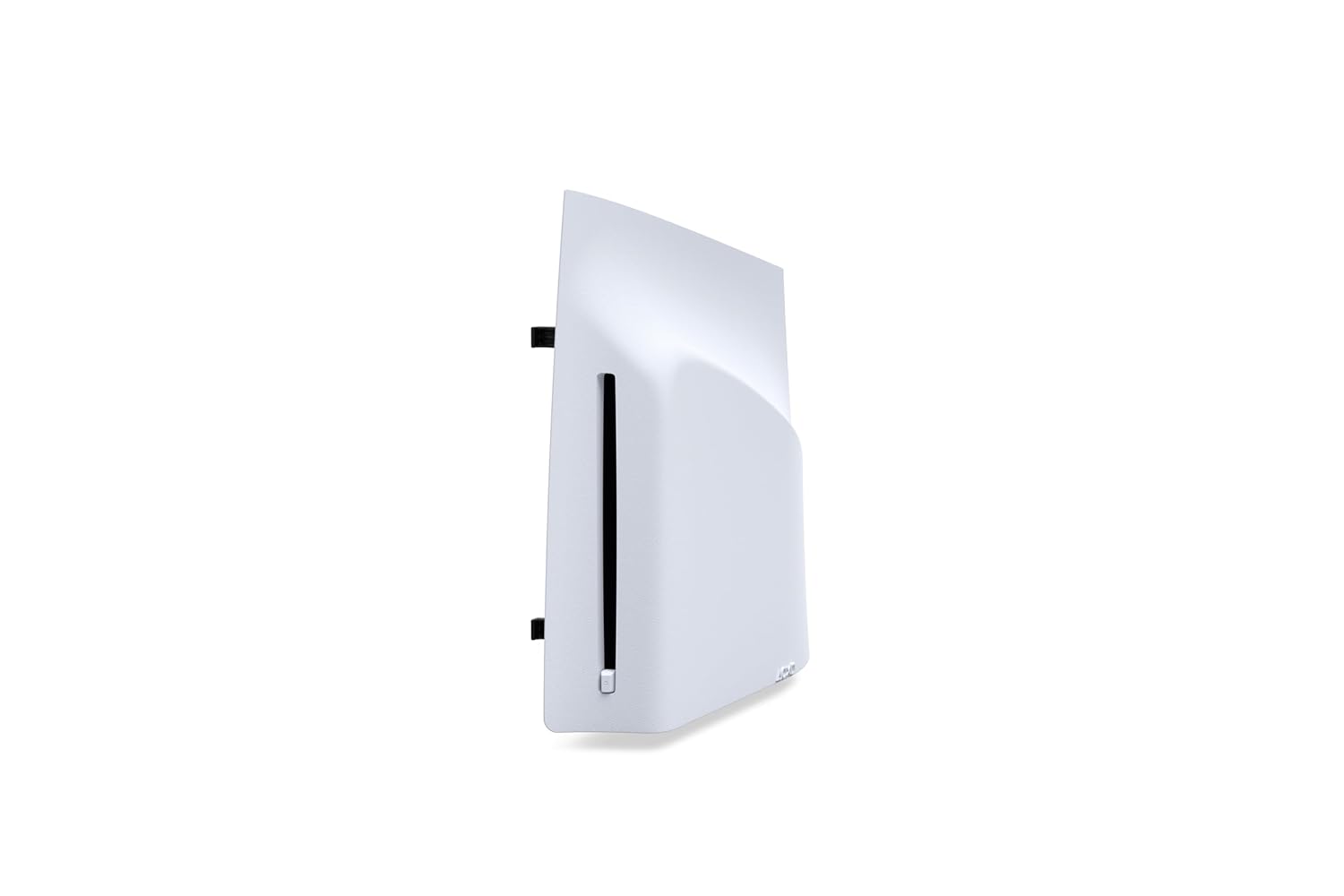
PlayStation Disc Drive For PS5 Digital Edition Consoles (slim)
PS5 Digital Edition or PS5 Pro owners who want to play physical disc games, Blu-ray movies, and DVDs without buying a new console.
Unlocks the full physical media experience including 4K Ultra HD Blu-ray, standard Blu-ray, and DVD playback alongside PS5 and PS4 disc game support.
The priciest pick on this list, and it only works with the slim PS5 Digital Edition and PS5 Pro, not the original model.
Premium
- Adds full Blu-ray and DVD playback
- Compatible with PS5 Digital Edition and PS5 Pro
- Access to vast PS4 and PS5 disc game library
- Most expensive item in this set
- Not compatible with original PS5 models
The essential upgrade for any PS5 Digital or Pro owner who wants to join the physical media world.
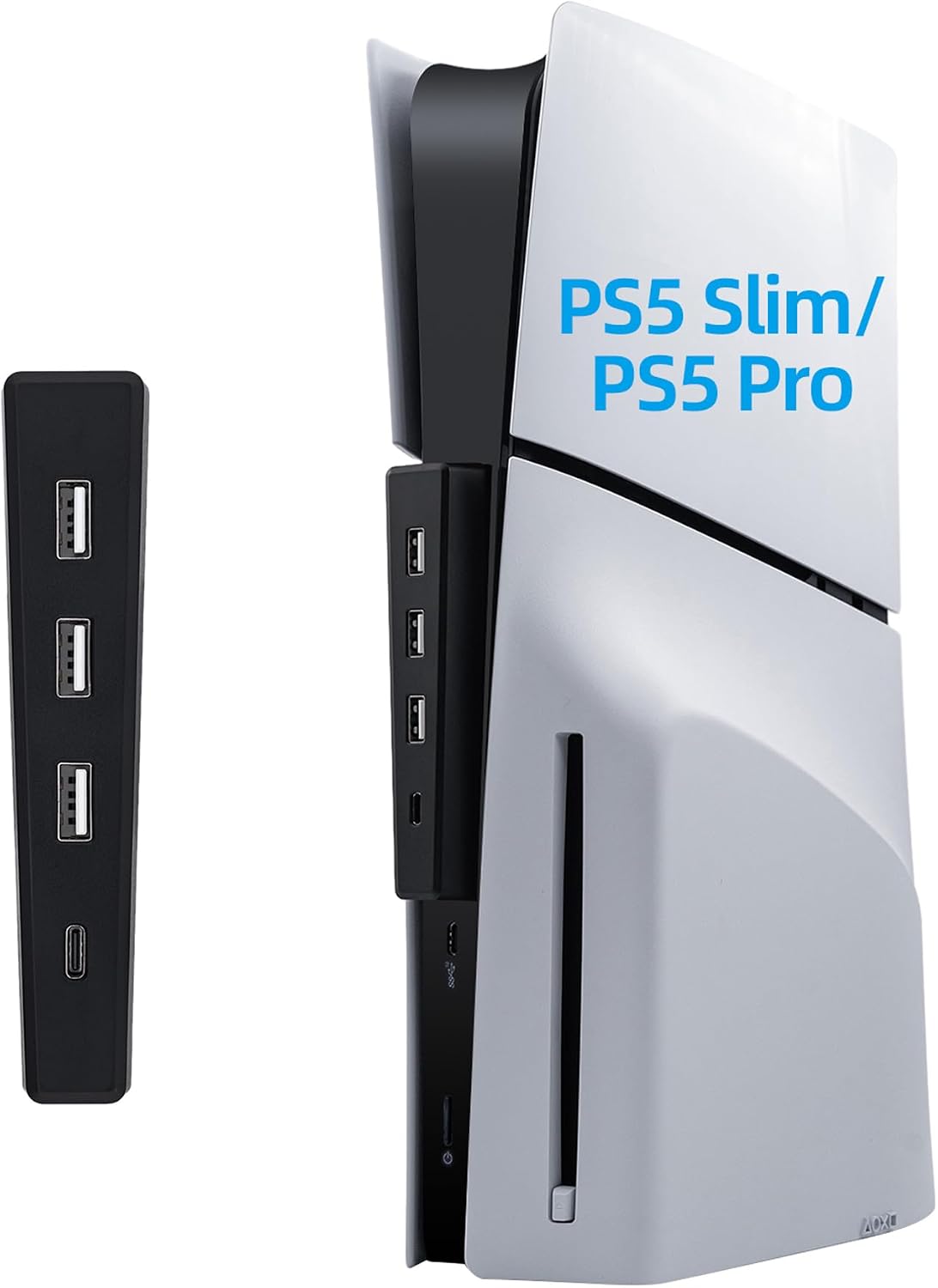
Buy on AmazonMcbazel USB Hub for PS5 Slim/PS5 Pro Console Only, 4 Ports 2.0 High-Speed Expansion Hub Charger Adapter Converter for PlayStation 5 Slim/Pro Disc and Digital Edition - Black
PS5 Slim or PS5 Pro owners on a tight budget who need extra USB ports for keyboards, mice, or external drives.
Offers a stable Type-C anchored connection and adds three USB 2.0 ports plus one USB Type-C 2.0 port, tailored specifically for PS5 Slim and Pro form factors.
USB 2.0 speeds across all four ports limit throughput for high-bandwidth devices like fast external SSDs.
Budget
- Designed specifically for PS5 Slim and Pro
- Includes USB-C 2.0 port for modern peripherals
- Shake-free Type-C anchor connection
- USB 2.0 speeds only across all ports
- Not compatible with original PS5
The most affordable way to expand connectivity on a PS5 Slim or PS5 Pro with a secure, model-specific fit.
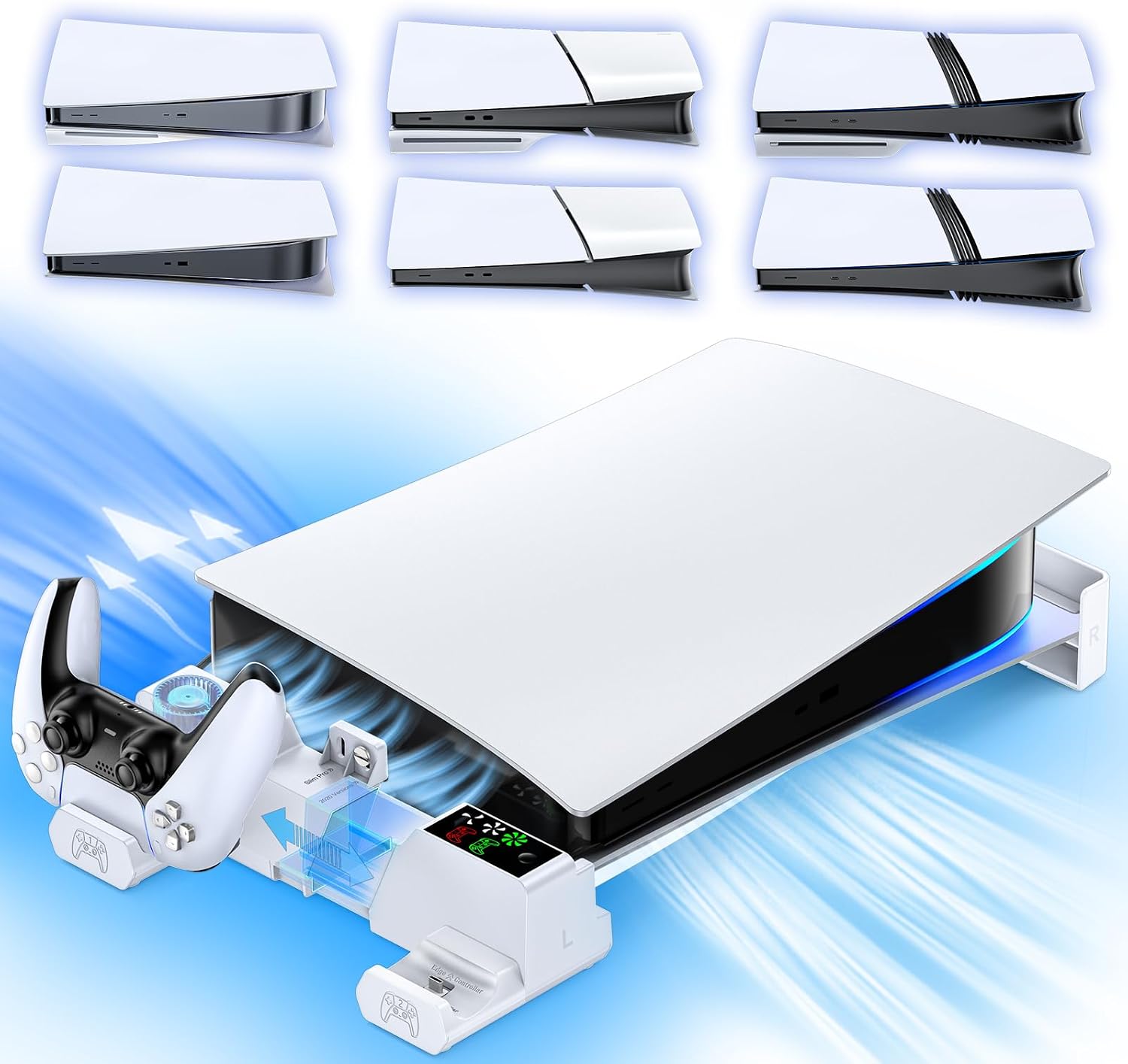
Buy on AmazonPS5/Slim/Pro Horizontal Stand with Cooling Fan & Charger for Original & Edge Controllers, Scalable Design PS5 Accessories Base with EVA Foams for All PS Five Disc & Digital, PS 5 Sideways Stand White
PS5 owners of any model who want a tidy horizontal setup with built-in controller charging and support for both disc and digital editions.
Scalable design fits every PS5 model from 2020 through PS5 Pro, and the dual-controller charging dock supports both standard and Edge controllers.
Powered directly through the PS5 via an included cable, so it draws from the console rather than an independent power source.
Mid-range
- Works with all PS5 disc and digital editions
- Dual fast-charging dock for original and Edge controllers
- Horizontal cooling fan built in
- Draws power from the console itself
A versatile all-in-one stand that keeps any PS5 model horizontal, organized, and controllers charged.
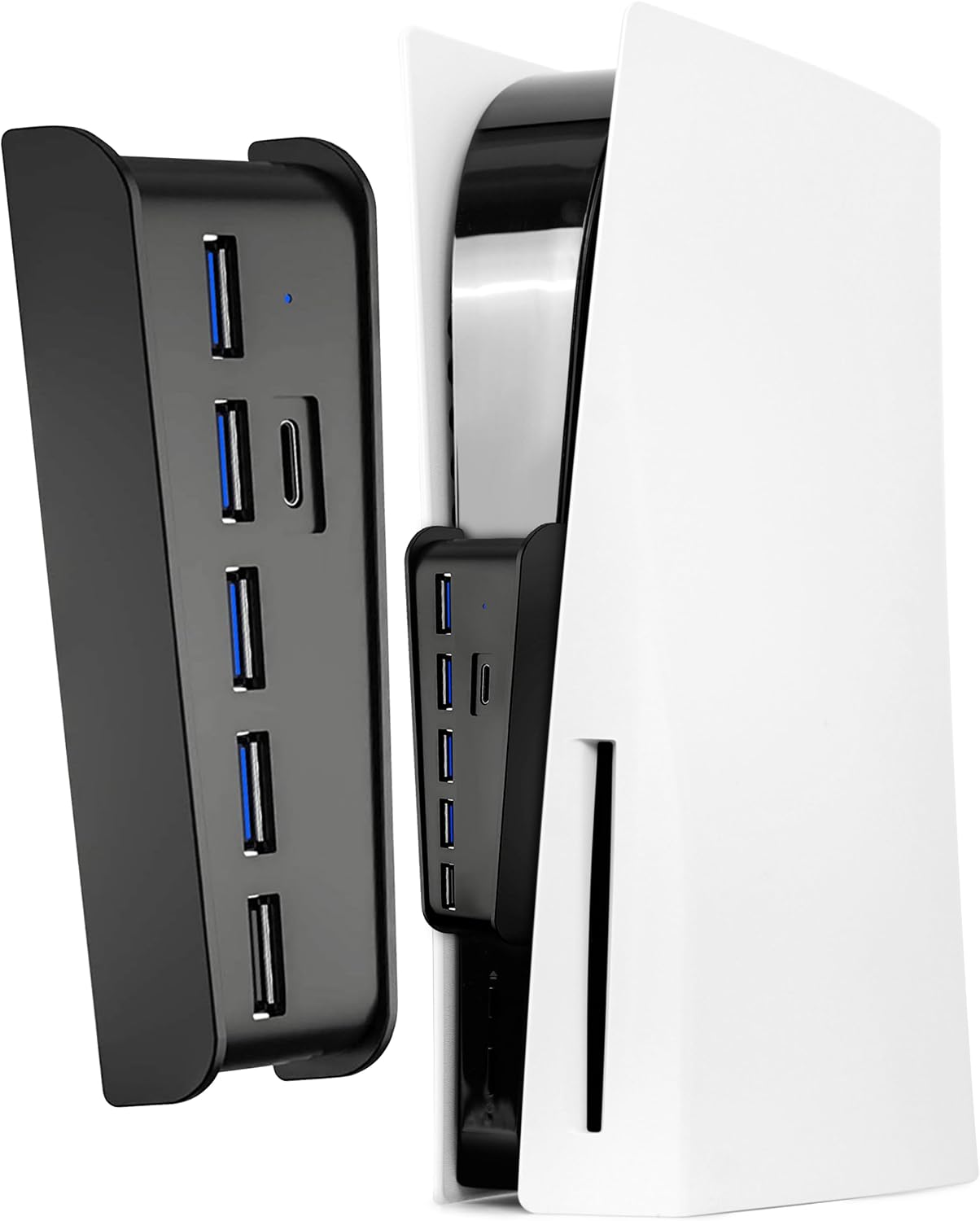
Buy on AmazonJoso 6 Ports USB Hub 2.0 for PS5 Console Front
Original PS5 owners who need more front USB ports for peripherals and prefer a plug-and-play solution with no extra cables.
Offers 6 USB 2.0 ports that plug directly into the PS5 front port with no drivers or external power needed, and includes an adhesive backing to prevent disconnection.
Not compatible with PS5 Slim or PS5 Pro models, limiting its usefulness to original PS5 hardware only.
Budget
- Six ports with true plug-and-play setup
- Adhesive backing prevents accidental disconnection
- No external power supply needed
- Original PS5 only, no Slim or Pro support
A straightforward port expander for original PS5 owners who want more connectivity without any setup hassle.
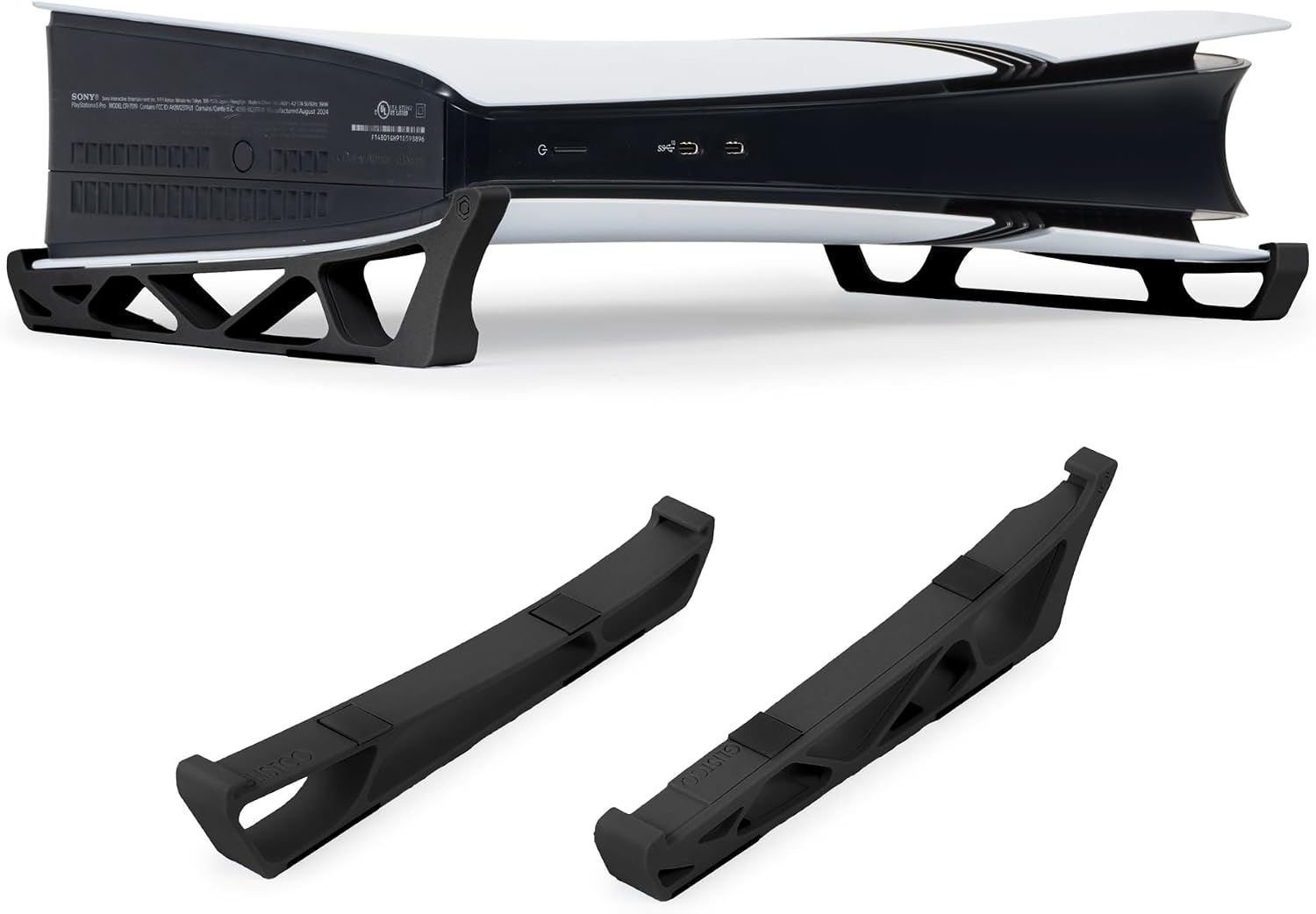
Buy on AmazonGlistco Skates - Horizontal Stand For PS5 Pro Compatible with Disc & Digital Edition (Black)
PS5 Pro owners who want a low-profile horizontal stand with improved airflow and a disc or digital edition insert option.
Non-vibration skate feet elevate the console for better airflow, and a removable insert makes it instantly switchable between disc and digital editions.
Designed exclusively for the PS5 Pro, making it incompatible with original PS5 or Slim models.
Mid-range
- Switchable insert for disc or digital edition
- Elevates console to improve airflow
- Prevents accidental tip-overs
- PS5 Pro exclusive, no other model support
A clean, PS5 Pro specific stand that improves stability and airflow while supporting both disc and digital setups.
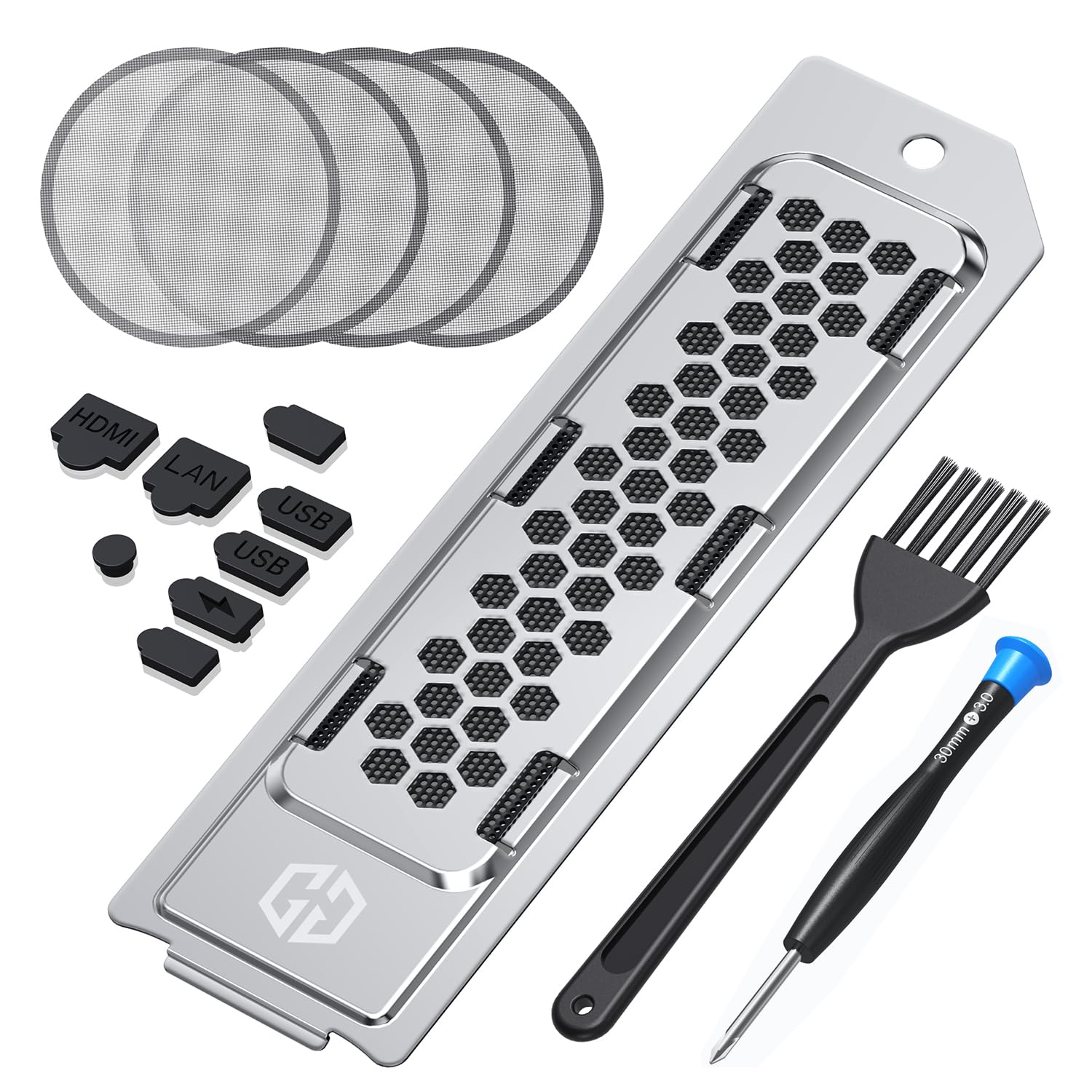
Buy on AmazonGRAUGEAR Cooling & Dust Protection Upgrade for PS5 Pro/PS5 Slim, PS5 Pro/Slim M.2 SSD Heatsink Cover with Fan Dust Filter and Port Plugs, Prevent Overheating and Dust Buildup (PS5 Pro/PS5 Slim)
PS5 Pro or PS5 Slim owners who store their console in dusty or enclosed spaces and want to protect internal components during long gaming sessions.
Delivers a comprehensive kit including a metal M.2 SSD heatsink cover, four fan dust filters, silicone plugs for every port type, and cleaning tools all in one package.
Compatible only with PS5 Pro and PS5 Slim, leaving original PS5 owners without an option.
Mid-range
- Metal SSD heatsink reduces thermal throttling
- Silicone plugs seal every unused port
- All-in-one kit with cleaning tools included
- Only fits PS5 Pro and Slim models
The go-to protection and thermal management upgrade for PS5 Pro and Slim owners who want to preserve their hardware long term.
Buy on AmazonWhether you’re a digital-only gamer, a disc collector, or someone who loves keeping physical media organized, there’s something on this list worth considering. The right accessories can genuinely elevate your PS5 setup, making everything feel a little more polished and enjoyable. Take your time browsing the options, and if one or two caught your eye, it might be worth clicking through to learn more. Sometimes a small addition to your gaming space makes a bigger difference than you’d expect. We hope this list gave you some helpful ideas to work with. Thanks for reading, and happy gaming!
Frequently asked questions
Can I add a disc drive to a PS5 Digital Edition if I want to start buying physical games later?
Yes, Sony makes an official PlayStation Disc Drive designed specifically for the PS5 Digital Edition slim model, so you can retrofit disc support without buying a whole new console. The drive connects via USB and pairs to your console through a one-time setup process in the system settings. This is worth considering if you want to take advantage of used game sales, disc lending, or physical media collections. Just confirm your PS5 is the slim Digital Edition model before purchasing, since the drive is not compatible with the original full-size Digital Edition.
How hard is it to expand PS5 storage with an M.2 SSD, and do I need extra cooling for it?
Installing an M.2 SSD in a PS5 or PS5 Pro is a moderate DIY task that involves removing panels and seating the drive in the dedicated expansion slot, but Sony provides step-by-step guidance in the console settings. The bigger consideration is thermal management: the M.2 slot sits in a tight space, and a heatsink cover like the GRAUGEAR unit can help dissipate heat more effectively than a bare drive. The GRAUGEAR accessory also adds a dust filter and port plugs, which can help reduce particle buildup around the SSD bay over time. If you plan to run storage-intensive games for long sessions, adding a heatsink is generally considered good practice by the enthusiast community.
What is the difference between a basic horizontal stand and one with a built-in cooling fan for the PS5?
A basic horizontal stand simply positions the console on its side for stability, while a stand with a built-in cooling fan actively moves air across the console exterior to supplement the internal cooling system. The PS5/Slim/Pro Horizontal Stand with Cooling Fan also integrates a controller charger, so you get three functions in one unit instead of needing separate accessories cluttering your setup. The tradeoff is that powered stands require a cable connection, while passive stands have no moving parts and no noise. For living rooms where the PS5 runs during long gaming sessions, the active cooling option can provide extra thermal headroom, especially in enclosed entertainment centers.
Will a USB hub for the PS5 work with both disc and digital edition consoles, and what should I check for compatibility?
Most USB hubs listed here, including the Joso 6 Port front hub and the Mcbazel 4 Port hub, specify compatibility across disc and digital editions, but you should confirm whether the hub targets the original PS5 or the slim and Pro variants since the front port shape differs between generations. The Mcbazel unit is explicitly designed for PS5 Slim and PS5 Pro only, so plugging it into an original PS5 will not work. USB 2.0 hubs like these are fine for controllers, headsets, flash drives, and keyboards but are not fast enough for external game storage drives, which need USB 3.0 or higher. Check the product listing for the exact console generation it supports before ordering.
Is a low-profile gliding stand worth using instead of Sony’s included stand for physical media collectors who frequently move the console?
If you regularly move your PS5 to swap disc games at a shelf or take it to a friend’s place, a stand with smooth glide pads like the Glistco Skates horizontal stand makes repositioning much easier without lifting the full weight of the console. The included Sony stand works well for a permanent setup but creates friction against most surfaces when you slide it. The Glistco option is also compatible with both disc and digital edition models as well as the PS5 Pro, so it works regardless of which version you own. The main tradeoff is that a gliding stand trades some of the locked-in stability of a friction-based stand for ease of movement, so it is better suited to open shelving than to cramped spaces where the console could shift unexpectedly.