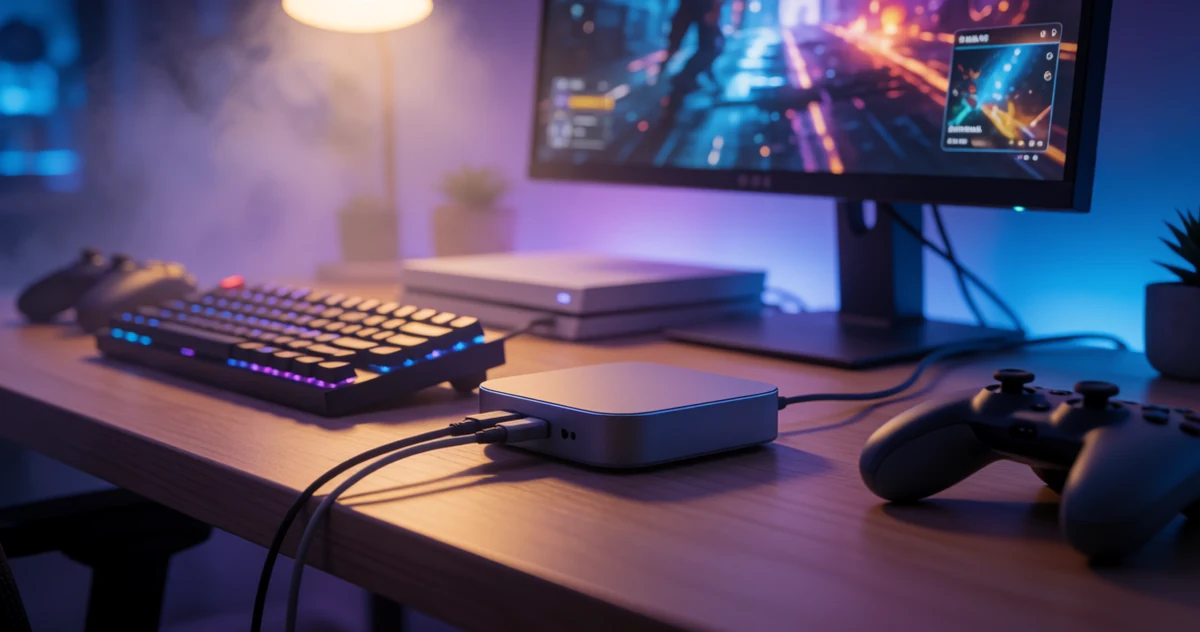
Whether you want to share your PlayStation 5 gameplay with friends, build a streaming channel, or just keep a personal archive of your best moments, a good capture card makes the whole process much easier. The PS5 puts out stunning visuals, and the right capture card lets you preserve all of that quality without a lot of hassle or technical headaches. The good news is that in 2026, there are more solid options than ever, ranging from beginner-friendly plug-and-play devices to feature-packed tools for serious content creators. In this guide, we cover some of the most practical, capable, and surprisingly versatile capture cards available for PS5 users right now. Whether you are just getting started or looking to upgrade your current setup, you will find something here that fits your needs and your budget. We focus on what each device actually does, how it performs with the PS5, and who it is best suited for, so you can make a confident, informed choice.
Disclosure: As an Amazon Associate we earn from qualifying purchases. Prices and availability shown are accurate as of the date of publication and may change.
Quick comparison
How to choose
Capture Resolution and Frame Rate
Most cards in this category record at 1080p 60fps rather than true 4K, so confirm what resolution and frame rate will actually be written to your recording file versus what is merely passed through to your monitor. For PS5 content, 1080p 60fps capture is the practical ceiling for USB class cards, while PCIe or higher-end USB cards may push 4K capture at lower frame rates. Match the card’s capture output to what your editing or streaming workflow actually needs.
HDCP and PS5 Compatibility
The PS5 outputs HDCP content protection by default, which blocks most capture cards from receiving a signal. You must turn HDCP off in the PS5 system settings before any of these cards will work, so check that your preferred recording software handles the unencrypted signal cleanly. Some listing notes call this out explicitly, which is a useful honesty signal when comparing options.
Passthrough Quality and Latency
A 4K passthrough port lets you play on your TV or monitor at full console resolution while the card captures a separate lower-resolution stream for recording. Look at both the maximum passthrough resolution and whether the listing specifies zero-latency or low-latency passthrough, since any added delay on the monitor feed makes fast-paced gameplay noticeably harder. Cards that support HDR or VRR passthrough preserve more of the PS5 visual experience during long sessions.
Connection Interface and Host Compatibility
USB 3.0 is the baseline for smooth 1080p 60fps capture, and whether the card uses a Type-A or Type-C plug determines which ports on your capture PC, Mac, or iPad you can use directly. Some cards include a USB-A to USB-C adapter in the box, while others require you to source one separately, so factor that into setup convenience especially if you plan to capture on a laptop or tablet.
Software and Audio Feature Set
Confirm the card works with your preferred streaming or recording app such as OBS, Streamlabs, or a proprietary suite, since driver-free plug and play does not guarantee every software title will detect the card without extra configuration. If you plan to add live commentary, check whether the card includes a 3.5mm microphone input, as this removes the need for a separate USB audio interface. Higher-end options may also support multichannel audio capture, which matters if your stream audience expects surround sound fidelity.
The picks
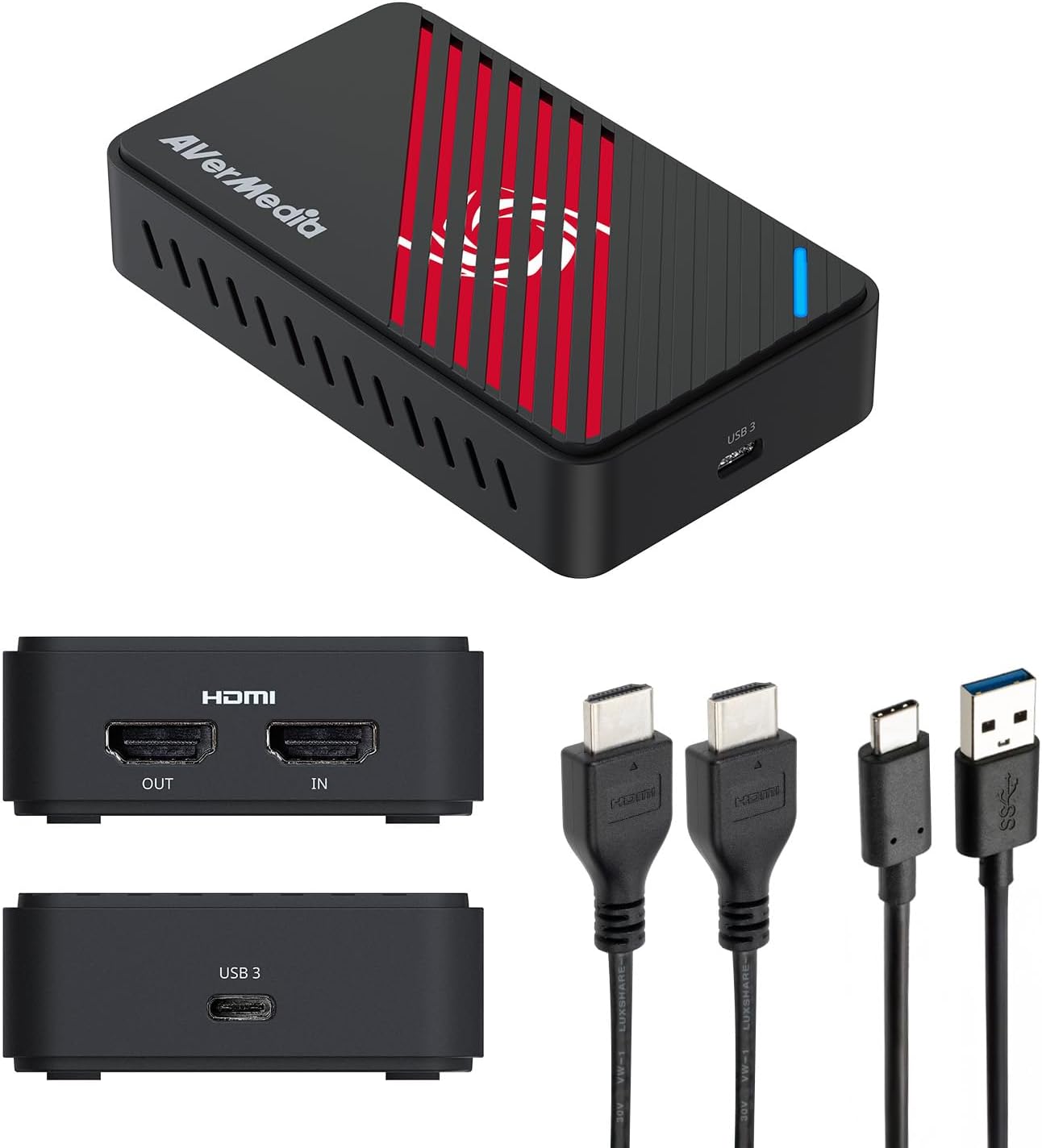
AVerMedia Live Gamer Ultra S 4K60 HDMI Capture Card with RGB24, GC553Pro
Serious PS5 and PS5 Pro content creators who need professional-grade 4K60 capture, HDR passthrough, VRR recording, and 5.1 audio for high-production streams.
Captures at 4K60 with HDR and VRR passthrough up to 1440p144 or 1080p240, plus 5.1 channel audio on Windows, placing it in a completely different performance tier from every other card in this set.
It is the most expensive product on this list by a wide margin, making it difficult to justify for casual or occasional streamers.
Premium
- 4K60 capture with HDR and VRR support
- 5.1-channel audio capture on Windows
- Ultrawide and 21:9 input support
- Priciest pick on this list
The most capable card in this set by a significant margin, with 4K60 capture, VRR, HDR, and 5.1 audio built for creators who demand professional output.
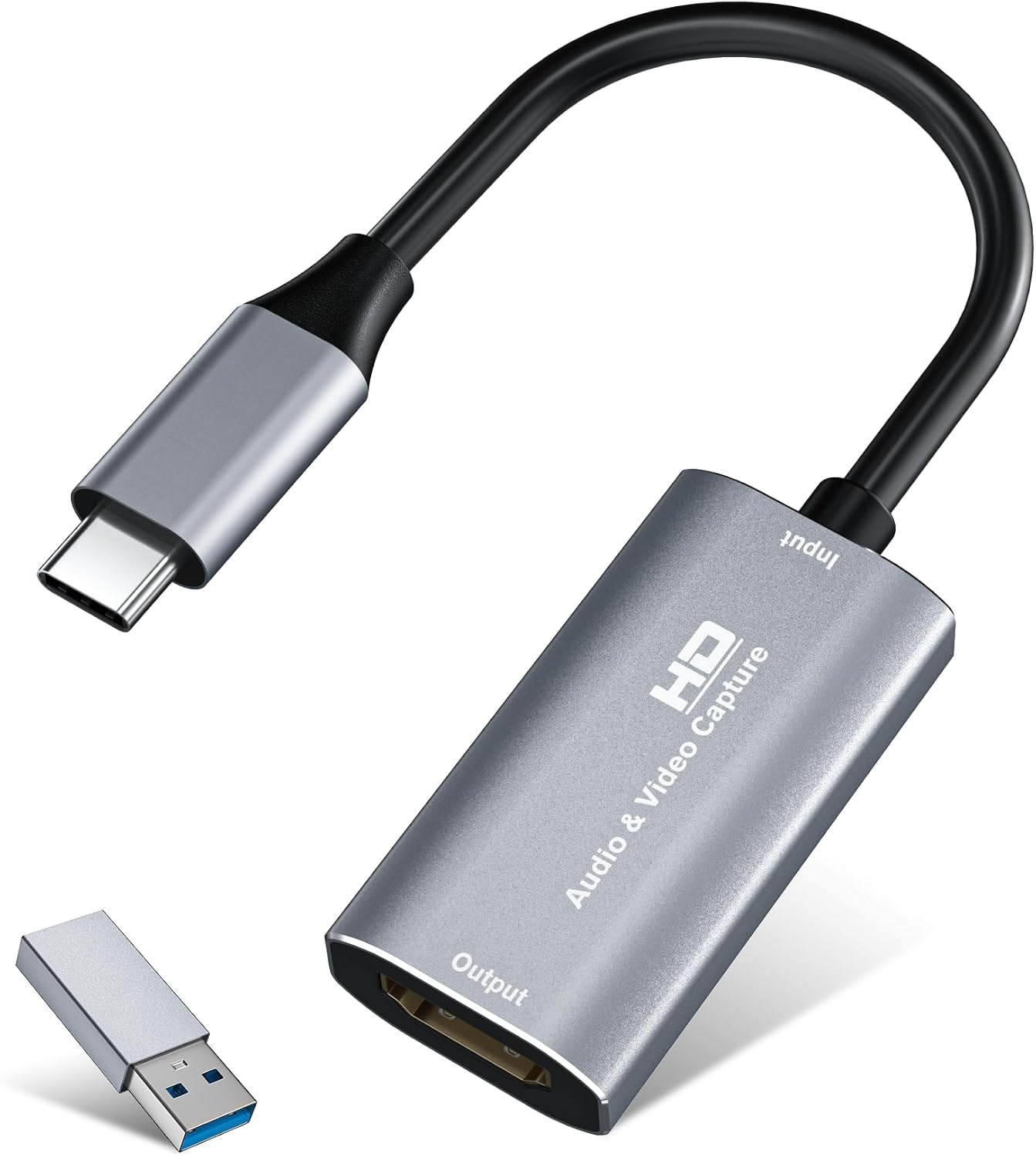
Buy on AmazonVideo Capture Card, 4K USB3.0 HDMI to USB C, 1080P60FPS HDMI Capture Card for Streaming, Gaming, Video Recording Compatible with Switch, Xbox, PS4/5, OBS,iPad Mac OS Windows,Camera, Zoom(Silver)
Budget-conscious PS5 streamers who want a compact, portable card they can use with a laptop, iPad, or Android device.
Aluminum alloy shell with advanced chipset provides stable heat dissipation, making it more thermally durable than bare plastic budget alternatives.
Records at a maximum of 2K 30Hz or 1080p 60fps with no 4K passthrough, so PS5 footage is downscaled and the TV experience is not preserved.
Budget
- Most affordable on this list
- Aluminum alloy build for heat management
- USB-C and USB-A dual connectivity
- No 4K passthrough
- Recording capped at 2K 30Hz
The most affordable pick on this list and a solid grab-and-go option, though it skips 4K passthrough entirely.
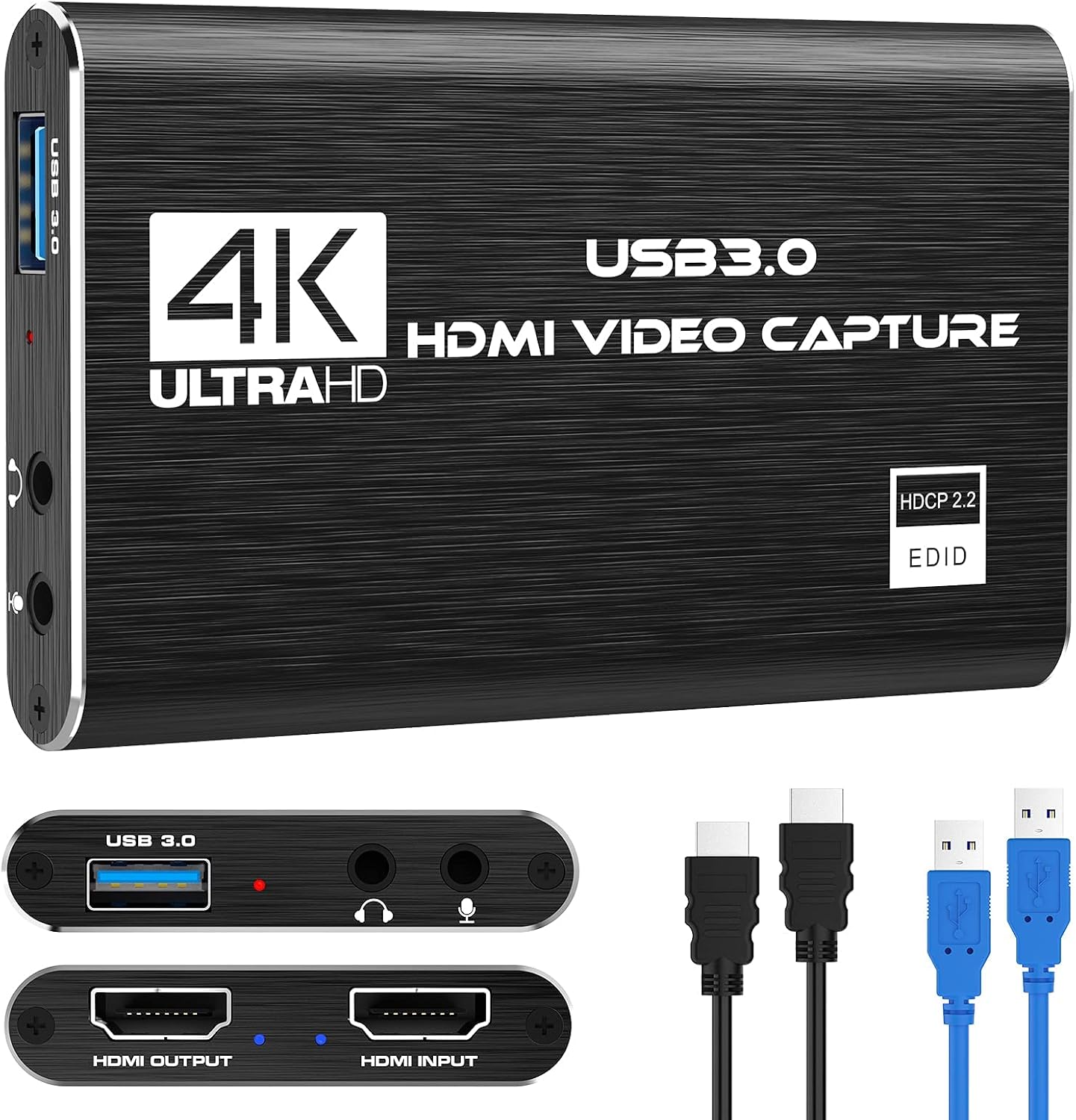
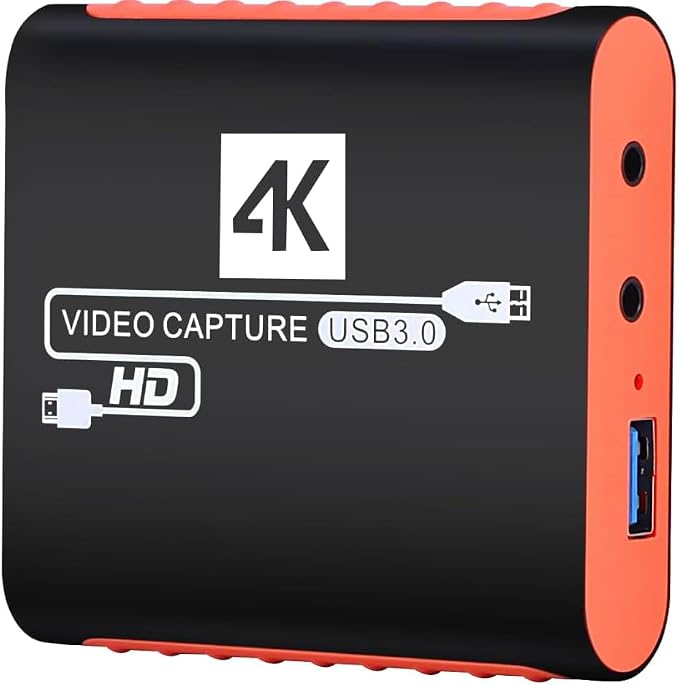
Buy on AmazonCapture Card, 4K HDMI Video Capture Card, Game Capture Card, 1080P 60FPS Video Capture Device, HDMI to USB 3.0 Capture Card for Streaming, Work with Camera/Xbox/PS4/PS5/PC/OBS
Casual PS5 streamers who want a no-fuss entry point and need mic input for live commentary.
Built-in 3.5mm mic input lets streamers add live commentary without a separate audio interface, a feature absent on several cheaper cards in this set.
Output tops out at 2K 30Hz, meaning recordings will not hit 1080p 60fps at full quality on the output side despite the 1080p capture spec.
Budget
- 3.5mm mic input for live commentary
- True plug and play, no drivers needed
- Compatible with OBS, Twitch, and YouTube
- Output capped at 2K 30Hz
- No 4K passthrough
A serviceable plug-and-play option for casual streamers who want commentary support at a low price, but output resolution is limited.
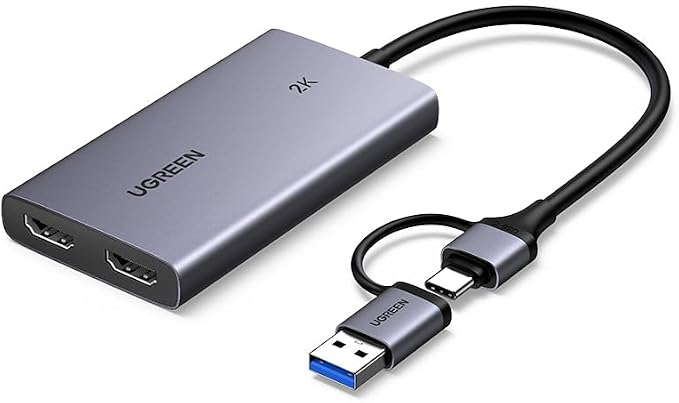
Buy on AmazonUGREEN 4K@30Hz Loop Out HDMI Capture Card for 2K 30FPS 1080P 60FPS USB 3.0
PS5 content creators who need a reliable dual-interface card from a recognized brand and want HDMI loop-out for zero-latency monitoring.
Supports both USB-C and USB-A interfaces with MJPEG and YUY2 format options, giving flexibility between compression efficiency and image clarity that single-interface cards cannot offer.
Capture is capped at 2K 30fps and 4K capture is explicitly not supported, so PS5 owners playing at high frame rates will see a significant quality ceiling.
Mid-range
- USB-C and USB-A dual ports
- HDMI loop-out for real-time monitoring
- MJPEG and YUY2 format support
- Capture limited to 2K 30fps
- 4K capture explicitly unsupported
A trustworthy dual-interface card with loop-out and format flexibility, but its capture ceiling is the same as cheaper options in this set.
Buy on AmazonCapture Card for Nintendo Switch with 4K Pass-Through, USB3.0 1080P 60FPS HDMI Video Cam Link Game Capture for Streaming, Work with Xbox PS4 PS5 PC DSLR for OBS Twitch Live Broadcasting and Recording
Nintendo Switch and PS5 players who want a stable 1080p 60fps capture card with pass-through and a mic input for added commentary flexibility.
Delivers true 1080p 60fps capture via a real USB 3.0 YUY2 chipset with 4K 30Hz zero-latency pass-through, letting PS5 gamers play on their TV in 4K while recording in full HD.
Party chat audio is explicitly not recorded, which is a meaningful limitation for PS5 users who rely on console party systems for cooperative game content.
Mid-range
- True 1080p 60fps YUY2 capture
- 4K 30Hz zero-latency pass-through
- 3.5mm mic input included
- Party chat audio not recorded
- Pass-through limited to 4K 30Hz
A well-rounded card with genuine pass-through and mic support, but the lack of party chat capture is a real gap for PS5 multiplayer content.
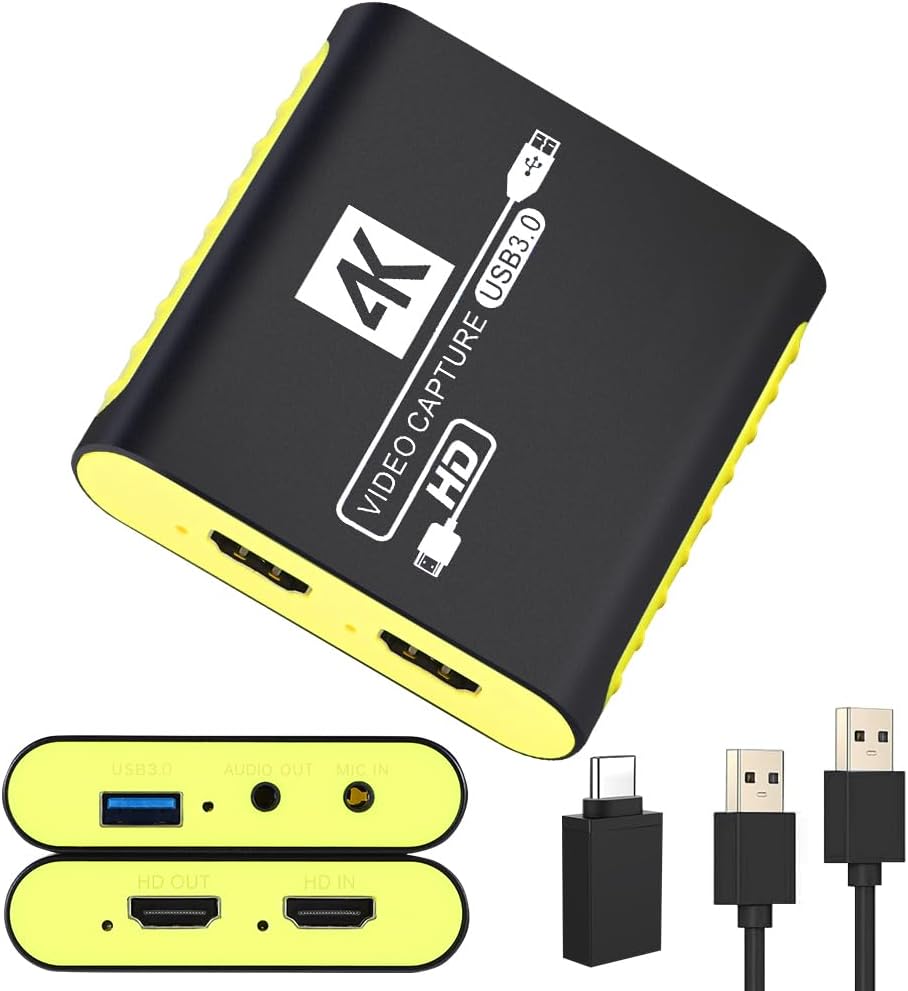
Buy on AmazonUSB 3.0 HDMI Video Capture Card for Switch 2 PS5 Xbox 1080P 60FPS Streaming
PS5 and Nintendo Switch 2 gamers who want broad device compatibility including mobile recording on iPad or Android without buying extra adapters.
Ships with a USB-A to USB-C adapter in the box, enabling direct connection to MacBook, iPad, and Android phones without purchasing additional accessories.
No 5.1 audio capture or VRR support, so high-end PS5 audio and variable refresh rate gameplay cannot be preserved in recordings.
Mid-range
- USB-C adapter included in box
- Works with Switch 2, PS5, Steam Deck, and mobile
- Designed to prevent black screen signal drops
- No VRR or 5.1 audio support
- HDMI cable not included
A versatile, well-accessorized card for multi-device streamers, though it lacks the advanced audio and VRR features serious PS5 creators may want.
Buy on AmazonFinding the right capture card can make a real difference in how you record and share your PS5 gameplay, whether you are just starting out or looking to upgrade your current setup. Each option on this list brings something a little different to the table, so it is worth taking a closer look at whichever ones caught your eye. Click through the links to explore specs, pricing, and availability, and see which one feels like the best fit for your needs. Happy recording, and thanks for reading!
Frequently asked questions
Do I need to turn off HDCP on my PS5 to use a capture card?
Yes, in most cases you do need to disable HDCP on your PS5 before a capture card will receive a signal. The UGREEN card (B0DGXJS6BF) explicitly states in its listing that PS4 and PS5 require HDCP to be turned off for it to work, and this is a common requirement across budget USB capture cards. The AVerMedia Live Gamer Ultra S listing specifies it captures unencrypted HDMI from the PS5, which points to the same requirement. You can disable HDCP in your PS5 settings under System, HDMI, and Enable HDCP, but note this will block some copy-protected streaming apps on the console while the setting is off.
What is the actual recording resolution I can expect from these capture cards, since most advertise 4K?
Most cards in this category accept a 4K signal as input but record at a lower resolution on your PC, typically 1080p at 60fps or 2K at 30fps. For example, the Rybozen card (B097DKNS1M) accepts 4K input but its output tops out at 2K at 30Hz for recording. The UGREEN card similarly captures up to 2K at 30fps despite 4K input support. The AVerMedia Live Gamer Ultra S (B0F93KM854) is the exception in this group, with the listing claiming true 4K capture alongside 4K60 passthrough, making it the stronger choice if native 4K recording is a priority for your workflow.
How hard is it to get a USB capture card working with OBS on a PC or Mac?
Setup is straightforward for the USB cards in this group because they are all listed as plug and play with no driver installation required. Once connected, most streaming software including OBS, Streamlabs, and Twitch Studio should detect the card automatically as a video capture source. The silver USB C card (B0FW3K52JL) notes compatibility with Windows 7 through 11, macOS, Linux, and Android, which covers most common setups. The main step beyond plugging in is verifying your PS5 has HDCP disabled, as skipping that is the most common reason for a black screen in OBS.
Which of these cards is the best fit for someone who also wants to play on a monitor without lag while recording?
Any card with a passthrough output lets you send the full signal to your monitor while a separate feed goes to your PC for recording, so gameplay feel is not affected by capture latency. The AVerMedia Live Gamer Ultra S (B0F93KM854) offers the most capable passthrough in this group, with the listing claiming up to 4K60 with HDR and VRR support, which matters if you own a high refresh rate display. The budget cards from Rybozen, UGREEN, and the unnamed Switch 2 card (B0FGY6MCQY) all list 4K at 30Hz passthrough, which is functional but will not support VRR or high frame rate modes. If smooth high refresh rate gaming on your monitor is important alongside recording, the AVerMedia is the only card here whose listing specifically addresses VRR passthrough.
Can I add my voice or microphone commentary directly through these capture cards without a separate audio interface?
A few cards in this group include a 3.5mm microphone input for adding commentary. The Rybozen card (B097DKNS1M) and the Nintendo Switch focused card (B0C9QKLB8C) both list a 3.5mm mic input, though the Rybozen listing specifies it only accepts TRS standard mic plugs, not TRRS headsets. The AVerMedia Live Gamer Ultra S does not mention a dedicated mic input in its listing but does claim 5.1 channel audio capture from the console signal. If you plan to use a USB microphone or an audio interface routed through OBS, any card in the group will work since the mic is handled separately by your PC rather than through the capture card itself.