If you’ve been trying to figure out which PS5 is actually worth buying, you’re definitely not alone. Sony has released several versions of its flagship console over the past few years, and keeping track of the differences between the Slim, Digital Edition, and PS5 Pro can feel a little overwhelming. Add in the rotating lineup of bundles, and the decision gets even trickier. That’s exactly why we put this guide together. Whether you’re a first-time buyer looking for the most affordable entry point, a seasoned gamer ready to invest in the most powerful option, or someone hunting for a bundle that packs in extra value, this article breaks it all down in plain language. We’ll walk you through what makes each model different, who each one is best suited for, and which bundles are genuinely worth considering right now. No confusing jargon, no unnecessary fluff. Just clear, practical information to help you spend your money wisely and get the most out of your PlayStation experience.
Disclosure: As an Amazon Associate we earn from qualifying purchases. Prices and availability shown are accurate as of the date of publication and may change.
Quick comparison



How to choose
Disc Drive Compatibility
Deciding between a disc and digital console affects every game purchase you will ever make on that machine. The Digital Edition costs less upfront but locks you into digital storefronts, while disc models let you buy physical games, resell them, and play your existing disc library. Confirm which edition a bundle includes before purchasing, since accessories and stands are often labeled for both but the console itself is not interchangeable.
Console Generation Fit
The PS5 Slim and PS5 Pro are current generation hardware, while PS4 Slim and PS4 Pro models belong to the previous generation with a different game library and no access to PS5 titles. If backward compatibility with older disc libraries matters to you, verify which generations the console supports. Buying a previous generation console at a steep discount can make sense for catalog gaming, but not if you want the newest releases.
Performance Tier Needs
The PS5 Pro targets buyers who want higher frame rates and enhanced visual fidelity compared to the standard PS5 Slim. The standard PS5 models already support 4K output and fast SSD loading, so the Pro upgrade mainly benefits players who prioritize resolution and frame rate in demanding titles. Weigh the feature set against how often you actually notice those differences on your display.
Cooling and Accessory Setup
PS5 consoles run warm under sustained load, and a cooling stand with an active fan can help manage heat during long sessions. Look for stands that specify compatibility with your exact console edition, since Slim models have a different form factor than the launch PS5 and may not seat correctly in older stands. A combined charging station with USB hubs adds practical value if you regularly charge multiple controllers or connect peripherals.
Storage and Expandability
The 825GB SSD in current PS5 models fills up quickly given the file sizes of modern games, so consider whether a bundle includes any storage expansion or whether you will need to budget for an additional NVMe drive. Digital Edition owners depend entirely on that internal storage and downloaded content, making expansion more urgent than for disc owners who can cycle physical games. Check that any bundle listed as current stock is not a discontinued or renewed previous generation unit if next generation titles are your priority.
The picks
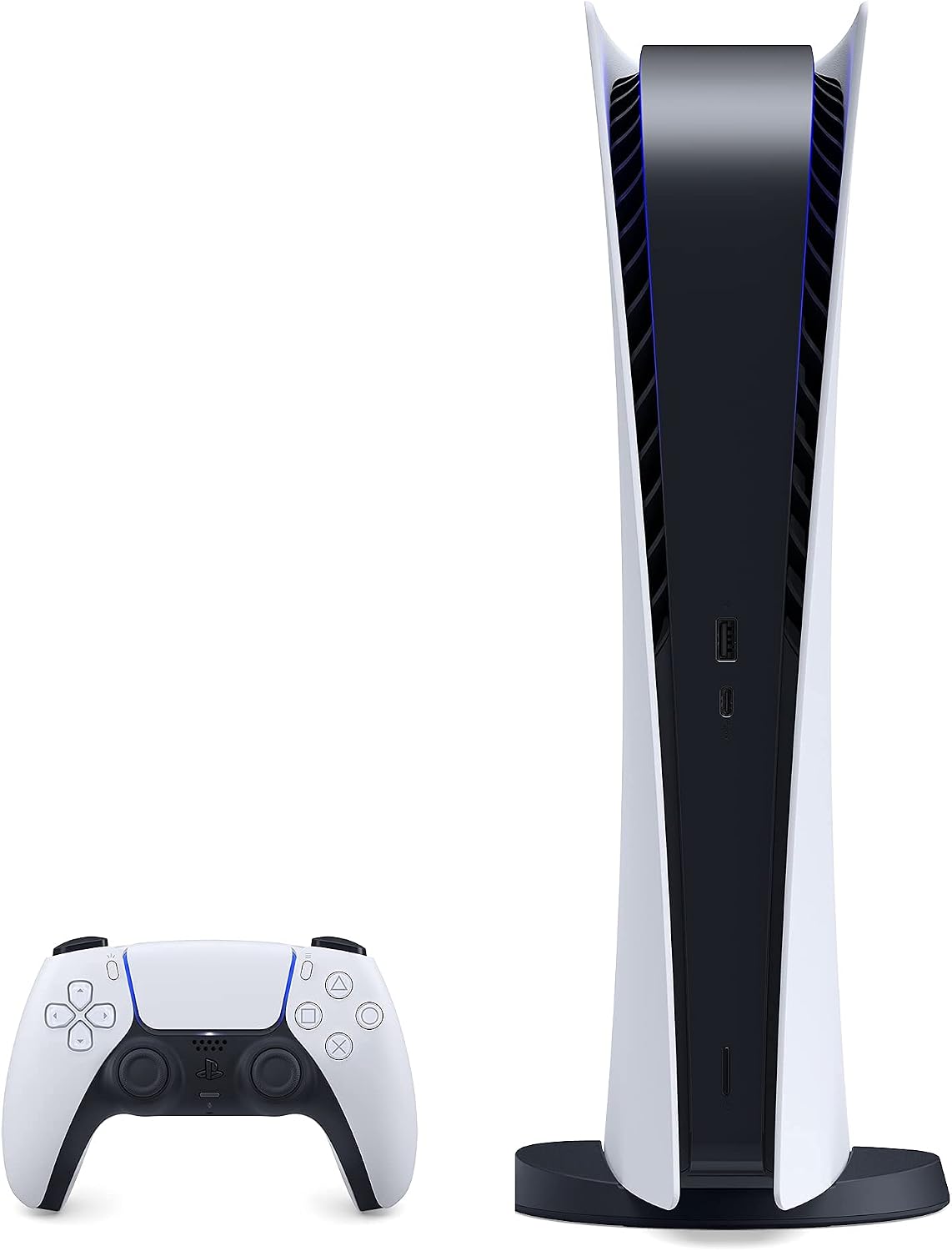
PS5 - Sony PlayStation 5 Digital Edition Gaming Console + Wireless Controller - 16GB GDDR6 RAM, 825GB SSD, 120Hz 8K Output, White
Buyers who want the core PS5 Digital Edition experience with a confirmed full hardware spec and wireless controller included.
Packs the full PS5 silicon including an AMD Ryzen Zen 2 8-core CPU, RDNA 2 GPU at 10.3 TFLOPS, a custom 825GB SSD at up to 9GB/s compressed throughput, and HDMI 2.1 with 4K 120Hz and VRR support.
Listed at an unusually low price for a full PS5 console, which warrants careful verification of the listing condition and fulfillment details before purchasing.
Budget
- Full PS5 hardware with 10.3 TFLOPS GPU performance
- Custom 825GB SSD with up to 9GB/s compressed throughput
- 4K 120Hz and VRR via HDMI 2.1 output
- Listing price warrants careful verification before purchase
The actual PS5 Digital Edition console on this list, offering the full next-gen hardware spec sheet for buyers who want the real thing.
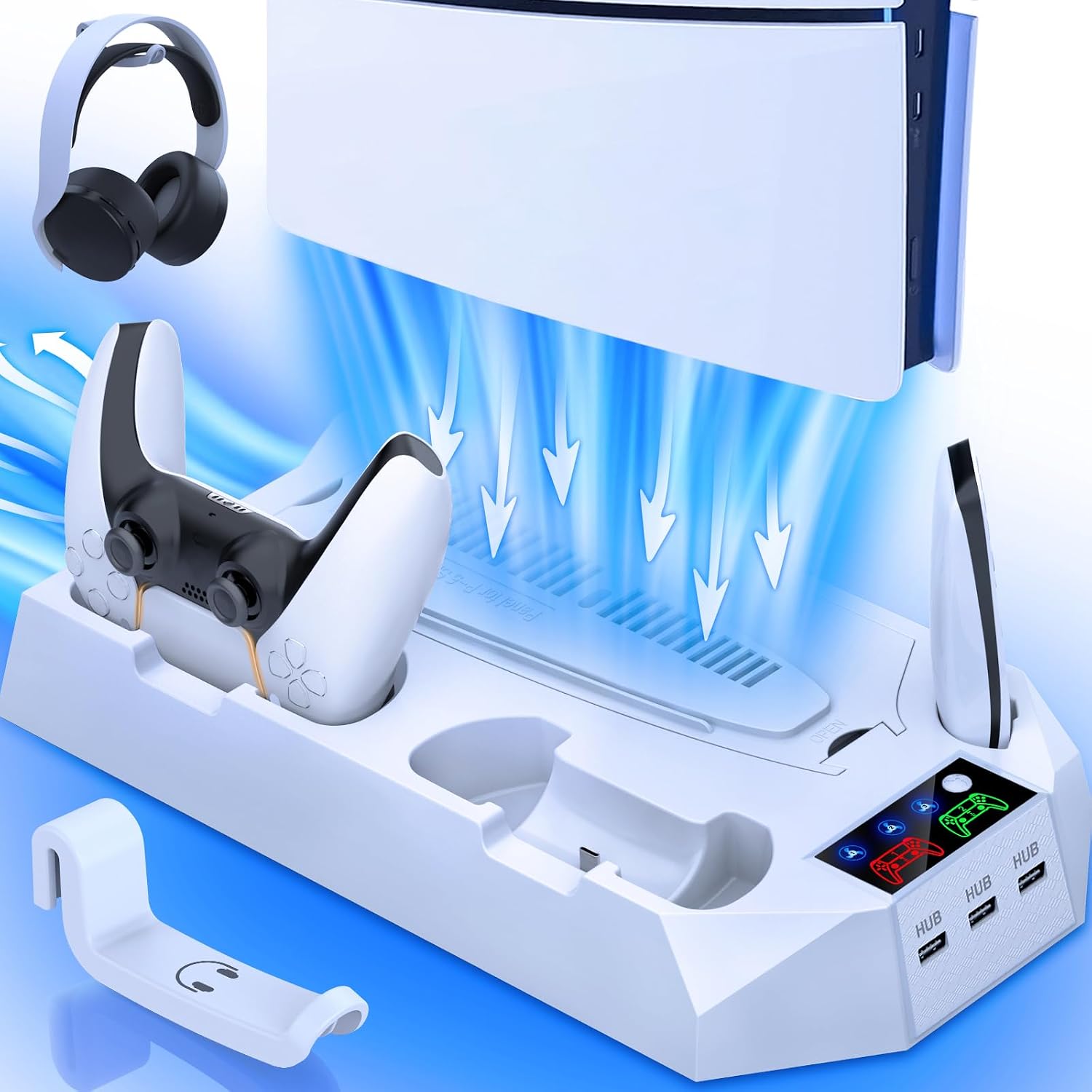
Buy on AmazonPS5/Slim/Pro Cooling Station with Controller Charging Station for PlayStation 5 Slim/Pro Console, PS5 Cooling Stand Cooler Accessories Incl Cooling Fan, 3 USB Hubs, Headset Holder, Screw - White
Budget-conscious PS5 Slim or Pro owners who want basic cooling, charging, and hub functionality at the lowest possible cost.
Offers 3-speed low-noise turbo fan cooling, dual controller charging in 2.5 hours, a headset holder, 3 USB hubs, and a screw accessory all at the most affordable price on this list.
No major drawback stands out in the specs, so weigh it on how well the features fit your own setup.
Budget
- Most affordable on this list
- 3-speed low-noise turbo fan with 2.5H fast charging
- Includes headset holder and 3 USB hubs
- no standout drawback in this set
The least expensive option here and still packs cooling, dual charging, and USB expansion, making it the strongest value pick.
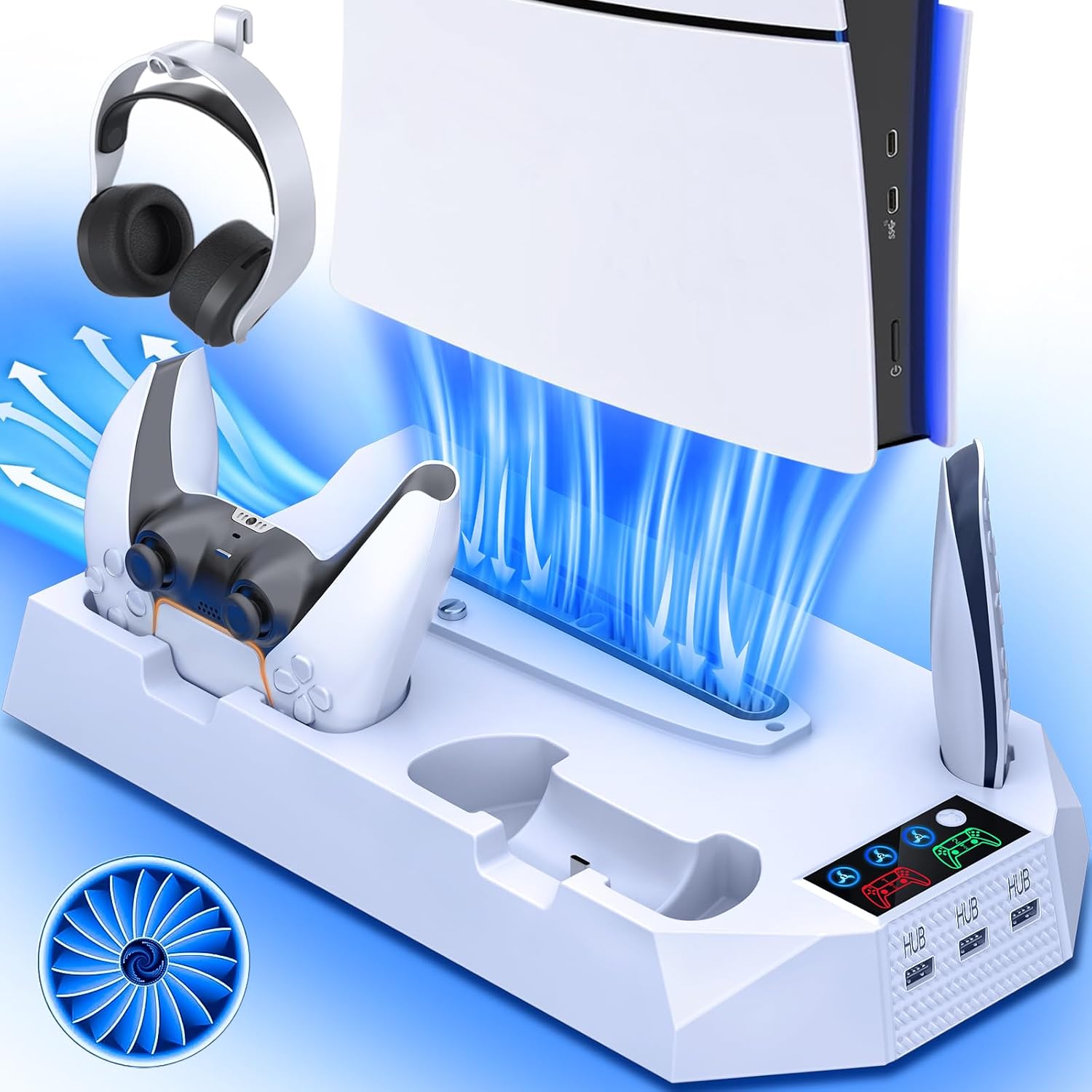
Buy on AmazonPS5/Slim/Pro Cooling Station for PlayStation 5 Console Disc/Digital Edition - PS5 Slim Pro Cooling Stand with Controller Charging Station Accessories-Cooler Fan/Headset Holder/3 USB Hub, White
PS5 owners across all editions who want a multi-function cooling and charging dock in white to match their console.
Supports PS5, PS5 Slim, and PS5 Pro in both disc and digital editions, includes dual controller fast charging, a headset holder, and a 3-port USB hub in a single stand.
Does not support PS5 Edge controllers, which limits usefulness for players who use that peripheral.
Budget
- Fits PS5, Slim, and Pro editions
- Dual controller fast charging included
- Headset holder and 3 USB hub ports
- Not compatible with PS5 Edge controllers
A versatile white stand that covers the full PS5 family with fast charging and USB expansion built in.
Buy on AmazonPS5/ Slim/Pro Stand for Disc & Digital Console, PS 5 Cooling Station with Dual Controller Charging Station for PlayStation 5 Console, 3-Level Fan PS5 Controller Charger Accessories Stand-Black
PS5 owners who want precise fan control and a black accessory to complement a darker setup.
Features a 3-level adjustable fan speed with a touch screen switch and a larger turbine fan diameter for stronger airflow compared to standard cooling stands.
Comes in black only, which may not match the white PS5 Slim or PS5 Pro out of the box.
Budget
- 3-level adjustable fan speed via touch switch
- Larger turbine fan for stronger airflow
- Charges controllers and headset simultaneously
- Black colorway only, may clash with lighter consoles
The go-to pick for users who want hands-on fan speed control and strong airflow in a black finish.
Buy on AmazonPlayStation 4 Slim 1TB Limited Edition Console - Days of Play Bundle [Discontinued]
Collectors and nostalgia-driven buyers seeking a rare limited edition PS4 bundle with striking visual design.
Features a distinctive limited edition Days of Play blue finish with gold controller symbols and a matching DualShock controller, making it a standout collector's piece.
This is the most expensive product on this list, and it is a discontinued PS4 model rather than a PS5, so it offers an older hardware generation.
Premium
- Striking limited edition Days of Play design
- Matching blue and gold DualShock controller included
- 1TB storage for a solid game library
- Discontinued PS4 hardware, not PS5
- The most expensive product on this list
A collector's limited edition PS4 bundle with bold aesthetics, but its discontinued status and older hardware make it a niche choice.
Buy on AmazonCooling Station Cable for Sony PSP Playstation PS5/Slim/Pro, Stand with Controller Charging Station for Playstation 5 Slim&Standard Disc/Digital Console, Cooler Accessories for PS5 Incl Cooling Fan/3 USB Hubs
PS5 owners who prioritize maximum thermal performance during long sessions and need extra USB connectivity.
Uses a high-efficiency turbo fan that dissipates heat from the bottom of the console and delivers a full charge to dual controllers in approximately 3 hours via 5V/3A power.
Carries a significantly higher price than the other cooling stands in this set despite offering a functionally similar feature set.
Mid-range
- High-efficiency turbo fan targets console base heat
- Charges two controllers simultaneously in about 3 hours
- Includes overcharge protection and 3 USB hubs
- Considerably pricier than comparable stands in this set
A capable cooling and charging stand priced well above its peers, best suited to buyers who want a more robust build feel.
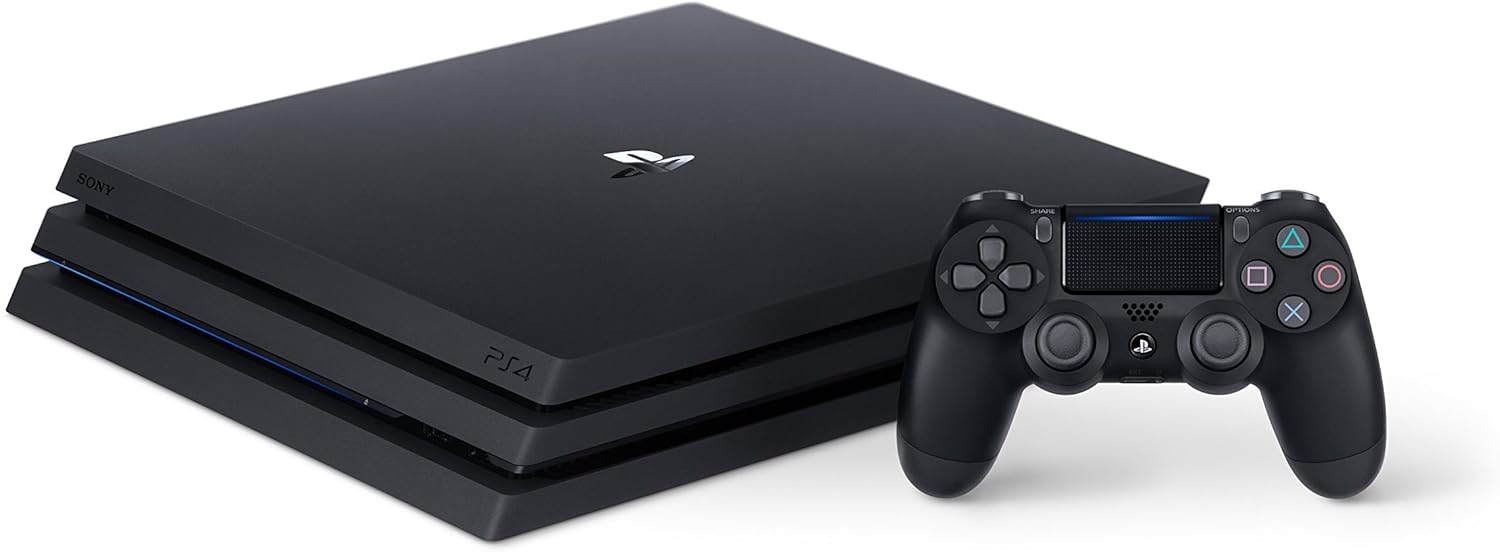
Buy on AmazonSony PlayStation 4 PRO 1TB Gaming Console - Black (Renewed)
Buyers on a tight budget who want an entry point into PlayStation gaming and are comfortable with a previous generation renewed unit.
Professionally inspected and tested PS4 Pro with 1TB storage, backed by the Amazon Renewed Guarantee for replacement or refund if unsatisfied.
A renewed previous-generation console rather than any PS5 edition, so buyers do not get PS5-exclusive titles or hardware capabilities.
Budget
- Amazon Renewed Guarantee for peace of mind
- 1TB storage on a capable PS4 Pro platform
- Professionally inspected and tested before sale
- Previous generation hardware, no PS5 features or titles
A low-cost renewed PS4 Pro for buyers who do not need PS5 features and want Amazon Renewed protection.
Buy on AmazonWhether you’re drawn to the sleek Slim edition, the budget-friendly Digital version, or the powerhouse Pro model, there’s a PS5 setup out there that fits your gaming style and budget perfectly. Take your time browsing the options featured here, and don’t hesitate to revisit any of the links if something caught your eye earlier. Sometimes the right choice just needs a second look. We hope this guide made the decision a little easier and a lot more enjoyable. Happy gaming, and thanks for reading!
Frequently asked questions
What is the actual difference between the PS5 Slim, Digital Edition, and Pro, and which one should most buyers get?
The PS5 Digital Edition drops the disc drive to lower the price and physical footprint, making it a good fit if you buy all your games through the PlayStation Store. The Slim is a revised, more compact version of the standard PS5 that can come with or without a disc drive. The Pro sits at the top with upgraded GPU performance and a higher frame rate target for supported titles, making it the pick for buyers with a 4K display who want the best graphical output available. Most buyers who do not own a large physical game library and want to save money will find the Digital or Slim satisfies everything they need.
Do PS5 cooling stands and charging stations work with all three PS5 models, or do buyers need a model-specific accessory?
Most of the cooling stands listed here explicitly state compatibility with PS5 Slim, Pro, and standard Disc or Digital editions, but the fit can vary because the Slim and Pro have different dimensions than the original PS5. Before purchasing, check that the product listing names your specific console model in its compatibility list rather than assuming universal fit. The Slim in particular has a different base shape, and a stand designed only for the original PS5 may not seat it securely. Accessories that include adjustable or universal cradle designs tend to handle the size differences better across generations.
Is a PS5 cooling stand actually necessary, or is the console’s built-in cooling enough for normal use?
Sony’s built-in cooling system handles normal gaming sessions adequately for most players in a well-ventilated space. A supplemental cooling stand can help in situations where the console is in an enclosed entertainment cabinet or in a warm room, as extra airflow may reduce how hard the internal fan has to work over long sessions. The stands listed here add a cooler fan along with practical extras like dual controller charging and USB hubs, so buyers often find the value is in those added functions rather than cooling alone. If your console sits in open air and you do not game for many consecutive hours, the built-in cooling is generally sufficient.
How hard is it to set up a PS5 cooling stand with a controller charging station, and what cables or accessories are needed?
Setup for these stands is typically straightforward and does not require any tools beyond what is included. Most units connect to the PS5 via a USB port and use charging pins or cables to charge controllers without needing to plug them into the console itself. The stands that include a screw attachment point (as one of the listed products notes) let you secure the console in vertical orientation the same way Sony’s own stand does. Buyers should confirm whether the charging station uses the DualSense’s USB-C port or a proprietary contact pin, since that affects whether a cable swap is ever needed.
Is buying a renewed or older Sony console like the PS4 Pro worth it when PS5 models are available, or is the value no longer there?
A renewed PS4 Pro can still make sense for buyers on a strict budget who want access to a massive library of PlayStation exclusives at a lower entry price. The PS4 Pro outputs up to 4K on supported titles and handles the full PS4 catalog, which includes many games that received free or discounted PS5 upgrades. However, the PS5 natively runs PS5-optimized titles with significantly faster SSD load times and higher frame rates that the PS4 Pro cannot match. Buyers who think they may want to play newer first-party titles in their best form will find the PS5 Digital Edition a better long-term value, even at a higher upfront cost.