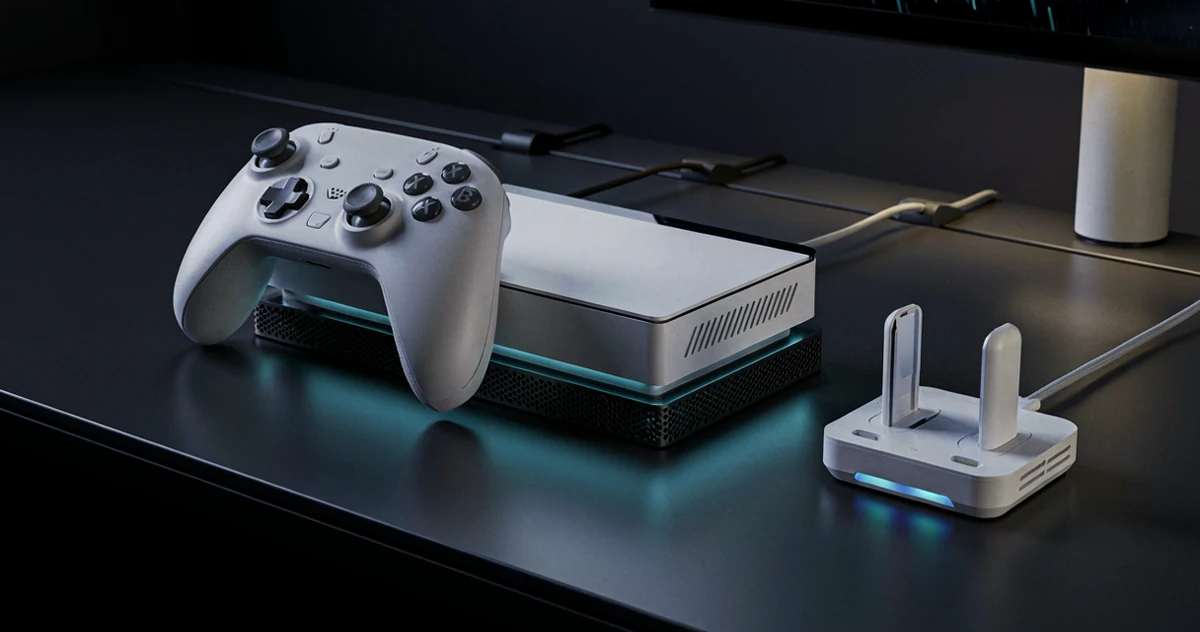
The PS5 Pro is already a powerhouse, but the right accessories can take your setup from basic to genuinely impressive. Whether you’re trying to keep your console running cool during long gaming sessions, organize your space without the clutter, or just make your controller feel better in your hands, there are some surprisingly useful products out there worth knowing about. In this guide, we’re covering a solid mix of practical, modern, and occasionally unexpected accessories designed to complement the PS5 Pro in real, everyday use. Some of these picks solve problems you didn’t know you had, while others simply make your gaming space more enjoyable to spend time in. From cooling stands and charging docks to grip upgrades and cable management tools, this list is built for players who want their setup to actually work well, not just look good in photos. If you’re ready to get more out of your PS5 Pro without overcomplicating things, you’re in the right place.
Disclosure: As an Amazon Associate we earn from qualifying purchases. Prices and availability shown are accurate as of the date of publication and may change.
Quick comparison
How to choose
Cooling Fan Performance
Look at whether the station offers multiple fan speed settings, since a single fixed speed may be too loud for quiet sessions or too weak for extended play in warm rooms. Adjustable or auto turbofan options let you balance airflow against noise based on your actual environment.
Controller Charging Setup
Check how many controllers the station charges simultaneously and whether it uses a dedicated dock with proprietary contacts or a standard USB connection. Some stations include charging bays for two controllers while others focus on a single port, which matters if you regularly play with others.
Mounting and Placement Style
Decide between a floor or shelf stand, a wall mount bracket, and a compact docking station based on how much space you have near your TV. Wall mounts free up surface area and can position the console behind the display, but they require drilling and careful stud or anchor placement before installing.
Compatibility Across Console Variants
The PS5 lineup now includes the original disc edition, the Slim, and the Pro, and not every accessory fits all three models without an adapter or separate purchase. Confirm that the stand or cooling station explicitly lists your specific console variant in its compatibility details before buying.
Extra Ports and Storage Features
Some all in one stations add USB hubs, headset holders, or media remote storage, which can consolidate cable clutter into a single unit. Weigh how many of those extras you will actually use regularly, since a simpler station with strong cooling may serve you better than a feature packed unit you only partially use.
The picks
PS5 / PS5 Slim Cooling Station with Dual Controller Charging Station, PS 5 Cooling Stand for PlayStation 5 Console, Headset Holder/ PS 5 Cooling Fan/4 USB Hub All in One Accessories Organizer, Black
Budget-focused PS5 owners who want a full organization hub including cooling, dual charging, headset storage, and USB ports without spending much.
Packs a 3-speed cooling fan, dual wireless controller charging, a headset holder, and a 4-port USB hub into a single unit, delivering the broadest feature set at the lowest price in the set.
Compatible with PS5 and PS5 Slim only, with no explicit PS5 Pro compatibility mentioned in the description.
Budget
- 4-port USB hub included
- Headset holder plus dual controller charging
- 3-speed fan with clear LED indicators
- No confirmed PS5 Pro compatibility
- Black colorway may not match white console setups
The most affordable all-in-one organizer in this set, offering an impressive feature count for anyone on a tight budget.
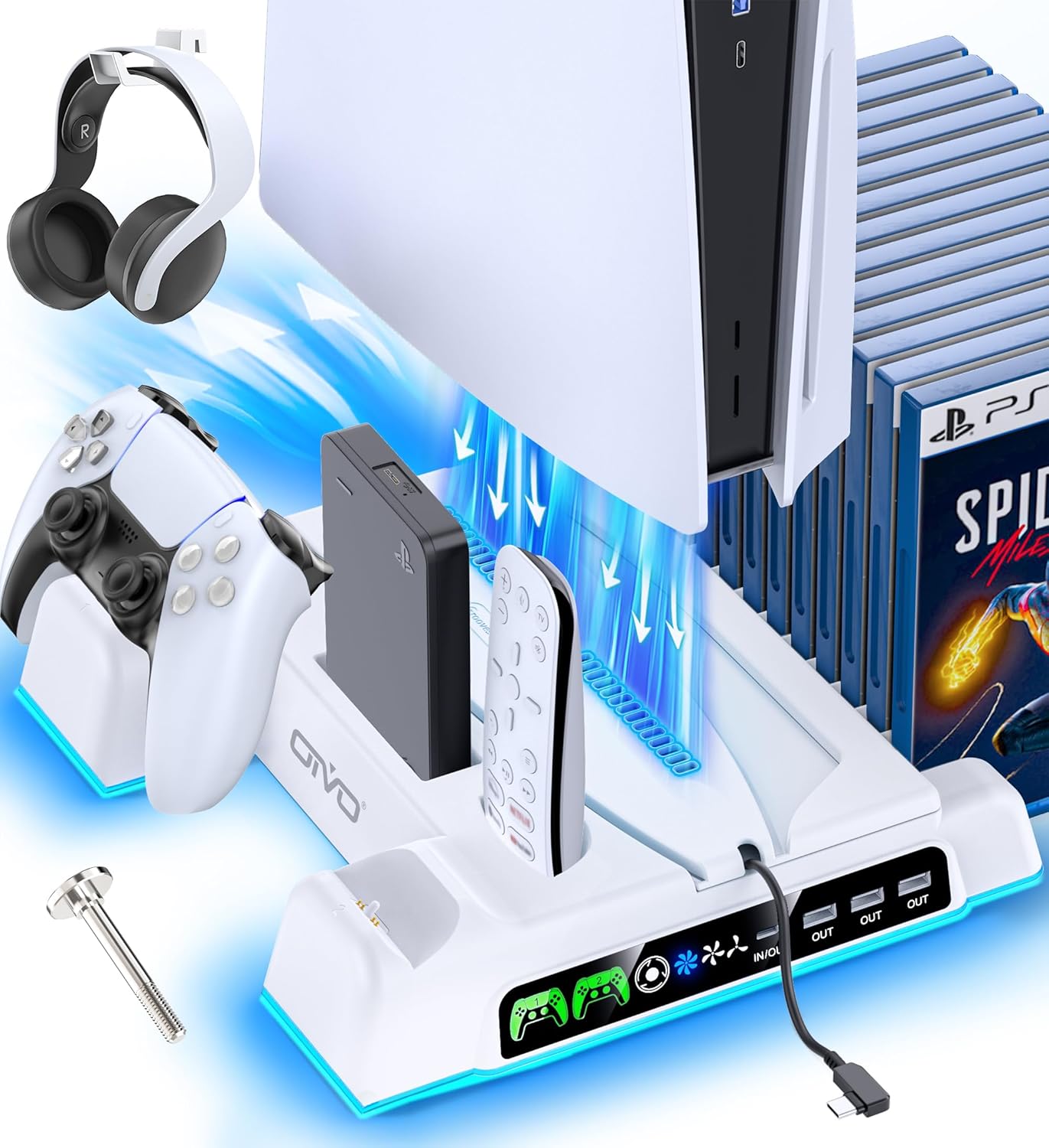
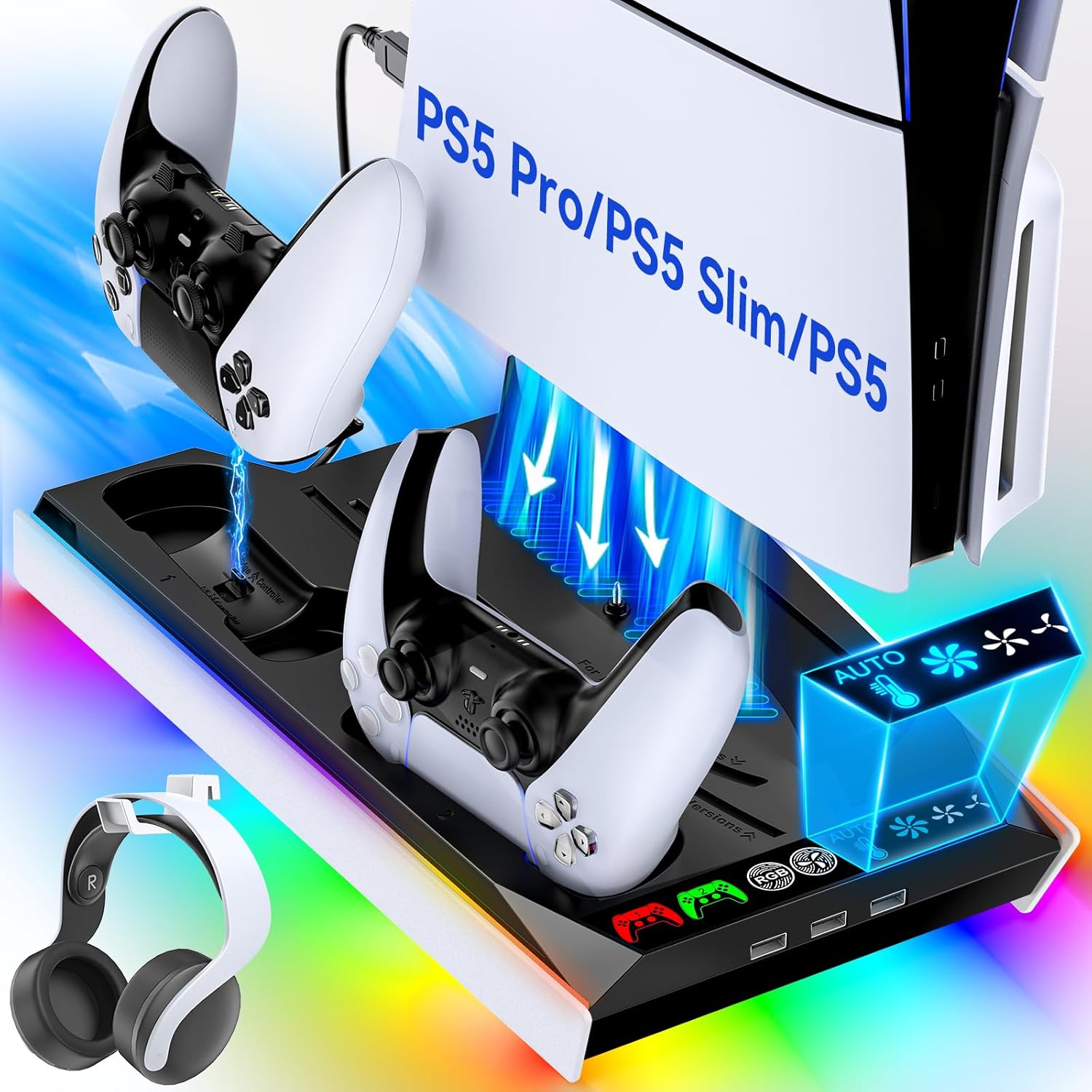
Buy on AmazonPS5/Slim/Pro Stand and Cooling Station with LED Controller Charging Station for PlayStation 5 Console, Controller Charger, Cooling Stand, PS5/Slim/Pro Skin Accessories Kit with 3 Level Cooler Fan
PS5 owners who want an all-in-one stand that handles charging, cooling, and storage in a single white unit that blends with their console.
Charges up to four controllers simultaneously via built-in charging ports while also providing three levels of fan cooling and a locking screw to keep the console stable.
Competes closely on price with the priciest pick in this set while offering a tabletop-only form factor with no wall-mount option.
Mid-range
- Charges up to four controllers at once
- Three-level cooling fan included
- Locking screw keeps console secure
- Tabletop only, no wall-mount option
- Bulkier footprint than simpler stands
A feature-packed desktop hub that covers cooling, charging, and organization without moving the console off the desk.
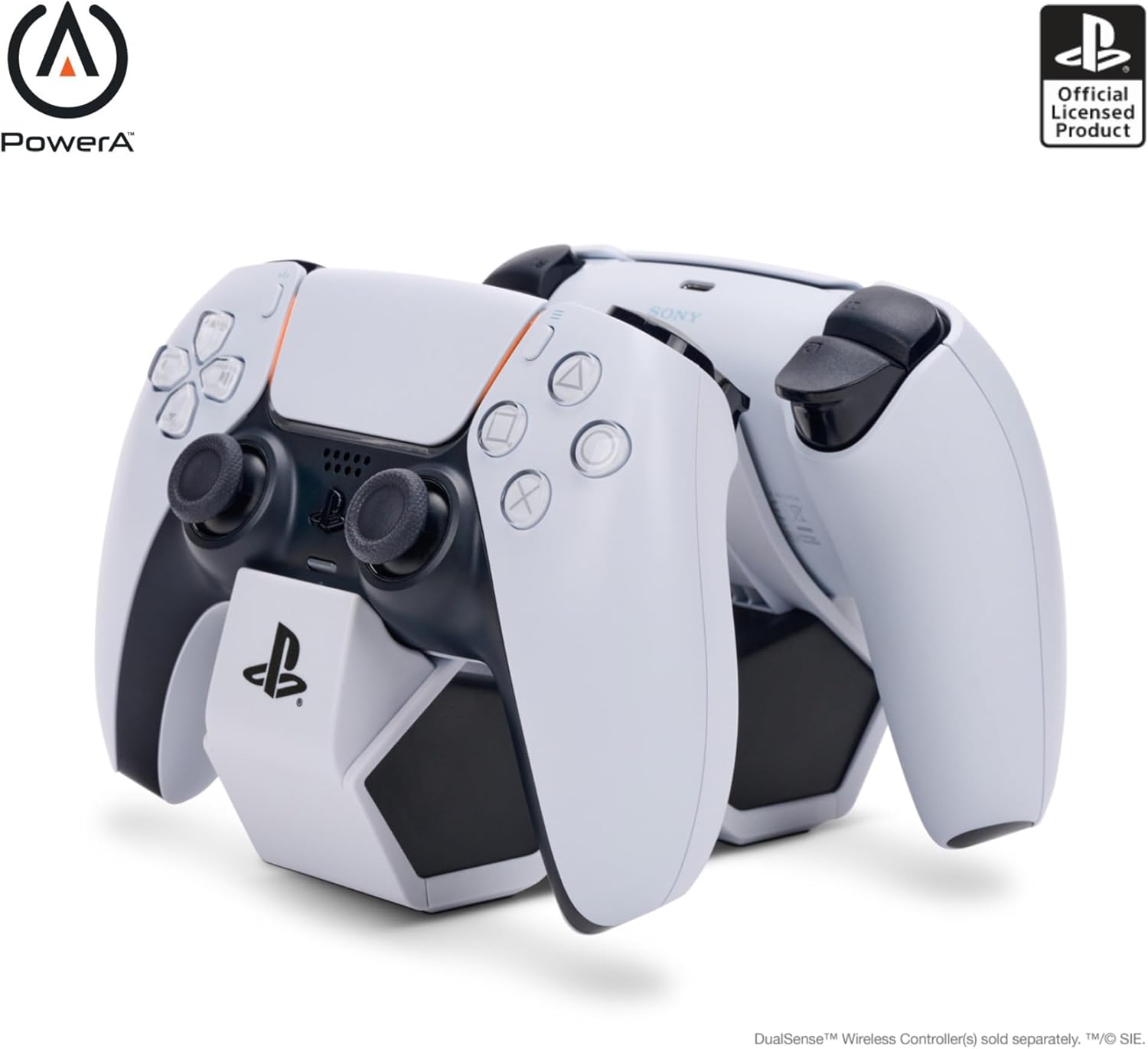
Buy on AmazonPowerA Twin Charging Station for Dualsense Wireless Controllers, Dualsense Controller Charging, Charge, Sony PlayStation, PS5, Officially Licensed - PlayStation 5
PS5 owners who want a simple, officially licensed charger for two DualSense controllers without the extra bulk of a full cooling stand.
Officially licensed by PlayStation, ensuring verified compatibility and safe charging behavior for DualSense wireless controllers.
Offers controller charging only, with no cooling fan, USB hub, or headset holder included.
Budget
- Officially licensed by PlayStation
- Simple drop-and-charge convenience
- Compact display-friendly design
- No cooling fan or USB hub
- No stand support for the console itself
The clean, officially licensed choice for keeping two controllers topped up with no frills attached.
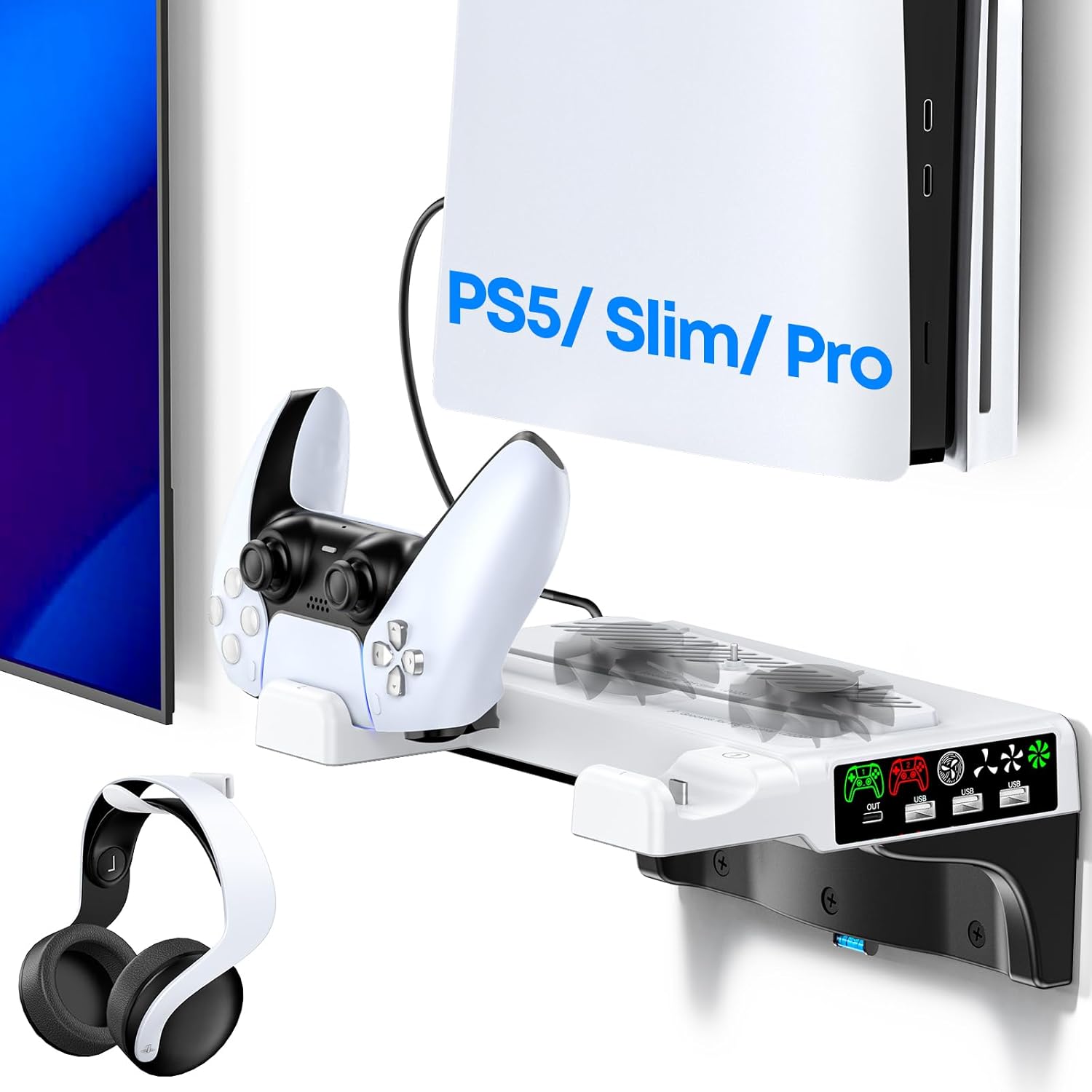
Buy on AmazonPS5/Slim/Pro Wall Mount Kit with Cooling Fan & Charging Station, PS5 Shelf Floating Mount for All PlayStation 5/Slim/Pro Disc & Digital Console, PS 5 Wall Bracket Behind TV, PS Five Pro Accessories
Space-conscious PS5 owners who want to mount their console on the wall, free up desk space, and still have charging and cooling built in.
Combines a wall-mount bracket with an active cooling fan, dual controller charging in 2.5 hours, a headset holder, and an extra USB port all in one wall-mounted unit.
This is the most expensive product in this set, and the installation process adds complexity compared to a simple desktop stand.
Premium
- Full wall-mount keeps desk clear
- 2.5-hour fast controller charging
- Headset holder plus bonus USB port
- Most expensive pick in this set
- Permanent wall installation required
The most complete wall-mount solution in this set, trading easy setup for a genuinely space-saving and feature-rich installation.
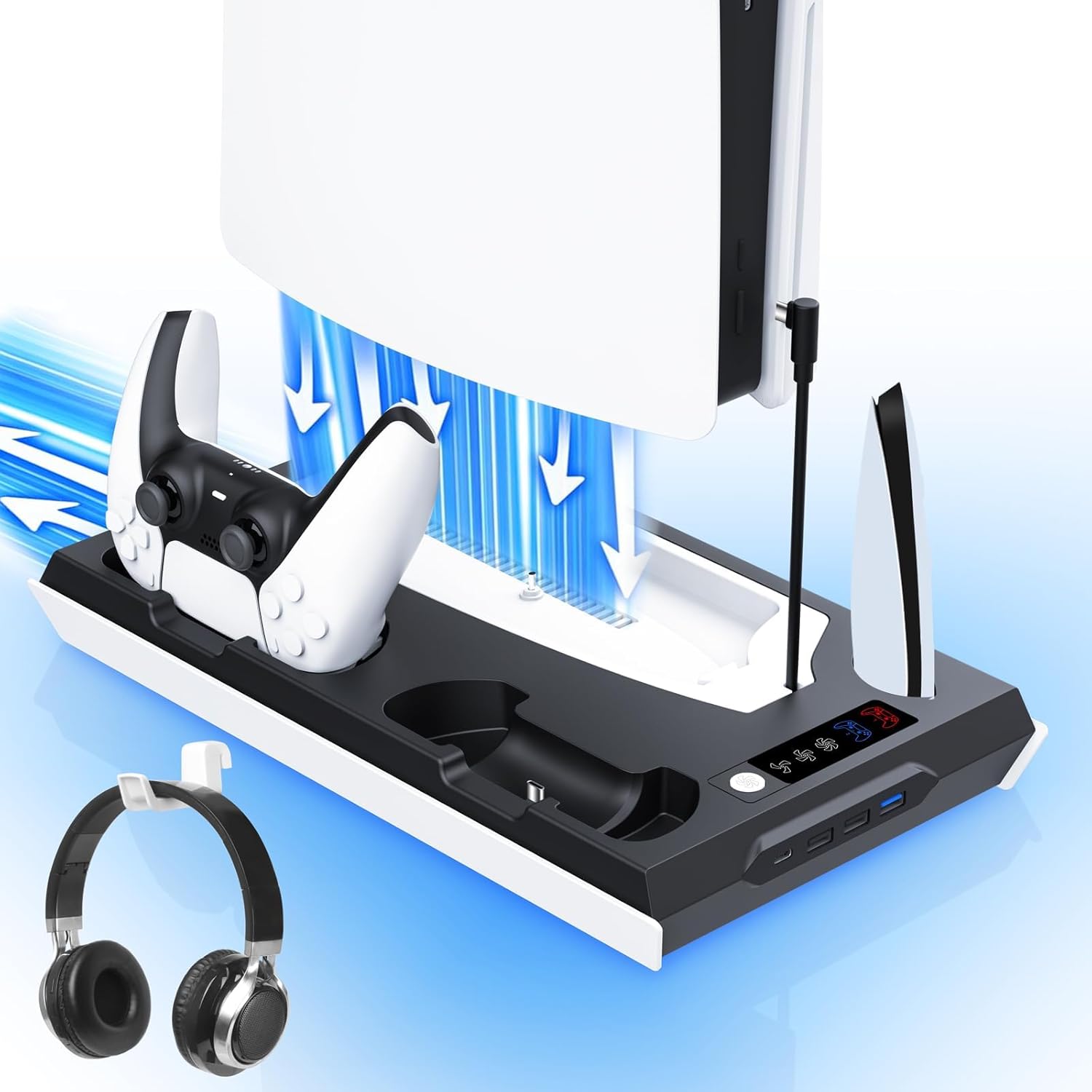
Buy on AmazonTokluck PS5/Slim/Pro Cooling Station with Auto Turbofan & 3-Level Speed, PS5 Vertical Stand Cooling Fan Station with Controller Charger, Cooler Docking Station for PlayStation 4 Adapters
PS5 owners who game in long sessions and want intelligent, temperature-responsive cooling alongside controller charging.
Features a built-in temperature probe that automatically adjusts fan speed across three levels based on real-time console temperature, keeping cooling both responsive and quiet during lighter loads.
Controller charging requires pressing the controller firmly into the port each time for a stable connection, which can feel less effortless than competing chargers.
Mid-range
- Auto temperature-sensing fan speed
- Manual override mode also available
- Compatible with PS5 and PS4 adapters
- Connection to charging port needs firm seating
- No headset holder included
The smartest cooler in the set thanks to automatic temperature-driven fan control, ideal for marathon gaming sessions.
Buy on AmazonWhether you’re looking to keep your PS5 running cool, organize your setup, or just make those long gaming sessions a little more comfortable, there’s something on this list worth considering. You don’t need to upgrade everything at once. Even one small addition can make a noticeable difference in how you enjoy your console. Take a look at any items that caught your eye and see which ones fit your setup and budget. We hope this helped point you in the right direction. Thanks for reading, and happy gaming!
Frequently asked questions
Will these PS5 Pro accessories also work with the original PS5 and PS5 Slim, or do I need to buy separate versions?
Most of the cooling stations and stands in this lineup are explicitly designed to fit the PS5, PS5 Slim, and PS5 Pro, so one unit typically covers all three console versions. The key thing to check is whether the product lists both disc and digital editions for your specific model, since the base footprint differs slightly between them. The wall mount kit in this roundup, for example, calls out disc and digital compatibility across all PS5 generations, which is the kind of language to look for. If you own an older DualSense from the original PS5, the PowerA Twin Charging Station is officially licensed and charges standard DualSense controllers regardless of which console revision you run.
How effective are the cooling fans in these stands, and when does active cooling actually matter for the PS5 Pro?
Active cooling from an external stand can help move warm air away from the console during long, graphically intensive sessions where the PS5 Pro’s own fan is already working hard. The Tokluck station and the multi-level cooler in the combination stand both offer adjustable fan speeds, which lets you dial up airflow during extended play and run quietly during lighter use. External fans are most useful when the console is in an enclosed entertainment center with limited natural ventilation around the vents. In open or well-ventilated setups the benefit is smaller, but adjustable speed control still gives you flexibility without committing to constant high-speed fan noise.
How difficult is the wall mount kit to install, and what kind of wall and hardware does it require?
Wall mount kits for the PS5 generally require locating a wall stud or using appropriate drywall anchors rated for the combined weight of the console and accessories. The bracket itself typically comes with a mounting template and screws, so the installation process is straightforward for anyone comfortable with basic tools. Placing it behind the TV is a popular configuration that saves shelf space, but you need to plan cable routing for the power cord and any disc access before drilling. Measure twice before committing, especially if you want the charging station portion to remain accessible without removing the console from the mount.
Is a combination cooling and charging station worth it compared to buying a separate stand and a dedicated controller charger?
A combination unit makes the most sense if desk or shelf space is limited, since it consolidates the console stand, fan, and controller charging into a single footprint. The all-in-one station in this roundup adds a headset holder and a 4-port USB hub on top of cooling and dual controller charging, which can meaningfully reduce cable clutter for a full setup. The tradeoff is that if one function stops working you lose the whole unit, whereas separate pieces let you replace only what breaks. If controller charging is your primary concern and you already have a stable stand, the PowerA Twin Charging Station is an officially licensed standalone option that handles two DualSense controllers without the extra bulk.
What should I look for to make sure a controller charging station fully charges DualSense controllers safely and reliably?
Look for stations that are officially licensed by Sony, since those products are tested to meet Sony’s own charging specifications for the DualSense battery. The PowerA Twin Charging Station carries official PlayStation licensing, which is a concrete indicator that the charging circuitry is designed around the controller’s actual requirements. Combination stands from third-party manufacturers can also work well, but it is worth checking that the charging contacts align correctly with the DualSense’s bottom port rather than relying on a loose friction fit. Charge indicators, whether LED lights or similar signals, are a practical feature that lets you confirm a controller is seated and drawing power without having to check the PS5 screen.