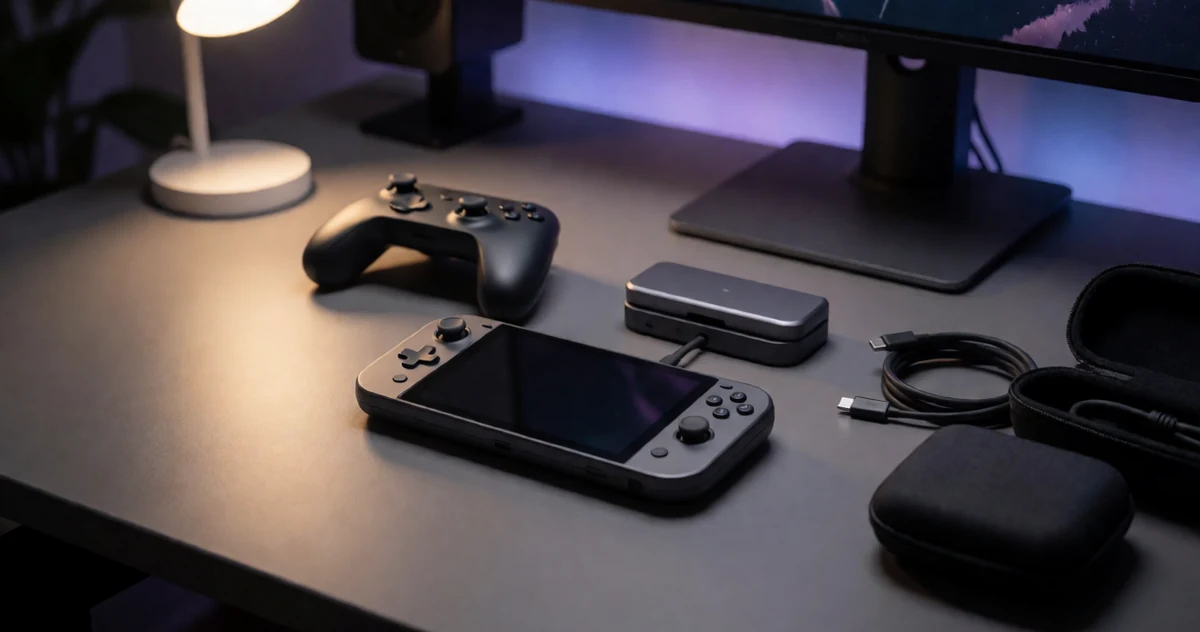
If you own an ROG Ally X, you already know it’s one of the most capable handheld gaming PCs on the market right now. But having the right accessories and finding the best deals can take your setup from good to genuinely great. Whether you’re gaming on the couch, traveling for work, or building a dedicated desk setup, the gear you pair with your device makes a real difference in comfort, performance, and convenience. In this guide, we’ve rounded up some of the most practical, exciting, and surprisingly useful products for ROG Ally X owners in 2026. From protective cases and docking stations to controllers, chargers, and storage upgrades, there’s something here for every type of power user. We focused on options that actually solve real problems or add something meaningful to your experience, not just flashy extras. So whether you’re shopping for yourself or looking for a great gift idea, this list has plenty of options worth exploring. Let’s get into it.
Disclosure: As an Amazon Associate we earn from qualifying purchases. Prices and availability shown are accurate as of the date of publication and may change.
Quick comparison
How to choose
Charging Wattage Match
The ROG Ally X draws significant power under load, so confirm any charger or dock passes enough wattage to keep up during Turbo Mode play rather than just topping up slowly during idle. Check the appliance wattage listed against what your dock or charger delivers at its USB-C output, since a lower-wattage source may charge more slowly than the console consumes. Note that some docks require you to supply your own power adapter, which adds to the total cost and setup.
Port Selection and Speed
Power users often need simultaneous connections for display output, wired ethernet, peripherals, and external storage, so count the ports and confirm their data transfer speeds before buying. A dock with only USB-A ports at 5Gbps suits basic peripherals, while one that also includes gigabit ethernet matters if you stream or download large game files regularly. Confirm that your ROG Ally X USB-C port supports DisplayPort Alt Mode if you want video output through a dock, since that capability drives whether a 4K display connection works at all.
Case Fit and Accessory Storage
Cases designed with a molded or grooved interior specific to the ROG Ally X prevent the console from shifting during transit, which matters more than a generic padded sleeve when you carry a premium device daily. Beyond the main compartment, look at what the accessory layers actually accommodate, since some cases fit only a charging cable and earphones while others include dedicated slots for SD cards, a dock, or a slim power bank. If you travel with a charger that uses a regional plug style, verify the case dimensions are listed as fitting that specific charger before assuming it will.
Dock Form Factor
A dock that cradles and props the console serves a different purpose than a compact hub that sits flat and requires an external stand or surface lean. If desktop play is the priority, a slot-style dock with built-in cooling fans addresses thermal management while freeing your hands, whereas a small travel hub prioritizes portability and bag space over ergonomics. Consider whether the dock physically holds the device upright or simply connects via cable, since those two designs suit different play environments entirely.
Thermal and Protection Features
Extended gaming sessions can push the ROG Ally X to generate significant heat, so a dock with active cooling fans may help maintain consistent frame rates compared to passive options. For carrying cases, raised joystick protection zones and a snug inner fit reduce the chance of analog stick drift or screen contact damage during transport. Screen protectors included in accessory bundles vary in thickness and hardness rating, so weigh whether the included glass thickness suits your typical use environment rather than assuming all tempered glass offers identical protection.
The picks
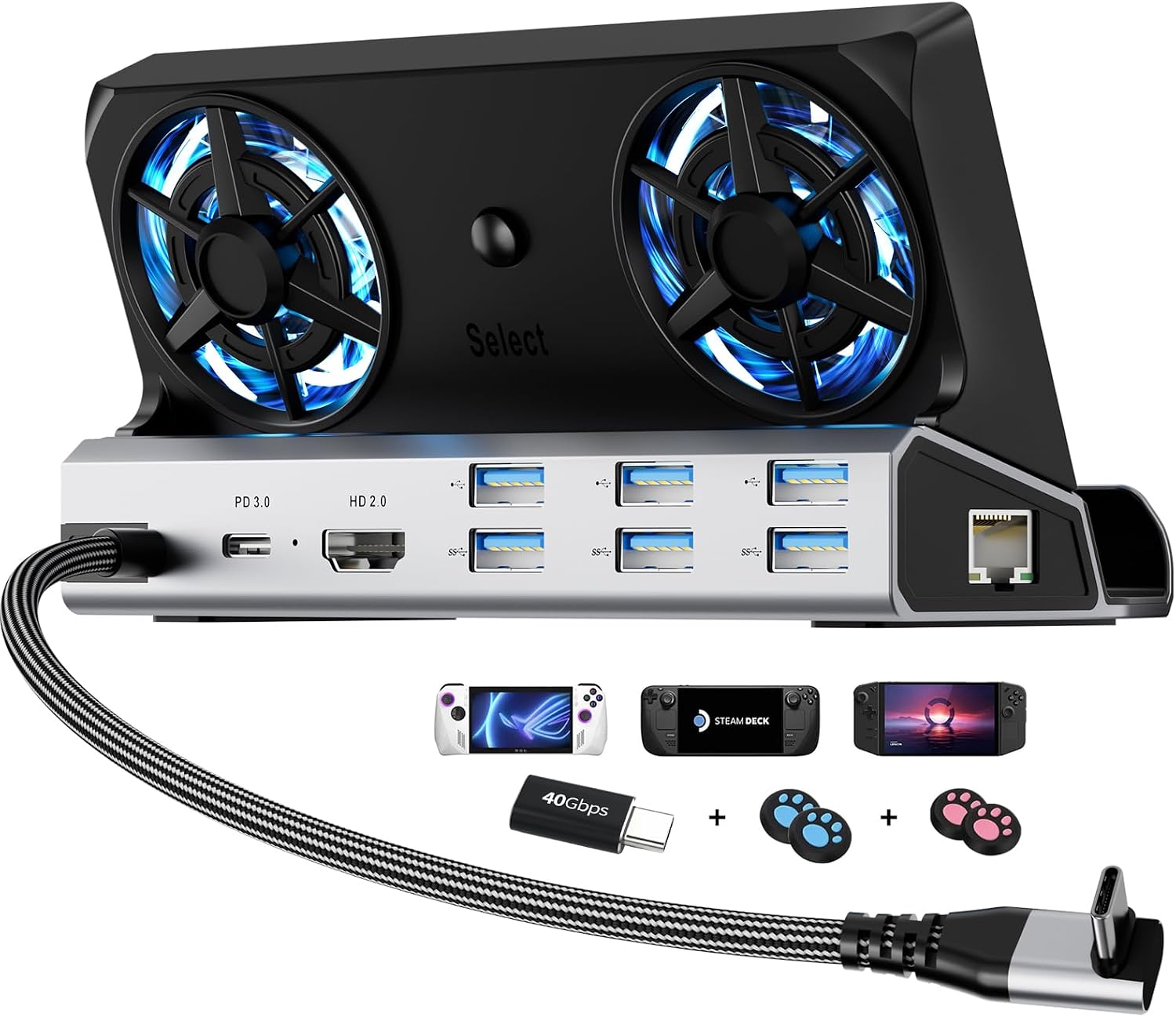
YCE12-in-1 Steam Deck Dock for ROG Ally X, Steam Deck, Legion Go, Switch
Power users who want a full desktop replacement dock with active cooling, wired networking, and maximum port density for their ROG Ally X.
Packs 12 ports including Gigabit Ethernet, HDMI 2.0 at 4K and 60Hz, three USB 3.0, three USB 2.0, and a 100W Type-C PD port, plus dual 5cm active cooling fans that help prevent thermal throttling during docked sessions.
The most expensive product in this set, and the active fan system adds bulk compared to the passive docks here.
Premium
- 12 ports covering Ethernet, HDMI 2.0, USB 3.0, and 100W charging
- Dual 5cm active cooling fans reduce thermal throttling
- Dedicated slot fits ROG Ally X up to 27mm thick
- Priciest pick in this set
- Larger and heavier than passive compact docks
The most feature-complete dock on this list, ideal for power users who need wired networking, active cooling, and maximum connectivity.
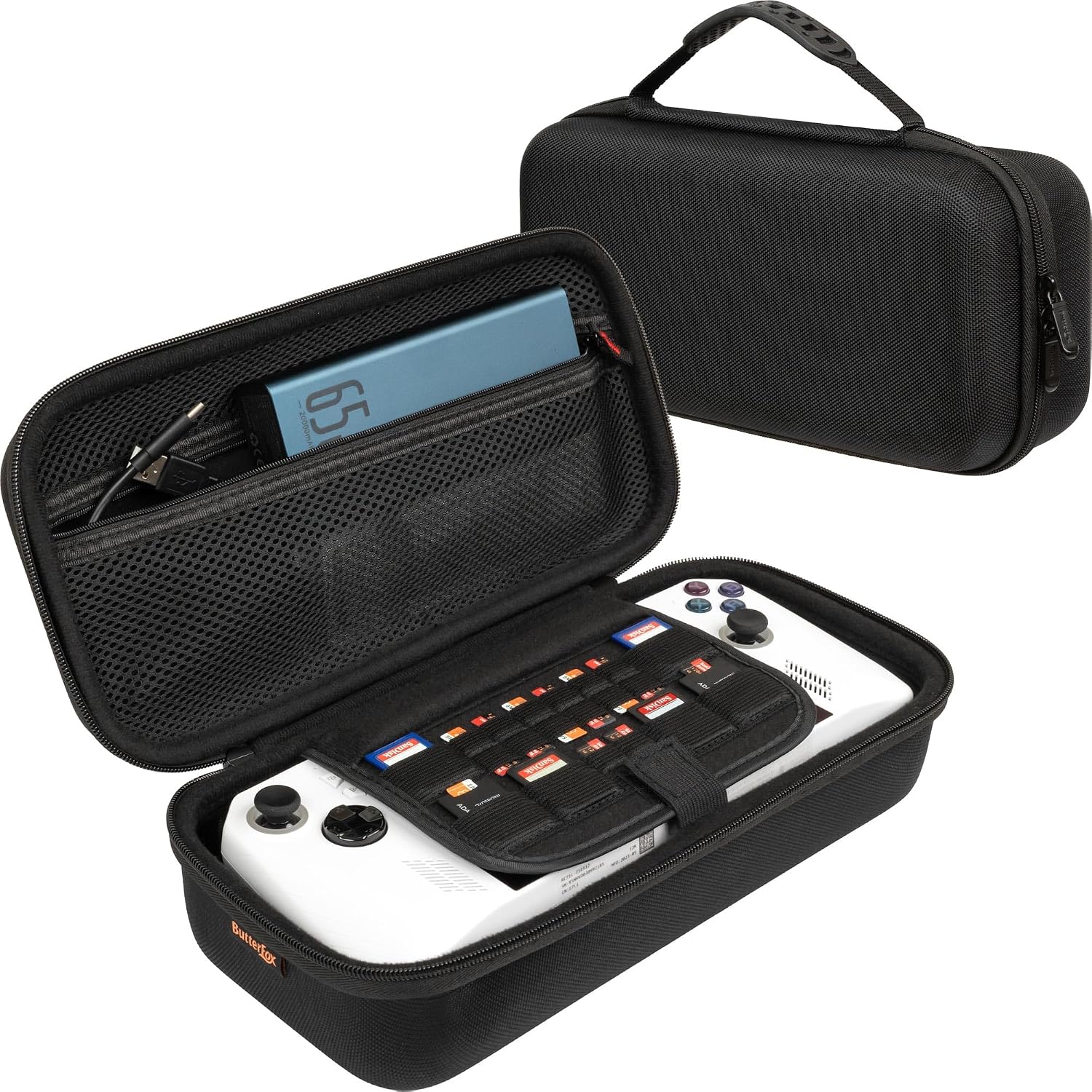
Buy on AmazonButterFox Large Carry Case Bag For ASUS Rog Ally Handheld 2023 and Rog Ally X with Built-in Stand, Fits Charger, Large Accessories Pocket for 65W Battery Bank, Slim Mouse and HDMI Cable (Black)
Budget-focused ROG Ally X owners who want basic hard-shell protection and a built-in stand for casual travel.
Molded construction provides a secure fit for the ROG Ally X with a lift strap for removal without gripping the thumbsticks, protecting the sticks during daily use.
The listing notes that the UK charger does not fit, limiting utility for users outside the US who rely on local power bricks.
Budget
- Built-in adjustable stand for hands-free viewing
- Lift strap protects thumbsticks during removal
- Large accessory pocket fits charging dock and slim mouse
- UK charger incompatible with the internal charger compartment
- Minimal padding compared to dual-layer soft-shell alternatives
The most affordable carry case here, offering solid molded protection and a clever built-in stand for light travel use.
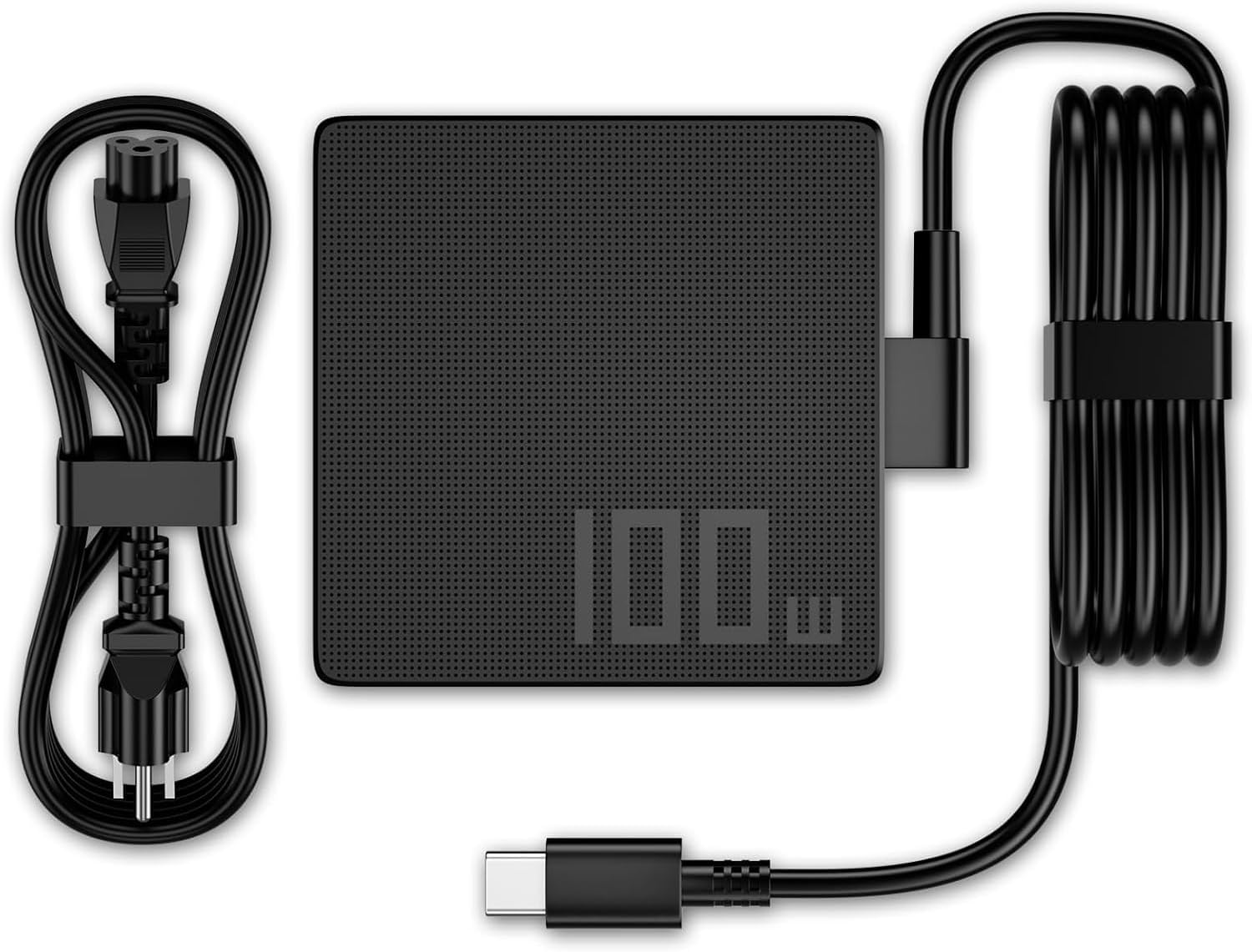
Buy on Amazon100W 65W USB C Charger Compatible with Asus ROG Ally X Z1 Compatible with Ally Dock ROG Flow X13 Z13 GV301 GV302 GZ301 ZenBook Duo Zephyrus G16 GU605 G14 GA403 Strix G18 G16 Scar 16 18 Power Cord
ROG Ally X owners who need a spare or travel charger without buying an official accessory.
Supports up to 100W output with multi-voltage compatibility (20V, 15V, 9V, 5V) covering the Ally X alongside a wide range of ASUS laptops and tablets.
Third-party charger with no mention of safety certifications such as UL or CE in the listing, which leaves protection claims unverified.
Budget
- 100W max output handles Ally X Turbo Mode demands
- Broad multi-device compatibility across ASUS ROG and ZenBook lines
- Wide input voltage range for international travel
- No safety certification mentioned in listing
- Charger only, no dock or stand functionality
A versatile, affordable USB-C charger that covers the ROG Ally X and most of the ASUS lineup in one cable.
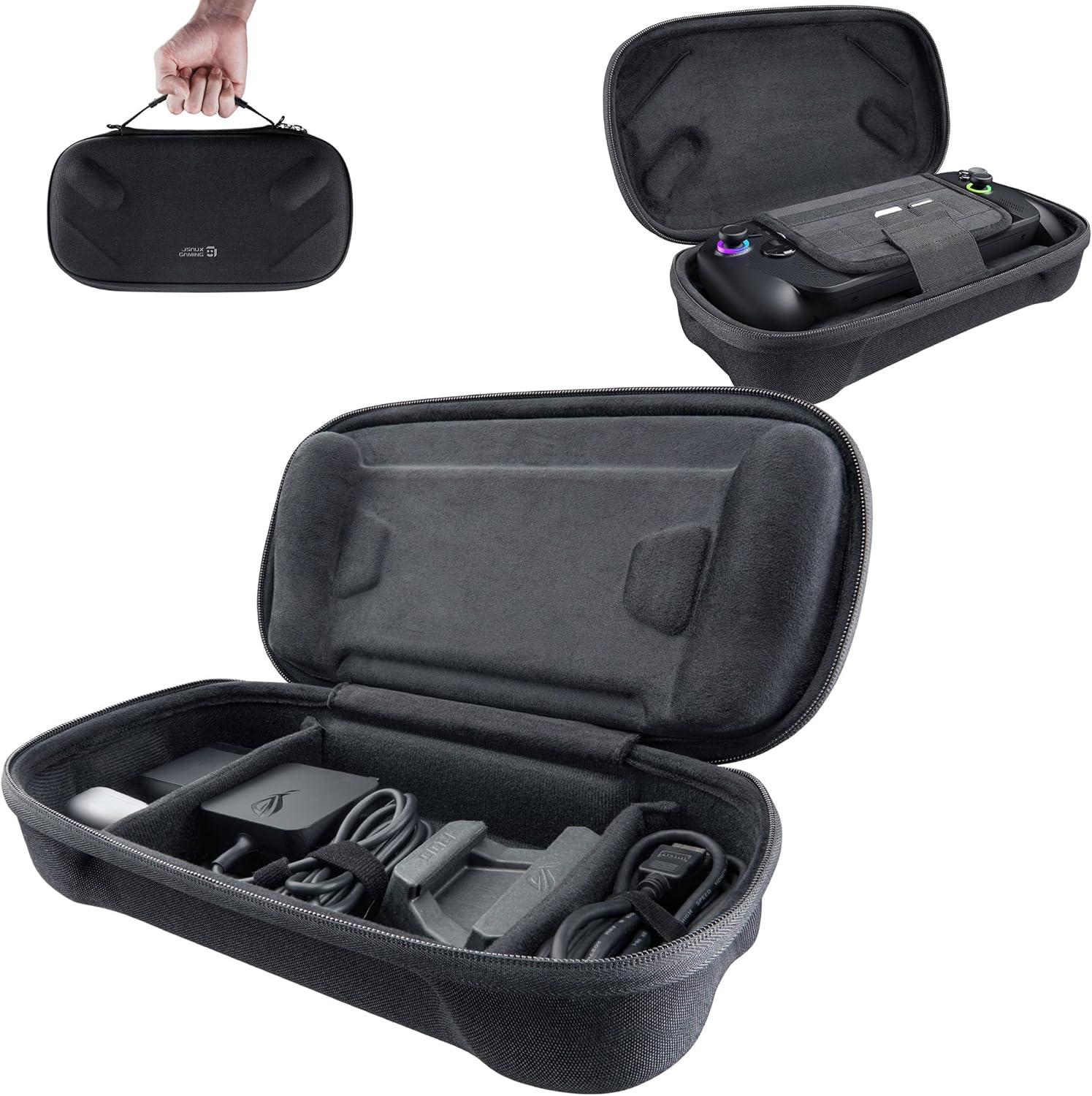
Buy on AmazonJSAUX Carrying Case for ROG Xbox Ally/Ally X, Dual-Layer Storage, BG0136
ROG Xbox Ally X owners who want a slim, purpose-built travel case with organized compartments for cables and cards.
Dual-layer design dedicates the top layer to the console and the bottom to accessories including the original charger, stand, HDMI cable, and earphones, keeping everything sorted.
Felt exterior, while scratch-resistant, offers less rigid impact protection than EVA hard-shell alternatives in this set.
Mid-range
- Dedicated console and accessory layers
- Raised zones protect joysticks
- Slots for SD and microSD cards
- Soft felt shell offers less impact protection than hard EVA cases
- Noted new-material smell on first use
A thoughtfully organized soft-shell carry case best suited for light daily travel rather than rugged transport.
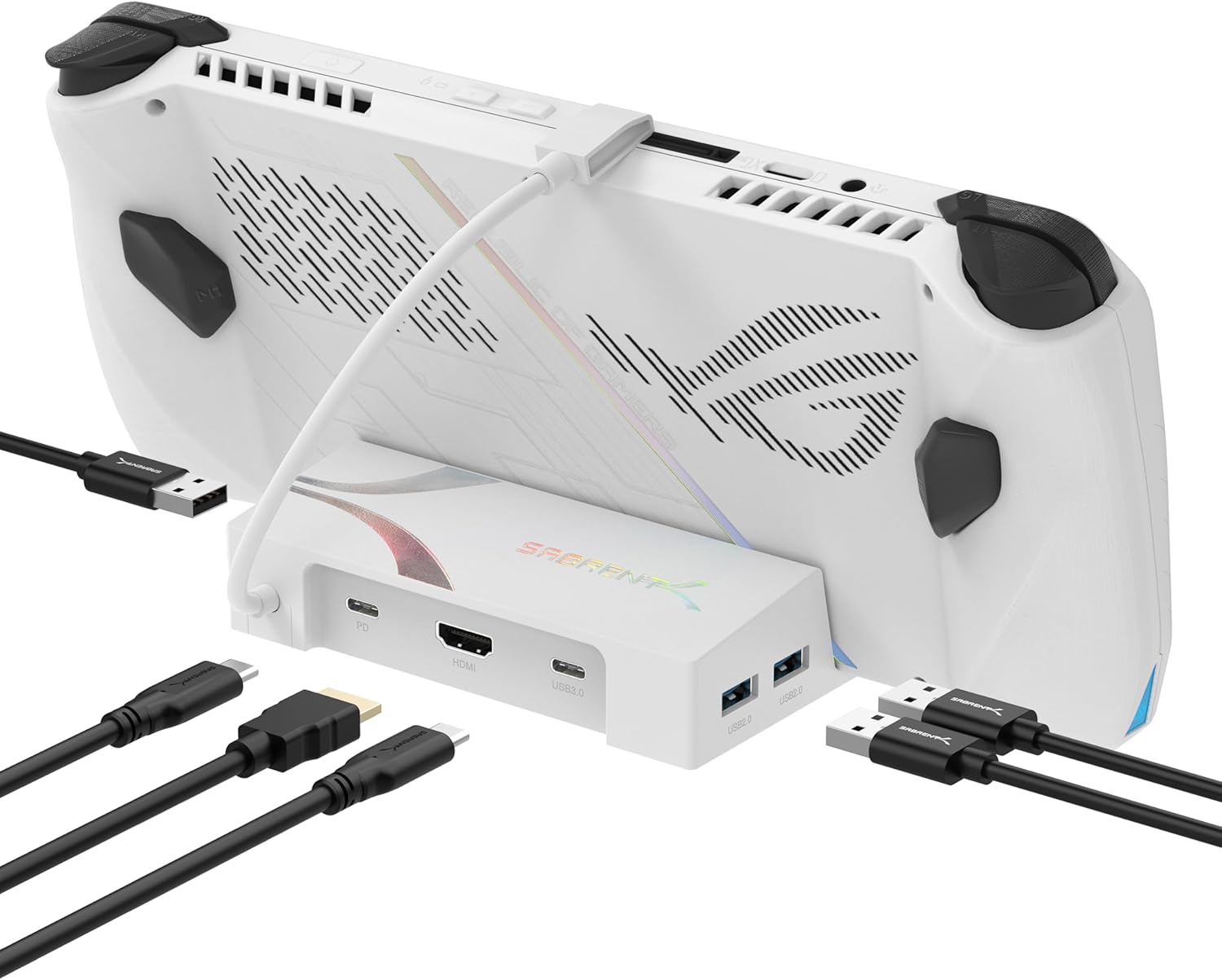
Buy on AmazonSABRENT 6-Port USB-C Dock for ROG Ally X, Steam Deck, 4K HDMI (DS-RA6P)
ROG Ally X owners who want a compact dock for TV or monitor gaming without paying for features they do not need.
Delivers 4K at 60Hz via HDMI 2.0 and passes up to 95W of PD 3.0 power through simultaneously, matching the Ally X Turbo Mode charging requirement.
Ships without a power adapter, so users must supply their own 95W charger to unlock full pass-through performance.
Mid-range
- 4K at 60Hz HDMI output
- 95W pass-through charging supports Turbo Mode
- Three USB-A plus one USB-C data ports for peripherals
- No power adapter included
- Does not stand or cradle the console upright
A lean, capable 6-port dock for big-screen Ally X gaming, but budget for a separate high-wattage charger.
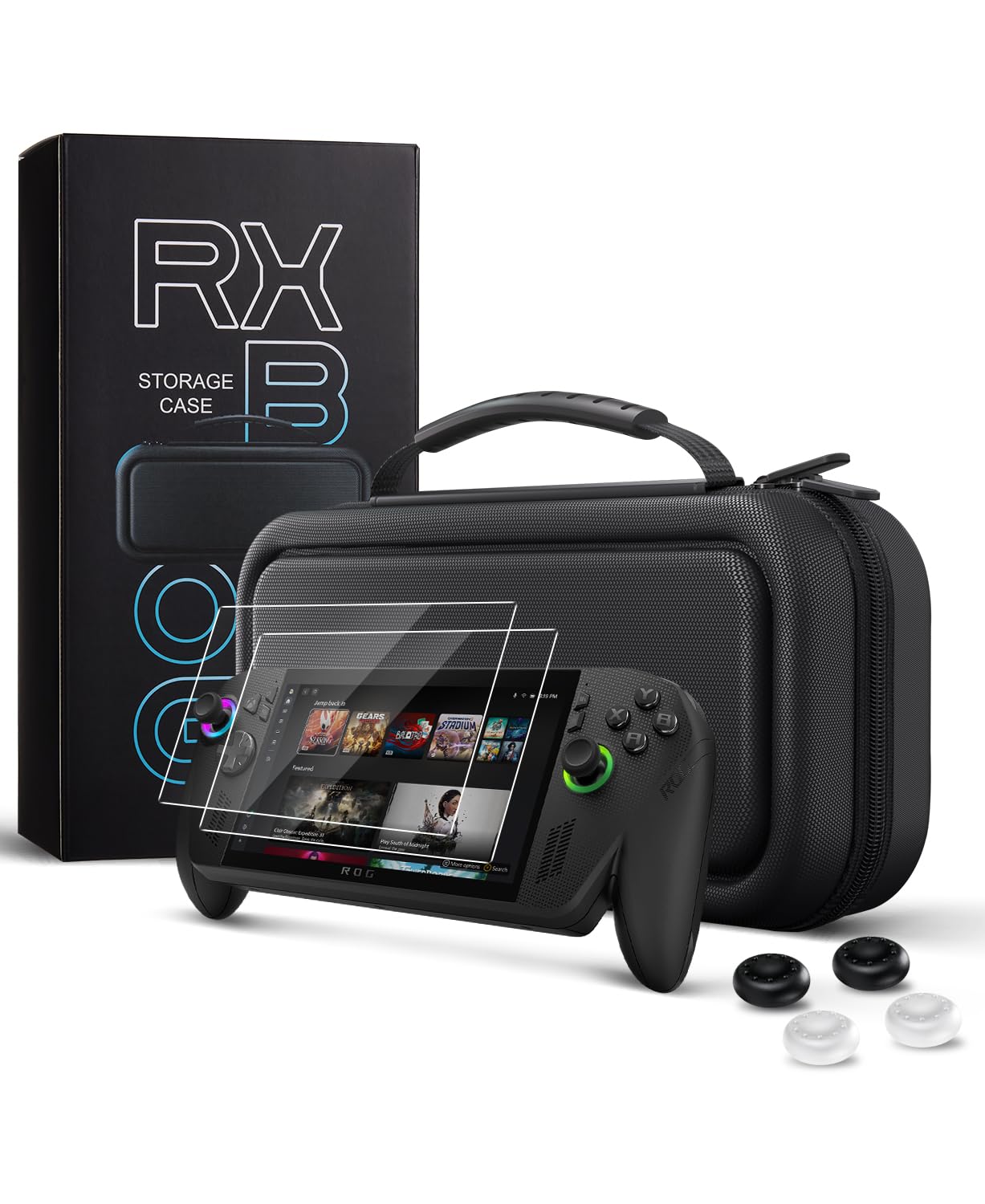
Buy on AmazonCoBak Hard Carrying Case for ASUS ROG Xbox Ally & ROG Xbox Ally X 7" 2025 - 3 in 1 Accessories Bundle with 2 Screen Protectors, 4 Thumb Grip Caps, 22 SD Card Cartridges, Portable Travel Bag, Black
ROG Xbox Ally X owners looking for an all-in-one bundle that covers protection, screen safety, and game card storage in a single purchase.
Bundles two 9H tempered glass screen protectors, four thumb grip caps, and 22 SD card cartridge slots inside a custom-molded EVA hard case.
Competitively priced for a bundle but costs more than the single-purpose cases in this set, so buyers who already own screen protectors or grips pay for redundant items.
Mid-range
- Custom-molded EVA interior prevents in-case movement
- 9H tempered glass screen protectors included
- 22 SD card cartridge slots for large game libraries
- Bundle extras may be redundant for existing accessory owners
- Handle strap only, no shoulder strap option
The best value bundle for a new Ally X owner who wants comprehensive protection gear in one box.
Buy on AmazonWhether you’re upgrading your setup or just getting started with the ROG Ally X, there’s something on this list worth considering. From portable power solutions to accessories that genuinely improve your gaming experience, each pick was chosen to complement how power users actually play. Take your time browsing the links above, and don’t feel pressured to grab everything at once. Even one solid addition can make a real difference in how you enjoy your device day to day. We hope this guide pointed you in the right direction. Thanks for reading, and happy gaming!
Frequently asked questions
What wattage charger does the ROG Ally X actually need to run in Turbo Mode without falling behind on charge?
The ROG Ally X draws enough power in Turbo Mode that low-wattage adapters can charge more slowly than the device consumes, meaning the battery drains even while plugged in. The SABRENT dock listing specifically warns that its 95W pass-through may not keep up under load, and advises using the handheld’s own charger. Third-party chargers like the Zaidtek option listed here top out at 100W over USB-C, which the listing describes as compatible with Turbo use, though that is a seller claim rather than an independently verified figure. Before buying any replacement charger, confirm the required wattage directly with ASUS so you know the minimum spec to shop for.
Which carrying case option works best if you want to store the console, its charger, and extra accessories in one bag?
If you need to carry the console alongside its charger, cables, and a power bank, a larger bag-style case is the better fit than a slim hard shell. The ButterFox case is explicitly sized for a 65W power bank, slim mouse, HDMI cable, and the ASUS charging dock, and it includes a built-in stand. The JSAUX dual-layer case takes a different approach, dedicating a separate bottom layer to the original charger, stand, HDMI cable, and USB-C cable while keeping the console protected in its own top layer. The CoBak EVA hard case focuses more on smaller accessories like SD cards, earphones, and thumb grips rather than bulkier power gear, so it suits lighter travel loads.
Does the SABRENT 6-port dock work as a stand to prop up the ROG Ally X on a desk?
No. The SABRENT listing is explicit that this is a connectivity hub, not a cradle or stand. It sits flat on a desk or goes in a bag and connects to the handheld via USB-C cable without holding or propping the console up. If you want a dock that physically holds the device upright, the YCE 12-in-1 dock includes a dedicated slot sized for devices up to 27mm thick, which the listing states fits the ROG Ally X. Keep that distinction in mind when deciding between the two, since the use cases are quite different.
How hard is it to set up a USB-C dock with the ROG Ally X for 4K display output?
The key prerequisite is confirming that your ROG Ally X USB-C port supports DisplayPort Alternate Mode, since both the SABRENT and YCE docks depend on that to send video to an external display. Both docks list HDMI 2.0 output at 4K at 60Hz, and connection is simply plugging the dock’s USB-C end into the console. The SABRENT dock ships without a power adapter, so you will need a separate charger capable of the wattage your setup requires before you can charge and play simultaneously. Beyond that hardware check, no software configuration is described in either listing, suggesting the setup process is straightforward once the correct charger is on hand.
Do any of these carrying cases protect the joysticks specifically, and does that matter for travel?
Joystick protection during travel is worth thinking about because analog sticks sit proud of the console body and can snag or wear against case lining. The JSAUX case listing mentions raised zones designed to protect the joysticks directly. The CoBak case includes four thumb grip caps in the bundle, which add a protective layer on the sticks themselves rather than relying solely on case geometry. The ButterFox case notes its molded construction leaves room for trigger buttons, though it does not specifically call out joystick protection zones. If stick safety during transport is a priority, the JSAUX raised-zone design or the CoBak grip cap bundle are the more explicitly targeted options.