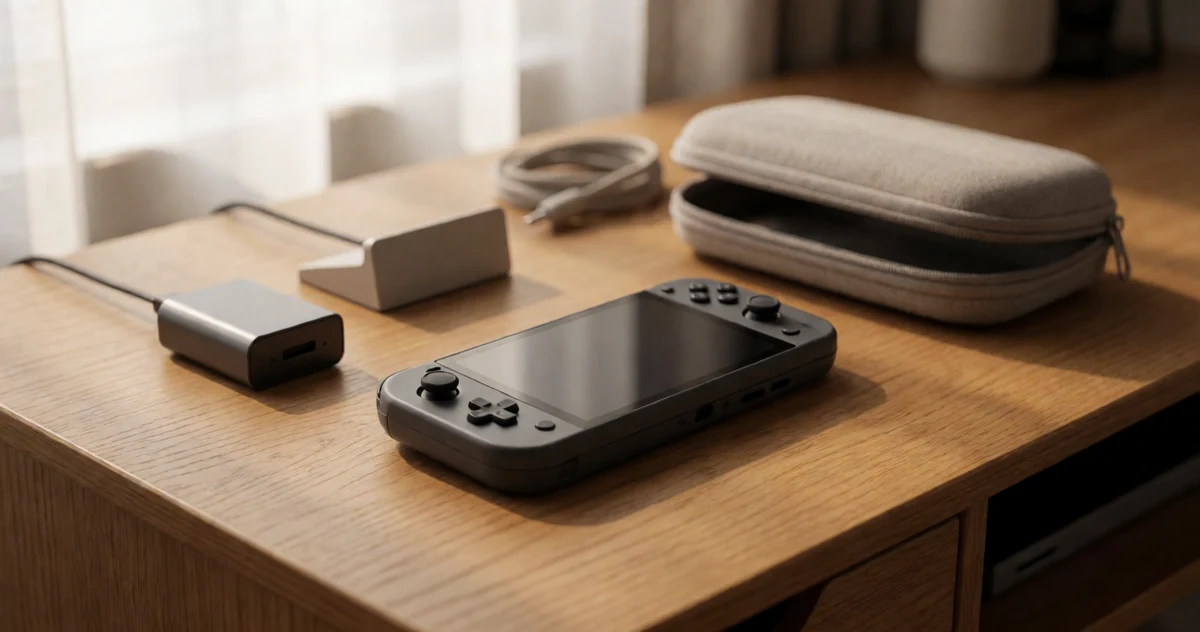
The Steam Deck is already a fantastic device on its own, but the right accessories can completely transform how you use it, whether you’re gaming on a long flight, charging up at a coffee shop, or building out a proper desk setup at home. With so many options available, it can be tough to know which ones are actually worth your money and which ones are just taking up space in your bag. That’s where this guide comes in. We’ve rounded up some of the most practical, creative, and genuinely useful Steam Deck accessories covering everything from protective cases and portable chargers to docking stations and screen protectors. Some picks are obvious essentials, while others might surprise you with how much they improve your everyday gaming experience. No matter how you like to play, there’s something here that fits your setup and your lifestyle. Let’s dig into the best Steam Deck accessories you can grab right now.
Disclosure: As an Amazon Associate we earn from qualifying purchases. Prices and availability shown are accurate as of the date of publication and may change.
Quick comparison

How to choose
Dock Output Specs
For desk use, the maximum video output resolution and refresh rate determine whether you can drive a modern monitor cleanly. A dock with HDMI 2.1 can reach 4K at 120Hz, while HDMI 2.0 tops out at 4K at 60Hz, so match the dock spec to your display before buying. Also check whether the dock delivers enough pass-through wattage to charge the Steam Deck while gaming, since lower wattage may cause the battery to drain under load.
Port Selection and Ethernet
Count how many USB-A ports you need for controllers, drives, or peripherals, and whether you want wired internet for stable streaming or remote play. Gigabit Ethernet gives noticeably more consistent latency than 100Mbps Fast Ethernet, which matters if you use the dock at a desk regularly. If you only travel, a compact dock with fewer ports keeps the kit lighter and simpler.
Carrying Case Fit and Layout
A case sized for one console may not fit your specific Steam Deck model plus its dock and AC adapter, so check the internal dimensions and compartment layout against what you plan to carry. Shoulder bag or sling designs suit longer travel days, while compact zippered cases fit better in a backpack alongside other gear. Look for semi-rigid or hard shell sections that protect the screen area rather than relying solely on soft padding.
Screen Protection Compatibility
Screen protectors are model-specific because the Steam Deck LCD and OLED have different screen sizes and curved edges, so confirm the protector lists your exact model. A guided installation frame reduces the chance of air bubbles and misalignment, which matters especially on a large handheld screen. Tempered glass rated at 9H hardness offers better scratch resistance than film protectors, which is worth considering if the device goes in and out of a bag frequently.
Thumbstick and Button Feel
Thumb grip height and texture change how long sessions feel in your hands, and taller grips add leverage at the cost of a different feel for players used to stock height. Clicky face button kits alter the tactile response of the ABXY buttons and can suit players who prefer a more decisive press, though this is a personal preference and not a performance upgrade for everyone. Both types of input modifications are cosmetic and functional changes only, so factor in whether you want a reversible upgrade or are comfortable with a more involved installation process.
The picks
KontrolFreek Handheld Portable Gaming Console Thumb Grips | Universal Edition | for Steam Deck, Switch 2, ROG Ally and Logitech G-Cloud | 8-Pack
Handheld gamers who want better grip and comfort during long portable sessions, especially while traveling.
Eight-pack of proprietary non-slip rubber thumb grips fits multiple handheld consoles including Steam Deck, making it a versatile comfort upgrade across devices.
Adds no structural or functional features beyond grip comfort, so users seeking a performance or charging upgrade will need additional accessories.
Budget
- Eight grips included for mix-and-match use
- Universal fit across Steam Deck, ROG Ally, and more
- Non-slip proprietary material improves precision and comfort
- Purely a comfort accessory with no charging or display features
An affordable and universally compatible comfort upgrade that reduces thumb fatigue during extended handheld play.
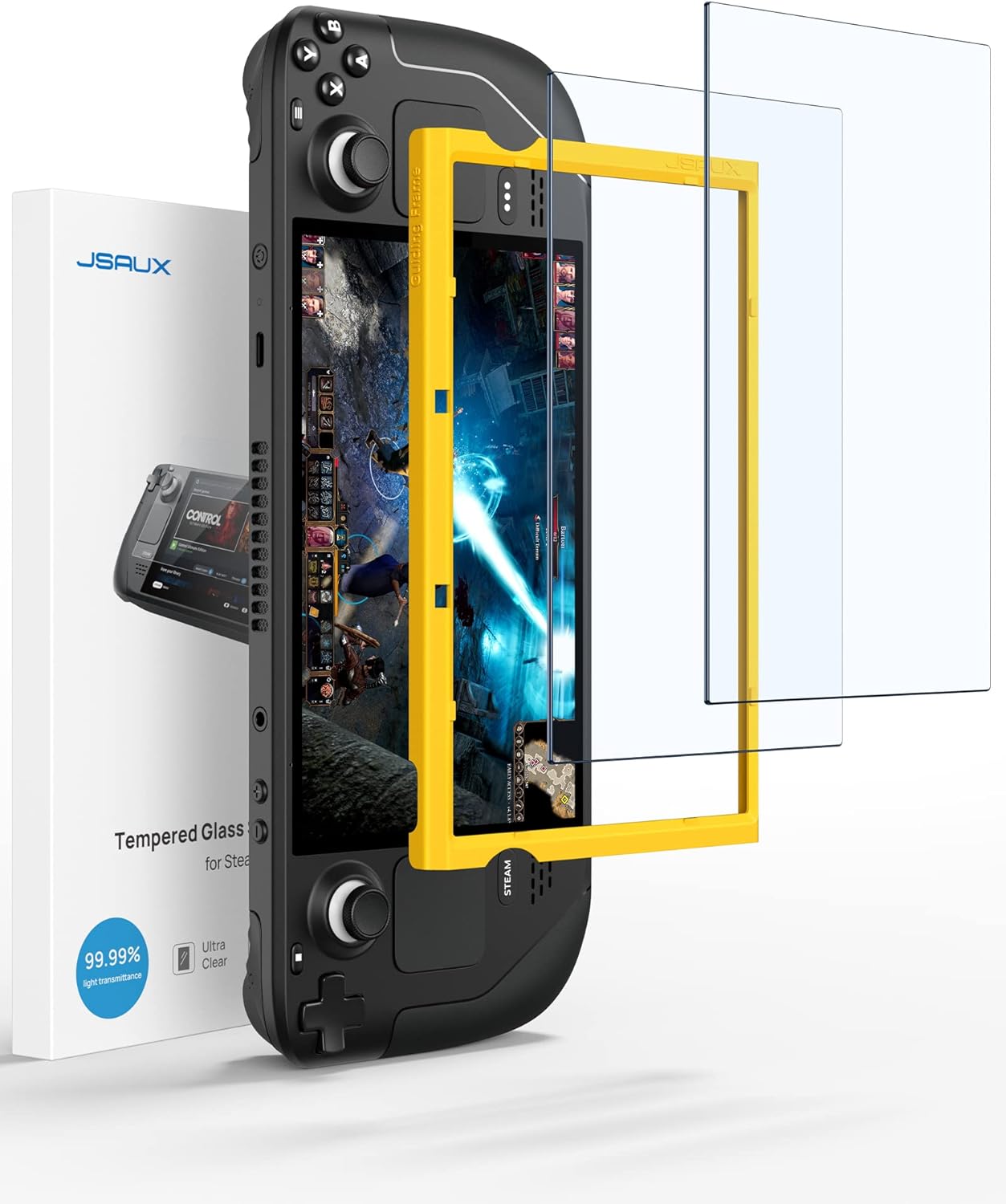
Buy on AmazonJSAUX 2-Pack Screen Protector for Steam Deck, Ultra HD Glass Protector 9H Hardness Easy to Install with Guiding Frame Scratch Resistant Tempered Glass for Steam Deck OLED, Come with Toolkits
Budget-conscious Steam Deck owners who want basic screen protection for everyday use and travel.
Comes with a guiding frame for precise, repeatable installation and uses 9H hardness tempered glass reinforced at 500 degrees Celsius, making it five times sturdier than singly reinforced alternatives.
No major drawback stands out in the specs, so weigh it on how well the features fit your own setup.
Budget
- Compatible with both LCD and OLED Steam Deck models
- Guiding frame makes installation straightforward
- 99.99% transparency preserves display clarity
- No standout drawback in this set
The most affordable protection upgrade on this list, covering both LCD and OLED models with a guided install process.
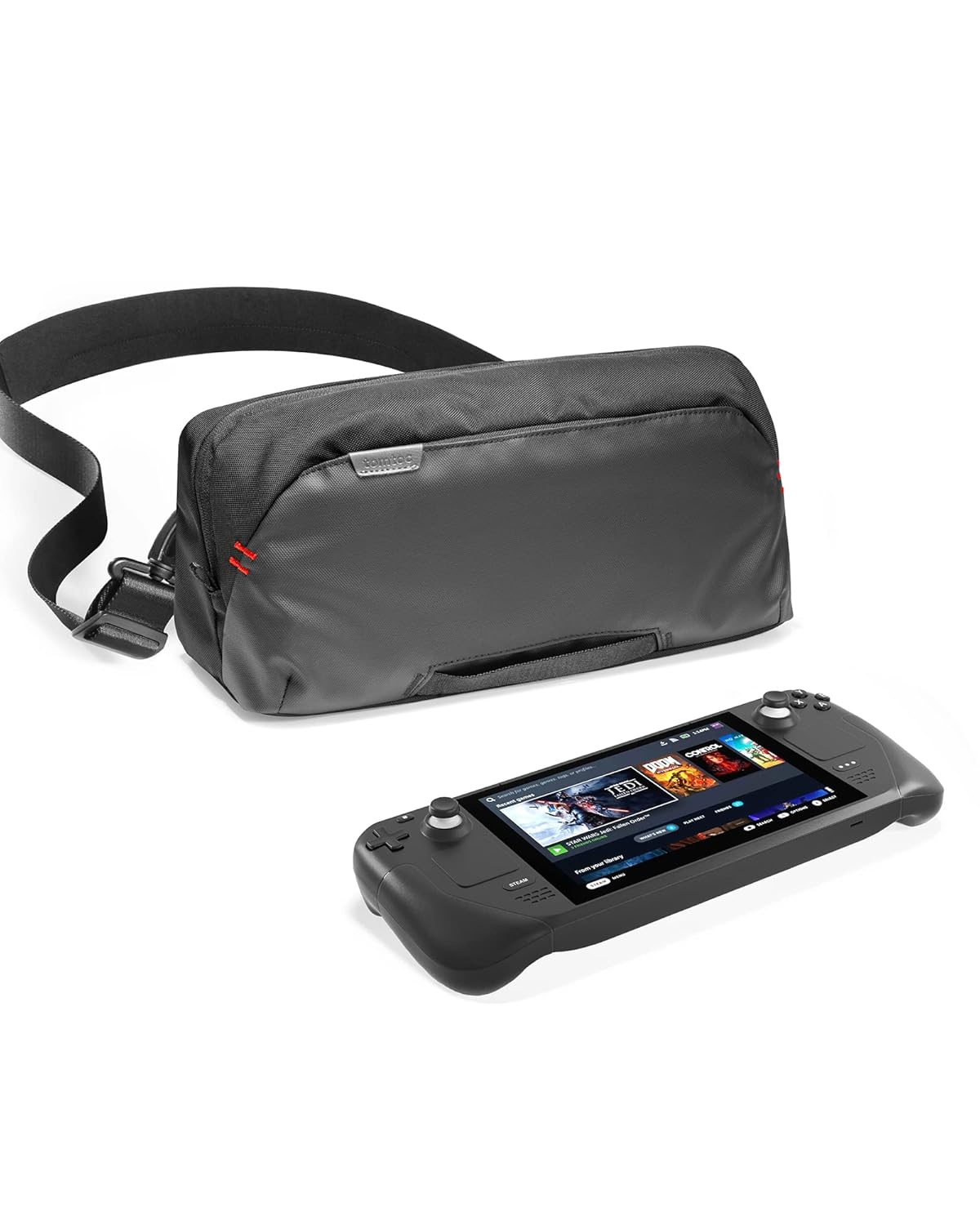
Buy on Amazontomtoc Carrying Case for Steam Deck/OLED/Nintendo Switch 2/Rog Xbox Ally X, Storage Portable Bag, Protective Shoulder Bag with Pockets Fit Console, AC Adapter, Dock, Compact Pack for Daily Use, Travel
Frequent travelers who carry their Steam Deck along with accessories like a dock and AC adapter.
Designed with multiple organized compartments that fit the console, AC adapter, and dock together in a soft shoulder bag with a minimalist, space-saving profile.
The priciest pick on this list, which is a significant premium over most other accessories here.
Premium
- Multi-device compatibility including Steam Deck OLED and Switch 2
- Organized pockets for console, dock, and adapter
- Soft shell minimalist design saves space
- Most expensive item on this list
- Soft shell offers less rigid protection than hard-case alternatives
The most complete travel bag option for Steam Deck owners who want to carry everything in one organized shoulder bag.
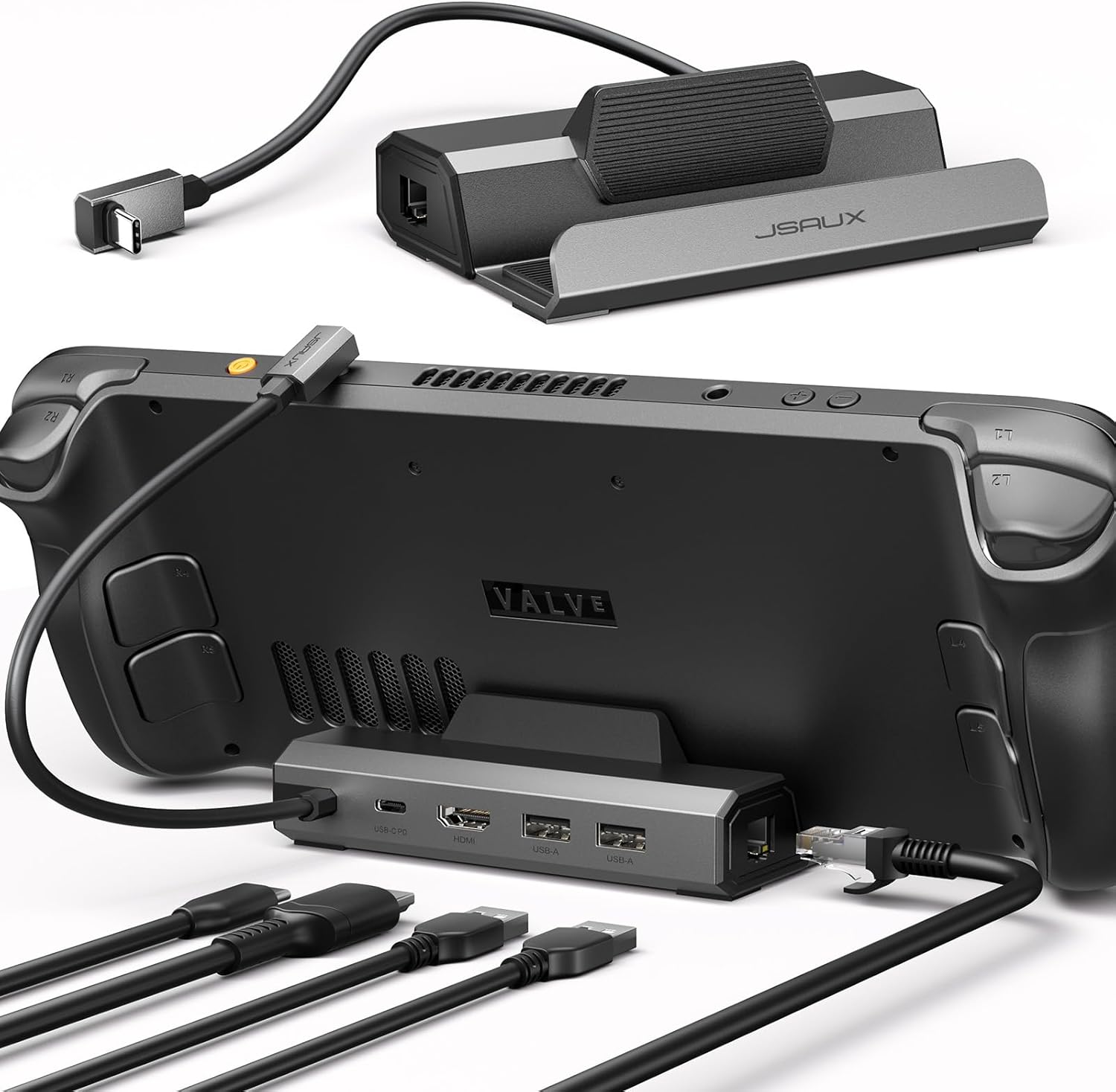
Buy on AmazonJSAUX Upgraded Docking Station 4K@120Hz for Steam Deck OLED/ROG Ally X/Legion Go/MSI Claw, 5-in-1 Steam Deck Dock with HDMI 2.1, 100Mbps Ethernet, USB 2.0 and 100W Charge for Steam Deck LCD-HB0602
Desk gamers who want the highest refresh rate output from their Steam Deck on an external monitor.
HDMI 2.1 port delivers 4K at 120Hz, doubling the refresh rate of older 60Hz docks for noticeably smoother gameplay on large screens.
Does not support ROG Xbox Ally or Xbox Ally X, limiting cross-device flexibility.
Mid-range
- HDMI 2.1 at 4K 120Hz for ultra-smooth visuals
- 100W PD charging keeps device powered
- Ethernet port for stable online play
- Incompatible with ROG Xbox Ally and Xbox Ally X
- Only USB 2.0 speed on its USB-A ports
The go-to dock for Steam Deck users prioritizing high-refresh-rate output on an external display at a competitive price.
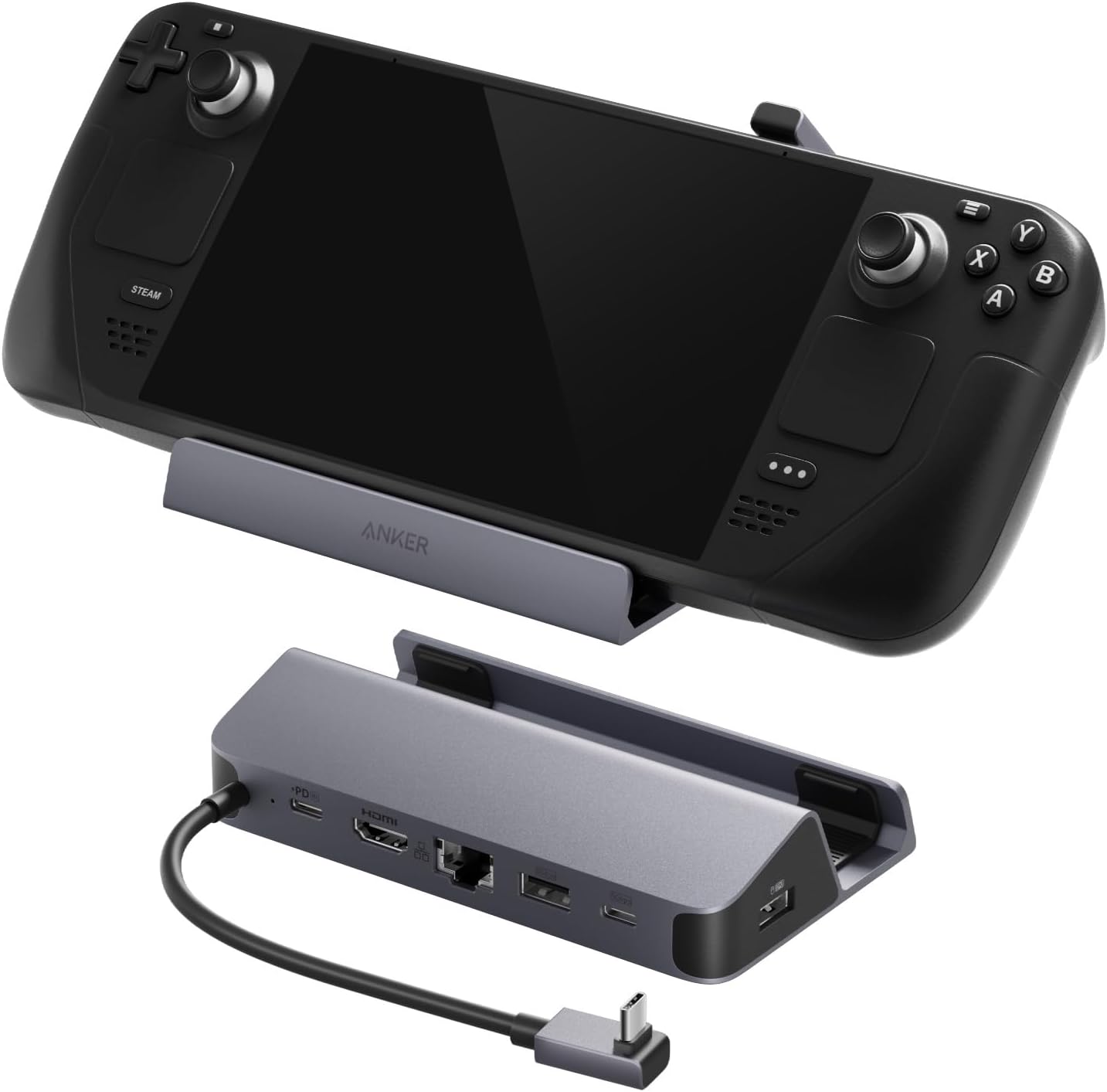
Buy on AmazonAnker Steam Deck Dock, 6-in-1 4K@60Hz HDMI Docking Station for Steam Deck | 4K HDMI, 1Gbps Ethernet, 2 USB-A, USB-C Port, Fast Charging, for Steam Deck (OLED)/ROG Ally/Legion Go (Not for Rog Ally X)
Steam Deck owners who want fast wired networking and multiple high-speed USB ports at their desk.
Includes two USB-A ports each running at 5Gbps alongside a 1Gbps Ethernet port, giving it the fastest wired data throughput of any non-fan dock in this set.
Capped at 4K 60Hz output, so it trails the JSAUX dock for users chasing higher refresh rates on compatible monitors.
Mid-range
- 1Gbps Ethernet for low-latency online play
- Dual USB-A ports at 5Gbps each
- 100W PD fast charging included
- HDMI limited to 4K 60Hz, not 120Hz
- Not compatible with ROG Ally X
A well-rounded 6-in-1 dock that excels at fast wired networking and high-speed USB data transfer for desk setups.
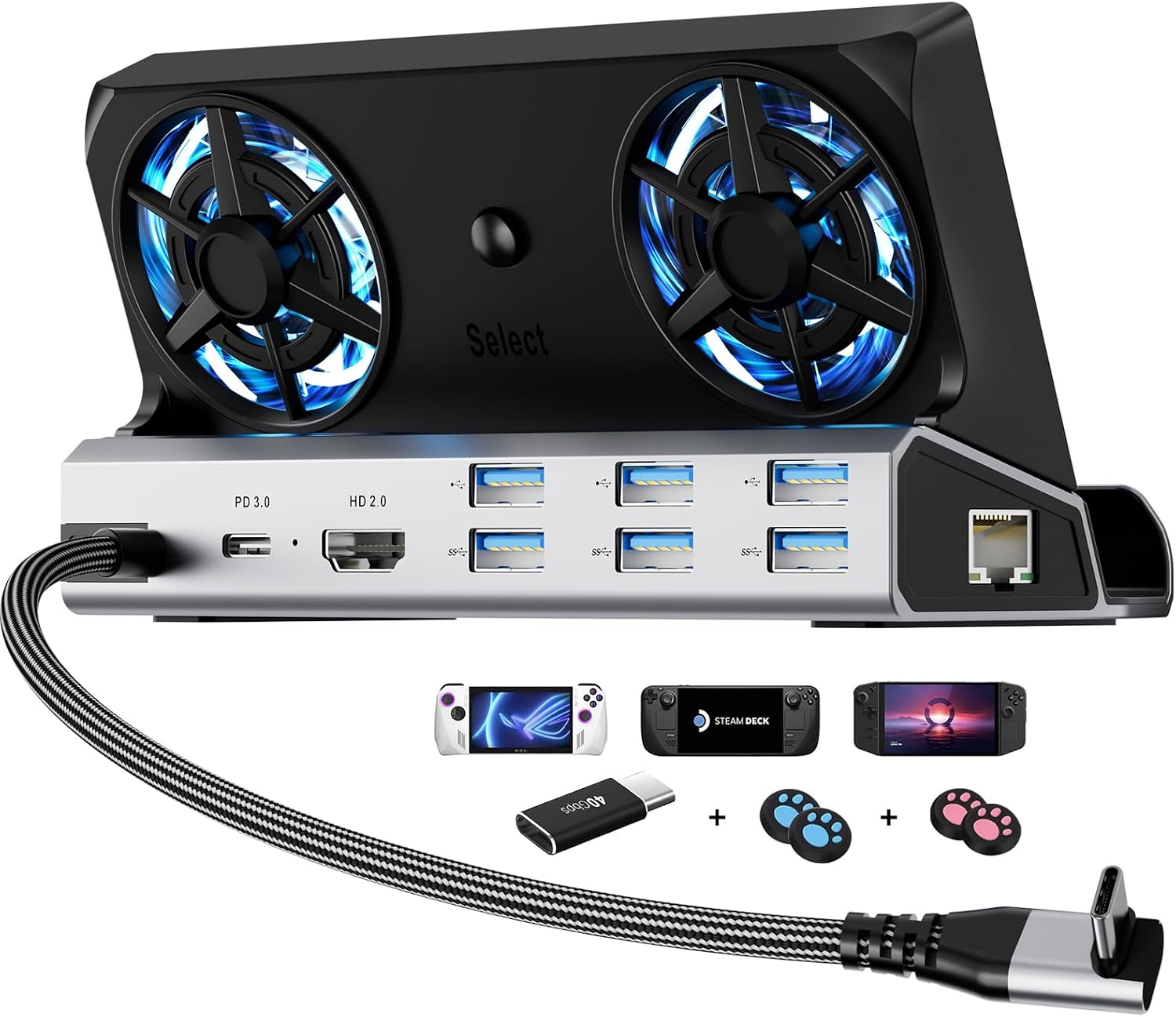
Buy on Amazon12-in-1 Dual Fan Steam Deck Dock Suitable Valve Steam Deck & OLED/Switch & 2 / Asus ROG Ally & X/Lenovo Legion Go & S & 2 / MSI Claw, Nintendo Switch 2 Dock, Steam Deck Accessories, Docking Station
Power users who run demanding games at a desk and need active cooling to maintain peak performance.
Dual 5cm fans with a fan-on-off toggle actively remove heat to prevent thermal throttling, a feature absent on every other dock in this set.
Competitively priced but the bulkiest option here, and RGB lighting plus fans add complexity that may be unnecessary for casual desktop use.
Mid-range
- Dual 5cm cooling fans prevent frame-rate drops
- 12-in-1 port selection covers most desk needs
- Fan off switch saves energy when cooling is unnecessary
- Larger and more complex than passive docks
- RGB and fan features may be unnecessary for simple setups
The only dock here with active cooling, making it ideal for extended high-performance gaming sessions at a desk.
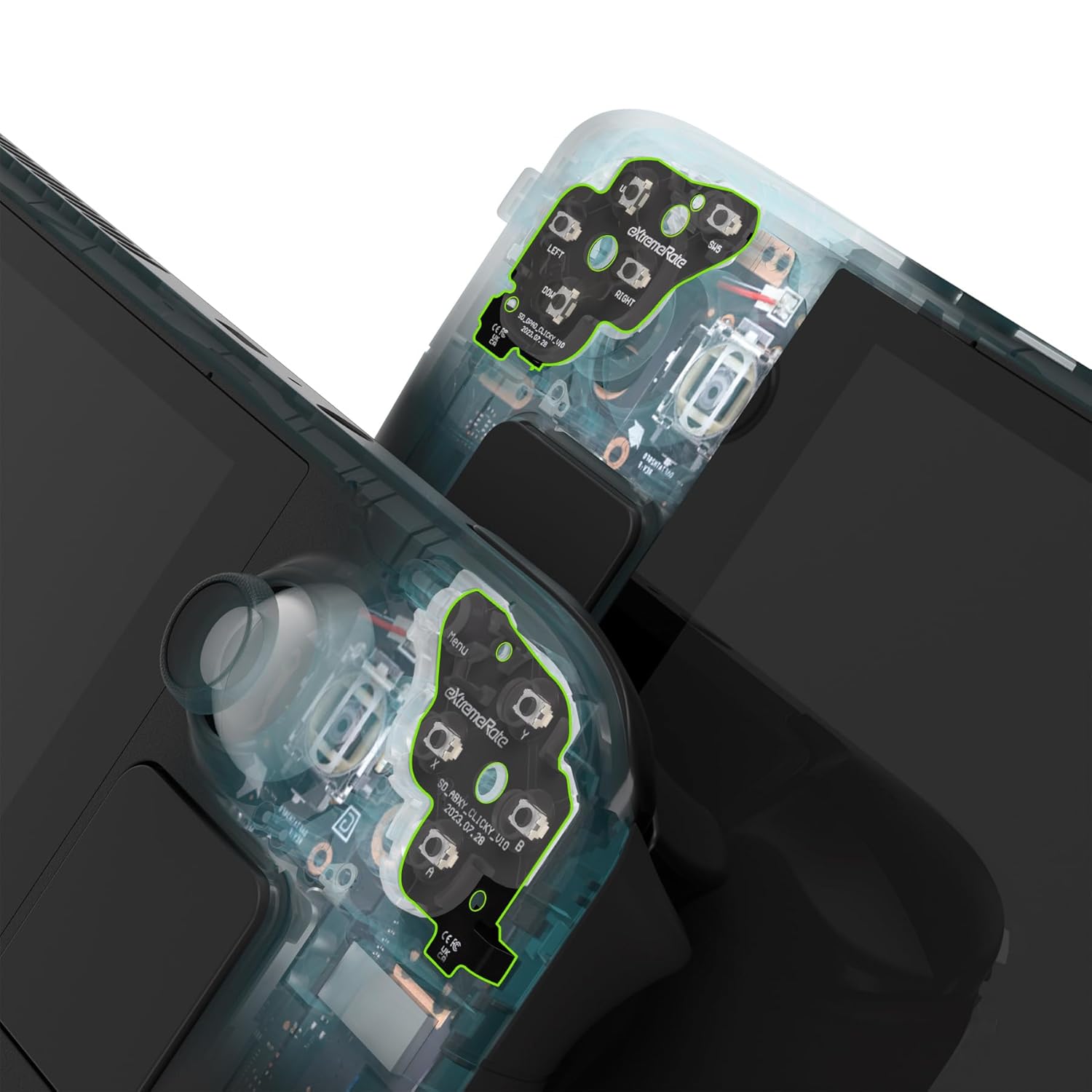
Buy on AmazoneXtremeRate Face Clicky Kit for Steam Deck Handheld Console, Custom Dpad View A B X Y Menu Keys Face Buttons Mouse Clicky Kit for Steam Deck LCD - WITHOUT Console
Steam Deck LCD owners who want a more tactile, responsive feel from their face buttons and D-pad without soldering.
Replaces the stock buttons with tact switches that shorten actuation distance, improving responsiveness for fast-paced gameplay.
Exclusively for the Steam Deck LCD (2022) and does not work with the OLED model, so a large portion of newer owners are excluded.
Budget
- Reduces button actuation distance for faster response
- No soldering required for installation
- Covers D-pad, ABXY, View, and Menu buttons
- Incompatible with Steam Deck OLED
- Requires console disassembly
A focused hardware mod that gives Steam Deck LCD owners a clickier, more responsive button feel with no soldering required.
Buy on AmazonWhether you’re gaming on a long flight, charging up between sessions, or building out a proper desk setup at home, there’s something on this list that can genuinely make your Steam Deck experience better. You don’t need to grab everything at once. Start with whatever fits your current setup or solves your biggest frustration, and go from there. Each item was chosen with real, everyday use in mind, so you can feel good about exploring any of them. We hope this helped point you in the right direction. Thanks for reading!
Frequently asked questions
Which docking station should I choose if I want to connect my Steam Deck to a 4K TV at high refresh rates?
If you want 4K at 120Hz, the JSAUX HB0602 dock is the pick because it includes an HDMI 2.1 port, which is the standard needed to push that resolution and refresh rate combination over a single cable. The Anker 6-in-1 dock tops out at 4K at 60Hz over HDMI 2.0, which is still excellent for most living room setups and adds 1Gbps Ethernet for a faster wired connection. Note that the Steam Deck LCD outputs at a lower native resolution than OLED, so the HDMI 2.1 advantage matters most if you own the OLED model and a compatible 4K display. Match the dock to your actual display spec rather than buying ahead of what your TV can accept.
How well does the tomtoc carrying case protect the Steam Deck during air travel or backpack commutes?
The tomtoc bag uses a semi-rigid shell construction that can absorb bumps and compression from being packed inside a larger bag, which matters more on transit than a soft pouch would. It includes dedicated pockets sized to fit the AC adapter and a dock, so you are not loose-stuffing accessories where they can scratch the screen. For air travel the shoulder strap makes it easy to carry as a personal item, and the compact footprint fits under most airline seats. If you already own a screen protector like the JSAUX tempered glass, combining it with the case gives you two layers of protection for the display during transit.
Are thumb grip add-ons like the KontrolFreek grips worth using on a handheld console you play for long sessions?
Thumb grips can help reduce hand fatigue during extended play by giving the thumbs more surface area and a slightly taller leverage point, which may reduce the micro-muscle strain that comes from gripping flush analog caps for hours. The KontrolFreek Universal Edition is sized to fit the Steam Deck alongside the ROG Ally and Switch 2, so one pack covers multiple handhelds if you own more than one. They install without tools and can be swapped off quickly, so there is no commitment if they do not suit your grip style. Players who prefer shorter, precise inputs for fast games often use lower profile caps, while those who like slower, sweeping camera movement tend to favor taller ones.
How difficult is it to install a tempered glass screen protector on the Steam Deck without bubbles or misalignment?
The JSAUX 2-pack ships with a guiding frame that physically aligns the glass to the display before you press it down, which removes most of the guesswork that causes crooked installs. The included toolkit has dust removal stickers and a cleaning cloth so you can prep the surface properly, and a clean, dust-free room makes a noticeable difference in bubble-free results. The 9H hardness rating means the glass itself resists everyday scratches from keys and bag contact better than a soft film protector would. Because the pack includes two protectors, you have a spare if the first install goes wrong or if you need to replace it after a hard impact.
Does the eXtremeRate Clicky Kit mod require soldering or technical experience, and will it void any warranty?
The eXtremeRate Face Clicky Kit is designed as a drop-in replacement for the stock buttons and D-pad, using a snap-fit mechanism rather than soldering, so basic disassembly skills and a small screwdriver set are the main requirements. That said, opening the Steam Deck to install internal button modifications will likely void Valve’s manufacturer warranty, so it is worth considering that tradeoff before starting. The kit does not include the console itself, meaning you are modifying your existing unit rather than swapping a part externally. Buyers who are comfortable replacing smartphone screens or controller parts typically find the install manageable, but first-time hardware modders may want to watch disassembly guides before committing.