
If you’ve been thinking about picking up a Steam Deck OLED, 2026 is honestly a great time to do it. Valve’s handheld gaming PC has matured into one of the most versatile portable gaming devices on the market, and the OLED model takes everything people loved about the original and makes it noticeably better. The screen is vibrant, battery life is improved, and the overall feel of the hardware has leveled up in ways that are hard to ignore once you’ve held one. But with different storage configurations available, and a growing ecosystem of accessories and upgrade options around it, figuring out exactly what to buy can get a little overwhelming. That’s where this guide comes in. We’ve pulled together a clear breakdown of the current Steam Deck OLED models and storage options so you can find the setup that actually fits your gaming habits and budget. Whether you’re a casual player or someone who wants to load up hundreds of games, there’s a configuration here worth knowing about.
Disclosure: As an Amazon Associate we earn from qualifying purchases. Prices and availability shown are accurate as of the date of publication and may change.
Quick comparison
How to choose
Storage Configuration
The built-in SSD handles loading speeds and OS responsiveness far better than microSD alone, so consider whether the base storage capacity matches your game library size. A microSD Express card can expand capacity significantly, but for large AAA titles, pairing onboard SSD space with a fast expansion card gives the most flexibility.
Display and Battery Priority
The OLED panel offers higher contrast and a longer battery life compared to the original LCD model, which matters most if you play in varied lighting conditions or away from an outlet for extended sessions. If you primarily dock the device to a TV or monitor, the display difference is less critical than docking output quality.
Docking and Desk Use
If you plan to connect the Steam Deck to a television or external monitor, check that a dock supports 4K output at 60Hz and includes enough ports for your peripherals. Gigabit Ethernet support is worth prioritizing if your home network is wired, since wireless can introduce inconsistent latency during online play.
Protection and Portability
A hard-shell carrying case with dedicated accessory pockets keeps your charger, microSD cards, and cables organized without adding excessive bulk to a bag. Consider whether the case is rated for the OLED model specifically, since slight dimensional differences between LCD and OLED versions can affect fit and internal padding placement.
Regional Compatibility
International versions of the Steam Deck may ship with a different power adapter plug standard, so confirm your charger or dock covers the correct voltage and plug type for your region. Software and game library access through SteamOS should remain consistent globally, but warranty service coverage can vary depending on the version purchased.
The picks
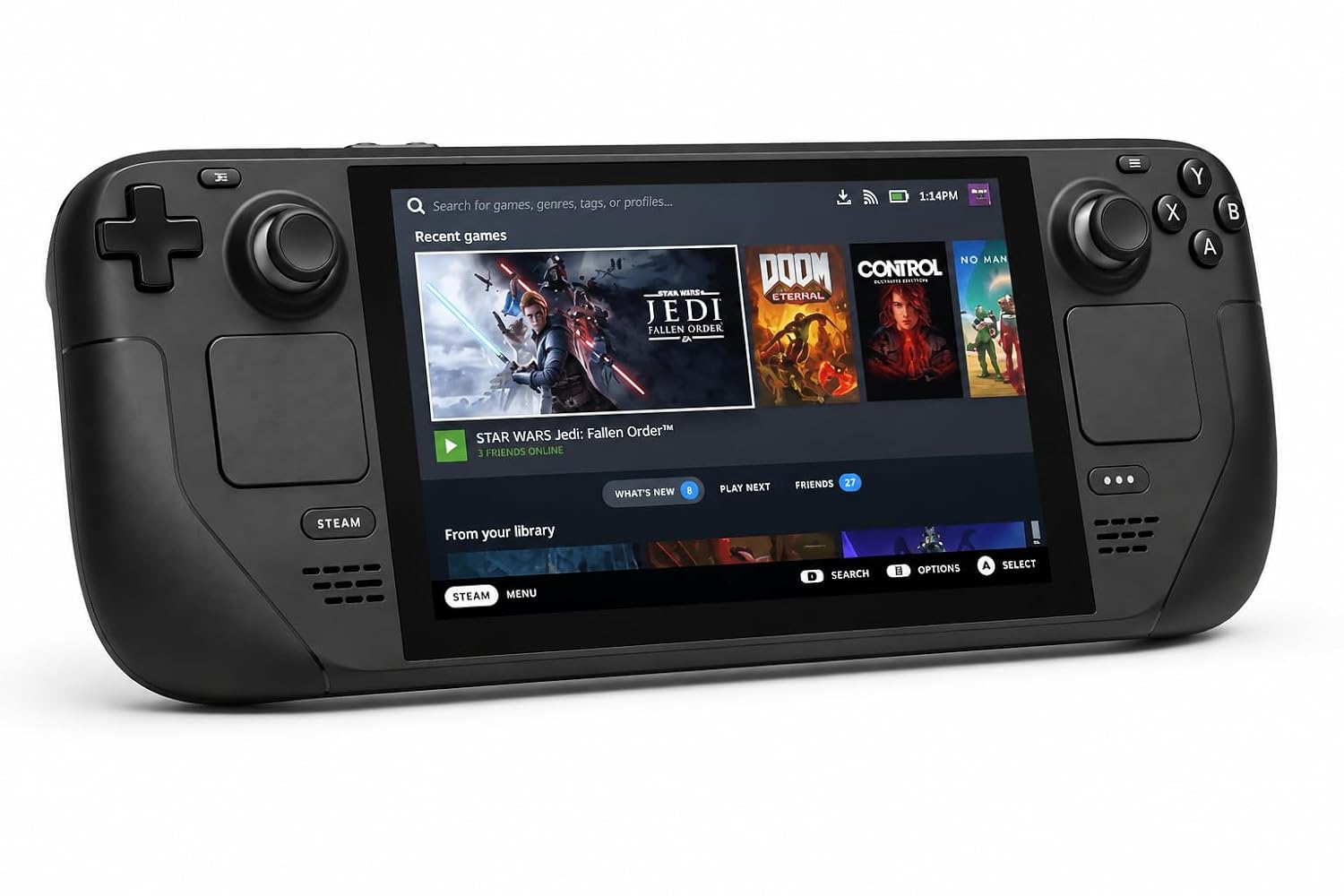
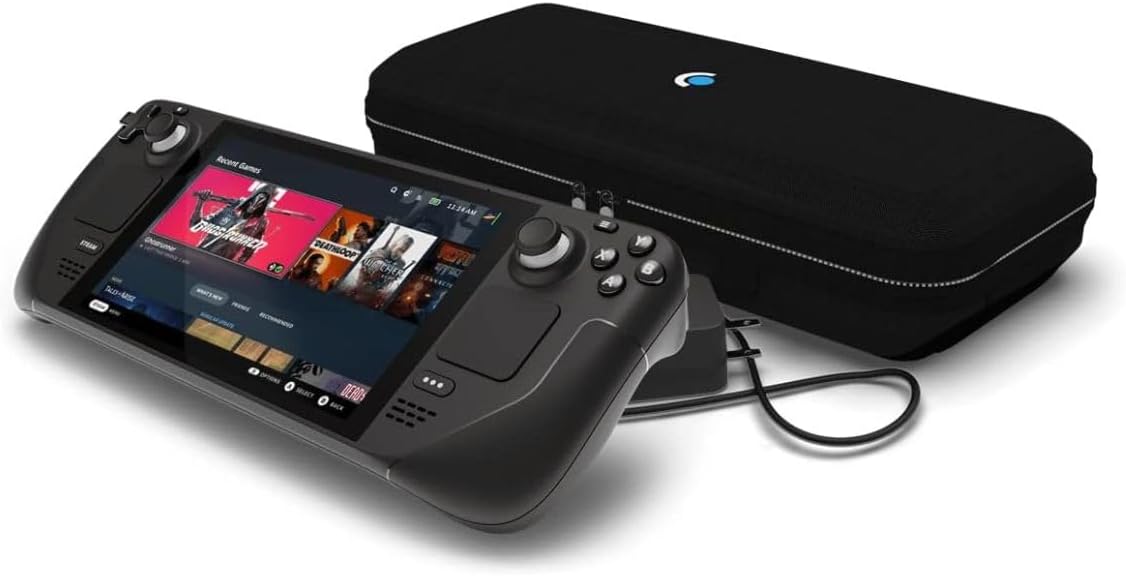
VALVE Steam Deck OLED 512GB SSD + 16GB RAM (International Version) - 7.4"" inch, 90Hz, 1280 x 800px, SteamOS 3.0, Handheld Gaming Console, Black
Buyers who want the full Steam Deck OLED experience and do not mind paying a premium for international availability.
Combines a 7.4 inch HDR OLED display running at 90Hz with 16GB RAM and a 512GB SSD, delivering sharp visuals and ample onboard storage in one package.
The most expensive product on this list, and the included USB-C charger is a non-US plug, requiring an adapter for North American outlets.
Premium
- 7.4 inch 90Hz HDR OLED display
- 16GB RAM for smooth multitasking
- 512GB SSD included
- Most expensive on this list
- Non-US charger requires adapter
The priciest pick here but delivers the complete OLED hardware package with generous RAM and storage.
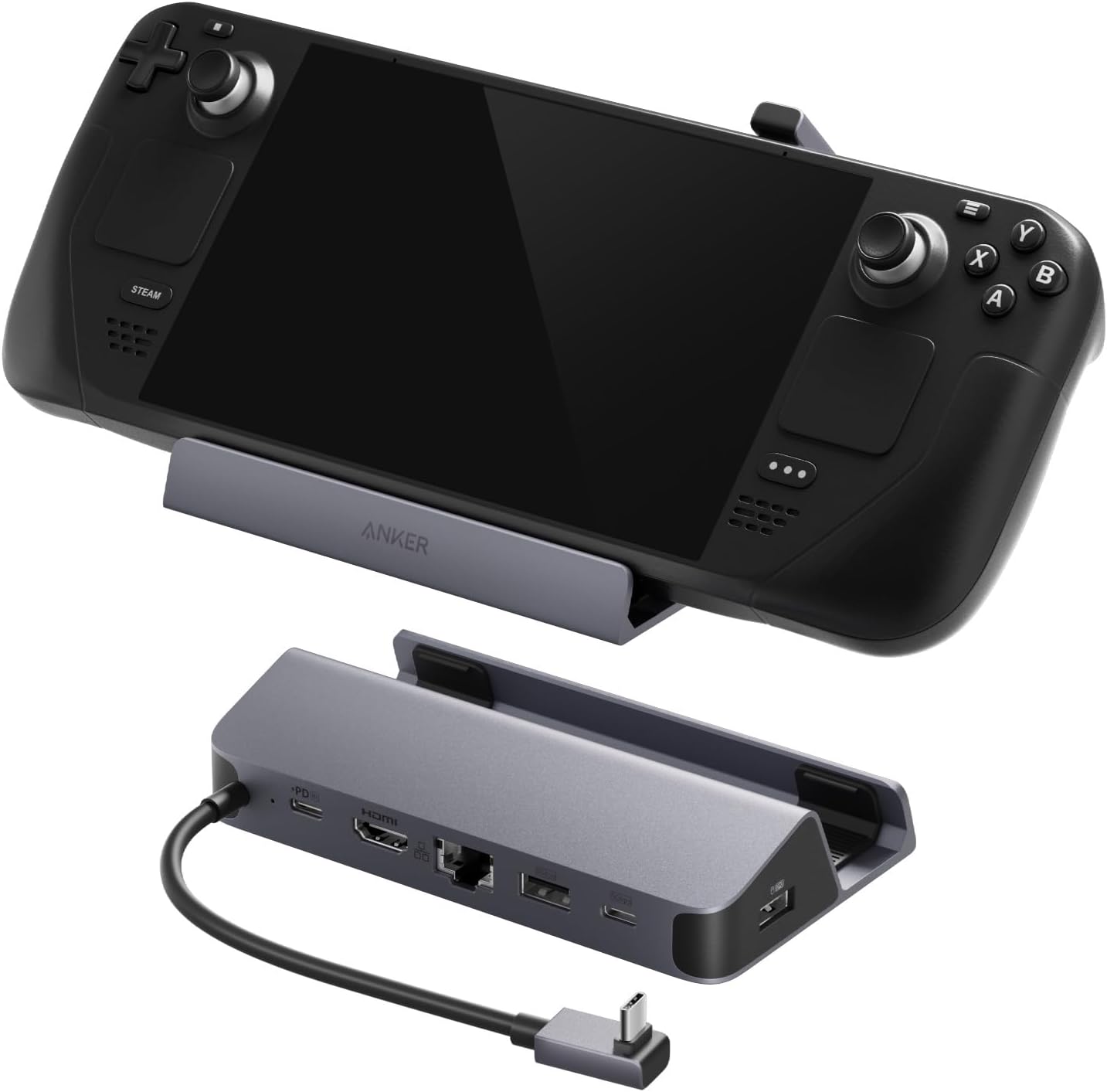
Buy on AmazonAnker Steam Deck Dock, 6-in-1 4K@60Hz HDMI Docking Station for Steam Deck | 4K HDMI, 1Gbps Ethernet, 2 USB-A, USB-C Port, Fast Charging, for Steam Deck (OLED)/ROG Ally/Legion Go (Not for Rog Ally X)
Steam Deck OLED owners who want to connect their handheld to a TV or monitor and play online with a wired connection.
Packs six ports into one dock including 4K at 60Hz HDMI output, 1Gbps Ethernet, two USB-A ports at 5Gbps each, and 100W fast charging via USB-C PD.
The USB-C data port explicitly does not support screen mirroring, limiting display output to the single HDMI port only.
Budget
- 4K at 60Hz HDMI output
- 1Gbps wired Ethernet
- 100W fast charging passthrough
- USB-C port cannot mirror display
- No DisplayPort output
The most affordable pick on this list and a versatile dock that transforms the Steam Deck into a capable living room console.
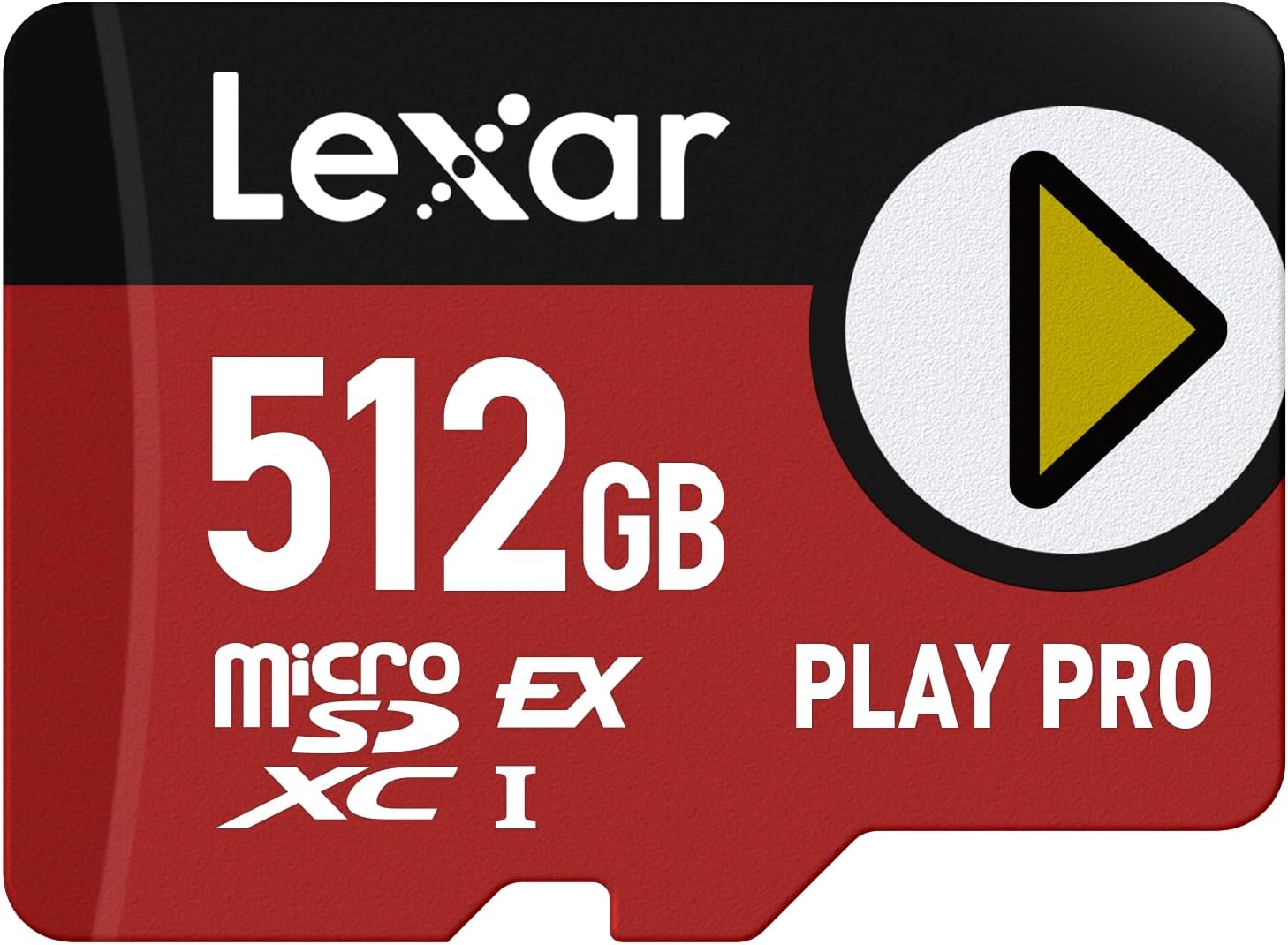
Buy on AmazonLexar 512GB Play PRO microSD Express Card, UHS-I, C10, U3, V30, Full HD, 4K, Up to 900/600 MB/s Memory Card, Compatible w/Nintendo-Switch 2, ASUS ROG Ally, Steam Deck, Gaming (LMSXPS0512G-BNNNU)
Storage-hungry gamers who want to load AAA titles quickly and need expanded capacity beyond the built-in SSD.
Delivers up to 900MB/s read and 600MB/s write speeds via the microSD Express standard, which is dramatically faster than conventional microSD cards for rapid game load times.
Sits at a notably high price point for a microSD card, and full Express speeds require a compatible host device since it falls back to slower UHS-I performance on standard slots.
Mid-range
- Up to 900MB/s read speed
- Up to 512GB capacity
- Backwards compatible with UHS-I devices
- Full speed requires Express-compatible slot
- High price for a memory card
The fastest microSD option available for the Steam Deck, worth it for gamers with large libraries who cannot tolerate slow load times.
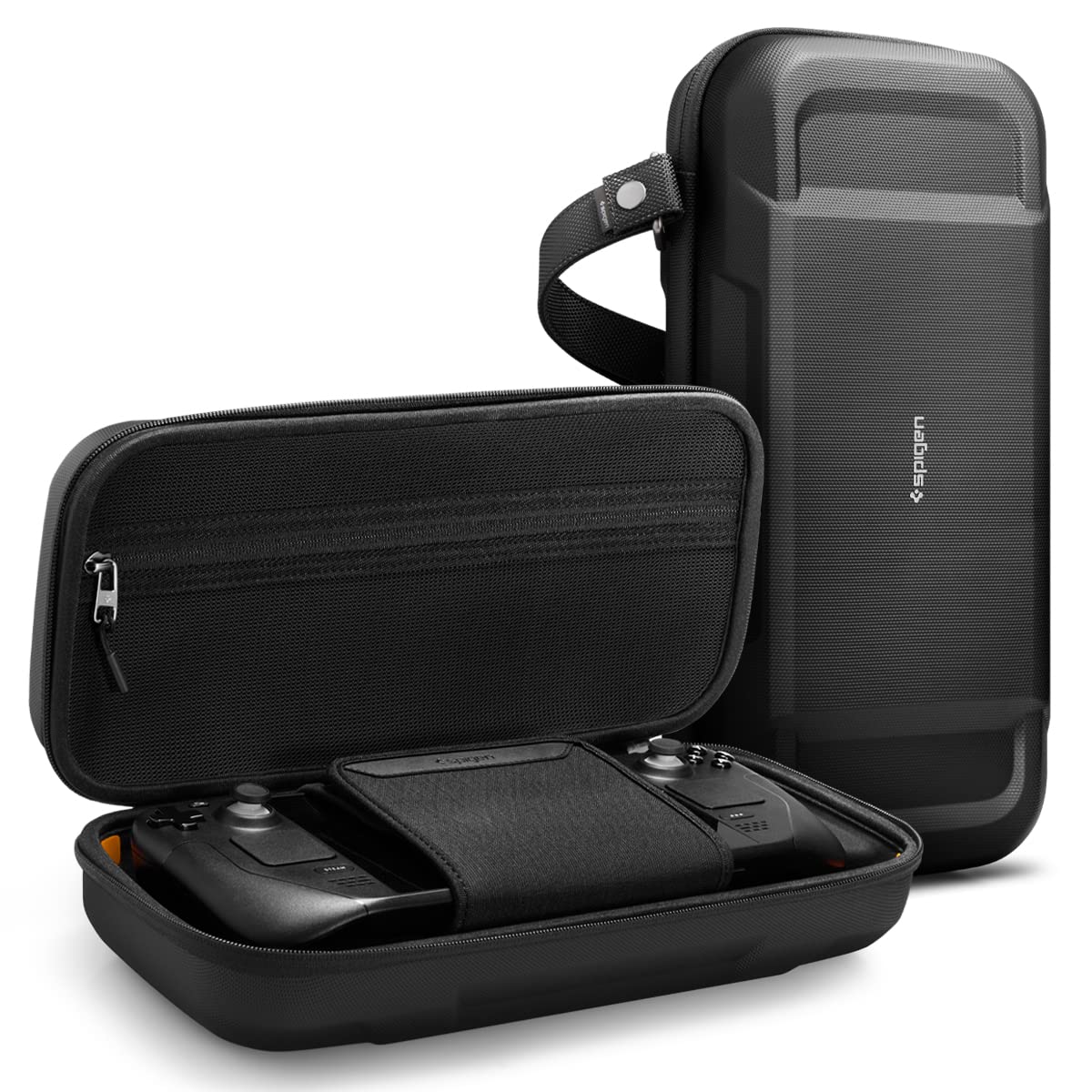
Buy on AmazonSpigen Rugged Armor Pro for Steam Deck LCD (2022) / OLED (2023) / ROG Xbox Ally X (2025) Hard Shell Carrying Case with Accessory Pockets & Charger Storage – Black
Steam Deck OLED owners who travel frequently and need reliable drop protection and organized accessory storage on the go.
Multi-layer construction using PU, EVA foam, protective foam, and anti-scratch nylon includes orange corner foam padding for drop protection, a hidden AirTag pouch, and a velcro suede interior strap for screen protection.
The case explicitly lists compatibility only with specific 2022 and 2023 models, so buyers with any other hardware configuration should verify fit carefully before purchasing.
Mid-range
- Multi-layer drop protection with corner foam
- Hidden AirTag tracking pouch
- Zippered charger compartment with suede interior
- Limited to specific compatible models only
A thoughtfully designed travel case with layered protection and smart storage compartments suited to Steam Deck OLED road warriors.
Buy on AmazonValve Steam Deck OLED 512GB Handheld Gaming Console - Featuring A High Dynamic Range Screen, A Longer-lasting Battery, Faster Downloads, And Much More
Buyers who want the Steam Deck OLED 512GB paired with an extended protection plan for long-term peace of mind.
Bundles the Steam Deck OLED 512GB console with a protection plan that covers malfunctions beyond the manufacturer warranty, with no additional repair costs for parts, labor, or shipping.
The description focuses almost entirely on the protection plan terms rather than the console hardware specs, making it harder to evaluate what exact hardware configuration is included compared to other listings.
Mid-range
- Includes extended malfunction coverage
- No cost repairs covering parts and labor
- Fast online claims process
- Hardware specs not detailed in listing
- Pre-existing conditions excluded from coverage
A solid choice for cautious buyers who want the Steam Deck OLED 512GB with built-in post-warranty repair coverage included.
Buy on AmazonFinding the right Steam Deck OLED setup really comes down to how you play and how much storage you realistically need. Whether you go with a base model and upgrade the storage yourself or pick up a higher-capacity option right out of the box, there is a solid choice in this list for just about every type of player. Take a look at the links above, compare what fits your budget and playstyle, and feel free to revisit this guide whenever you need a refresher. Happy gaming, and thanks for reading!
Frequently asked questions
What is the difference between the Steam Deck OLED international version and the standard version?
The core hardware is identical between the two, with the same 7.4 inch OLED display, 90Hz refresh rate, 1280 x 800 resolution, and 16GB of RAM. The main distinction is regional support, specifically which Wi-Fi bands and cellular frequencies are certified for use in your country. Buyers outside the US sometimes find the international version easier to source, but should confirm it carries the appropriate regulatory approval for their region. If you are in the US, the standard version is the straightforward pick to avoid any potential warranty complications.
How much of a real performance difference does a microSD Express card like the Lexar Play PRO make over a standard microSD on Steam Deck?
MicroSD Express uses a faster PCIe interface that can reach read speeds around 900 MB/s on the Lexar Play PRO, compared to roughly 100 MB/s on a typical UHS-I card. In practice this can mean noticeably faster game load times and smoother asset streaming in open-world titles that pull data from storage constantly. The Steam Deck OLED supports microSD Express, so that speed headroom is not wasted on the hardware. For smaller indie games the gap matters less, but for large AAA installs the faster card is a meaningful upgrade over a standard microSD.
Is a docking station worth buying for the Steam Deck OLED if you mostly play handheld?
If you play almost entirely in handheld mode, a dock is a nice-to-have rather than essential. Where a dock like the Anker 6-in-1 earns its place is when you want to connect the Steam Deck to a TV or monitor via 4K HDMI at 60Hz, use a wired Ethernet connection for faster downloads, or charge the unit while peripherals are plugged in. It also adds USB-A ports for connecting a keyboard, mouse, or controller, which turns the Steam Deck into a capable desktop-style Linux PC. If you own a TV and hate waiting on Wi-Fi downloads, the dock quickly becomes a regular part of your setup.
Will the Spigen Rugged Armor Pro case fit the Steam Deck OLED or only the original LCD model?
The Spigen Rugged Armor Pro is explicitly designed to fit both the original 2022 LCD Steam Deck and the 2023 OLED model, so buyers with either version are covered. The hard shell construction is meant to protect against drops and bumps during travel, and the interior pockets can hold a charger and small accessories. Because the OLED unit shares nearly the same physical dimensions as the LCD version, the fit should be snug without excessive play inside the case. Just confirm the listing you purchase specifies OLED compatibility, since some older Spigen cases were sized only for the LCD generation.
Is 512GB of built-in SSD storage enough, or should buyers plan on adding a microSD card right away?
For many buyers 512GB is a reasonable starting point, particularly if you rotate through a modest library and are comfortable uninstalling titles you finish. However, modern AAA games can occupy 50GB to 100GB each, which means a 10 to 15 game library can fill the drive quickly. Adding a fast microSD like the Lexar Play PRO 512GB effectively doubles your storage capacity for a fraction of the cost of the next storage tier. A practical approach is to keep the games you are actively playing on the internal SSD for best performance, and use the microSD for titles you return to occasionally.