If you own a Steam Deck or any handheld PC running SteamOS Beta, you already know how addictive portable PC gaming can be. But the right accessories can take your setup from basic to genuinely impressive, whether you’re gaming on the couch, at a desk, or on the go. From practical carrying cases and fast chargers to surprisingly useful docks and controllers, there’s a growing world of gear built specifically for handheld gaming fans. This guide covers some of the most exciting, practical, and occasionally surprising picks available right now. We’ve focused on products that genuinely improve your experience, making sessions more comfortable, your setup more versatile, and your hardware better protected. Whether you’re a longtime Steam Deck owner looking to upgrade your kit or someone just getting started with SteamOS Beta on a new device, there’s something here for you. No fluff, no filler, just useful tools worth knowing about. Let’s dig into the best accessories and setup picks for handheld PC gaming in 2026.
Disclosure: As an Amazon Associate we earn from qualifying purchases. Prices and availability shown are accurate as of the date of publication and may change.
Quick comparison
How to choose
Port Count and Types
Count how many peripherals you plan to connect at once, including a keyboard, mouse, external drive, and controller receiver, then match that to the dock’s USB port count and speed ratings. USB 3.0 or 3.2 ports matter for fast file transfers, while USB 2.0 ports are fine for input devices. A dock with too few ports forces you into a secondary hub, which adds clutter and potential bottlenecks.
Display Output Quality
Check the HDMI version and maximum resolution plus refresh rate the dock supports, since the gap between 4K at 60Hz and 4K at 120Hz is noticeable in fast-paced games. Some docks cap out at 60Hz for 4K but can push 120Hz or higher at 1080p or 1440p, so match the dock to your monitor’s capabilities rather than just its highest headline spec. If your monitor tops out at 60Hz, paying more for an HDMI 2.1 dock may not add practical value.
Thermal Management
Handheld PCs can throttle performance when docked because airflow around the device is restricted. Some docks include built-in cooling fans designed to direct air toward the device’s vents, which can help sustain peak performance during longer sessions. If you game in docked mode for extended periods, a dock with active cooling is worth considering over a passive stand.
Charging Power Delivery
Look at the dock’s Power Delivery wattage and compare it against your device’s charging requirements, especially if you use a performance mode that draws more power. A dock rated at 100W PD can keep most handhelds charging even under load, but the actual charging speed depends on the charger you plug into the dock as well. Confirm whether the dock passes through enough wattage to support your device’s highest performance setting without draining the battery during play.
Device Compatibility
Not every dock works with every handheld, and some listings explicitly exclude certain models such as specific ROG Ally variants. Cross-check your exact device model against the dock’s stated compatibility list before purchasing, since connector placement and USB-C power negotiation can vary between generations. If you own or plan to own more than one handheld, a dock with broad compatibility across Steam Deck, ROG Ally, and Legion Go platforms gives you more flexibility.
The picks
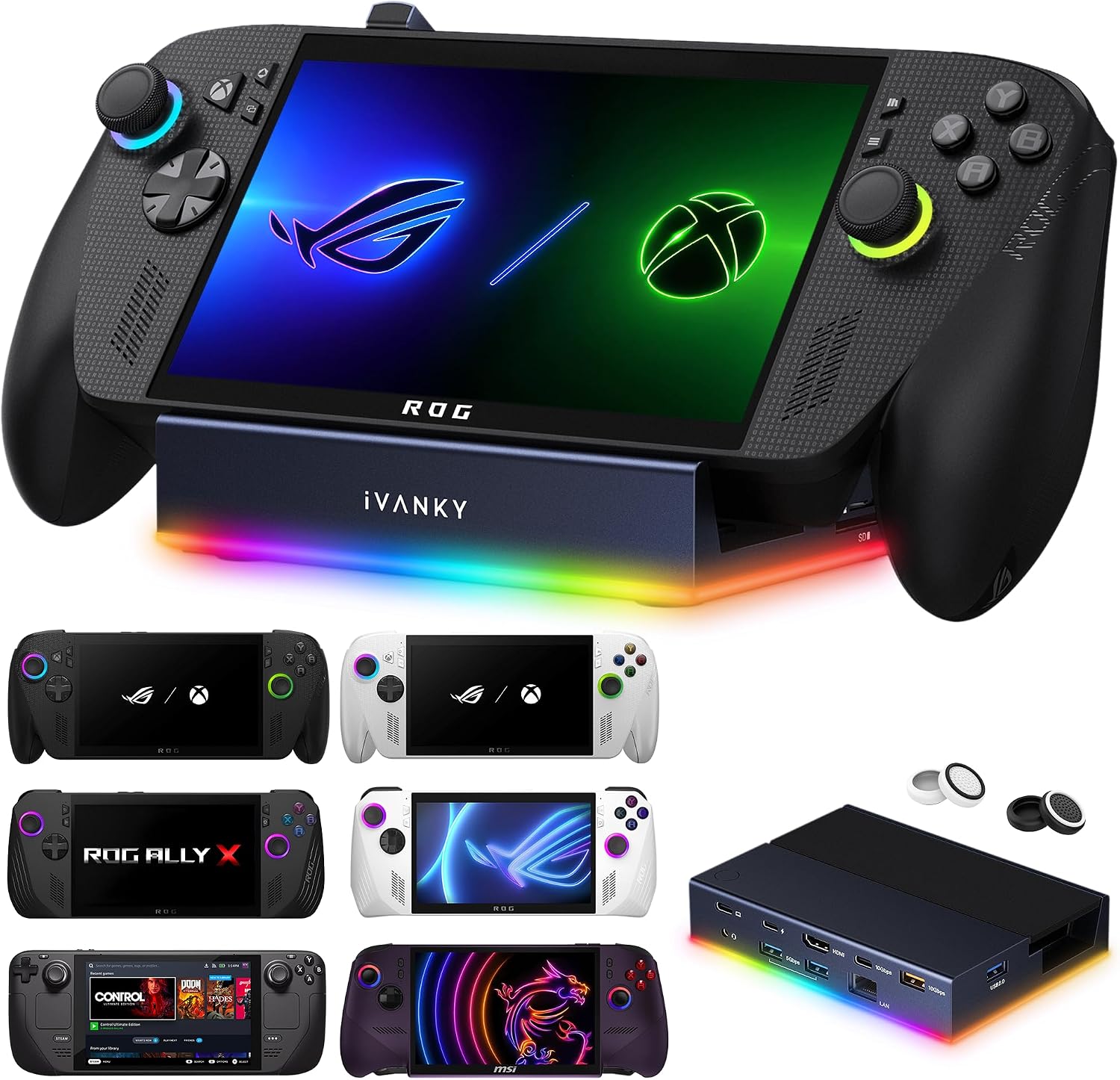
iVANKY 14-in-1 RGB Docking Station for ROG Xbox Ally X(2025)/X20, 4K@120Hz
Power users running a ROG Xbox Ally X or Steam Deck OLED who want the most port variety and enjoy RGB desk aesthetics.
Fourteen ports include card readers for both SD and TF formats, two 10Gbps USB-A 3.2 ports, 4K at 120Hz HDMI 2.1, and a 3.5mm audio jack, giving it the widest peripheral support in this set.
The RGB lighting modes add desk flair but also visual complexity that may distract in dimmer environments, and firmware updates are recommended to avoid display mirroring issues.
Mid-range
- 14 ports including SD and TF card readers
- 4K at 120Hz HDMI 2.1 output
- 7 RGB lighting modes with audio jack
- Firmware update required for best display performance
- RGB adds visual noise for minimalist setups
The most feature-packed dock in this set with card reader slots, audio output, and RGB lighting, making it ideal for a full desktop replacement setup.
Buy on AmazonJSAUX 5-in-1 Docking Station for Steam Deck/ROG Ally X/Legion Go S-HB0602
Budget-conscious handheld users who need a simple dock for TV output and wired internet with minimal extras.
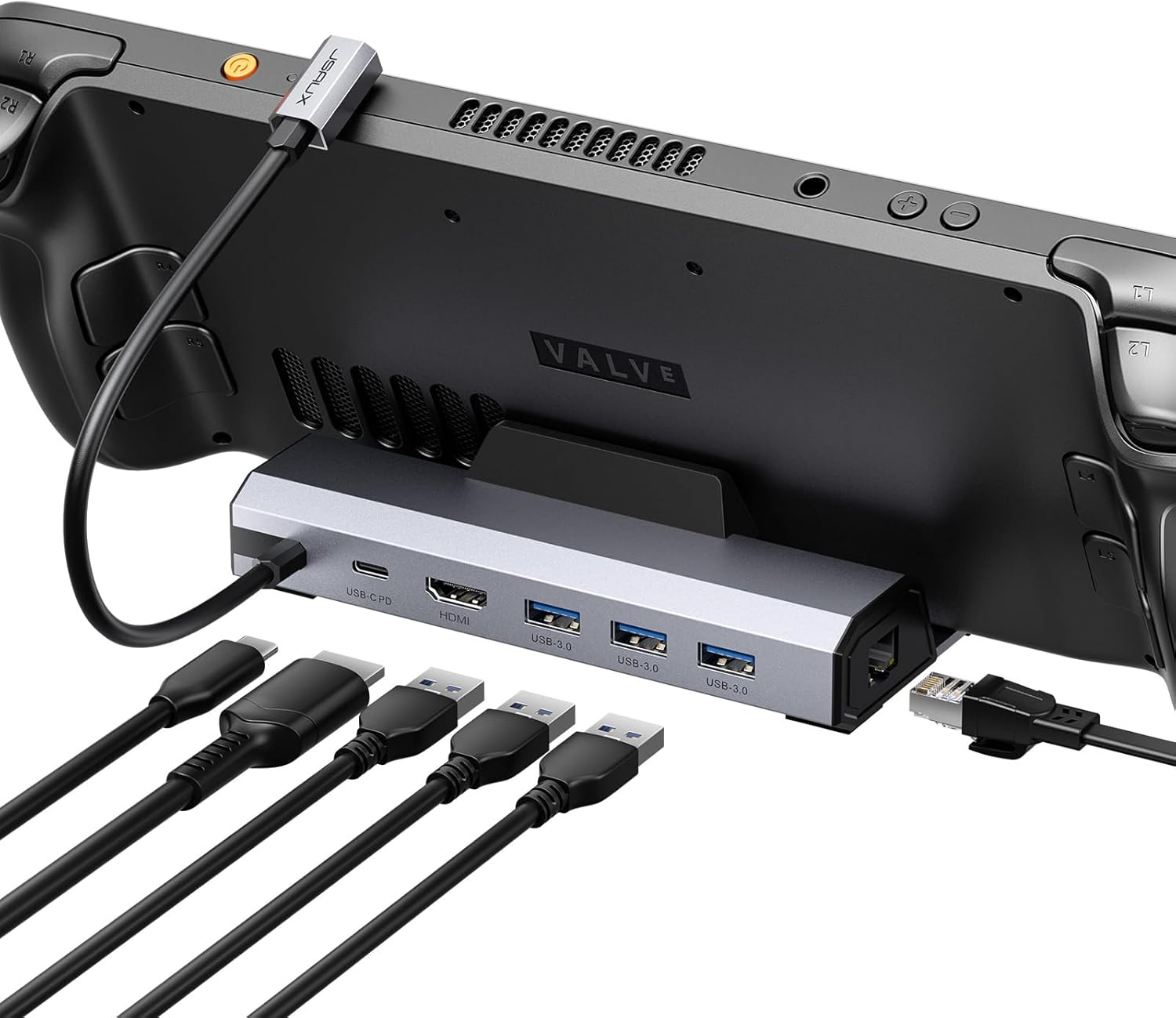
Despite being the most affordable dock in this set, it still includes HDMI 2.1 4K at 120Hz output and 100W PD charging in a compact five-port package.
USB ports are 2.0 speed only, which limits data transfer rates for external drives compared to docks with USB 3.0 or higher.
Budget
- Most affordable in this set
- HDMI 2.1 4K at 120Hz
- 100W PD charging
- USB ports limited to 2.0 speed
The most affordable pick here and still delivers 4K at 120Hz output, making it ideal for users who want the basics covered for less.
Buy on AmazonJSAUX 6-in-1 Docking Station for Steam Deck/ROG Ally X/Legion Go S-HB0603
Steam Deck and ROG Ally X owners who want fast wired networking and USB 3.0 ports without spending much.
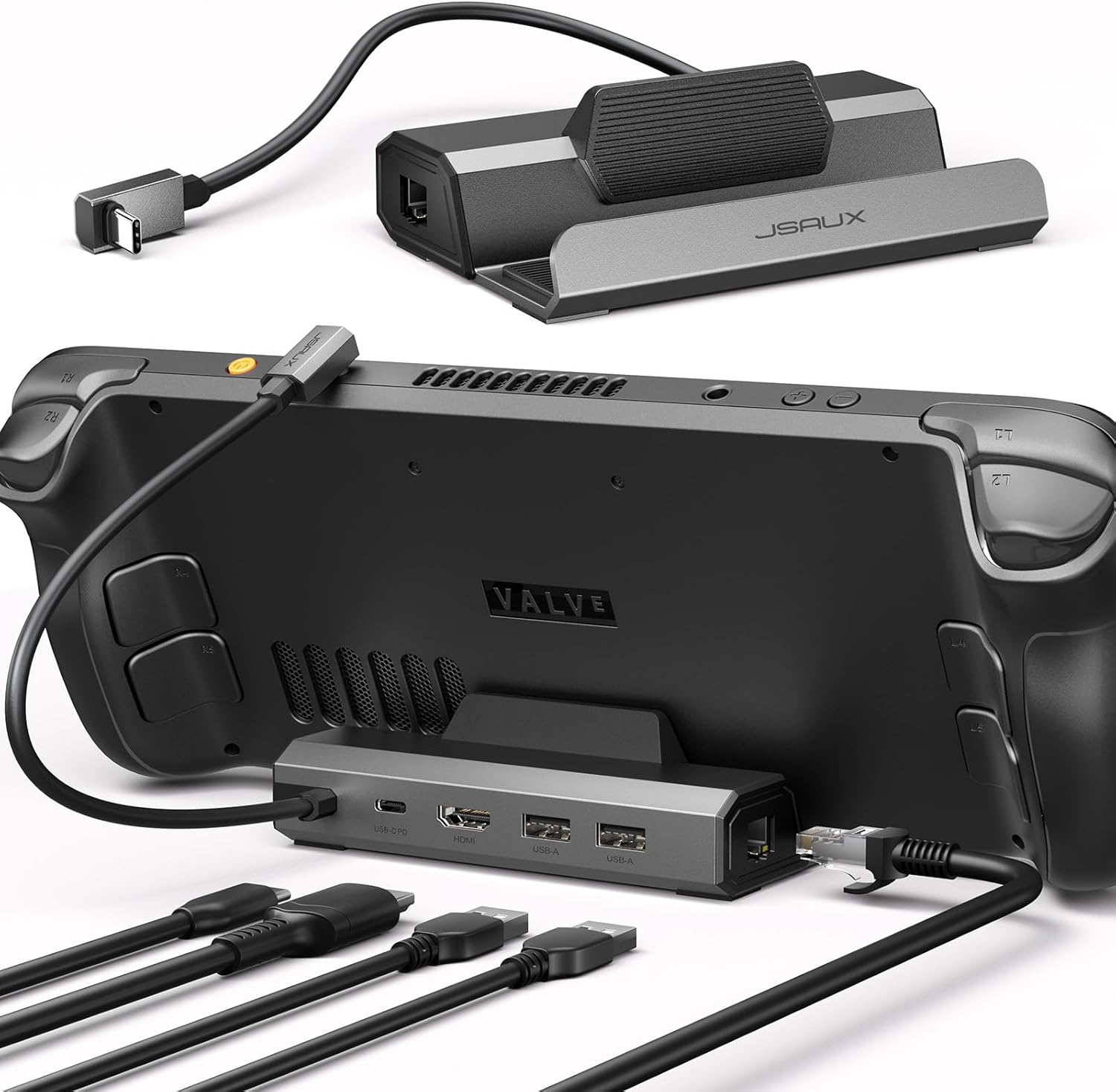
HDMI 2.1 output supports 4K at 120Hz, which doubles the refresh rate of older dock versions for noticeably smoother gameplay on a compatible monitor.
Priced above the least expensive option in this set while offering one fewer port than some pricier rivals.
Budget
- HDMI 2.1 4K at 120Hz output
- Three USB 3.0 ports
- Gigabit Ethernet included
- No USB-C data port for peripherals
- 100W charger sold separately
A well-rounded six-port dock with a meaningful display upgrade over older 60Hz versions at a competitive price.
Buy on AmazonUGREEN Steam Deck Dock 9-in-1 USB C Docking Station Foldable Stand
Heat-conscious Steam Deck users who game on a desk and want fast file transfers alongside their dock functions.
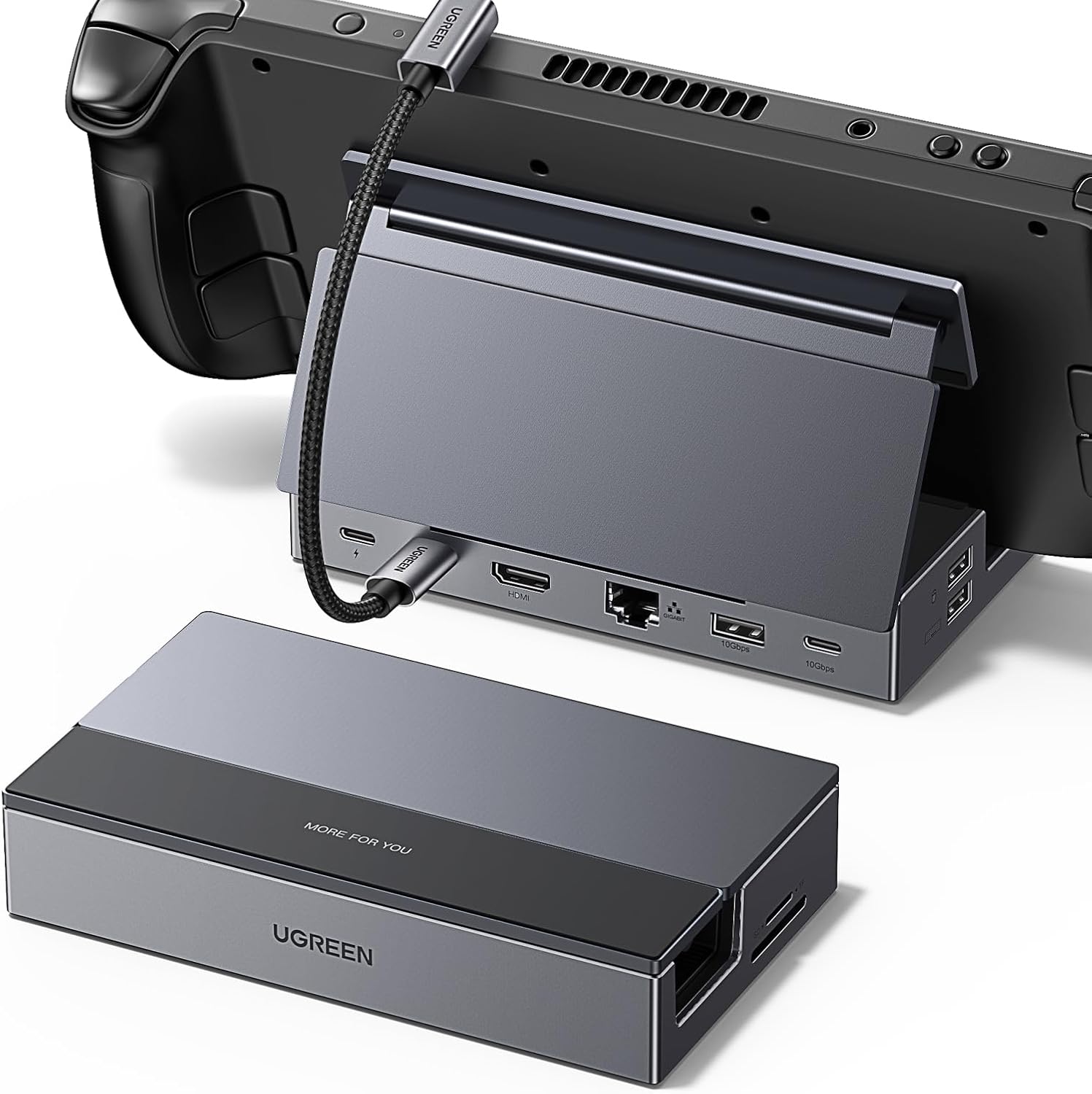
Two USB 3.2 Gen 2 ports deliver up to 10Gbps each, the fastest USB transfer speeds among the docks in this set, making it excellent for external storage.
HDMI output is capped at 4K at 60Hz in standard mode, falling behind the 4K at 120Hz offered by several less expensive docks in this set.
Mid-range
- Foldable stand improves airflow
- 10Gbps USB 3.2 Gen 2 ports
- Supports 1080P at 240Hz output mode
- HDMI tops at 4K at 60Hz standard
- Bulkier foldable form factor
The foldable stand design aids heat dissipation and the 10Gbps USB ports stand out, but the HDMI refresh rate ceiling is a step behind competing options.
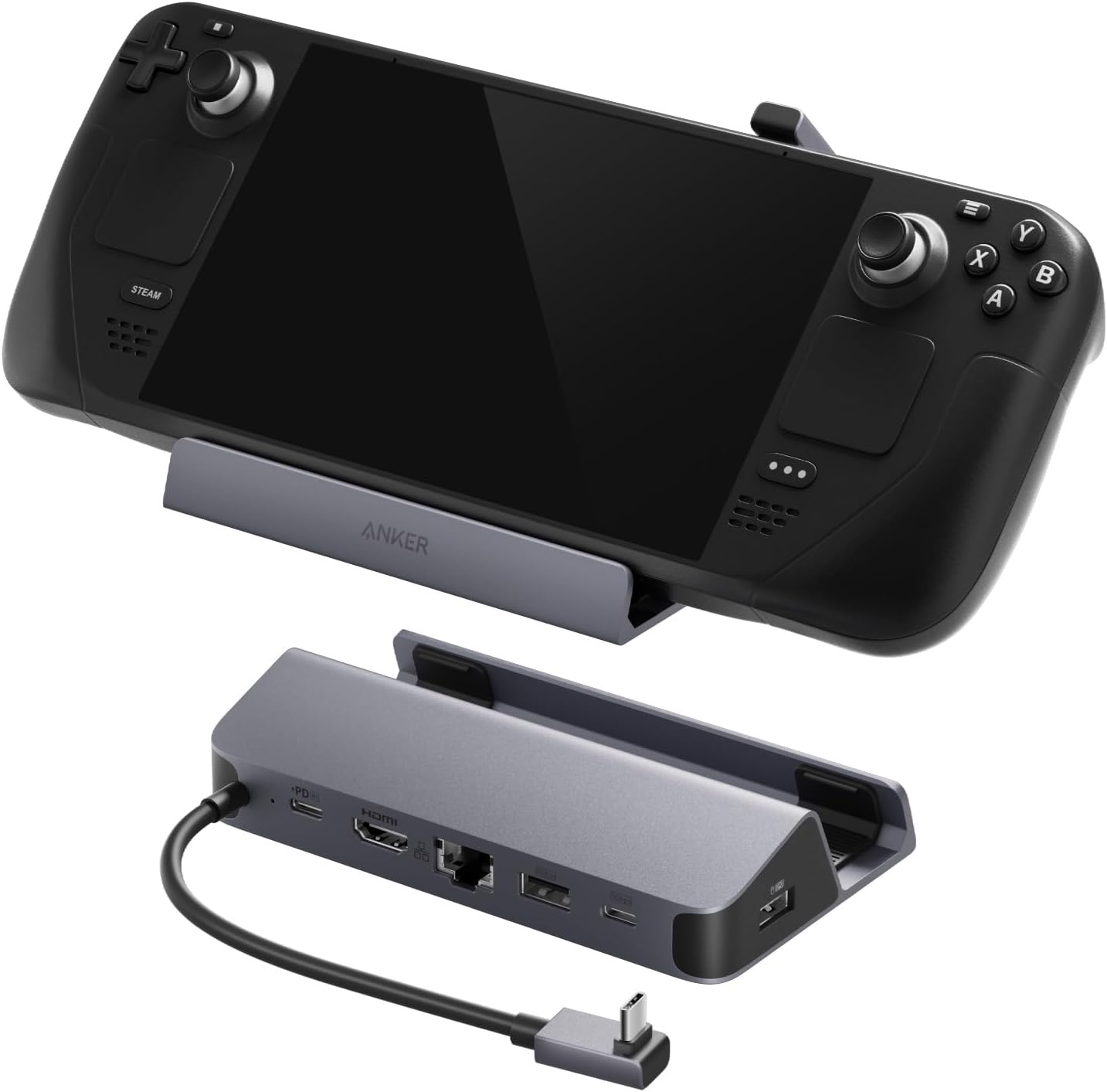
Buy on AmazonAnker Steam Deck Dock, 6-in-1 4K@60Hz HDMI Docking Station for Steam Deck
Users who prioritize build quality and brand reliability over feature count and are comfortable paying a premium.
Includes an integrated 8.66-inch USB-C cable built directly into the dock body, reducing cable clutter and wear on the device port.
This is the most expensive product in this set by a very wide margin, yet its HDMI output is limited to 4K at 60Hz while cheaper docks here offer 4K at 120Hz.
Premium
- Built-in integrated USB-C cable
- Gigabit Ethernet included
- 18-month warranty and customer support
- Most expensive in this set by a large margin
- HDMI capped at 60Hz unlike cheaper rivals
The priciest pick by far, and the 4K at 60Hz display ceiling makes it hard to justify over the more capable and far less expensive options in this set.
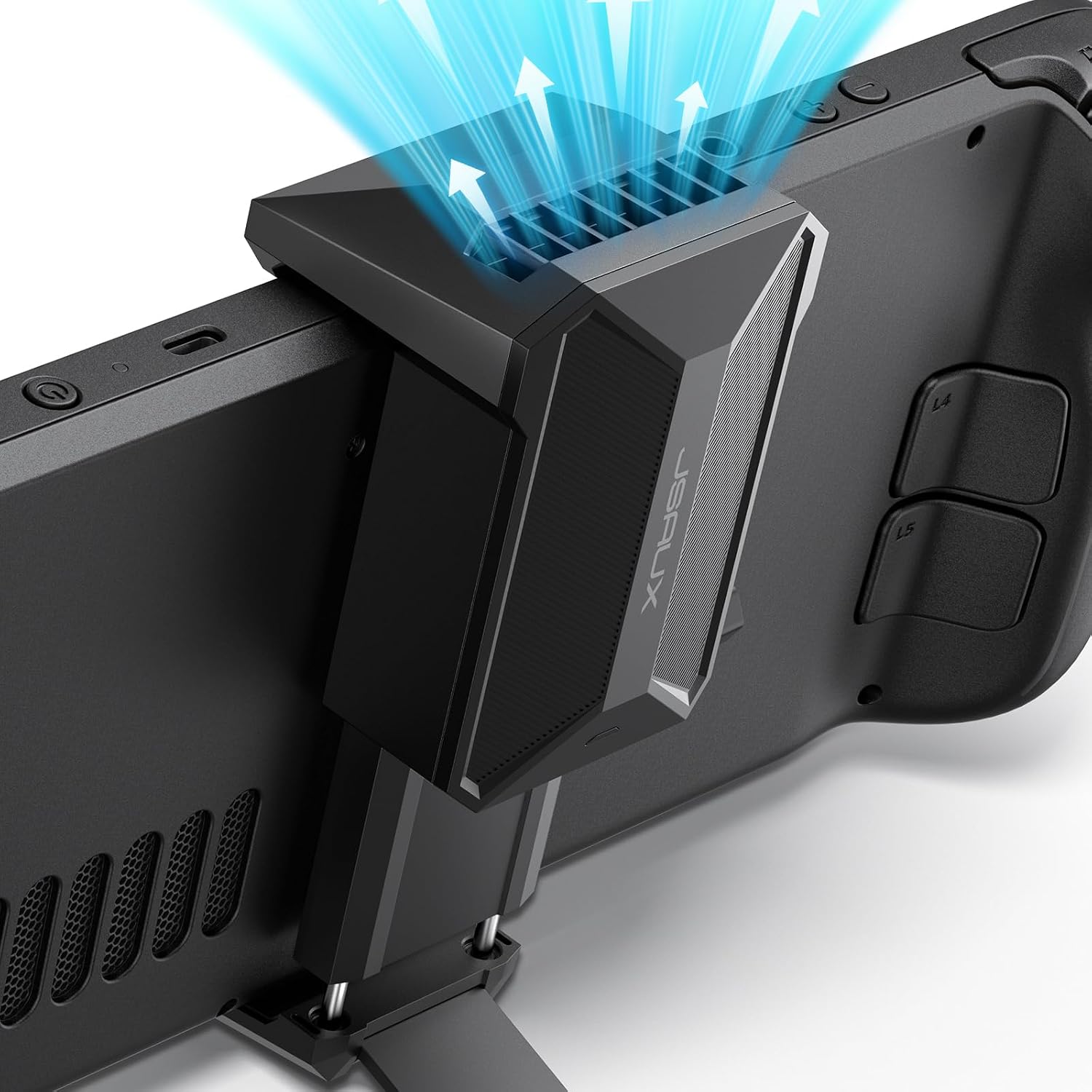
Buy on AmazonJSAUX Cooling Fan for Steam Deck/Steam Deck OLED, Innovative Stand Cooler
Steam Deck or Steam Deck OLED owners who frequently experience thermal throttling during long gaming sessions.
Dedicated cooling fan designed specifically for Steam Deck vents can reduce device temperature by 8 to 15 degrees Celsius within a few minutes of use, according to the listed specs.
Battery-powered operation means the fan has a finite runtime of three to five hours before needing a recharge, which may not cover the longest gaming sessions.
Budget
- Reduces temperature 8 to 15 degrees Celsius
- Built-in stand frees hands during play
- Adjustable fan speed via knob
- Limited to 3 to 5 hours of battery runtime
- Only compatible with Steam Deck models
A focused cooling accessory with an integrated stand that addresses Steam Deck overheating without requiring a separate dock purchase.
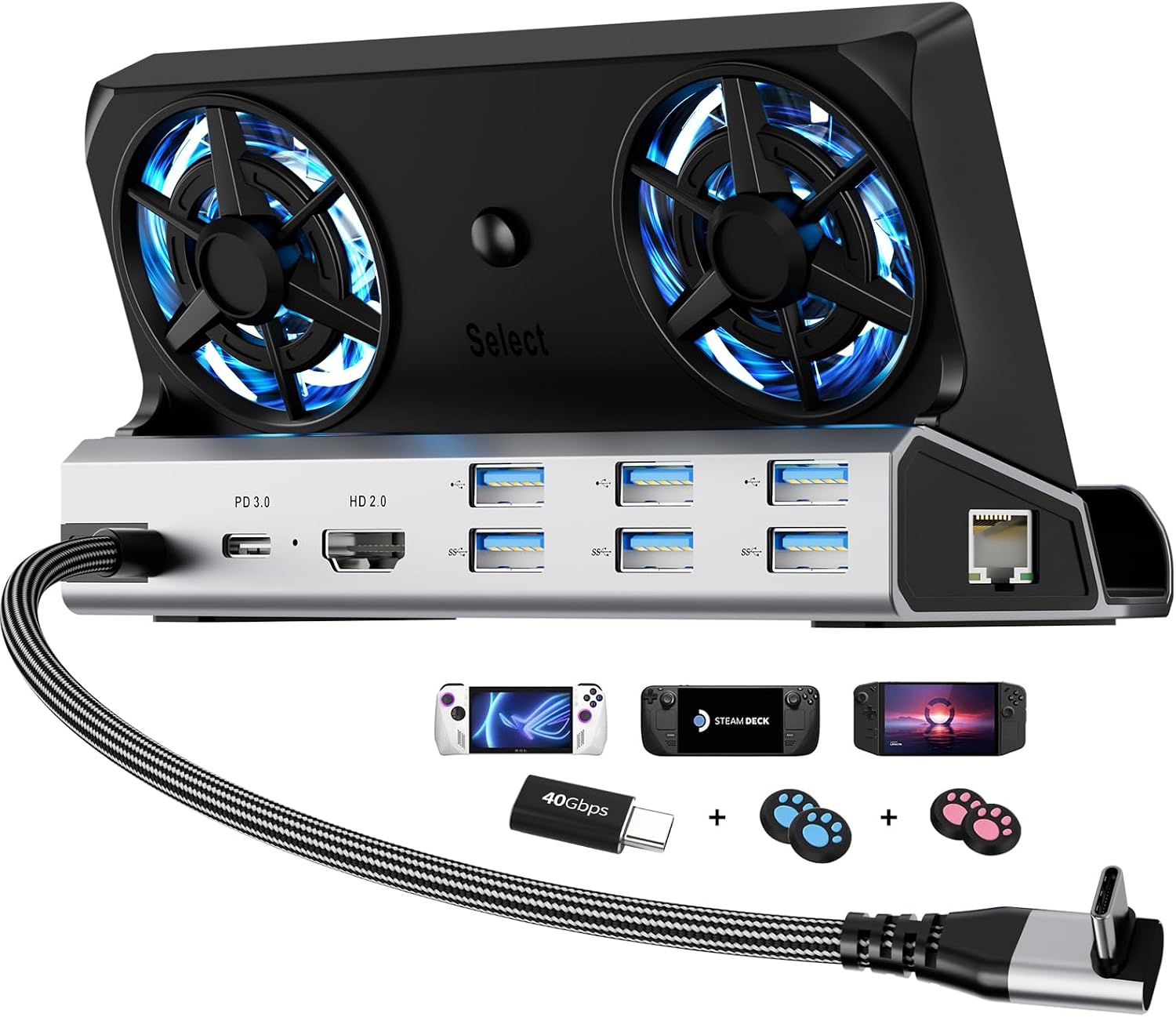
Buy on Amazon12-in-1 Steam Deck Dock for ROG Ally X, Legion Go & Switch
Handheld gaming enthusiasts who want an all-in-one dock with active cooling built in for devices up to 27mm thick.
Twin 5cm built-in cooling fans actively prevent thermal throttling while gaming, a feature no other dock in this set offers natively.
HDMI output is version 2.0 at 4K at 60Hz, which is a lower spec than several other docks in this set that offer HDMI 2.1 at 4K at 120Hz.
Mid-range
- Dual 5cm built-in cooling fans
- 12 ports covering USB 3.0, USB 2.0, and audio
- Includes joystick caps and Type-C extender
- HDMI 2.0 limited to 4K at 60Hz
- Fans and RGB may add noise and power draw
The only dock in this set with integrated active cooling fans, making it a smart pick for users who want thermal management and connectivity in one unit.
Buy on AmazonWhether you are just getting started with SteamOS Beta or looking to upgrade your existing handheld setup, the right accessories can make a real difference in comfort, performance, and portability. Any of the picks featured here would be a solid addition to your gaming kit, so feel free to browse the links and see what fits your needs and budget. There is no rush, and no single perfect choice for everyone. Take your time, pick what genuinely works for your lifestyle, and enjoy the experience. Happy gaming, and thanks for reading!
Frequently asked questions
Which of these docks will actually work with my Steam Deck OLED and a 4K 120Hz monitor?
For true 4K at 120Hz output you need a dock with an HDMI 2.1 port, since HDMI 2.0 tops out at 4K 60Hz. Among the listed options, the JSAUX 6-in-1 (HB0603), the JSAUX 5-in-1 (HB0602), and the iVANKY 14-in-1 all advertise HDMI 2.1 with 4K at 120Hz support for the Steam Deck OLED. The Anker 6-in-1 and the 12-in-1 dock use HDMI 2.0, which caps at 4K 60Hz. The UGREEN 9-in-1 lists 4K at 60Hz over its HDMI port as the maximum 4K refresh rate, though it does support 1080p at up to 240Hz, so your monitor choice and the specific cable you use will affect what you actually get.
How much does the Steam Deck actually draw from a 100W PD dock, and will a lower wattage charger cause problems?
According to the UGREEN listing, the Steam Deck maxes out at 45W charging speed regardless of the dock’s rated wattage, so a 100W PD port will not charge it faster than 45W. The 100W rating matters more for devices like the ROG Ally, which the JSAUX listings note needs a 100W charger to fully support its 30W Turbo Mode. If you only use a Steam Deck, a dock with a lower PD rating may still charge it fine, but you should confirm the minimum PD output with the manufacturer before buying a lower wattage option, since specs on that detail vary across listings.
What is the difference in USB port speed between these docks, and does it matter for external storage or controllers?
USB port speed decides how fast you can load games from an external SSD or transfer files. The UGREEN 9-in-1 includes two USB 3.2 Gen 2 ports rated at 10Gbps, which is the fastest on this list and well suited for high speed external drives. The JSAUX 6-in-1 offers three USB-A 3.0 ports at 5Gbps, while the JSAUX 5-in-1 uses dual USB-A 2.0 ports, which are notably slower for storage but adequate for a keyboard, mouse, or gamepad dongle. For controllers and input devices, USB 2.0 is generally sufficient, so port speed only becomes a real limiting factor when you are moving large game files from an external drive.
Are any of these docks designed to help with heat management on the Steam Deck?
Two products on this list directly address cooling. The JSAUX Cooling Fan Stand is built exclusively for the Steam Deck and Steam Deck OLED and claims to reduce device temperature by 8 to 15 degrees Celsius within 4 to 8 minutes by directing airflow at the vents (per the seller listing, not independently verified). The 12-in-1 dock with dual 5cm cooling fans takes a different approach by integrating fans into the dock itself, aiming to prevent thermal throttling during docked play. The UGREEN foldable stand dock notes that its two panel design keeps the rear panel away from the heat dissipation outlet, which the listing describes as improving passive airflow. If active cooling is a priority during long docked sessions, the dedicated fan products are worth considering over passive stand designs.
How difficult is setup for a first time handheld PC dock user, and are any of these plug and play?
USB-C docks of this type are generally plug and play on SteamOS and Windows based handhelds, meaning you connect the dock and the device should recognize video output, Ethernet, and USB peripherals without installing drivers. The iVANKY listing is worth noting as an exception to fully smooth setup: it specifically recommends updating the dock firmware to avoid HDMI display issues and points users to a video guide for that process. The JSAUX and Anker docks do not mention firmware steps in their listings. If you want the lowest friction out of the box, docks that do not require firmware updates are simpler to get started with, though you should confirm current setup requirements directly with the seller since software can change after a product ships.