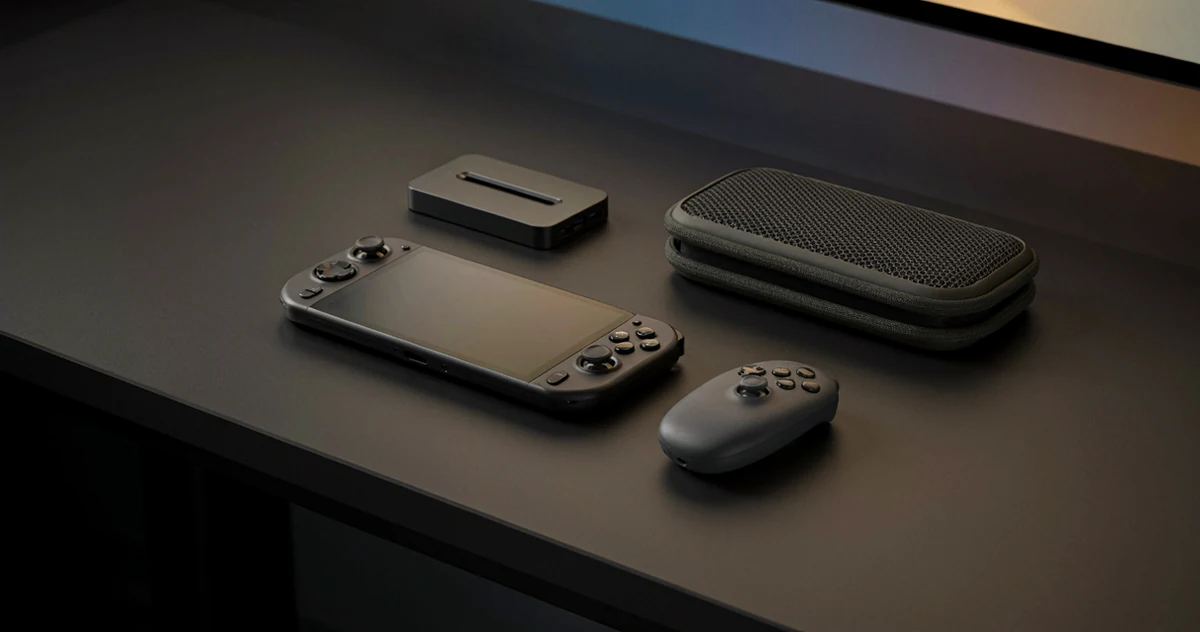
If you own a ROG Ally, a Lenovo Legion Go, or any other Windows handheld gaming device, you already know how capable these little machines can be. But the right accessories can take your setup from good to genuinely great, whether you’re gaming on the couch, commuting, or setting up a mini desktop experience at your desk. The good news is that Xbox’s ecosystem plays surprisingly well with Windows handhelds, opening up a whole world of controllers, charging solutions, carrying cases, and other handy gear that fits right into your daily routine. In this guide, we’re rounding up some of the best Xbox handheld console accessories worth knowing about in 2026. You’ll find practical picks that solve real problems, a few options that might genuinely surprise you, and some fun additions that just make the whole experience more enjoyable. No matter your budget or play style, there’s something here to upgrade how you game on the go.
Disclosure: As an Amazon Associate we earn from qualifying purchases. Prices and availability shown are accurate as of the date of publication and may change.
Quick comparison
How to choose
Device Compatibility
Many accessories in this category are built for specific hardware generations, and fitting the wrong model can mean a loose grip case, an ill-fitting carrying case, or unstable docking. Always confirm whether the product lists your exact device variant, such as the 2023 ROG Ally, 2024 Ally X, or 2025 ROG Xbox Ally, before buying. Some products explicitly exclude certain models, so checking the compatibility note is essential rather than optional.
Port Selection and Output
Docking stations vary significantly in what they offer, from a minimal set of USB A ports and HDMI up to 12 combined ports including Gigabit Ethernet, multiple USB generations, and high-refresh HDMI output. If you plan to connect a monitor, wired controller, keyboard, and network simultaneously, count the ports you actually need rather than choosing by port count alone. Also note the maximum HDMI resolution and refresh rate, since 4K at 60Hz and 4K at 120Hz are not the same for fast-paced gaming.
Charger Power Requirements
Windows handhelds draw considerably more power than a dock or cable alone can supply, and using an underpowered charger with a dock can trigger low-power warnings and slow charging even if gameplay continues. Check whether the dock or accessory specifies a minimum wattage, and compare that against the charger you already own or plan to use. A dock that recommends 100W PD input will underperform noticeably if paired with a 45W or 65W adapter.
Protection Level and Materials
Carrying cases in this category range from soft felt exteriors with foam-lined interiors to rigid hard-shell constructions with corner padding and scratch-resistant nylon. If you travel frequently or carry the device in a bag with other gear, a hard-shell case with dedicated corner protection offers more resistance to drops and compression. Softer cases are lighter and often include more organized storage pockets for cables and accessories, so the right choice depends on how you transport the device day to day.
Ergonomic Add-Ons and Fit
Thumb grip sets and protective grip cases change the feel of the analog sticks and handles, which matters most during long sessions. Thumb grips come in different profiles, such as low-profile CQC shapes suited to general play and taller FPS shapes designed for precision aiming, so consider your primary game genres when choosing a set. Grip cases add physical bulk and texture to the handles, which can reduce fatigue but may also affect how the device fits in a carrying case, so plan both purchases together if possible.
The picks
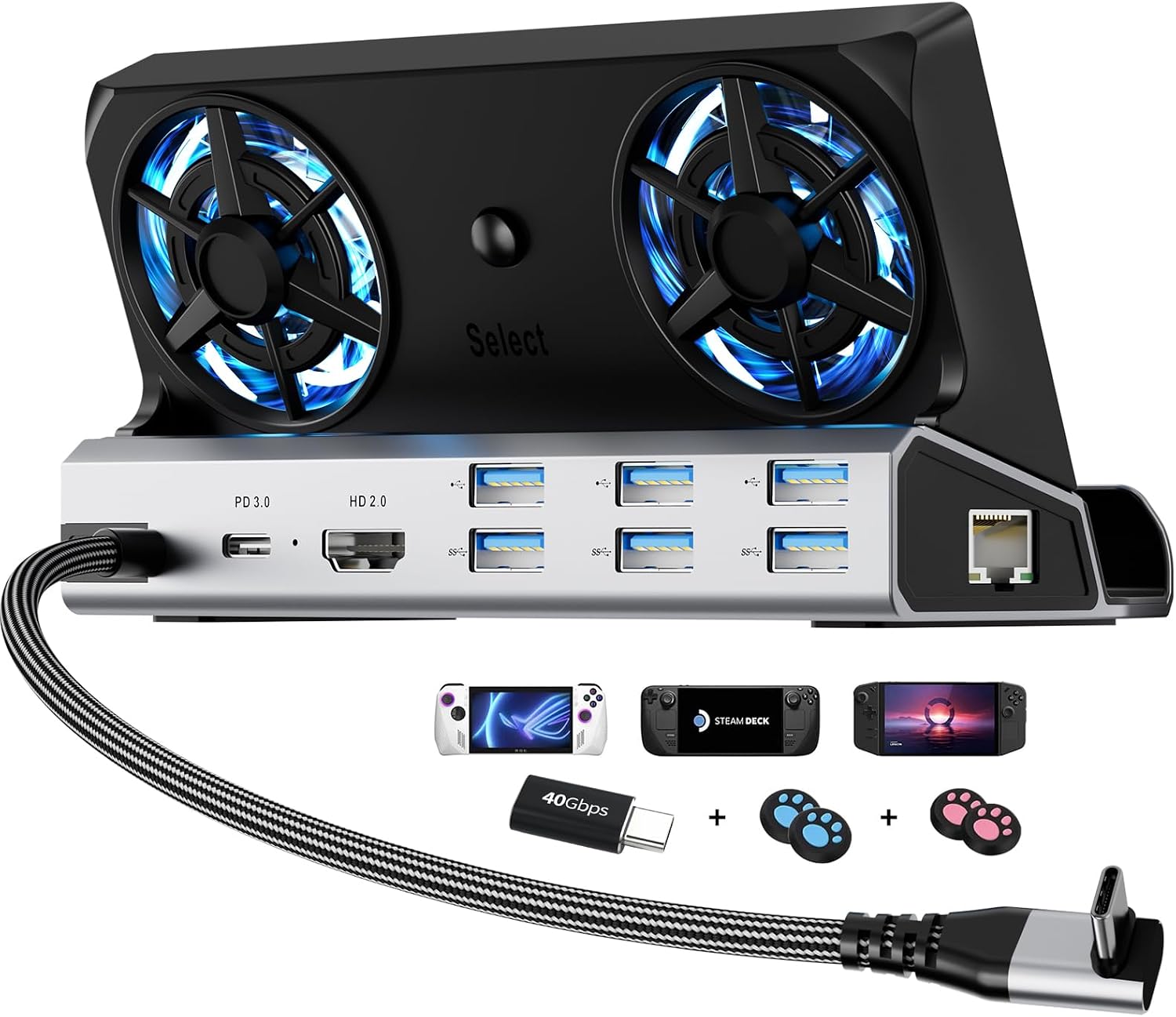
12-in-1 Steam Deck Dock for ROG Ally X, Legion Go & Switch
Enthusiast handheld players who run demanding games docked and need active cooling, maximum port selection, and compatibility across multiple devices including Steam Deck, ROG Ally, Legion Go, and Switch.
Packs 12 ports including dual 5cm RGB cooling fans, HDMI 2.0 at 4K 60Hz, three USB 3.0 ports, three USB 2.0 ports, and a Type-C port with 100W charging plus 40Gbps data, while also including joystick caps and a Type-C extender as accessories.
This is the most expensive product in this set, and the HDMI output is capped at 4K 60Hz compared to the 4K 120Hz offered by the JSAUX dock at a lower price.
Premium
- 12 ports including dual cooling fans
- Broadest device compatibility
- Includes joystick caps and Type-C extender
- Most expensive pick in this set
- HDMI limited to 4K at 60Hz not 120Hz
The most feature-packed dock here with active cooling and the widest port selection, at the highest price in this set.
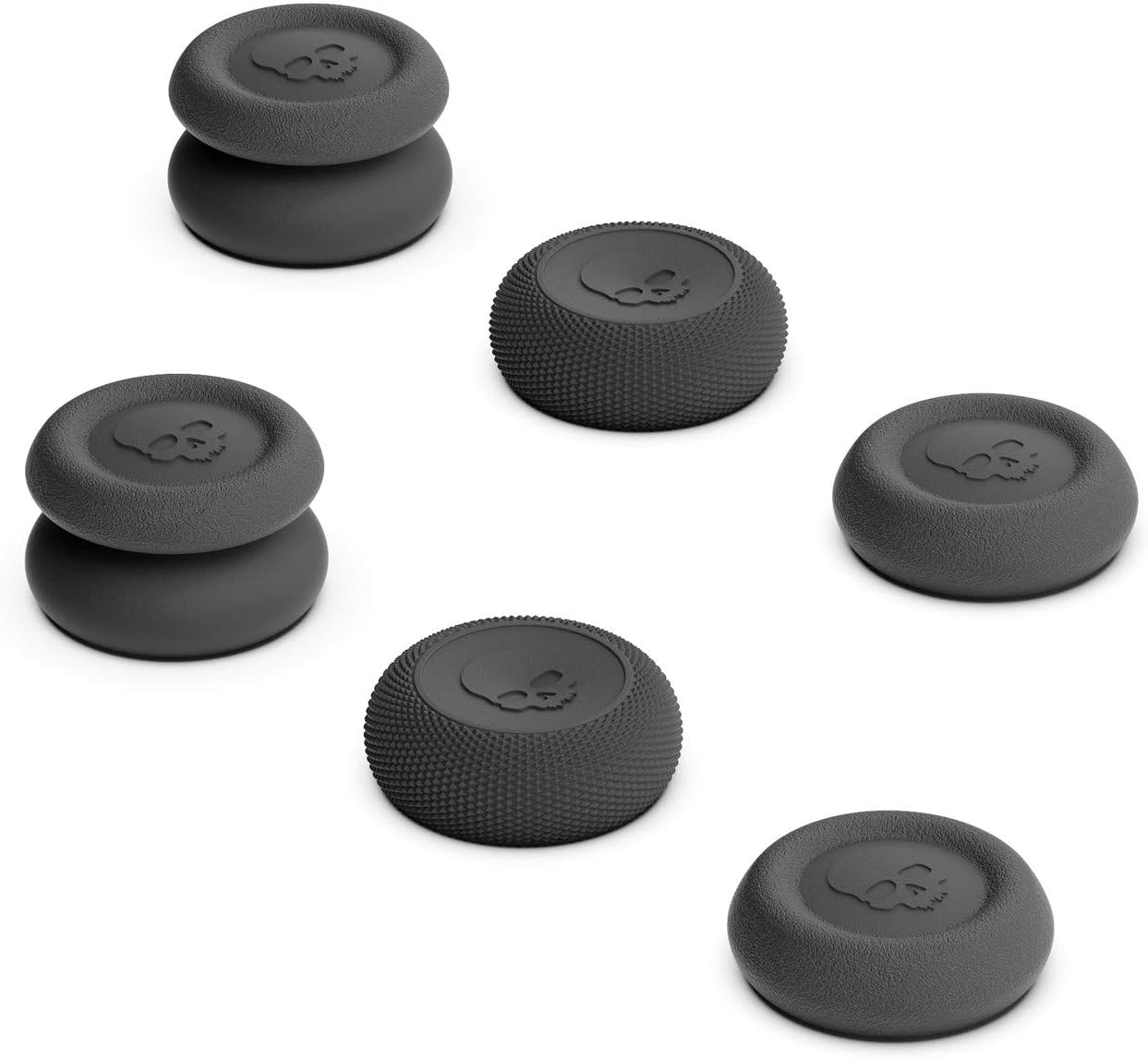
Buy on AmazonSkull & Co. Skin, CQC and FPS Thumb Grips Joystick Cap Analog Stick Cover for Steam Deck/OLED and ROG Ally, Ally X- Black, Set of 6
Budget-conscious ROG Ally or Steam Deck owners who want better joystick grip and precision without spending much.
Ships as a set of six thumb grips across three distinct styles (Skin, CQC Elite, and FPS Master), letting users try different heights and profiles for different game genres.
The grips are explicitly noted as non-capacitive, so any game or UI feature that relies on capacitive stick touch detection will not work through them.
Budget
- Three grip styles included
- Fits ROG Ally and Steam Deck
- Easy to clean and maintain
- Non-capacitive design
- No structural or drop protection
The most affordable entry point for ergonomic improvement, best for players who simply want better stick feel.
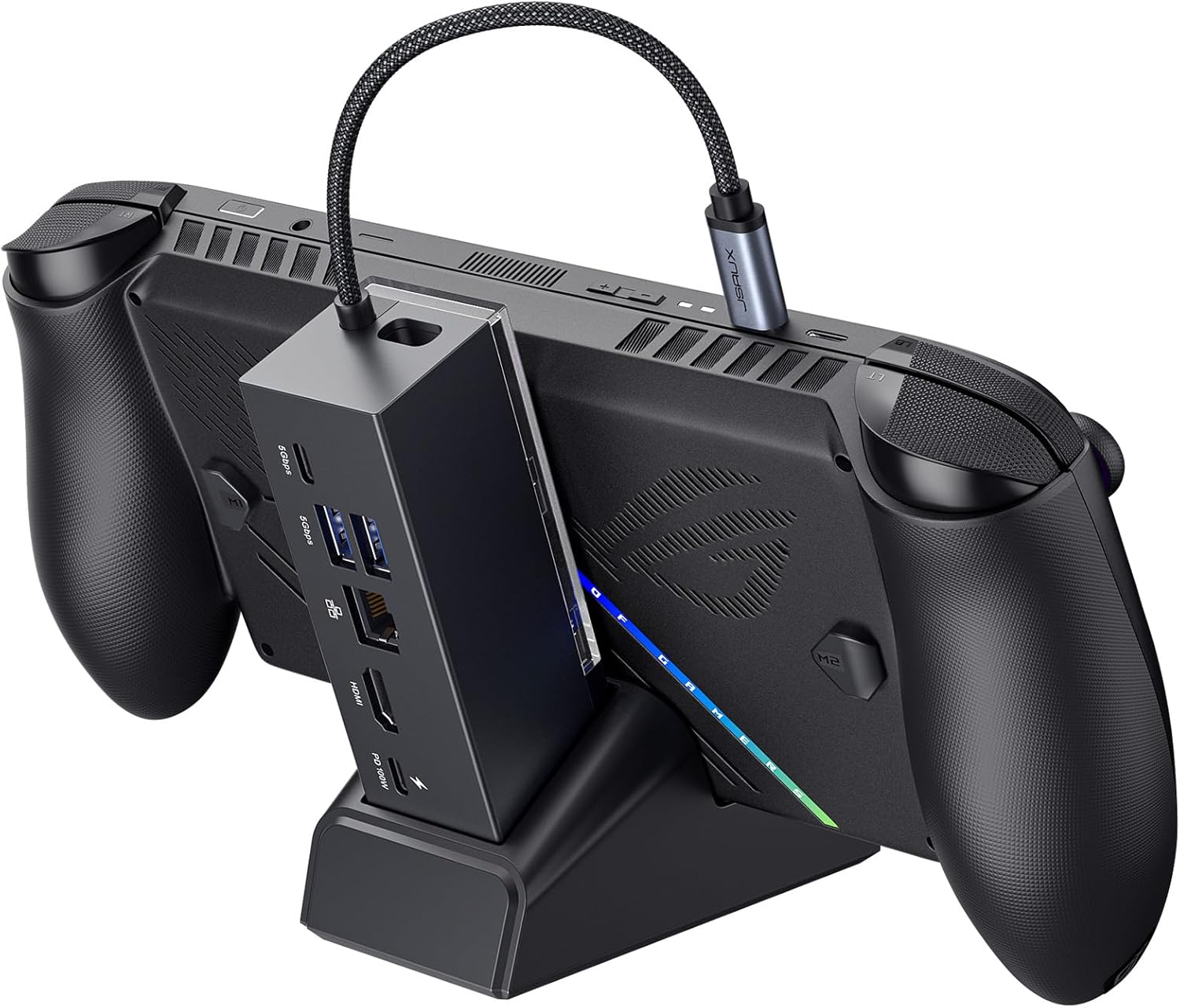
Buy on AmazonJSAUX Docking Station for ROG Xbox Ally X20 (2026)/ROG Xbox Ally X (2025)/Steam Deck/Legion Go/Legion Go S, 6-in-1 Dock with HDMI 4K@120Hz, Gigabit Ethernet, USB A & USB C 3.0, 100W Charging - HB0609
ROG Ally owners who want a compact desktop dock with high-refresh display output and wired networking without paying a premium price.
Delivers 4K at 120Hz HDMI output alongside Gigabit Ethernet and 100W USB-C pass-through charging in a modular design that can also function as a standalone stand.
The listing explicitly warns that using the original 65W charger through the dock may trigger a low-power warning and slow charging, requiring a separate 100W PD charger for optimal results.
Mid-range
- 4K at 120Hz HDMI output
- Modular stand and dock design
- Gigabit Ethernet included
- Requires 100W charger for best charging speed
- Fewer ports than the premium dock option
A flexible 6-in-1 dock with impressive display specs, though it demands a higher-wattage charger to perform at its best.
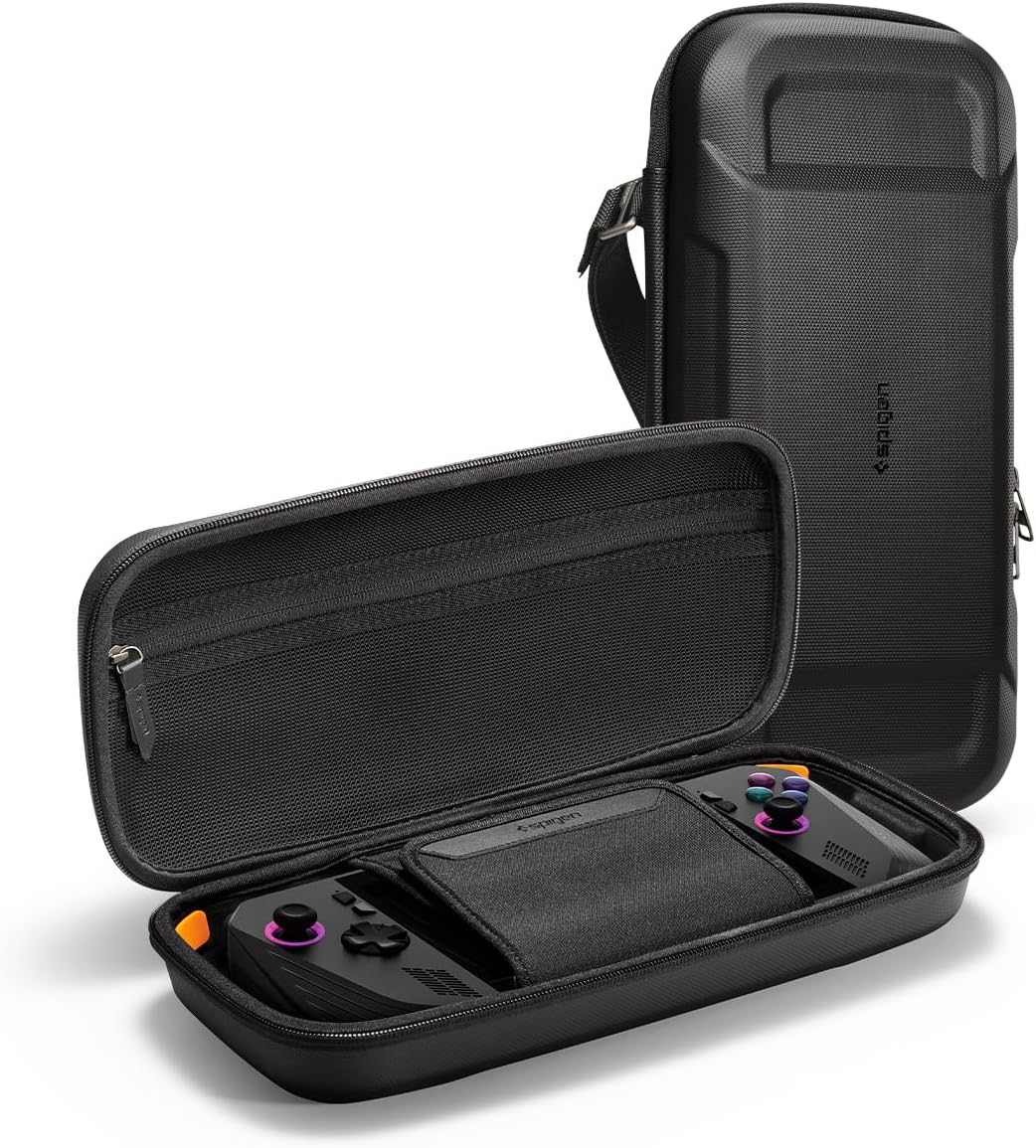
Buy on AmazonSpigen Rugged Armor Pro Hard Shell Carrying Case
ROG Ally and MSI Claw owners who travel frequently and want a hard shell case with organized storage at a mid-range price.
Combines a multi-material hard shell (PU, EVA, foam, and anti-scratch nylon) with orange corner foam padding for targeted drop protection, plus a built-in carabiner ring and AirTag pouch for travel convenience.
Compatible with a wider range of devices but its broader fit means the internal dimensions may not be as precisely tailored as cases built exclusively for one device.
Mid-range
- Multi-layer hard shell construction
- Built-in AirTag pouch
- Carabiner ring for portability
- Broader compatibility may mean a looser console fit
A well-equipped hard shell travel case with smart storage details at a competitive price point.
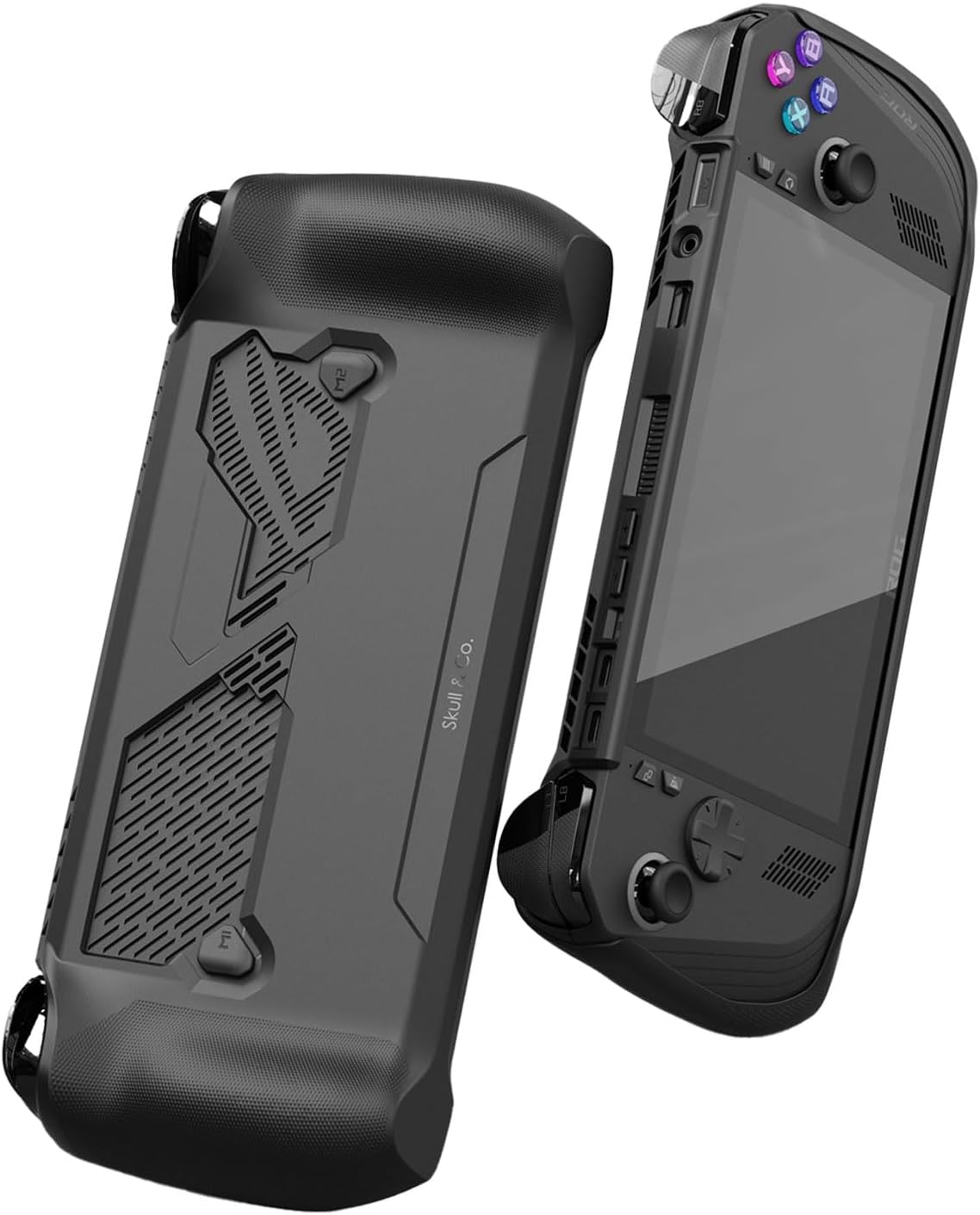
Buy on AmazonSAVAGE RAVEN Skull & Co. GripCase for ROG Ally X (2024 Model): A Soft Protective Case with Textured Grips Full Protection and Stand, Shock-Absorption Non-Slip and Anti-Scratch Cover Design - Black
ROG Ally X (2024 model) owners specifically who want a grippy protective case with a built-in stand for tabletop play.
Combines shock-absorbing soft material with textured non-slip grips and a built-in stand, offering both protection and tabletop versatility in a single slim form factor.
Explicitly incompatible with the original ROG Ally (2023) and the newer ROG Xbox Ally (2025), making it useless for owners of any other model in the lineup.
Mid-range
- Textured shock-absorbing grip
- Built-in stand for tabletop mode
- Anti-scratch cover design
- Only fits ROG Ally X 2024 model
- No hard shell for heavier impacts
A solid grip case for the ROG Ally X (2024) but its narrow compatibility limits who can actually use it.
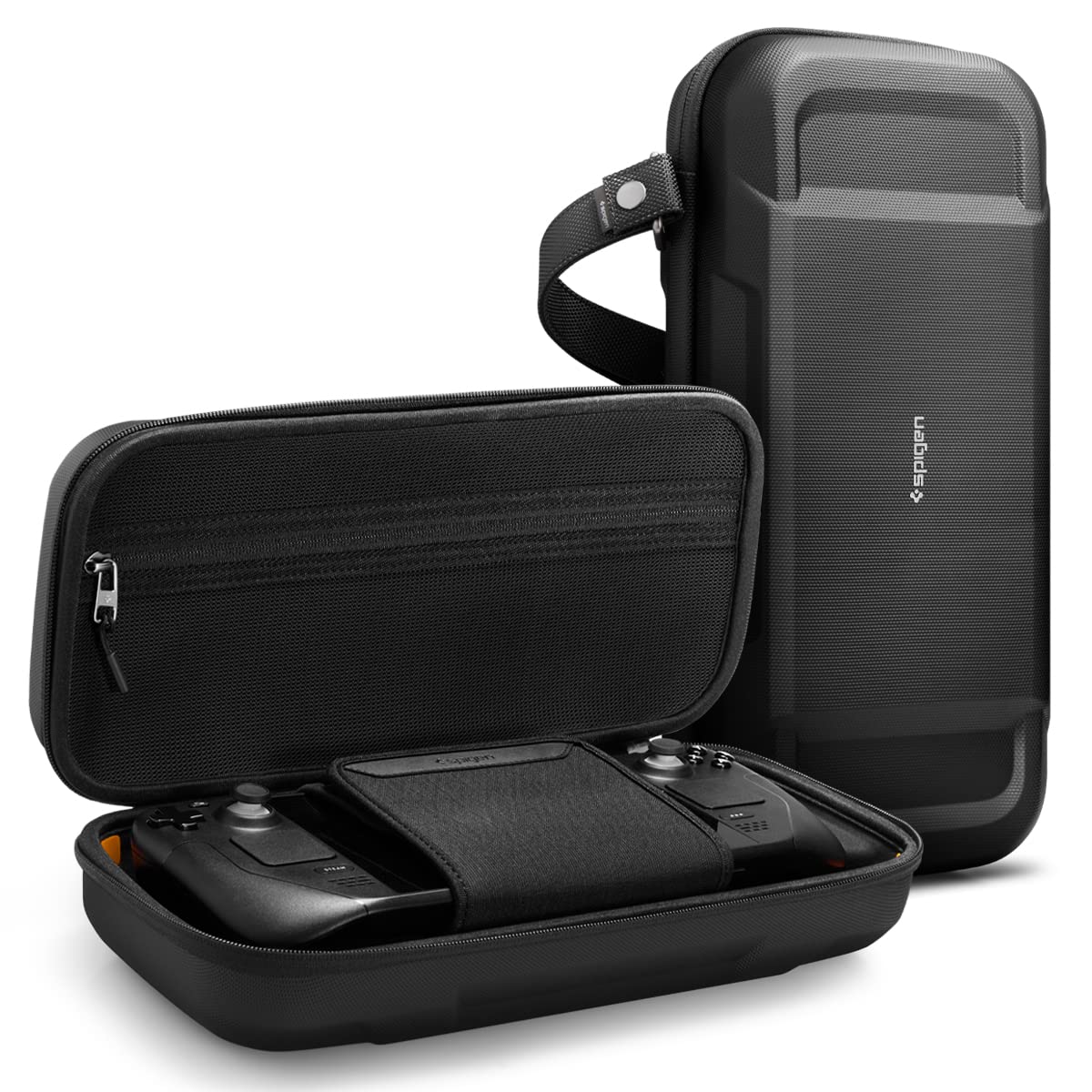
Buy on AmazonSpigen Rugged Armor Pro Hard Shell Case for Steam Deck & ROG Xbox Ally X
Steam Deck and ROG Xbox Ally (2025) owners who want a premium hard shell case with robust carrying options and organized storage.
Supports both the Steam Deck LCD and the ROG Xbox Ally (2025) in one case, pairing a multi-material hard shell with a hidden compartment beneath the Velcro strap and a dedicated AirTag pouch.
Priced higher than the other Spigen case in this set and is strictly limited to the 2025 ROG Xbox Ally and Steam Deck variants, excluding the ROG Ally X (2024).
Premium
- Fits Steam Deck and ROG Xbox Ally 2025
- Hidden storage compartment
- AirTag pouch built in
- Does not fit ROG Ally X 2024 model
- Higher price than comparable cases here
A premium dual-compatible hard case for Steam Deck and ROG Xbox Ally (2025) owners who want the most organized carry solution.
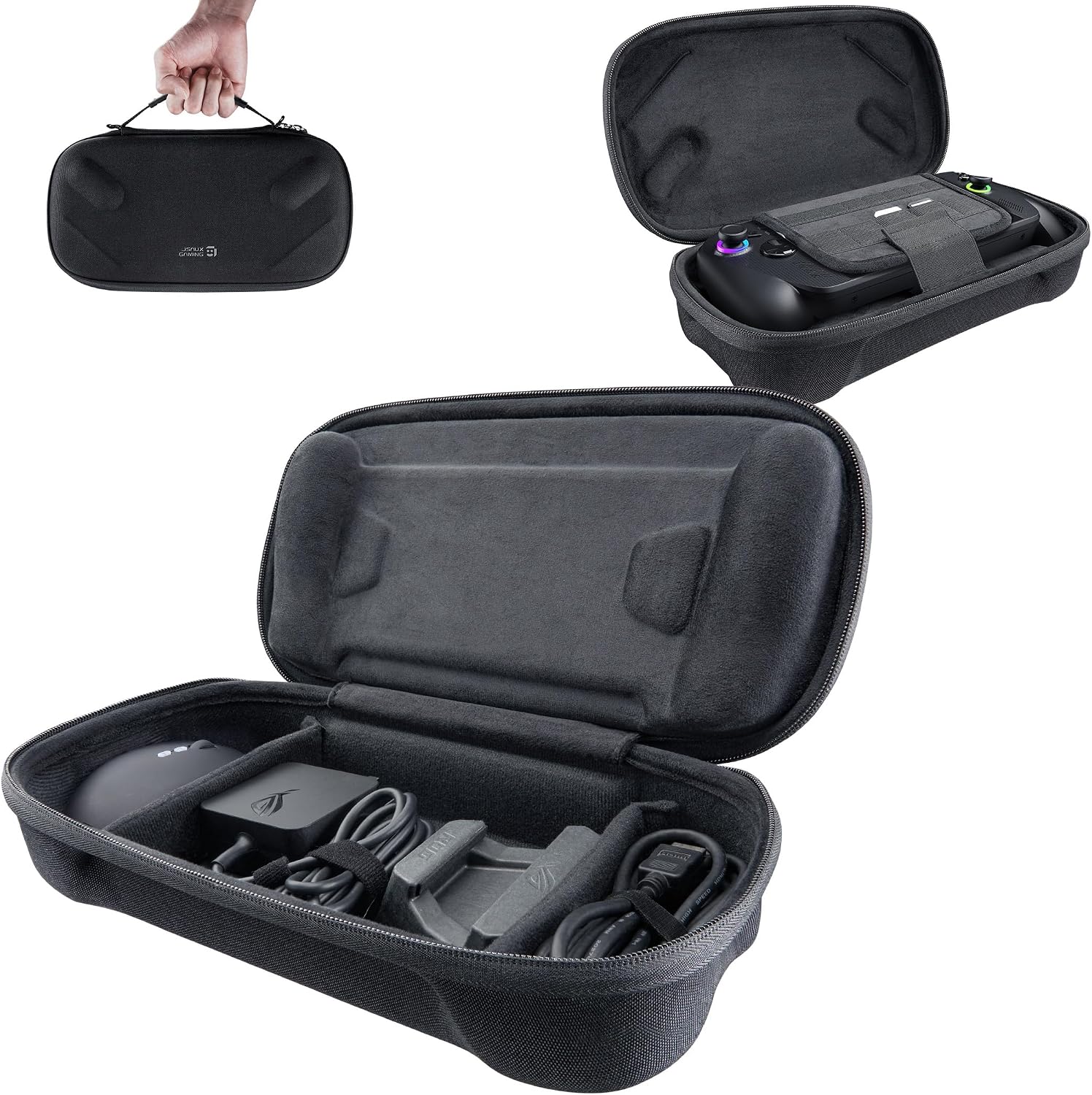
Buy on AmazonJSAUX Carrying Case for ROG Xbox Ally/Ally X/Ally X20, Dual-Layer Storage
ROG Xbox Ally and Ally X owners who carry their full kit including the original charger, stand, HDMI cable, and earphones and need everything organized in one bag.
Dual-layer design dedicates a top layer to the console and a separate bottom layer to full accessories including the original charger and stand, with dedicated SD and microSD card slots and raised joystick protection zones.
Made from felt and laminated fabric rather than a hard shell, so it offers less rigid impact protection than the Spigen cases in this set.
Mid-range
- Dual-layer storage for console and accessories
- Dedicated card slots
- Raised joystick protection zones
- Soft shell offers less rigid impact resistance
- May have an initial smell from new materials
The most thoughtfully organized carrying case for full-kit ROG Xbox Ally travel, though its soft shell trades rigid protection for storage capacity.
Buy on AmazonWhether you’re gaming on the go or setting up a more comfortable home setup, the right accessories can make a real difference for your ROG Ally or Windows handheld experience. From protective cases to cooling solutions and ergonomic grips, there’s something on this list for every type of player. Take your time browsing through the options and pick whatever feels like the best fit for how you actually play. Even one small upgrade can completely change how you enjoy your handheld sessions. We hope this guide pointed you in a helpful direction. Thanks for reading!
Frequently asked questions
Which carrying case works with the newer ROG Xbox Ally models released in 2025 and beyond?
Both the Spigen Rugged Armor Pro (B09XFH6NY4) and the JSAUX Dual-Layer Carrying Case (B0FVLVQJH1) are listed as compatible with the ROG Xbox Ally and Ally X 2025 models, and the JSAUX case also covers the Ally X20 2026. The Skull and Co. GripCase (B0DHXTB69S) is specifically listed as compatible only with the 2024 Ally X model and explicitly not compatible with 2025 ROG Xbox Ally units, so double-check your exact model before buying that one. If you own a 2023 Ally, the Spigen case (B0C7YYS8S4) lists that model alongside several 2025 devices and MSI Claw units, giving it the widest cross-device coverage of the group.
What dock features should a ROG Ally owner prioritize for desktop gaming at a TV or monitor?
The two most impactful specs for big-screen play are HDMI output resolution and refresh rate. The JSAUX HB0609 dock supports 4K at 120Hz or 1080p at 240Hz, while the 12-in-1 dock tops out at 4K at 60Hz over HDMI 2.0, so the JSAUX unit is the better fit if your display supports high refresh rates. Both docks include Gigabit Ethernet and USB ports for peripherals, but the JSAUX listing notes that a 100W PD charger is recommended because lower-wattage chargers may slow charging while the dock is in use. Confirming your charger wattage before buying a dock can save you from unexpected slow-charge warnings during long sessions.
Are the Skull and Co. thumb grips compatible with capacitive joystick features on the ROG Ally?
The Skull and Co. thumb grip set is listed as non-capacitive by the seller, which means it may interfere with or disable any touch-sensitive joystick functionality your device relies on. If the ROG Ally or Ally X uses capacitive stick detection for specific inputs or features, you should confirm with Skull and Co. whether that affects your use case before purchasing. The grips are listed as compatible with ROG Ally and Ally X, so physical fitment should not be an issue, but the capacitive limitation is worth verifying if you rely on stick-touch inputs in your games.
How much storage space do these carrying cases offer for accessories like chargers and cables?
The JSAUX Dual-Layer case is purpose-built for storage depth: the seller describes a top layer for the console and a separate bottom layer with room for the original charger, stand, HDMI cable, USB-C cable, and earphones, plus dedicated slots for SD and microSD cards. The Spigen Rugged Armor Pro cases offer a zippered mesh compartment for a wall charger and cables, plus a hidden compartment and an AirTag pouch, but the total accessory volume appears smaller than the JSAUX dual-layer design. If you travel with a full cable kit and want everything in one bag, the JSAUX layout is designed for that scenario, while the Spigen cases prioritize a slimmer profile with hard-shell corner protection.
Does the 12-in-1 dock actively cool the ROG Ally while it is docked, and is that useful in practice?
The 12-in-1 dock listing describes two 5cm cooling fans designed to reduce thermal throttling during demanding sessions, and the seller claims they deliver higher airflow with lower noise than smaller 2cm fans commonly found in competing docks. Whether active cooling meaningfully changes frame rates or skin temperatures on your specific unit depends on your game, settings, and ambient conditions, so treat the seller claim as a starting point rather than a verified benchmark. The dock includes a rear on and off switch so you can disable the fans and RGB lighting when you do not need them, which is a practical option for quieter or lower-intensity use. If thermal headroom is a priority for you, this dock is the only one in this group with active airflow, and it is worth confirming fan noise levels through independent sources before committing.