If you love the idea of gaming on the go but want something beyond what Microsoft currently offers, you are in the right place. The handheld gaming market has exploded with options that range from powerful mini PCs to dedicated portable consoles, and there is genuinely something for every type of player. Whether you are a casual gamer looking for a fun way to pass time on a commute or a hardcore fan who wants full access to a PC game library from the couch, the choices available right now are pretty exciting. In this guide, we are breaking down the best Xbox handheld console alternatives and portable gaming devices worth considering. You will find practical picks that cover a wide range of budgets and play styles, along with some surprisingly versatile options you might not have thought of before. From Steam-powered handhelds to Android-based gaming devices, this list is packed with tools that make portable gaming more accessible and enjoyable than ever.
Disclosure: As an Amazon Associate we earn from qualifying purchases. Prices and availability shown are accurate as of the date of publication and may change.
Quick comparison
How to choose
Local vs Cloud Gaming
Some devices run games natively on local hardware while others rely entirely on a stable internet connection for cloud streaming. If your home or travel environment has inconsistent WiFi, a device with onboard processing and local storage will serve you far better than a cloud-only handheld. Decide which mode of play you expect to use most before committing to either approach.
Storage Capacity
Locally installed games can consume anywhere from a few gigabytes to over 100GB each, so the gap between a 512GB drive and a 4TB drive fills up faster than most buyers expect. If you plan to keep a large library installed and ready without constantly swapping titles, higher storage is worth weighing seriously. Cloud-focused devices sidestep this concern but trade it for bandwidth dependence instead.
Form Factor and Existing Hardware
A dedicated handheld gives you a complete self-contained device, while a controller attachment like a mobile gaming controller turns a phone you already own into a portable console. Think about whether you want to carry a second screen or prefer leveraging hardware you already have in your pocket. Ergonomics differ considerably between a full handheld with built-in display and a clip-on controller that borrows your phone screen.
Processing Power and GPU Tier
Handhelds built around a dedicated AMD APU can run demanding PC titles at playable settings without any network connection, whereas streaming devices offload all processing to remote servers. The GPU architecture and RAM configuration directly affect frame rates and resolution when playing locally, so match the hardware tier to the types of games in your library. If you primarily play lighter or older titles, a lower-tier chip may be perfectly adequate and save you money.
Wireless and Connectivity Standards
WiFi 6E support can meaningfully reduce latency for cloud gaming compared to older WiFi standards, which matters most when streaming from Xbox Cloud Gaming or GeForce NOW. Bluetooth version affects how reliably the device pairs with wireless headsets and accessories beyond its built-in controls. Also check whether the device includes a hub or dock in the bundle if you plan to connect it to a TV or external peripherals, since that accessory can add real value to the overall package.
The picks
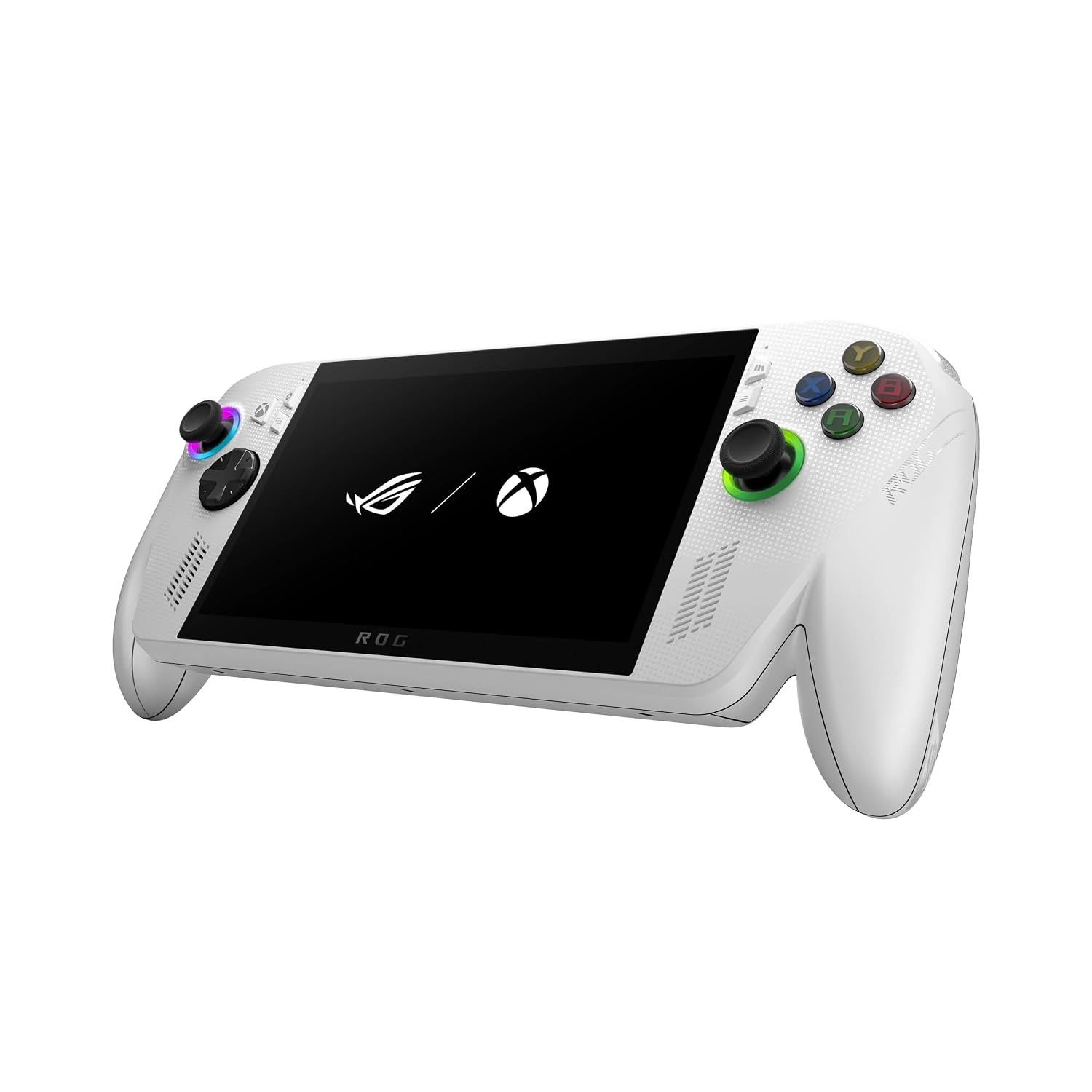
ASUS ROG Xbox Ally – 7” 1080p 120Hz Touchscreen Gaming Handheld, 3-month Xbox Game Pass Premium included, AMD Ryzen Z2 A, 16GB RAM, 512GB SSD, White
Gamers who want a true Xbox handheld experience with Windows flexibility and solid native performance at a mid-tier price.
Powered by AMD Ryzen Z2 A with 16GB LPDDR5 6400MHz RAM and a 512GB SSD, it handles both cloud and native AAA titles smoothly, and the 60Whr battery is built for extended sessions.
Ships with only 512GB of storage, which fills quickly with modern AAA game installs.
Mid-range
- AMD Ryzen Z2 A for smooth native gameplay
- 16GB LPDDR5 fast RAM
- 60Whr battery for long sessions
- 512GB storage fills quickly with large games
A well-rounded Xbox handheld that balances solid specs and battery life at a competitive price.
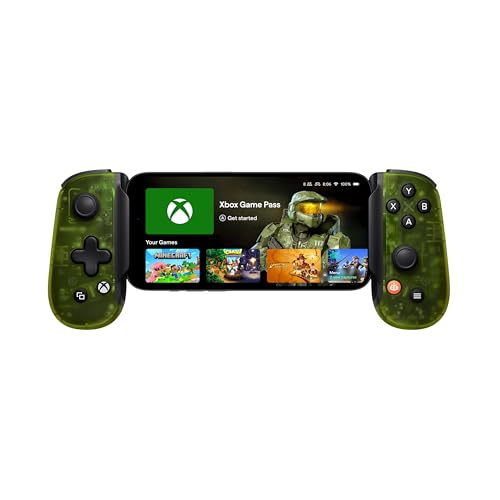
Buy on AmazonBACKBONE One Mobile Gaming Controller, Xbox Edition, USB-C
Smartphone owners who want instant Xbox-style gaming on their existing Android or iPhone 15 or 16 device without buying dedicated hardware.
Designed in direct collaboration with Xbox, it delivers responsive joysticks, tactile triggers, and an upgraded D-pad with a direct USB-C connection that needs no pairing or charging setup.
Entirely dependent on the user's smartphone for all processing and display, so gaming quality is bounded by the phone's capabilities and a subscription or remote play source.
Budget
- Official Xbox collaboration design
- Familiar Xbox button layout
- Snap-in setup with no pairing needed
- Requires compatible smartphone to function
- Gaming quality limited by phone hardware
The most affordable entry point on this list for Xbox-style portable gaming, ideal for smartphone gamers who already have a capable device.
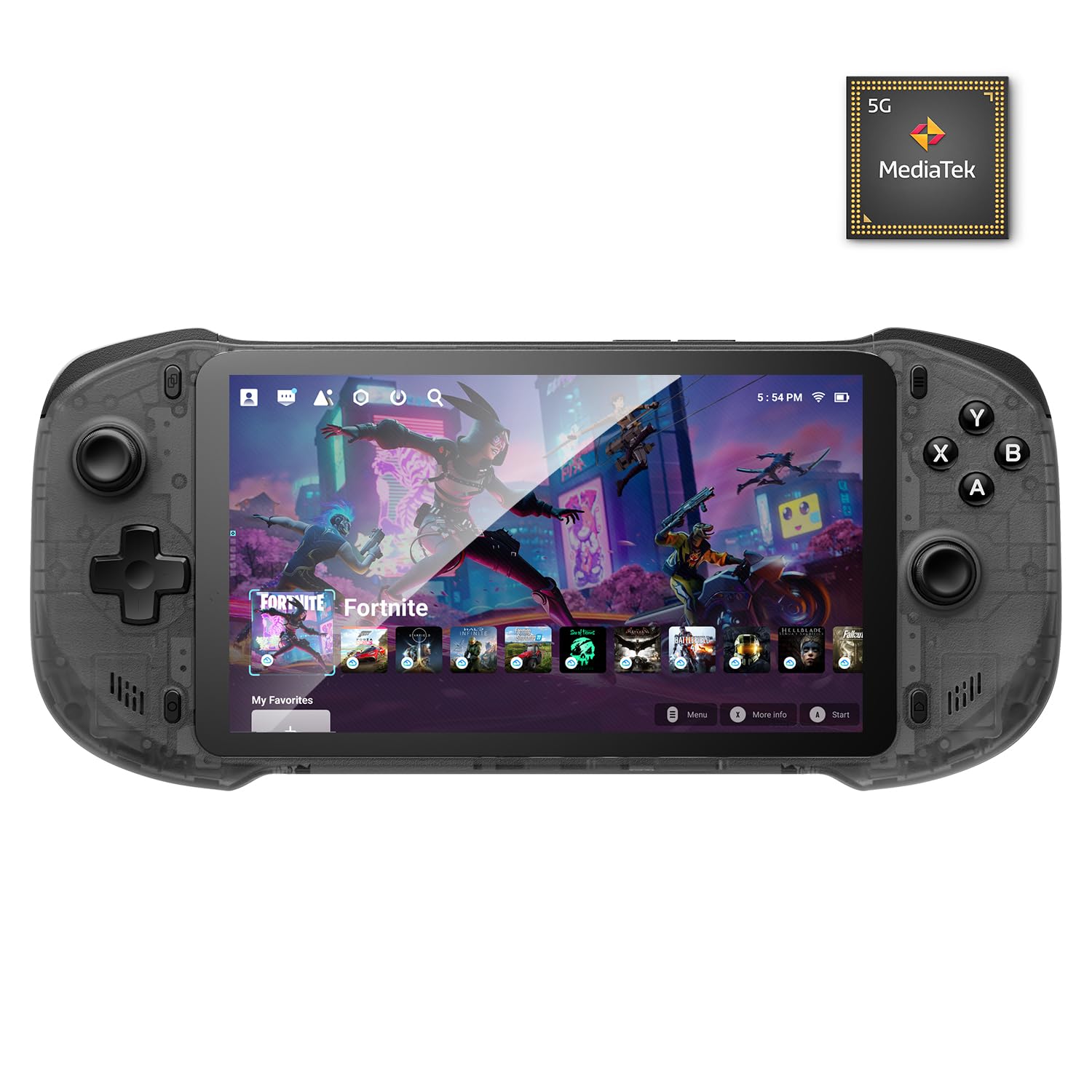
Buy on AmazonOnePro Cloud Handheld Portable Remote Play Gaming Console, For Xbox Cloud Gaming, NVIDIA GeForce NOW, Playstation, PC, Long-Battery Life, 7" 1080P Touchscreen, Lightweight Retro Game Handheld - 64G
Budget-conscious players who want cloud and remote play access across multiple platforms including Xbox, PlayStation, and PC without committing to a premium device.
Supports an exceptionally wide range of streaming services including Xbox Cloud Gaming, GeForce NOW, Amazon Luna, PlayStation Plus Premium, and Boosteroid, plus local remote play via Moonlight, Steam Link, and PlayStation Remote Play.
Relies entirely on cloud streaming or remote play for AAA gaming since it runs Android and lacks a desktop-class processor for native PC game execution.
Budget
- Supports widest range of cloud platforms
- Retro and Android gaming built in
- Lightweight and portable design
- No native PC game execution
- Dependent on strong Wi-Fi connection
The go-to pick for multi-platform cloud and remote play gaming on a tight budget.
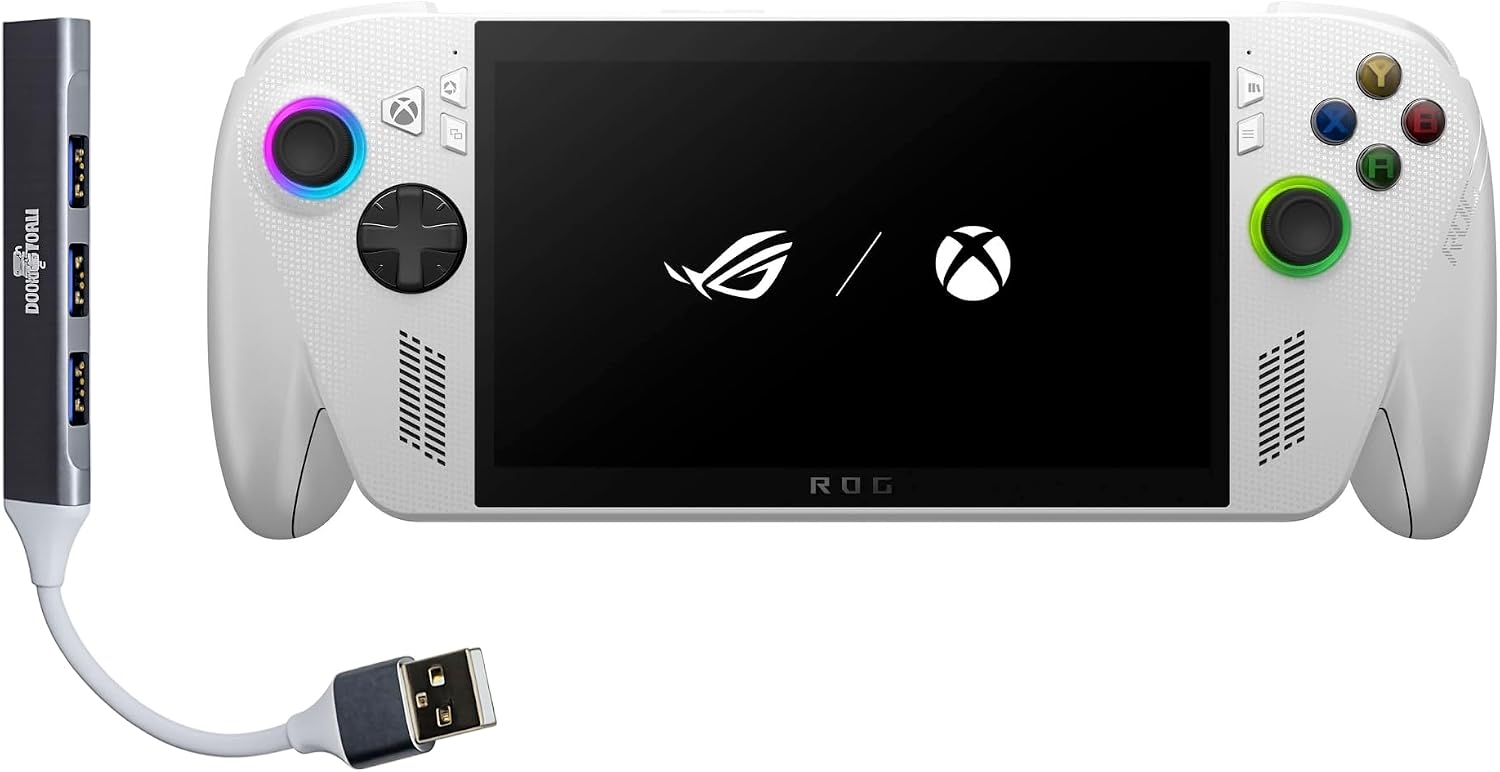
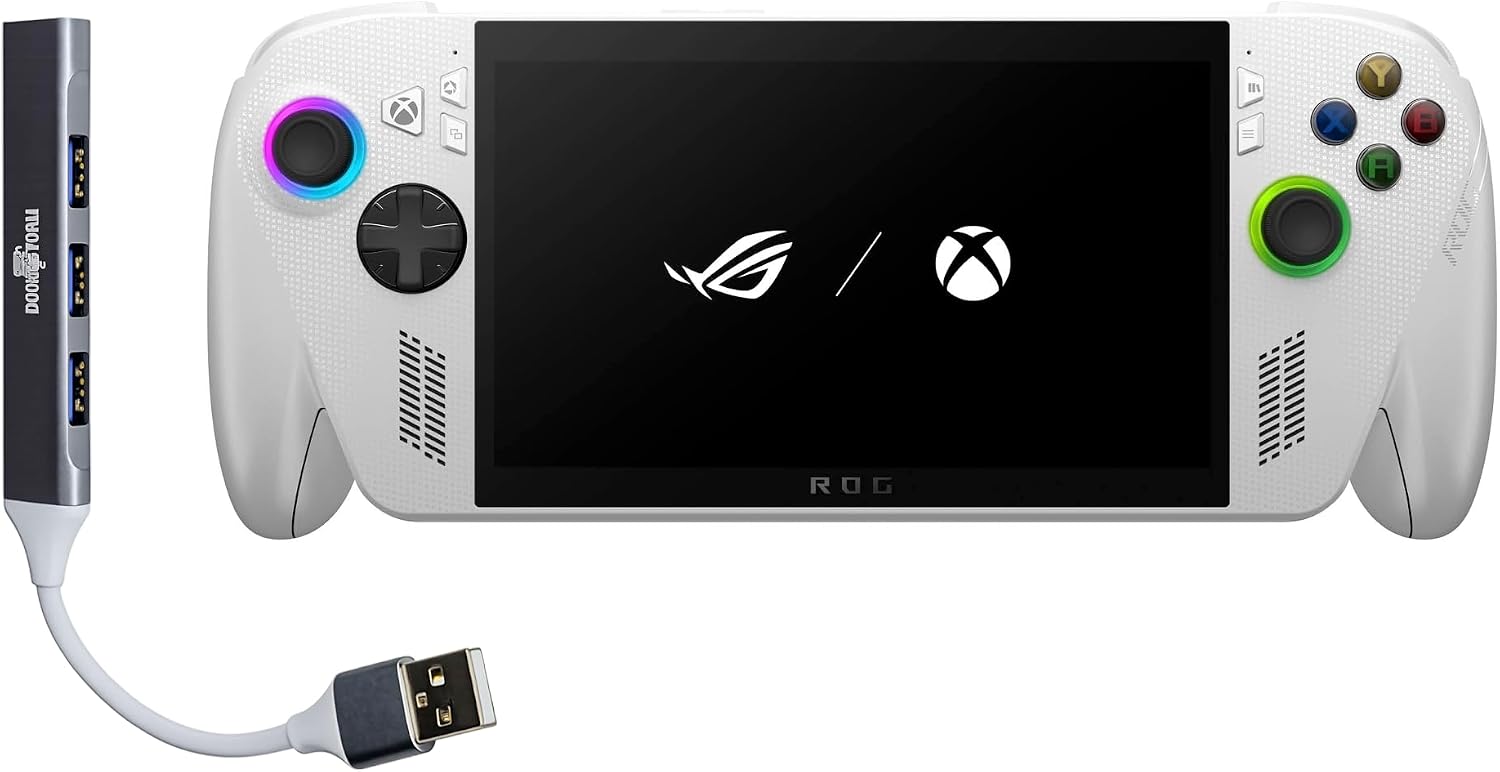
Buy on AmazonASUS ROG Xbox Ally Gaming Handheld 7" 120Hz Touchscreen IPS Display (AMD Ryzen Z2 A, 16GB LPDDR5X, 512GB SSD, AMD RDNA 2 Graphics, Fingerprint, WiFi 6E, Bluetooth 5.4, Win 11 Home) with DKZ Hub
Xbox and PC gamers who want the full ROG Xbox Ally experience bundled with a hub accessory for expanded connectivity at home.
Includes the DKZ Hub accessory, extending the device's connectivity options without requiring a separate purchase, while the ROG Xbox Ally hardware delivers Windows 11, WiFi 6E, Bluetooth 5.4, and fingerprint login in a premium package.
Priced noticeably higher than the base ROG Xbox Ally model for what is essentially the same core hardware bundled with a hub accessory.
Premium
- Bundled DKZ Hub for expanded connectivity
- WiFi 6E and Bluetooth 5.4 for fast wireless
- Windows 11 with full Xbox and PC game store access
- Premium cost over the base Ally model
- Same core chip as cheaper Ally variants
The smart pick for buyers who want the full ROG Xbox Ally setup with a connectivity hub included from the start.
Buy on AmazonASUS ROG Xbox Ally Gaming Handheld 7" 120Hz Touchscreen IPS Display (AMD Ryzen Z2 A, 16GB LPDDR5X, 4TB PCIe SSD, AMD RDNA 2 Graphics, Fingerprint, WiFi 6E, BT 5.4, Win 11 Home) w/dockztorm Hub
Power users and serious collectors who need a massive local game library on the device itself and refuse to compromise on storage capacity.
Ships with a 4TB PCIe SSD, by far the largest onboard storage of any device in this set, allowing hundreds of full PC and Xbox games to be installed locally.
The priciest pick on this list by a significant margin, making it hard to justify unless maximum local storage is a firm requirement.
Premium
- 4TB PCIe SSD for massive game installs
- WiFi 6E and Bluetooth 5.4
- Bundled dockztorm Hub included
- Most expensive product on this list
- Same processor as lower-cost Ally models
The most storage-rich Xbox handheld option available, but only worth it if 4TB of local space is genuinely essential.
Buy on AmazonWhether you are a dedicated gamer or just looking for a fun way to play on the go, there are some genuinely exciting options out there right now. From powerful handheld PCs to more budget-friendly picks, each device on this list brings something a little different to the table. Take your time browsing through the links, compare what matters most to you (performance, portability, or price), and find the one that fits your lifestyle best. We hope this roundup made your decision a little easier. Thanks for reading, and happy gaming!
Frequently asked questions
What kind of games can I actually play on these Xbox handheld alternatives without owning a gaming PC or console?
It depends on which device you choose. The ASUS ROG Ally units run Windows 11 Home, so you can install and play games locally from Xbox Game Pass, Steam, or any PC game launcher, no separate console required. The OnePro Cloud Handheld is built around streaming services like Xbox Cloud Gaming and NVIDIA GeForce NOW, so it relies on a strong internet connection rather than local processing power. The Backbone One is a controller attachment for your phone, meaning your existing Xbox or PC does the work while you stream to your mobile device via the Xbox app.
How much does storage actually matter when choosing between these devices, and can it be expanded later?
Storage matters a lot on Windows-based handhelds because modern PC games can run anywhere from 20GB to over 100GB each. The ROG Ally options range from 512GB up to 4TB PCIe SSD depending on the configuration, and the ROG Ally also has a microSD slot for additional expansion. The OnePro Cloud Handheld ships with 64GB, but since it streams games rather than installing them locally, that space is mainly used for the operating system and app data. If you plan to play games offline or install a large library locally, prioritize a model with more built-in SSD space or confirmed expandability.
How hard is it to set up one of these devices and get into a game for the first time?
The OnePro Cloud Handheld and Backbone One are the quickest to get started with. The OnePro is designed specifically for streaming services, so signing into Xbox Cloud Gaming or another platform takes only a few minutes, and the Backbone One simply plugs into your phone’s USB-C port with no pairing required. The ROG Ally runs full Windows 11, which means initial setup involves a Windows account, driver updates, and installing your preferred game launcher before you play. Microsoft includes three months of Xbox Game Pass Premium with the ROG Ally, which helps offset that setup time by giving you immediate access to a large game library once everything is configured.
Which of these devices makes the most sense for someone who already owns an Xbox console but wants to play away from the TV?
The Backbone One is the most direct fit for an existing Xbox owner because it turns your phone into a remote play device using the official Xbox app, keeping costs low and setup minimal. The OnePro Cloud Handheld serves a similar remote-play purpose but gives you a dedicated 7-inch 1080p screen and longer battery life in a standalone form factor rather than depending on your personal phone. The ROG Ally goes further by acting as a full standalone PC, so it can run your Xbox Game Pass library locally without needing your console at all, though it carries a higher price point to match that capability.
How does battery life hold up on these handhelds during real gaming sessions, and what affects it most?
Battery life on Windows-based handhelds like the ROG Ally can vary significantly based on whether you are running demanding local games at high settings or streaming lighter content through Xbox Cloud Gaming. Running graphically intensive local titles at full performance can drain the battery in roughly one to two hours, while lowering TDP settings or streaming can extend that considerably. The OnePro Cloud Handheld emphasizes long battery life as a design priority since streaming is less taxing on local hardware than running games natively. The Backbone One draws power from your phone, so battery life is tied entirely to your phone’s capacity and its age.