Flight simulation has never been more immersive, and if you’re playing on Xbox Series X or S, having the right flight stick can completely transform your experience. Whether you’re navigating stormy skies in Microsoft Flight Simulator or pulling off precise aerial maneuvers in a combat title, a quality flight stick gives you a level of control that a standard gamepad simply cannot match. The good news is that 2026 has brought some genuinely impressive options to the table, ranging from beginner-friendly setups to feature-packed rigs that feel straight out of a real cockpit. In this guide, we’re breaking down the best Xbox Series flight sticks available right now, covering what each one does well, who it suits best, and a few picks that might surprise you. Whether you’re a weekend pilot or a serious sim enthusiast, there’s something here for every kind of flyer. Let’s get into it.
Disclosure: As an Amazon Associate we earn from qualifying purchases. Prices and availability shown are accurate as of the date of publication and may change.
Quick comparison
How to choose
Axis Count and Precision
Flight sticks vary from five axes with 10-bit sensors to fifteen axes with 16-bit Hall-effect sensors that capture over 65,000 input points per axis. More axes let you control rudder, trim, and additional aircraft systems independently, which matters most for complex airliners or military sim aircraft. If you fly basic prop planes or casual routes, a simpler axis setup may be perfectly sufficient.
HOTAS Setup Completeness
Some options include only the stick and throttle, while others bundle rudder pedals or allow expansion with separately sold pedals. A full kit with pedals gives you coordinated yaw control from the start, which improves taxiing and crosswind landings noticeably. Consider whether you want an all-in-one bundle or prefer to build your setup piece by piece over time.
Xbox and PC Compatibility
All options listed are officially licensed for Xbox Series X and S and also work on Windows PC, but confirm that the specific simulator title you own recognizes the controller automatically. Some sticks are designed with plug-and-play recognition for particular titles such as Microsoft Flight Simulator 2024, which can reduce configuration time. If you split time between Xbox and PC, verify that the same device works on both without needing separate software or adapters.
Programmable Inputs and Customization
Button counts range from around fourteen to seventy-three programmable inputs, and some sticks add features such as a cockpit dial with tri-mode switching or a built-in Flight Management Display for real-time data. More inputs mean fewer keyboard interruptions during flight, which is especially valuable for managing complex aircraft systems. Match the input count to the depth of the simulator you fly rather than buying more than you will realistically use.
Ergonomics and Session Length
Adjustable joystick spring resistance appears across multiple options and lets you tune the physical effort required to match your preferred aircraft type and fatigue tolerance during long sessions. Some sticks offer an ambidextrous design with adjustable supports for both left- and right-handed users, while others are shaped for a traditional right-hand grip. If you fly multi-hour routes regularly, look closely at foot rest design on any included pedals and whether the throttle can be positioned separately from the stick for a more natural arm position.
The picks
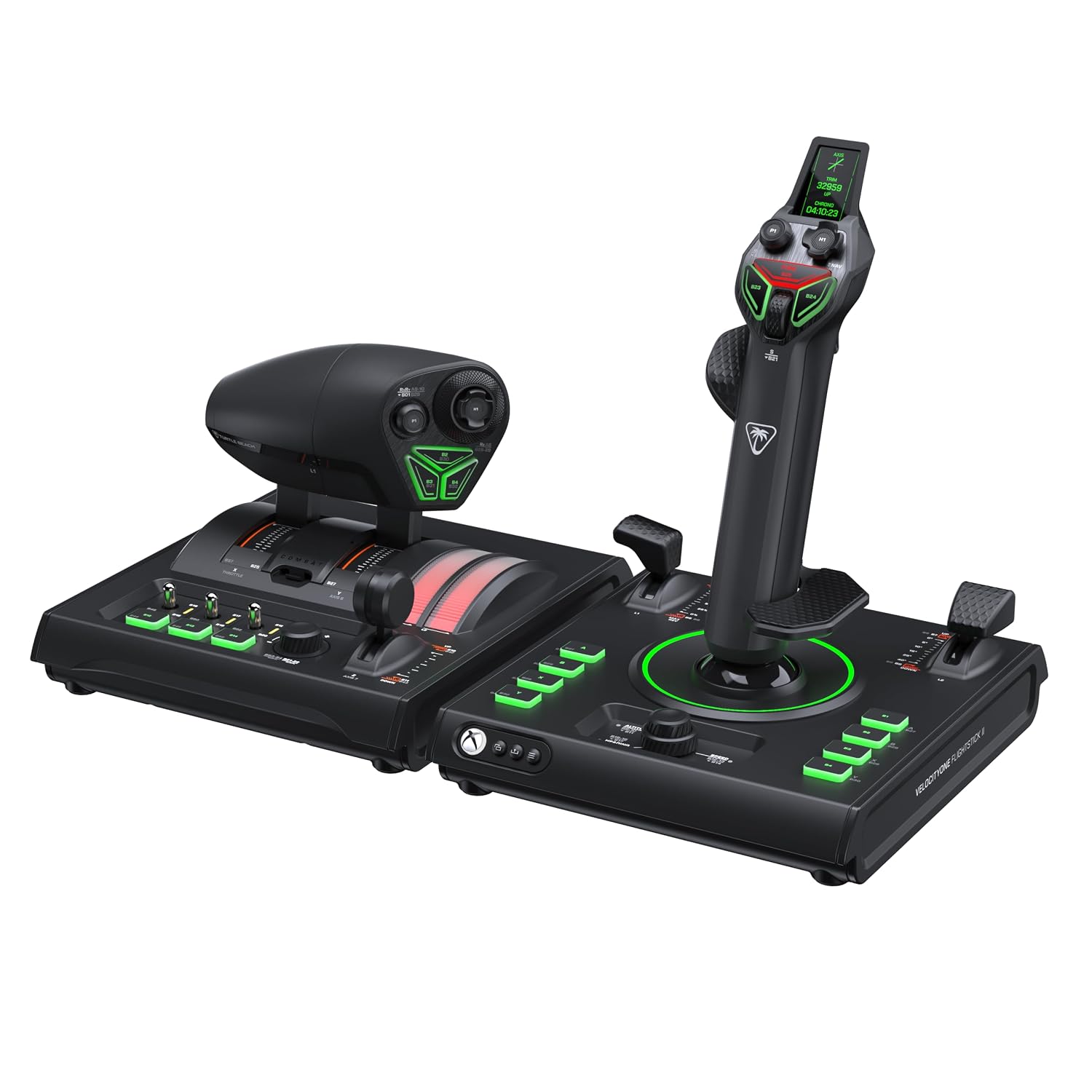
Turtle Beach VelocityOne H.O.T.A.S. for Xbox Series X|S, Xbox One & Windows PC - Flightstick II & Dual Throttle, 15 Hall-Effect Axes, 73 Programmable Inputs, Flight Management Display, RGB Lighting, Expandable Setup
Serious sim pilots who demand the deepest hardware precision and the most programmable inputs on Xbox and PC.
Fifteen Hall-Effect axes with 16-bit resolution on the Flightstick II and 10-bit Hall-Effect throttle levers across 73 programmable inputs set a class-leading precision benchmark in this set.
The most expensive on this list by a clear margin, which may be hard to justify for casual or part-time sim pilots.
Premium
- 15 Hall-Effect axes with 16-bit precision
- 73 programmable inputs including cockpit dial
- Full-color Flight Management Display for real-time data
- Priciest pick on this list
- Overkill for casual or beginner pilots
The most capable and configurable Xbox flight sim system here for pilots who settle for nothing less than the best.
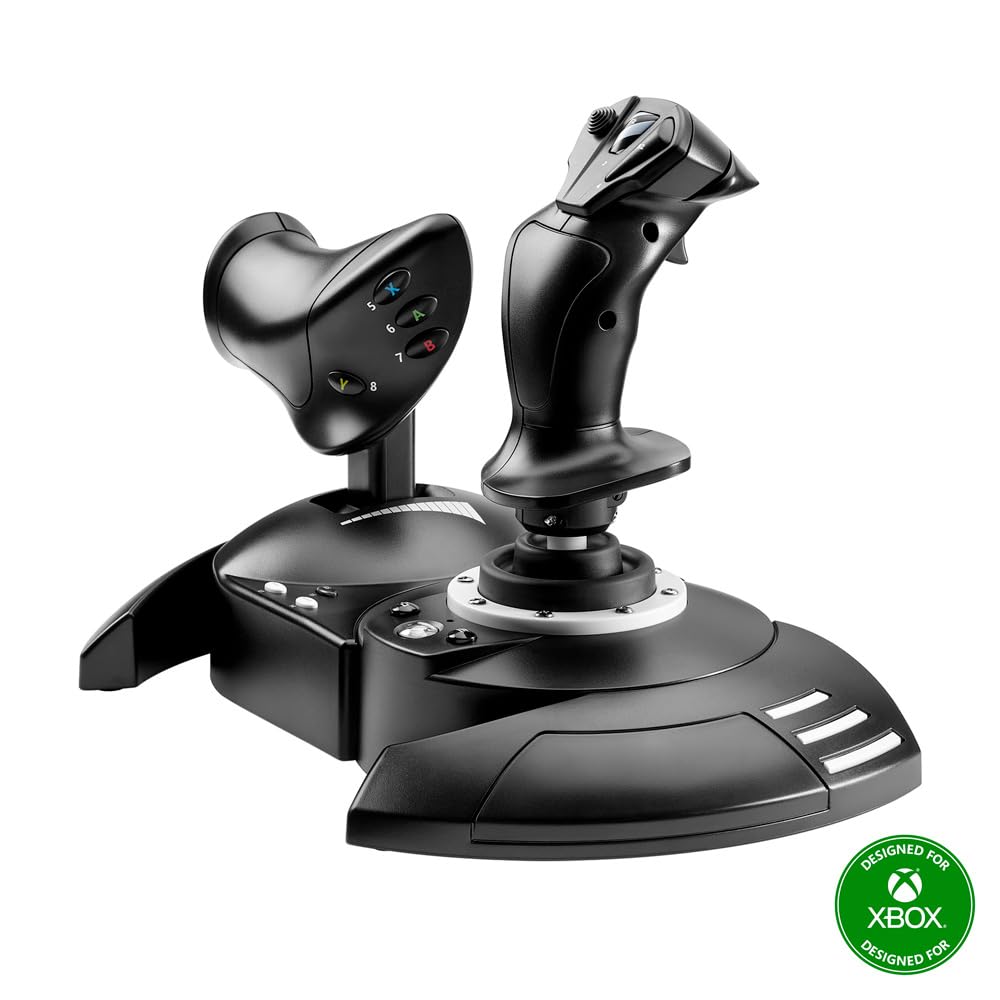
Buy on AmazonThrustmaster T-Flight Hotas One Flight Stick & Throttle - XBOX & PC
Budget-conscious beginners stepping up from a gamepad to a proper HOTAS setup for the first time.
Detachable throttle and integrated dual rudder control give meaningful realism at the most affordable price on this list.
The most affordable on this list, but the lower price comes with a less precise input system compared to the Hall-Effect sensors found in pricier options here.
Budget
- Detachable throttle for flexible setup
- Integrated dual rudder control
- Adjustable joystick resistance
- No Hall-Effect sensors like higher-end picks
- Fewer axes than competing kits
The easiest entry point into Xbox flight sim hardware without a serious financial commitment.
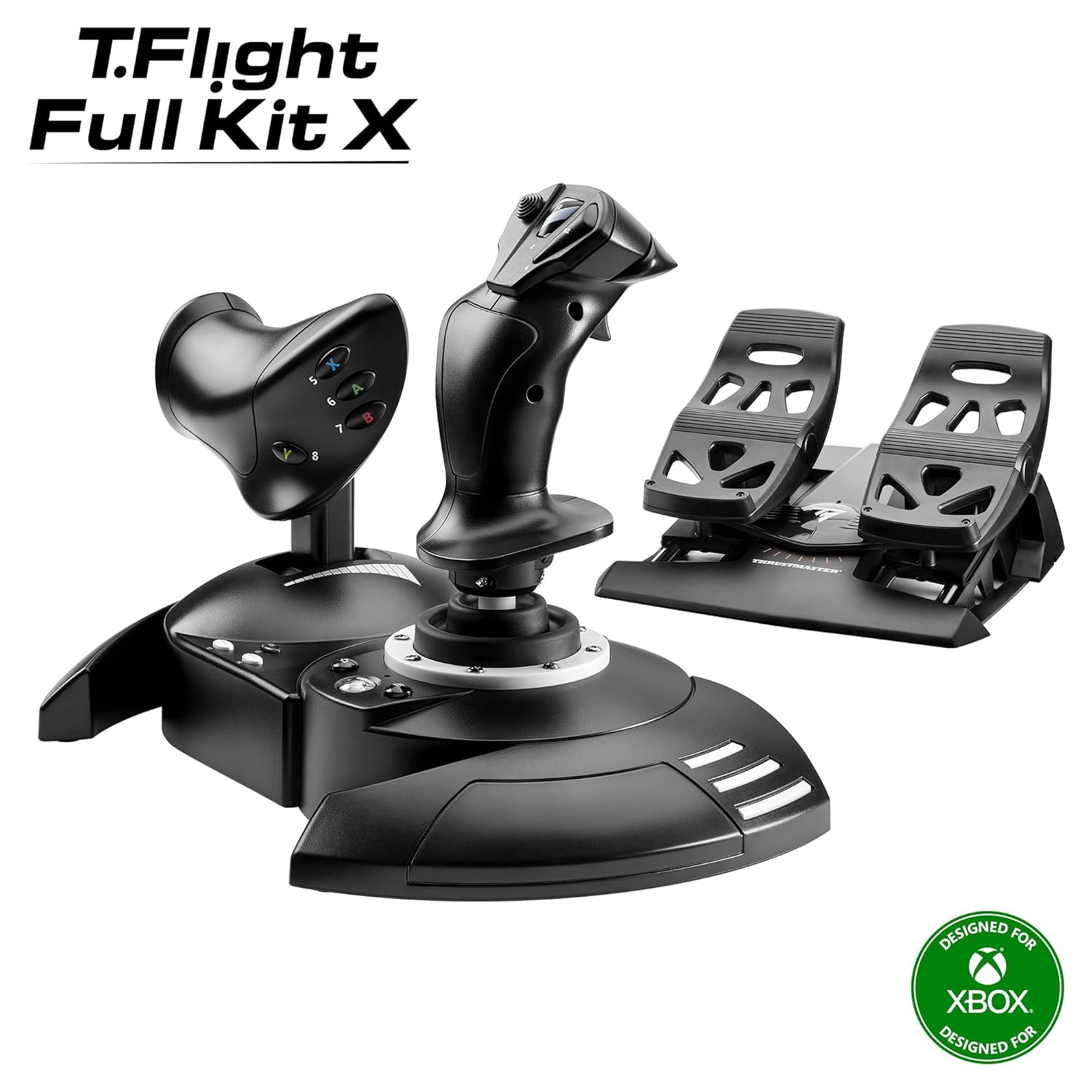
Buy on AmazonThrustmaster T-Flight Full Kit HOTAS with Rudder Pedals - XBOX & PC
Sim enthusiasts who want a complete cockpit experience including rudder pedals without assembling a piecemeal setup.
Bundled S.M.A.R.T slide rail rudder pedals with removable heel rests deliver genuinely smooth yaw control that standalone sticks cannot match.
Considerably more expensive than the base T-Flight HOTAS One, yet it still lacks the Hall-Effect precision axes found in the Turtle Beach options.
Mid-range
- Includes rudder pedals with S.M.A.R.T slide rail
- Five axes and fourteen buttons
- Official Xbox console navigation buttons
- No Hall-Effect sensors
- Noticeably pricier than the base HOTAS One
The best all-in-one bundle for pilots who want rudder pedals included from day one.
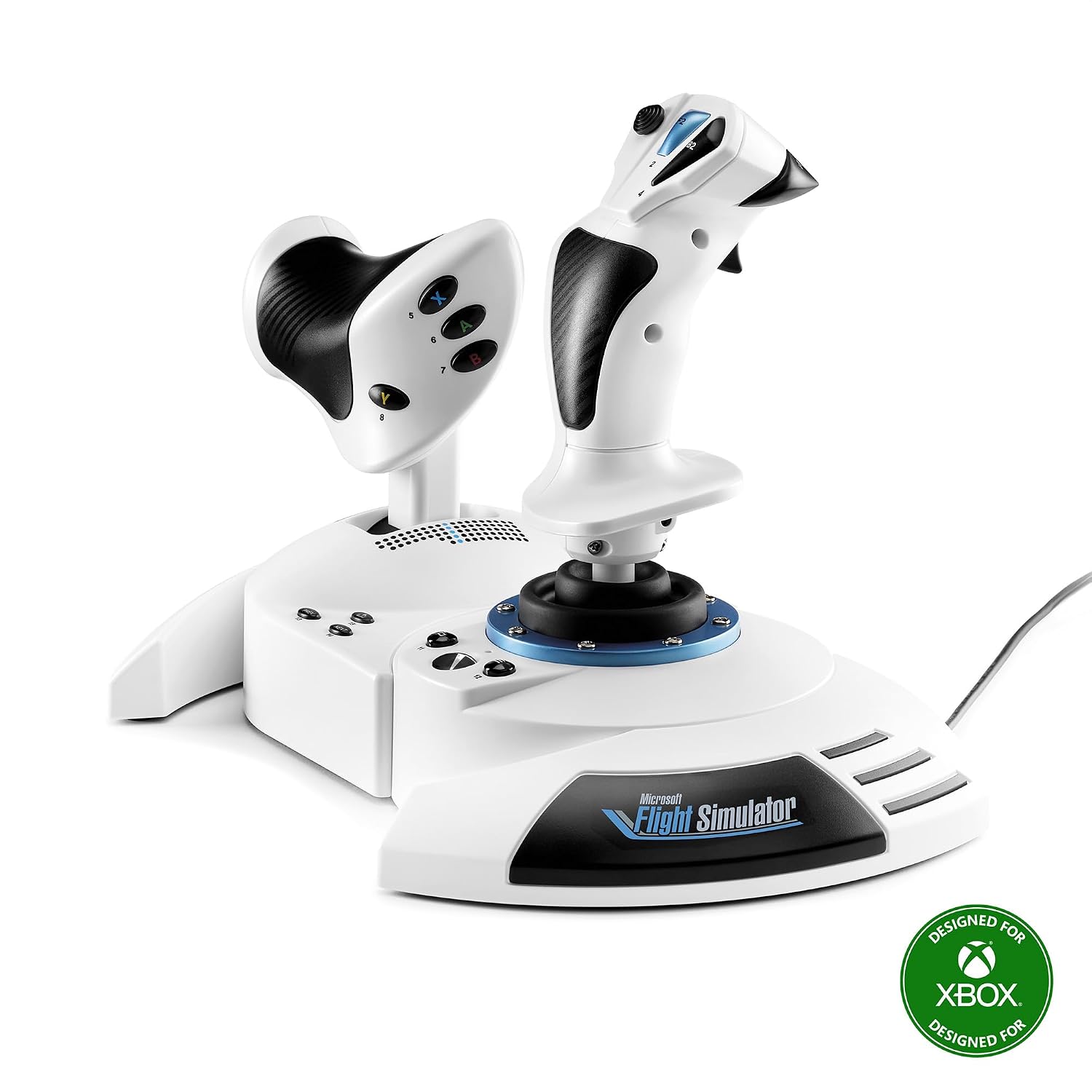
Buy on AmazonThrustmaster T-Flight Hotas One MSFS 2024 Collector Edition - XBOX & PC
Microsoft Flight Simulator 2024 fans who want an officially licensed, plug-and-play controller with minimal setup friction.
Official Microsoft Flight Simulator 2024 licensing means true plug-and-play recognition on Xbox and PC with no binding or configuration needed.
Priced only slightly above the base T-Flight HOTAS One yet adds no Hall-Effect technology or rudder pedal bundle, making the value step modest.
Budget
- Official MSFS 2024 license for instant recognition
- 10-bit precision with five independent axes
- Compatible with optional Thrustmaster rudder pedals
- No Hall-Effect sensors
- Rudder pedals sold separately
The smoothest out-of-box experience for MSFS 2024 players who want immediate immersion with zero setup hassle.
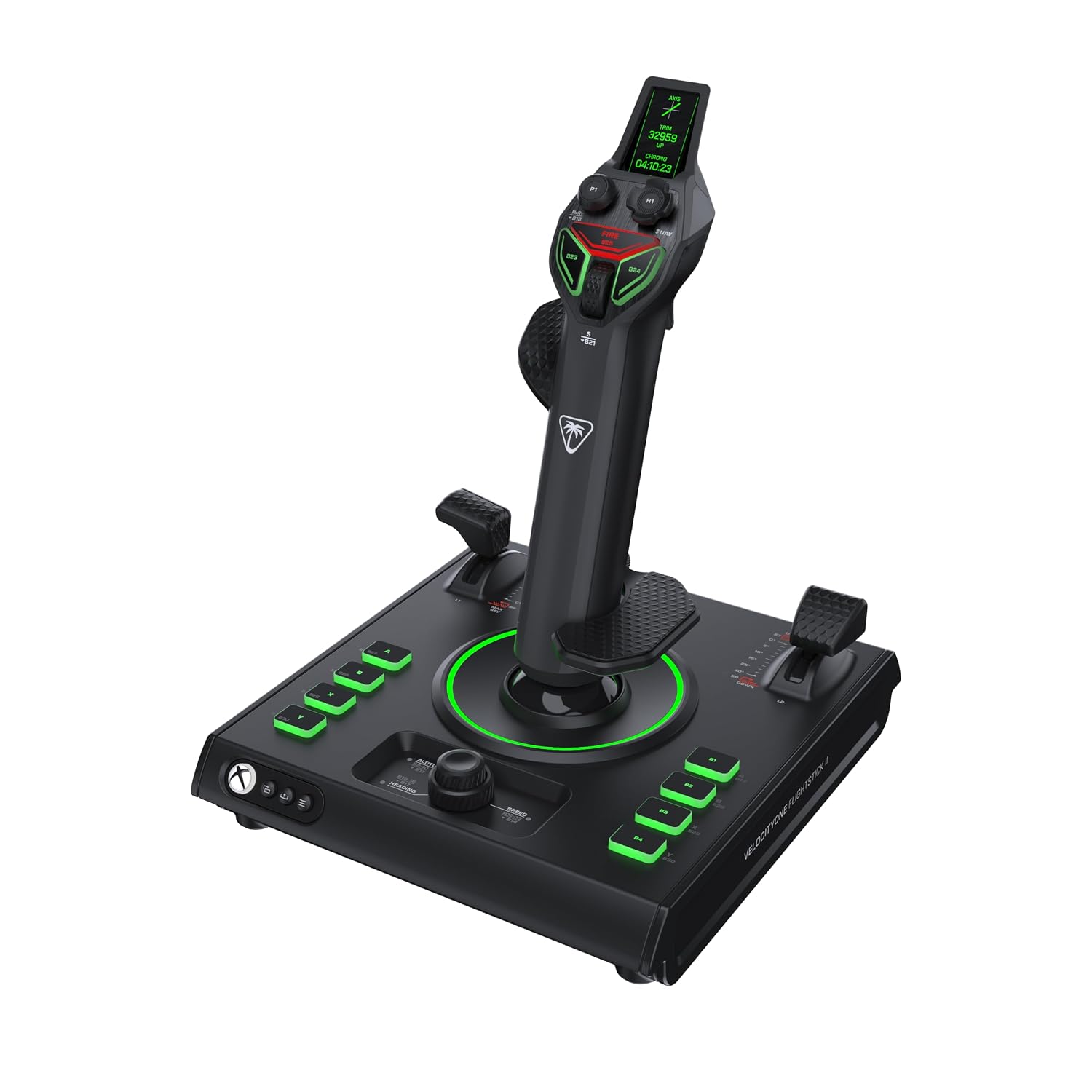
Buy on AmazonTurtle Beach VelocityOne Flightstick II for Xbox Series X|S, Xbox One & Windows PC - 16-bit Hall-Effect Precision, 8 Axes, 38 Programmable Inputs, RGB Lighting, Flight Display, HOTAS Expandable with Dual Throttle
Intermediate to advanced pilots who want professional-grade Hall-Effect precision in a standalone flightstick before committing to a full dual-throttle rig.
16-bit Hall-Effect sensors delivering over 65,000 input counts per axis give the smoothest standalone stick accuracy in this set at a mid-range price.
The dual throttle is not included and must be purchased separately to unlock the full HOTAS configuration, adding cost for users who want that setup.
Mid-range
- 16-bit Hall-Effect sensors with 65,000 input counts per axis
- Ambidextrous ergonomic design with adjustable spring tension
- Built-in Flight Management Display
- Dual Throttle not included
- Full HOTAS setup requires additional purchase
The ideal upgrade path for pilots who want Hall-Effect precision now and the option to expand to a dual-throttle system later.
Buy on AmazonFinding the right flight stick can genuinely transform your time in the cockpit, whether you’re cruising over mountain ranges or practicing landings in tricky crosswinds. Any of the options featured here would be a solid starting point, so take a look at the links and see which one feels like the right fit for your setup and budget. There’s no single perfect choice for everyone, but there’s likely one on this list that suits your style of play nicely. Happy flying, and thanks for reading!
Frequently asked questions
Which of these flight sticks work natively with Xbox Series X|S without a PC adapter?
All five products in this lineup are officially licensed for Xbox Series X|S and connect directly to the console without any adapter or third-party workaround. The Thrustmaster options carry official Xbox button layouts including Guide, View, and Menu buttons, and the Turtle Beach VelocityOne units are also officially licensed for Xbox. Before buying, confirm the specific USB connection method with the manufacturer if your setup has limited ports, since a full HOTAS kit with rudder pedals can occupy multiple connections at once.
What is the difference between a basic HOTAS setup and a full kit with rudder pedals, and which fits a beginner?
A standard HOTAS pairs a joystick with a throttle, giving you pitch, roll, and thrust control, which covers the fundamentals of most flight simulators. Adding rudder pedals introduces a dedicated yaw axis through your feet, which is more realistic for coordinated turns and precise ground steering but also adds desk space and cost. Beginners often start with just a HOTAS like the Thrustmaster T-Flight Hotas One and add pedals later once they are comfortable with the core controls. The Thrustmaster T-Flight Full Kit bundles both together for those who want the complete setup from the start.
How does Hall-effect sensor technology affect long-term durability compared to standard potentiometers?
Hall-effect sensors use magnets rather than physical contacts to read stick position, so there is no wear surface that degrades with use. Standard potentiometers rely on a resistive track that can develop dead zones or inconsistent readings over time as the contact wears down. The Turtle Beach VelocityOne Flightstick II and the full VelocityOne HOTAS both list 16-bit Hall-effect axes on the joystick, which the listing claims delivers over 65,000 input points per axis. This is a seller claim rather than an independently verified test, but the underlying principle of reduced mechanical wear is a well-established advantage of Hall-effect designs.
Is the Microsoft Flight Simulator 2024 Collector Edition truly plug-and-play, or does it need driver installation and button mapping first?
The Thrustmaster T-Flight Hotas One MSFS 2024 Collector Edition listing specifically states true plug-and-play compatibility, meaning it is described as instantly recognized by Microsoft Flight Simulator 2024 on both Xbox and PC without setup delays. On Xbox in particular, plug-and-play is more reliable than on PC because the platform does not require driver installation. That said, the listing is a seller claim and does not detail whether all axes and buttons are pre-mapped within the game or whether you will need to confirm axis assignments after plugging in. Checking the Thrustmaster support page for the current MSFS 2024 default mapping file would give you the most accurate picture before purchase.
Can these flight sticks be used for space combat or sci-fi sims, or are they built only for aviation?
Several of these sticks are positioned as multi-genre controllers. The Thrustmaster T-Flight Full Kit listing explicitly mentions space combat alongside modern air warfare and civil aviation as target use cases. The Turtle Beach VelocityOne units advertise adaptability across aircraft types and genres, with a high number of programmable inputs that can be remapped for non-aviation titles. The practical limit is whether a specific game on Xbox supports HOTAS input at all, so it is worth confirming compatibility with your target title before committing to a kit, since game-side HOTAS support on console varies by title.