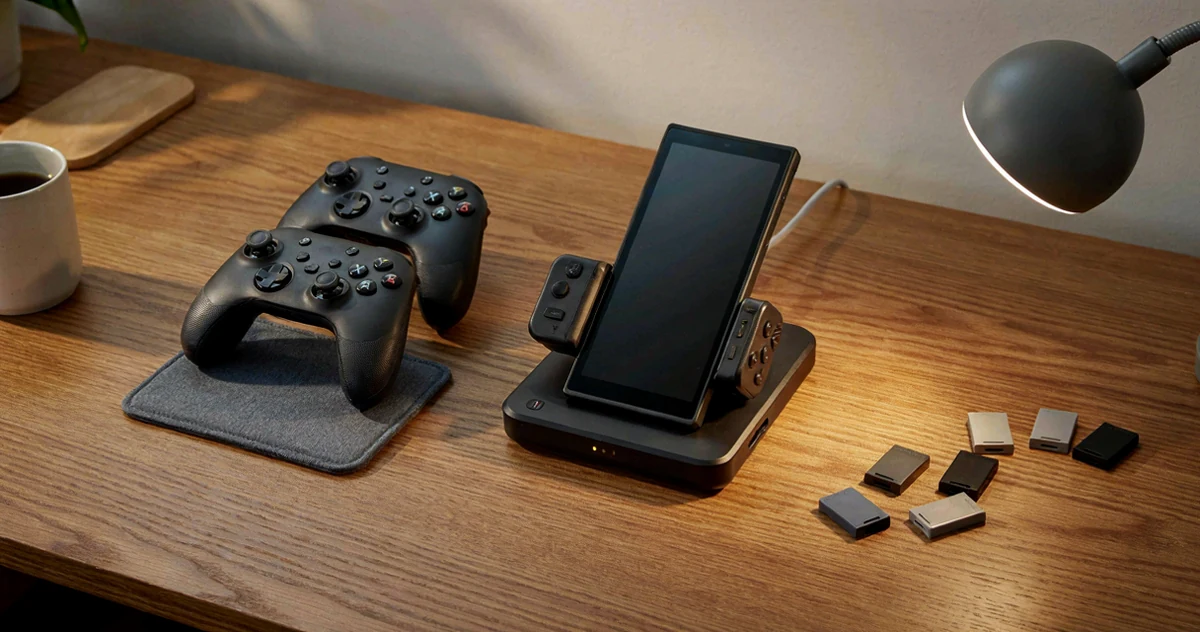
If you just picked up a Nintendo Switch 2 or you’re planning to upgrade soon, you’ve probably already started thinking about controllers. The default options are great, but the right controller upgrade can completely change how you play, whether you’re grinding through long RPG sessions, competing in fast-paced multiplayer, or just looking for something that feels better in your hands after a few hours. This guide breaks down everything worth knowing before you buy, covering comfort, input latency, and Nintendo compatible features that actually matter in real gameplay. We’ll walk you through some exciting picks, a few practical must-haves, and a couple of surprisingly useful options you might not have considered. No matter your play style or budget, there’s something here that can make your Switch 2 experience noticeably better. So grab your Joy-Cons (for now), get comfortable, and let’s figure out exactly what your controller setup is missing.
Disclosure: As an Amazon Associate we earn from qualifying purchases. Prices and availability shown are accurate as of the date of publication and may change.
Quick comparison
How to choose
Official Licensing and Compatibility
Controllers that are officially licensed by Nintendo carry verified compatibility with Switch 2 features such as the C button, mouse-mode input, and system-level wake-up. Third-party options may support some of these features but verify the product listing carefully, since missing a single system function can limit how you play certain titles.
Joystick Technology and Drift Resistance
Hall effect joysticks use magnetic sensors rather than physical contact points, which can reduce the wear that leads to stick drift over time. If longevity and precision matter to you, confirm whether the controller uses hall effect or traditional potentiometer sticks, as this choice affects long-term reliability more than almost any other spec.
Latency and Wireless Protocol
Input latency is especially noticeable in fast-paced or competitive games, so look for controllers that specify a low-latency wireless connection rather than generic Bluetooth. Some options in this category use proprietary 2.4 GHz dongles alongside or instead of Bluetooth, which can offer a more responsive feel than standard Bluetooth alone.
Ergonomics and Controller Layout
Grip shape, button placement, and overall weight vary considerably between the compact Joy-Con 2 form factor and full-size pro-style controllers. Players with larger hands or those who game in long sessions often find a pro controller with contoured grips more comfortable, while Joy-Con 2 pairs suit handheld and tabletop play where flexibility matters more.
Extra Features versus Value
Features like turbo, programmable buttons, RGB lighting, gyro motion controls, and bundled charging docks add convenience but also affect the overall cost and complexity of the controller. Consider which features you will actually use regularly and weigh the full package against a simpler option, since paying for extras you ignore does not improve your play experience.
The picks
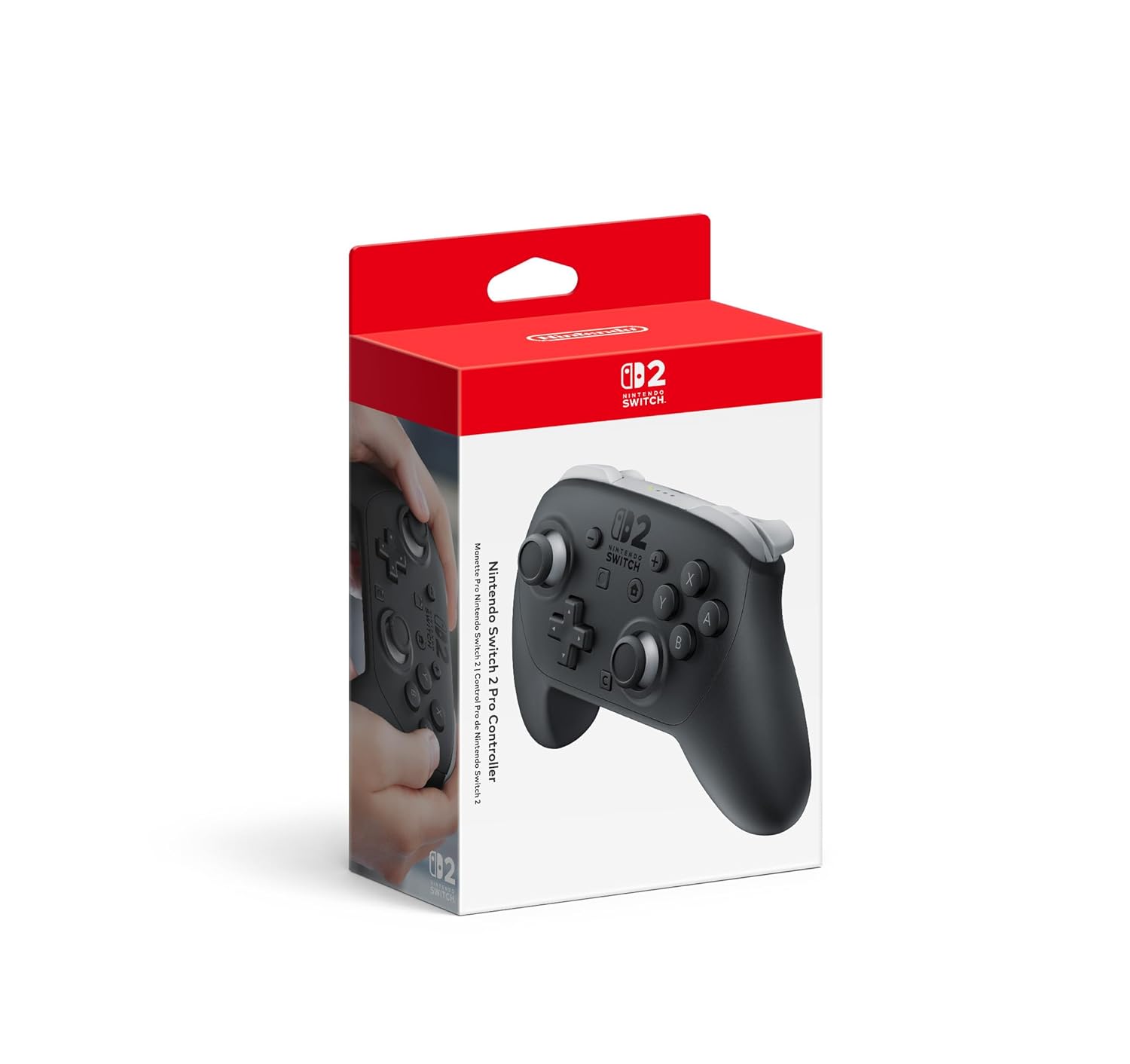
Nintendo Switch™ 2 Pro Controller
Switch 2 owners who want the deepest Nintendo ecosystem integration including amiibo, GameChat, and HD Rumble 2.
HD Rumble 2, built-in amiibo functionality, motion controls, Capture Button, C Button for GameChat, and programmable GL and GR buttons are all packed into one first-party controller.
Sits toward the higher end of the price range in this set, though not the most expensive.
Premium
- Full Switch 2 native feature set
- HD Rumble 2 and motion controls
- Built-in amiibo and C Button
- Premium price for a single controller
- No Hall Effect sticks mentioned in specs
The most feature-complete controller for Switch 2, covering every Nintendo exclusive function in one package.
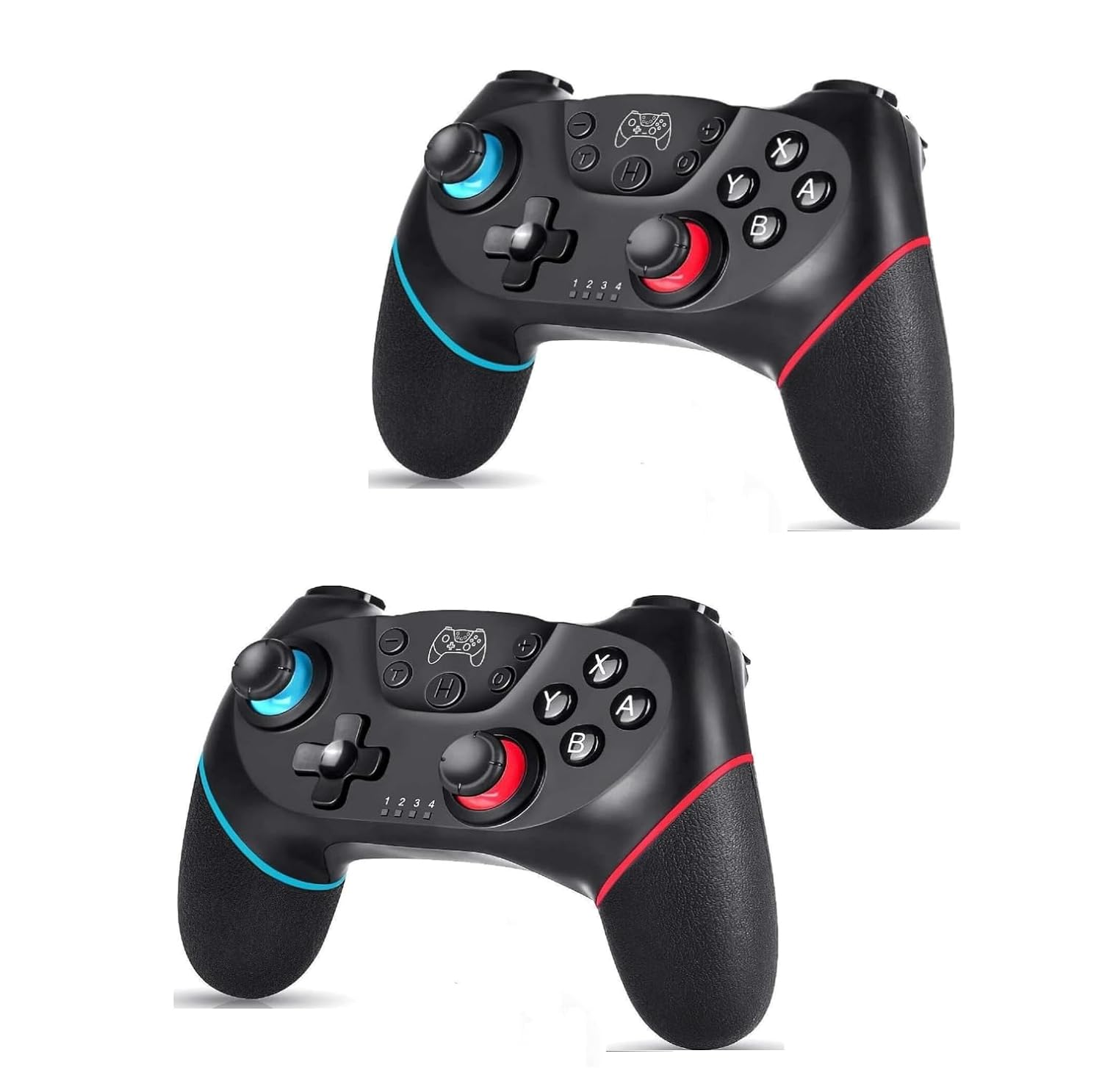
Buy on AmazonLyyes Switch Controller, Wireless Pro Controller Joystick Compatible with Switch/Lite/Switch 2, 2 Pack
Players on the tightest budget who need a basic two-pack of wireless controllers for casual Switch gaming.
Ergonomic grip design with gyro sensor and turbo at three adjustable speeds, covering casual play needs at the lowest price in this set.
The least expensive option here with a modest 500mAh battery delivering only 8 to 10 hours of play, which is considerably shorter than competing controllers in this set.
Budget
- Lowest price in the set
- Ergonomic comfort-focused design
- Adjustable turbo speeds
- Short 8 to 10 hour battery life
- No Hall Effect sticks mentioned
The most affordable two-pack here, but the short battery life and basic spec sheet reflect the entry-level price.
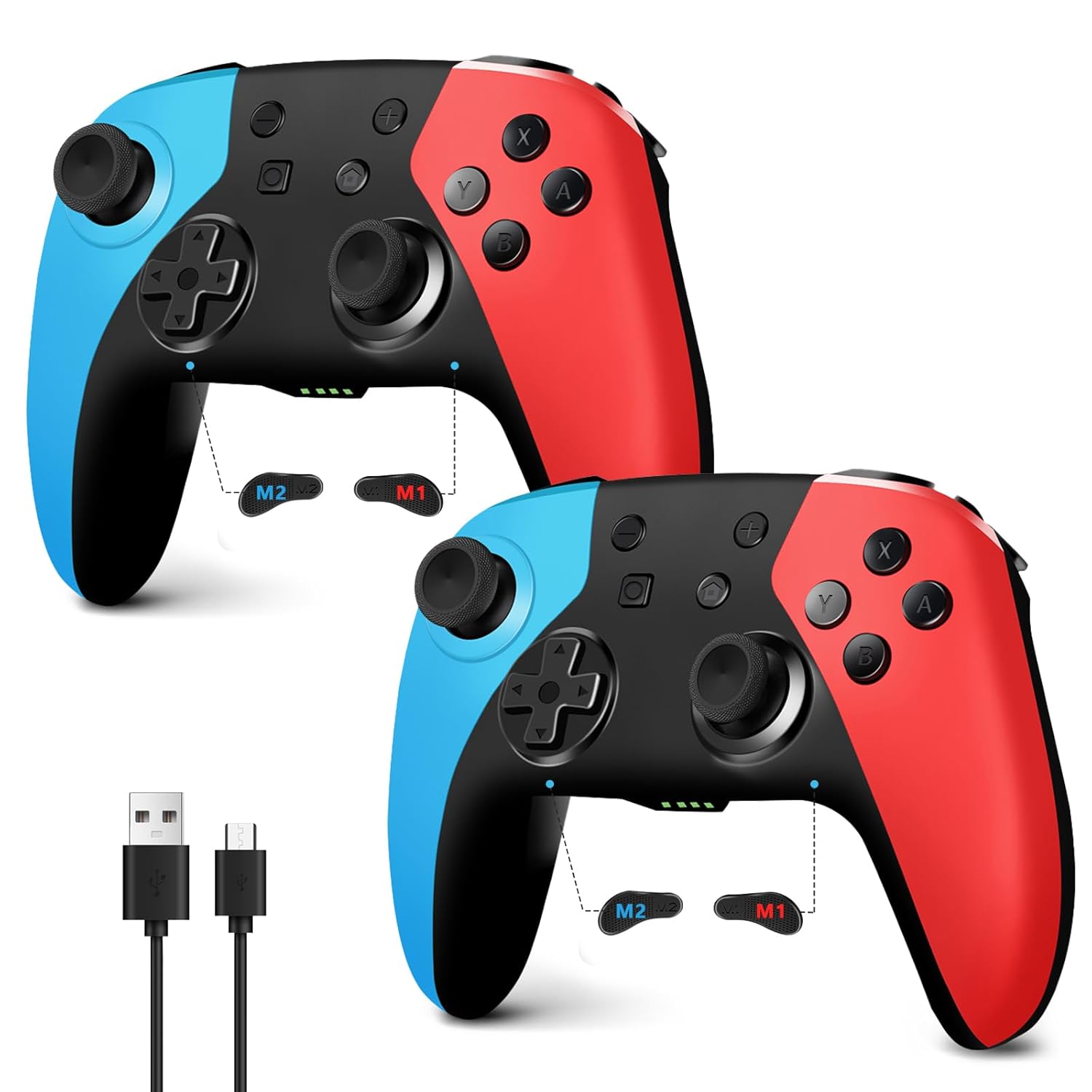
Buy on AmazonAceGamer 2 Pack Wireless Controller for Nintendo Switch/Lite/OLED, Hall Effect Joystick for Switch 2 Pro Controller with Wake-Up/Turbo/Dual Vibration/Programmable (Red+Blue)
Budget-conscious players wanting two controllers with drift-free sticks for Switch 1 and Switch 2 games.
Hall Effect joysticks are built in, fundamentally eliminating stick drift through magnetic sensing rather than physical contact pads.
Not manufactured by Nintendo, so features like HD Rumble 2, amiibo, C Button, and full Switch 2 native functionality are absent.
Budget
- Hall Effect joysticks prevent drift
- Two controllers included
- Turbo and programmable buttons
- No Switch 2 native features like C Button
- Not officially licensed
A solid two-pack deal with drift-proof sticks, but misses all Switch 2 exclusive features.
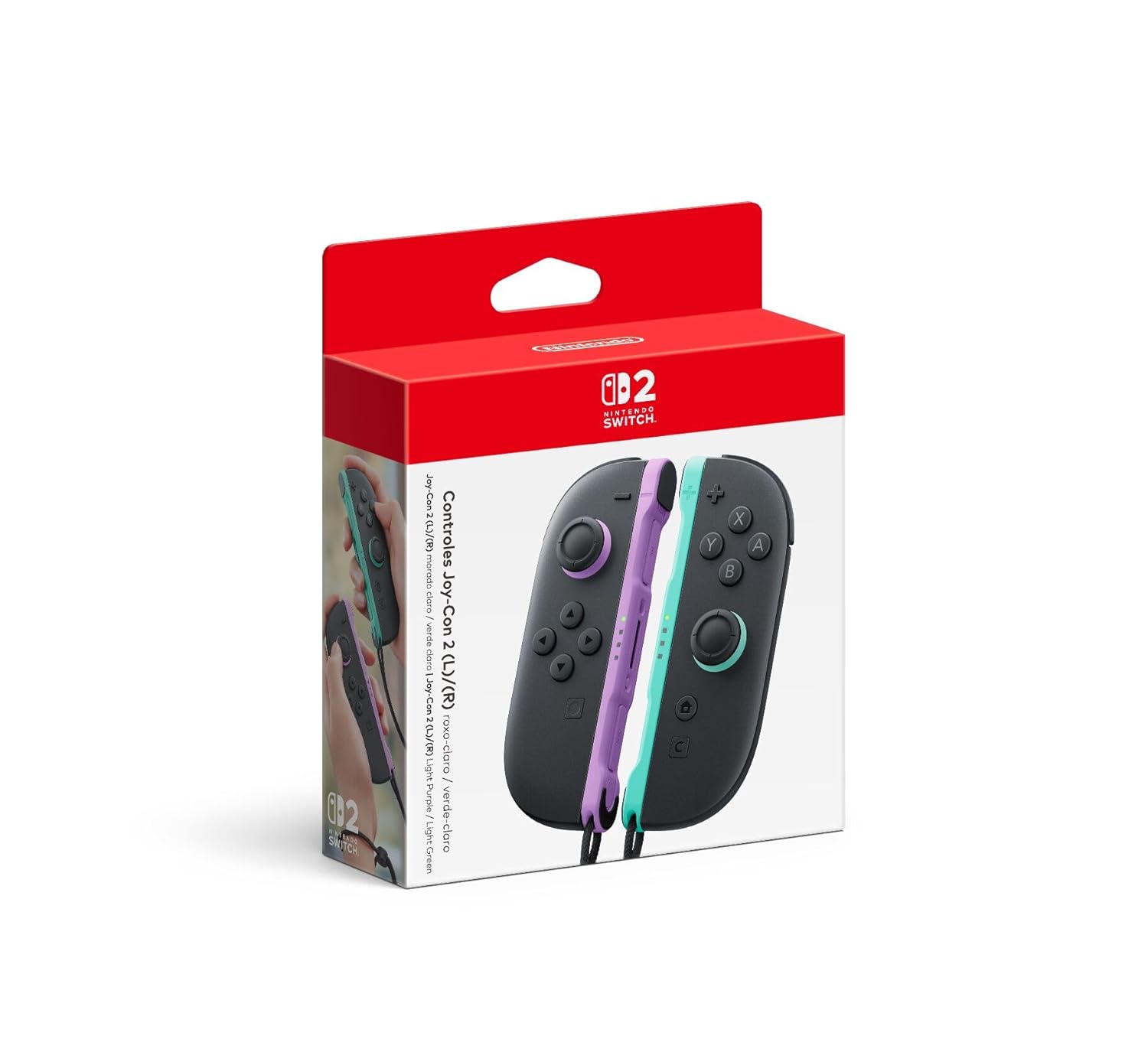
Buy on AmazonNintendo Joy-Con™ 2 (L)/(R) Light Purple/Light Green
Players who want official Joy-Con 2 controllers for local multiplayer or handheld use with full motion and mouse control support.
Includes both left and right Joy-Con 2 with HD Rumble, C Button, and mouse controls for compatible games, ready for two-player local play straight out of the box.
The most expensive product in this set, and the Joy-Con form factor is less ergonomic for extended single-player sessions compared to a Pro Controller.
Premium
- Official Joy-Con 2 with C Button
- Mouse controls in compatible games
- Includes straps for two-player play
- Most expensive in this set
- Less comfortable than Pro Controller for long sessions
The most expensive option here, but the only way to get official Joy-Con 2s with mouse control support.
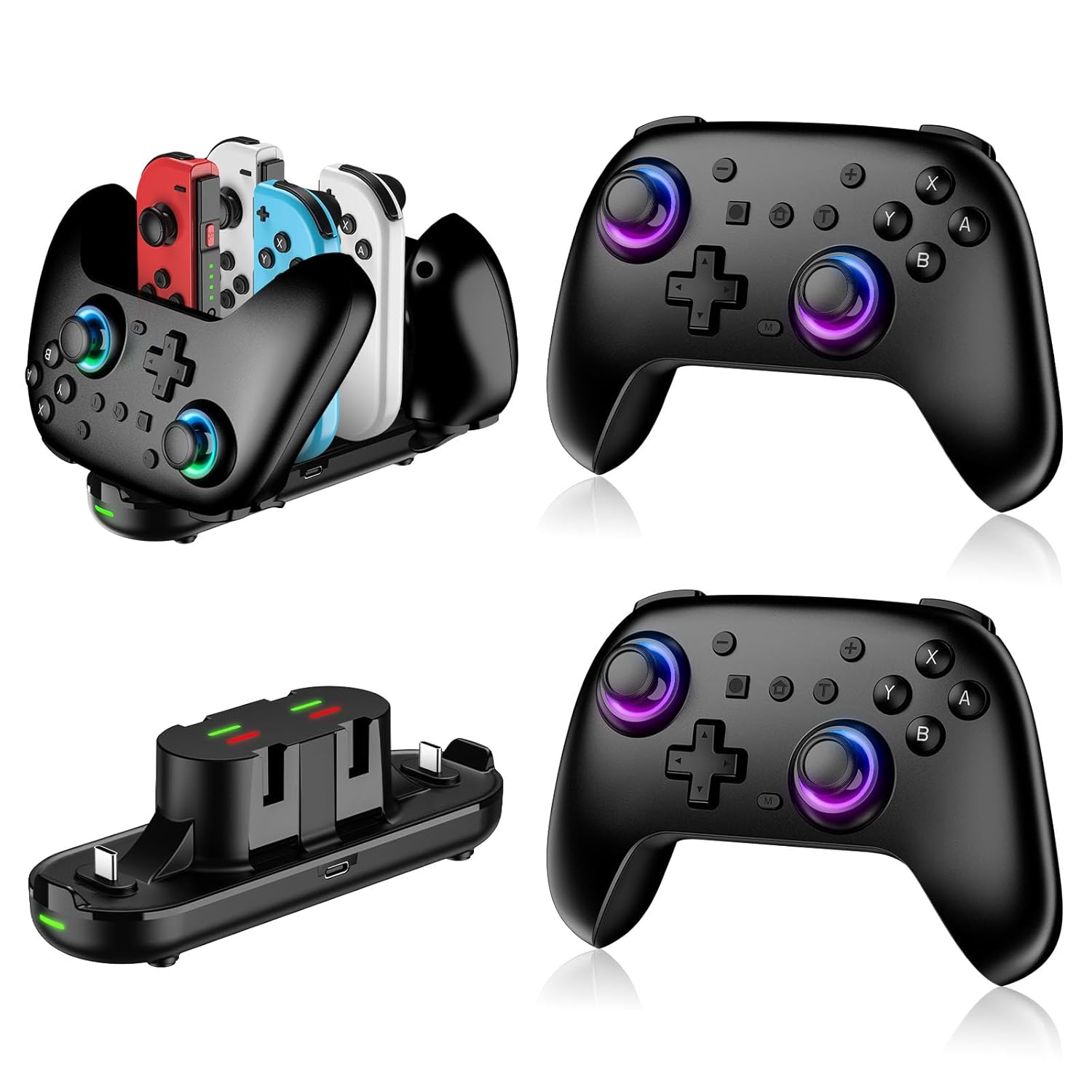
Buy on AmazonSwitch Controllers 2 Pack with Charging Dock, Switch 2 Controller for Nintendo Switch/Switch 2/Lite/OLED, Wireless Switch 2 Pro Controller with RGB/Wake up/6-Axis Gyro/Dual Vibration/Turbo/Screenshot
Gamers who want two wireless controllers plus a charging dock for a complete two-player setup on a mid-range budget.
Comes with a charging dock that charges two controllers and up to four Joy-Con controllers simultaneously, reducing cable clutter for multiplayer households.
Third-party product without official Nintendo licensing, meaning Switch 2 specific features like C Button and GameChat are not available.
Mid-range
- Charging dock included for up to 6 controllers
- 6-Axis gyro and Hall Effect buttons
- Compatible with Switch 2 and PC
- No C Button or GameChat support
- Not officially licensed by Nintendo
A practical two-pack with a charging dock and broad compatibility, but not officially licensed for Switch 2 features.
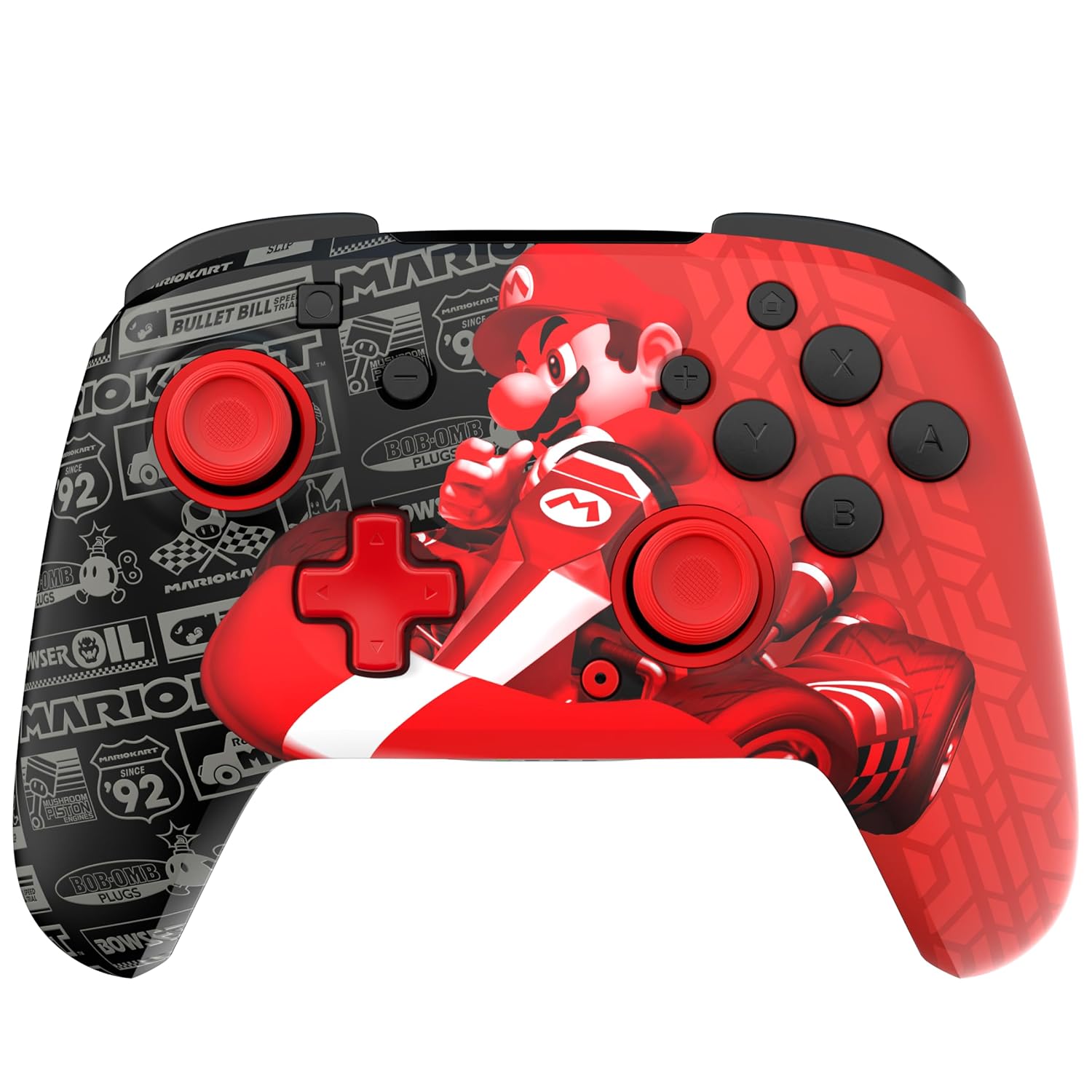
Buy on AmazonPDP Gaming REMATCH GLOW Wireless Nintendo Switch Pro Controller, Licensed, Nintendo Switch 2|Lite|OLED, Motion Controls, Rechargeable Battery Power, Glow in the Dark: Grand Prix Mario (Red and Black)
Casual players who want an officially licensed, visually distinctive controller with long battery life at an accessible price.
Up to 40 hours of battery life per charge is among the longest in this set, combined with two programmable back buttons and a 30-foot low latency wireless range.
The C Button is explicitly unavailable on this controller, blocking GameChat access that is a headline Switch 2 feature.
Budget
- Up to 40-hour battery per charge
- Two programmable back buttons
- Officially licensed by Nintendo
- C Button not available on Switch 2
- No Hall Effect sticks mentioned
Great battery life and official licensing at a low price, but the missing C Button is a real limitation for Switch 2 users.
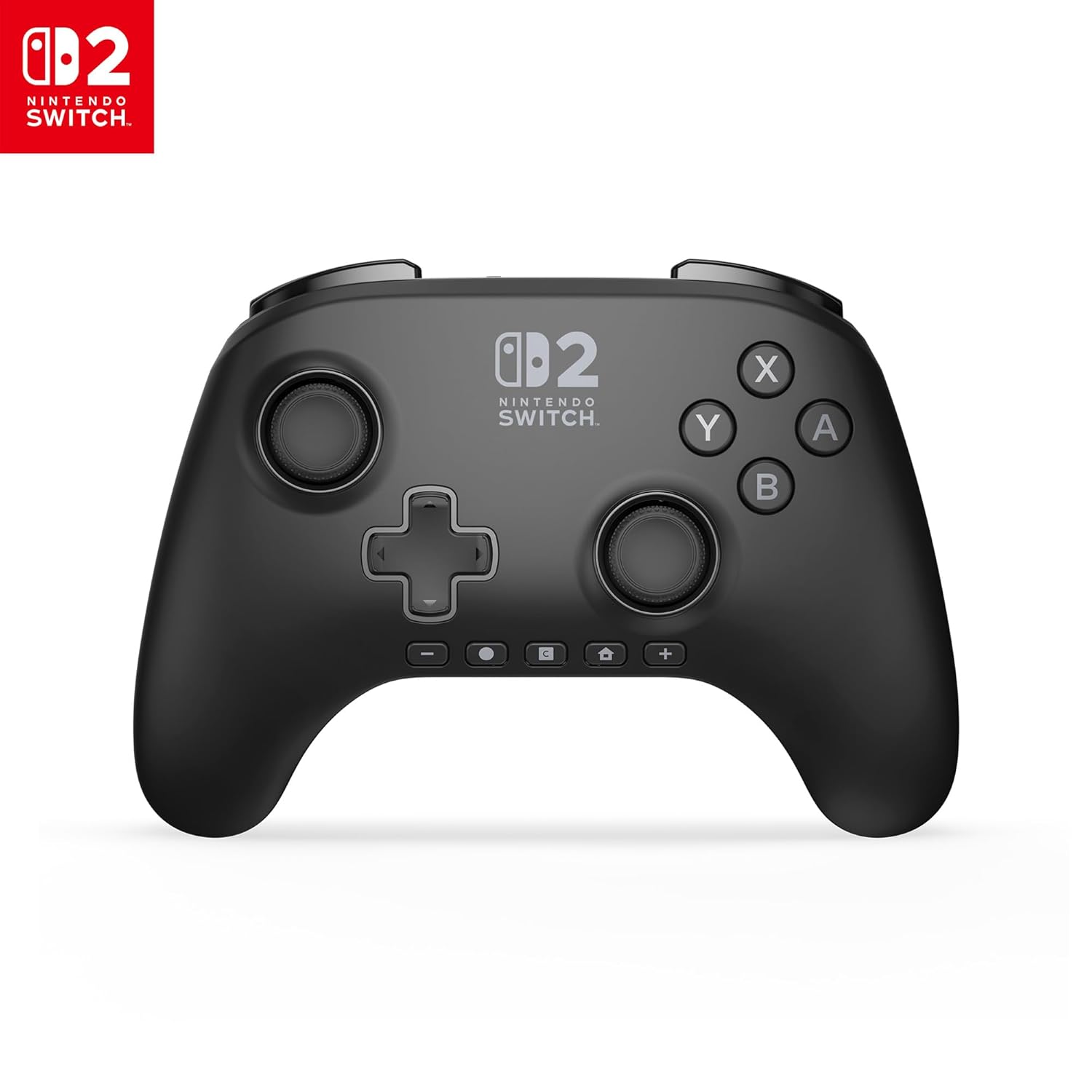
Buy on AmazonPowerA Advantage Wireless Controller for Nintendo Switch 2 - Black, Officially Licensed, Hall Effects, Mappable Buttons, Pro Controller, C Button, Motion Controls
Switch 2 owners who want an officially licensed alternative to the first-party Pro Controller with Hall Effect sticks, C Button, and a two-year warranty.
Officially licensed with Hall Effect thumbsticks, a C Button for GameChat, two mappable Advanced Gaming Buttons, motion controls, and a two-year limited warranty in a single ergonomic package.
Competitively priced but still a meaningful spend for a single controller, and it does not include HD Rumble 2 or amiibo functionality like the first-party option.
Mid-range
- Hall Effect sticks prevent drift
- C Button for GameChat included
- Two-year limited warranty
- No amiibo or HD Rumble 2
- Single controller only at this price
The best officially licensed third-party option for Switch 2, pairing Hall Effect precision with C Button support and a solid warranty.
Buy on AmazonUpgrading your controller setup for the Nintendo Switch 2 does not have to be overwhelming. Whether you are prioritizing comfort during long sessions, cutting down on input latency, or making sure everything stays fully compatible with Nintendo’s ecosystem, there is something on this list worth considering. Take your time browsing through the options and think about what matters most to your playstyle. Even one small upgrade can make a noticeable difference in how much you enjoy your time with the console. We hope this checklist helped point you in the right direction. Thanks for reading!
Frequently asked questions
Which Switch 2 controllers actually support the new C button and Nintendo Switch 2 exclusive features?
Only controllers built or licensed specifically for the Switch 2 are guaranteed to support features like the C button and full Nintendo Switch 2 system integration. From this list, the official Nintendo Switch 2 Pro Controller and Joy-Con 2 support every first-party feature by design, and the PowerA Advantage is officially licensed for Switch 2 with C button support confirmed. Third-party options like the AceGamer and PDP REMATCH may work well for general play but check the product listing carefully to confirm Switch 2 specific feature compatibility before buying.
What is Hall Effect joystick technology and is it worth choosing over a standard joystick?
Hall Effect joysticks use magnetic sensors instead of physical contact points to read stick position, which means the parts that detect movement do not touch each other and wear down. This design can reduce or eliminate the stick drift problem that plagues many standard controllers over time. The AceGamer 2 Pack and PowerA Advantage both advertise Hall Effect joysticks, making them worth considering if longevity is a priority for you. For casual or light use the difference may be minimal, but for daily or heavy gaming sessions the durability advantage can be significant.
How difficult is it to set up a third-party wireless Switch 2 controller compared to the official Nintendo options?
Most third-party wireless Switch 2 controllers pair via Bluetooth using a sync button, which takes under a minute and mirrors the process for official controllers. Options like the Switch Controllers 2 Pack and Lyyes 2 Pack are designed to be plug-and-play with no drivers or apps required. The official Nintendo Pro Controller and Joy-Con 2 pair through the system menu with the most seamless experience since the Switch 2 firmware is built around them. If you want the fastest setup with no troubleshooting risk, the official Nintendo hardware is the easier path.
Are third-party Switch 2 controllers durable enough for long gaming sessions or is the build quality noticeably lower?
Build quality varies across third-party options, but controllers with Hall Effect sensors tend to hold up better over time because the joystick mechanism is less prone to wear. The PDP REMATCH and PowerA Advantage are both licensed products, which means they go through Nintendo’s approval process and often meet a higher construction standard than unlicensed alternatives. Unlicensed options like the AceGamer or Lyyes packs can still offer solid plastic construction and functional rumble, though the feel in hand may be lighter or less refined than the official Nintendo Pro Controller. For marathon sessions, grip texture and weight distribution matter as much as brand, so checking the physical dimensions against your hand size is a practical step.
Is buying a two-pack controller bundle a good value compared to a single premium controller for Nintendo Switch 2?
A two-pack bundle makes the most sense for households with two players, since you get two controllers for roughly the cost of one premium single unit. Options like the AceGamer 2 Pack, the Switch Controllers 2 Pack with charging dock, and the Lyyes 2 Pack all offer this format, with some bundles adding extras like a charging dock or RGB lighting. If you play solo the majority of the time, investing that budget in a single higher-quality controller such as the official Nintendo Pro Controller or the PowerA Advantage can give you better build quality and feature support. The decision comes down to how often you play multiplayer versus how much you prioritize premium feel and licensed compatibility for your own sessions.